

If you want to know how to build trust in ecommerce, especially with first-time customers, this article is here to help.
The reward for earning a first-time customer’s trust is their loyalty. They’re more likely to return and buy from you again. Or recommend your business to other people through positive word-of-mouth.
👋 In this article, we’ll show you 15 different techniques to build trust with first-time customers in various places on your ecommerce website.
15 essential trust-building strategies for first-time ecommerce customers
A first-time customer isn’t just someone who buys a product or service from you for the first time. These customers are also entirely new to your brand. They’re likely unfamiliar with the full range of offerings or your ecommerce customer experience.
So, to win their trust and confidence in their purchase, your trust-building strategies should revolve around these practicalities:
- Transparency. Openly provide clear, transparent information about your product, pricing, business practices, and policies.
- Social proof. Show testimonials or reviews to demonstrate reliability.
- Quality. This means your content is accurate, the images are high-quality and real, etc.
- Privacy and security concerns. Make your online shoppers feel secure at every turn.
- Authenticity. Show genuine care for the customer’s experience. Be honest in marketing. Focus on real benefits and outcomes. Share your brand story.
- Responsive customer support. Reach out post-purchase to offer support and reinforce their positive experience.
These elements serve one main purpose: trust-building. In this section, we’ll show you 15 different ways to strategically implement them across your online store.
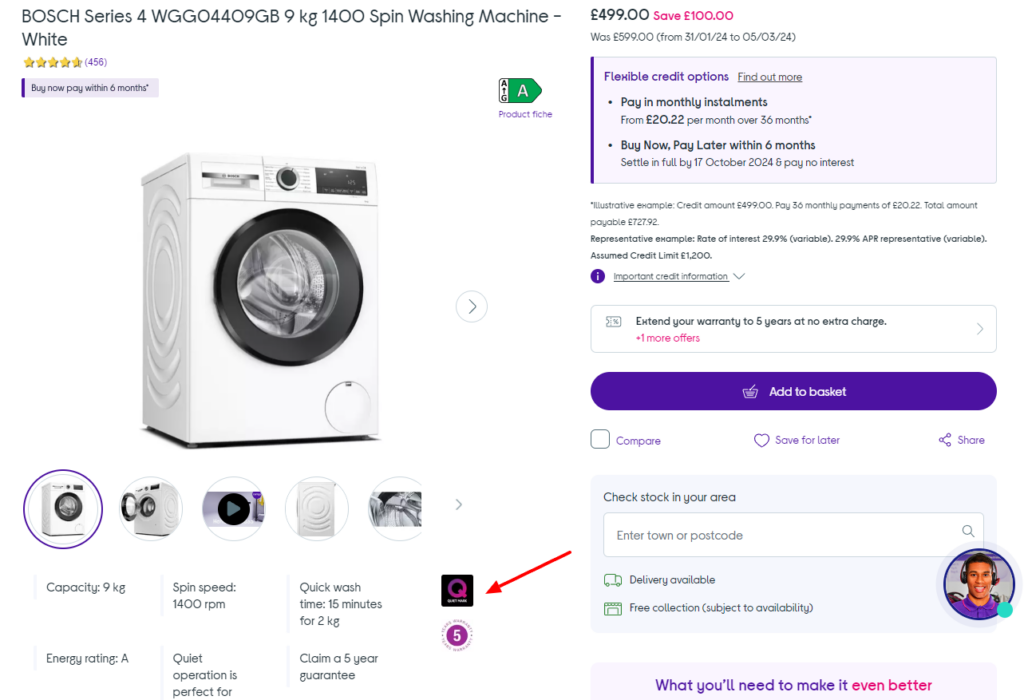
1. Showcase social proof (e.g., reviews, ratings)
Some first-time customers are often skeptical in unfamiliar territory. They’re unsure about the quality of your product or service, its reliability, or the value they’ll receive. All of this leaves room for doubt.
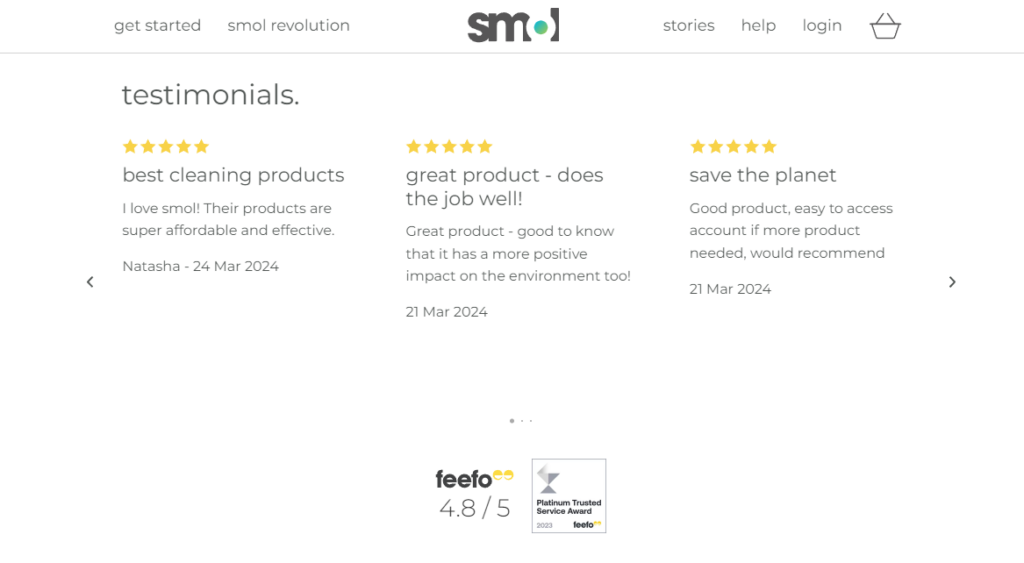
One of the most effective ways retailers can win skeptical customers over is to provide social proof. Social proof is the evidence that other people have used and benefited from your product/service.
So, convince first-time customers to buy by highlighting your previous work. Share success stories from your portfolio, customer testimonials, reviews, star ratings, etc.
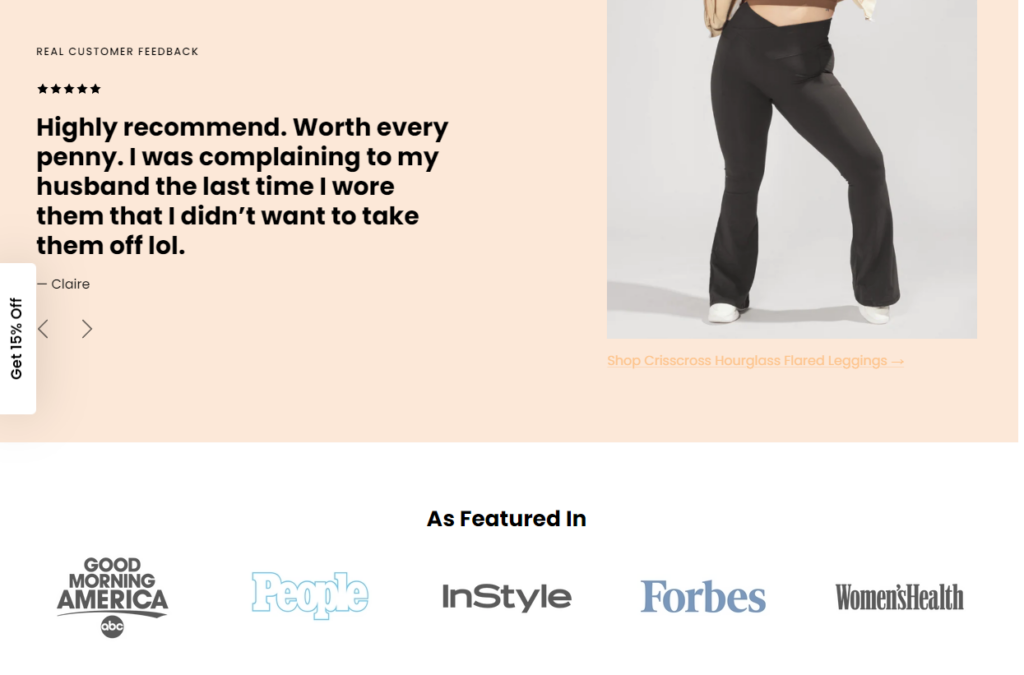
Why social proof works
📈 This works because studies show that 92% of customers trust peer recommendations, but not nearly as many trust ads.
Generally, highlighting social proof:
- Shows your reputation.
- Helps you build credibility, for example, with positive reviews.
- Lets you show potential customers how your product/service solves their problems. Or address their needs.
Ultimately, all of this causes first-time customers to trust your ecommerce business and boosts their confidence. You can highlight social proof in the best light possible with the help of the WordPress plugin WP Business Reviews.
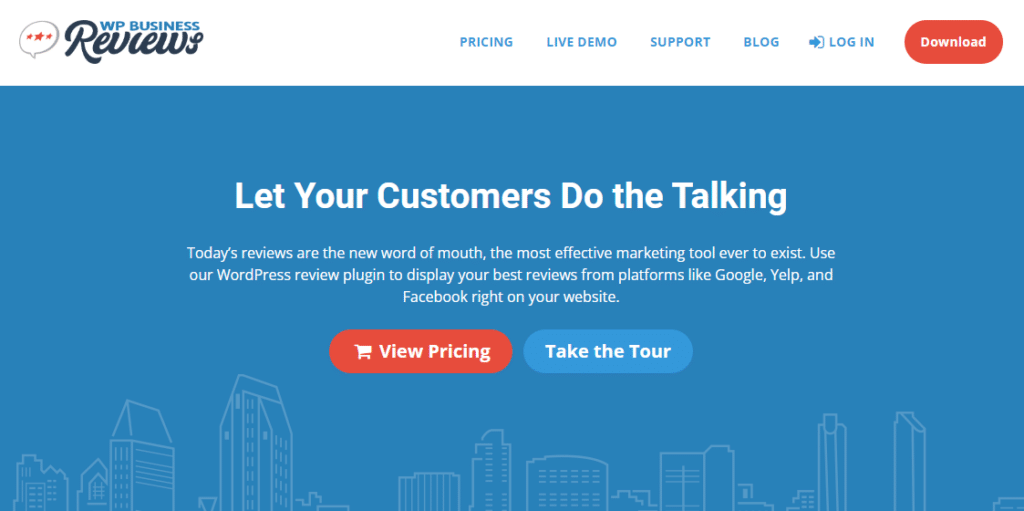
Use WP Business Review to highlight social proof
WP Business Reviews helps you show off your reviews and highlight your customers’ great experience on your WordPress site.
It gathers all customer reviews from various platforms like Google, Facebook, Yelp, Zomato, etc. You can use their collection builder to search your business.
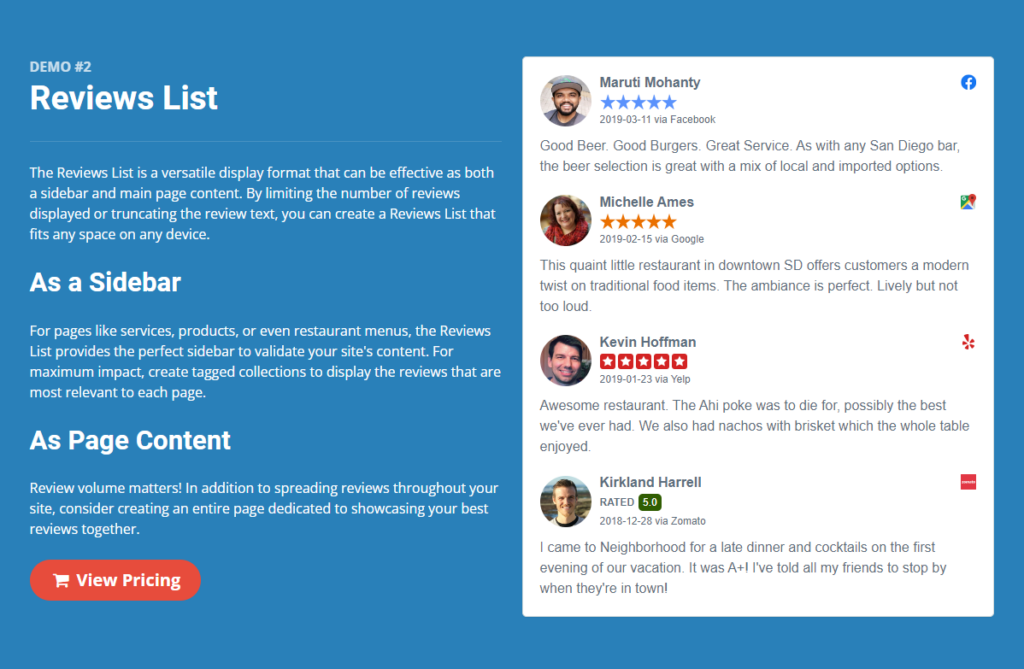
Collect reviews and display them prominently in these responsive formats:
- Gallery. It lets you define the number of columns in your gallery.
- Flexible list format. Use this if you want to present your reviews as the main content of the page or in a sidebar widget.
- Carousel. To fit many reviews into a smaller space.
You can also select which details to show, such as the image, name, star rating, recommendation, timestamp, platform icon, or content.
Note: Use verified purchase badges or third-party review integrations for credibility.
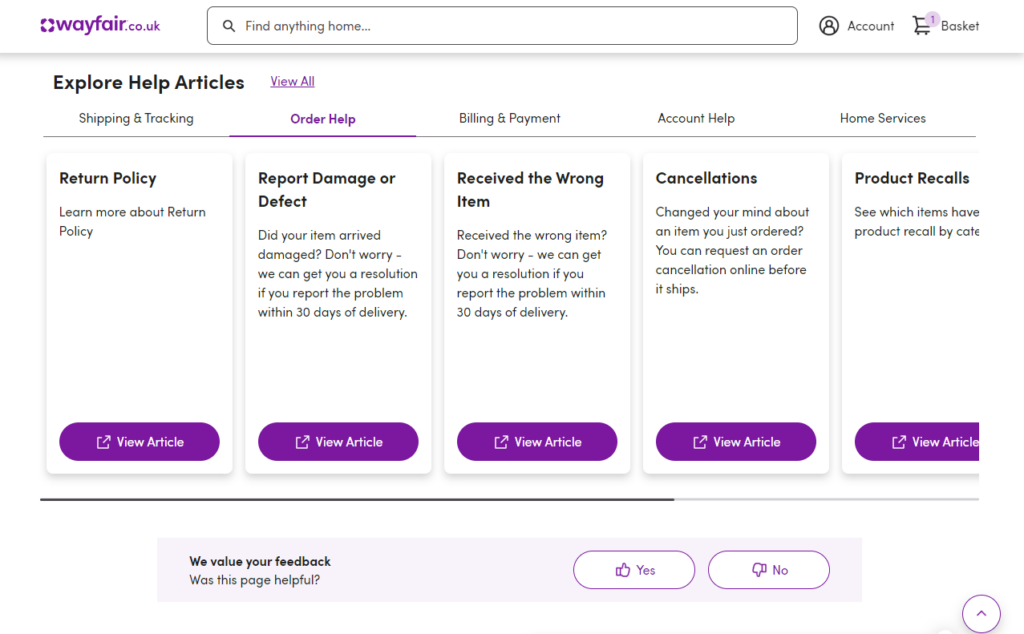
2. Offer transparent return and refund policies
If we want to learn how to build trust in ecommerce, let’s get into the customer’s shoes for a moment here.
You’ve finally found the exact new pair of shoes you’ve been searching for in an online store and are eager to buy. But just before you can complete your purchase, a question lingers, “What if they don’t fit? Can I return it?”
The next logical step would be to read the shop’s return and refund policy to get acquainted.
Why clear a return policy is important
Shop owners who provide clear and transparent return policies at this critical stage of a buyer’s journey control the scenario. By outlining the process of returning items that don’t meet expectations, they’ll restore their customers’ confidence in confirming that shoe purchase.
📈 96% of online shoppers review return policies before purchasing. 73% say a clear return policy makes them more likely to buy from an online store.
In short, a clear return and refund policy:
- Reduces hesitation during a purchase.
- Builds consumer trust by assuring them they can confidently make a purchase. They know they have options if they’re not satisfied.
- Increases a customer’s online shopping experience.
There’s also the business side. Clear policies can increase your sales and conversion rates, and so on.
Tips for creating a winning, clear, and transparent return and refund policy
- Add your return and refund policies on the product and checkout pages so they’re easily accessible.
- Use easy-to-understand language. Not the legalese or complex jargon that leaves customers scratching their heads.
- Specify the types of products that can be returned, for what reasons, and within what timeframe.
- Don’t forget to detail the return process itself. How customers should initiate a return, what information they should provide, and where to send the product.
- Provide reasonable return windows.
- Define acceptable return conditions.
3. Display secure checkout indicators
Displaying security badges, such as SSL certificates from Norton or McAfee, reassures new customers with security concerns. The checkout page is an ideal place to add these badges. That’s because it addresses security concerns online shoppers may have when they’re ready to buy.
📈 This is especially important given that online shopping and payment account fraud rose by 42% in the U.S. this year.
The right WordPress plugin to help you do this is Flux Checkout for WooCommece.
Flux replaces the default WooCommerce checkout with a multi-step checkout design. Every aspect of this new design is optimized so that customers focus on one thing only – completing the checkout. In our case, one of these aspects is adding trust badges for SSL certification.
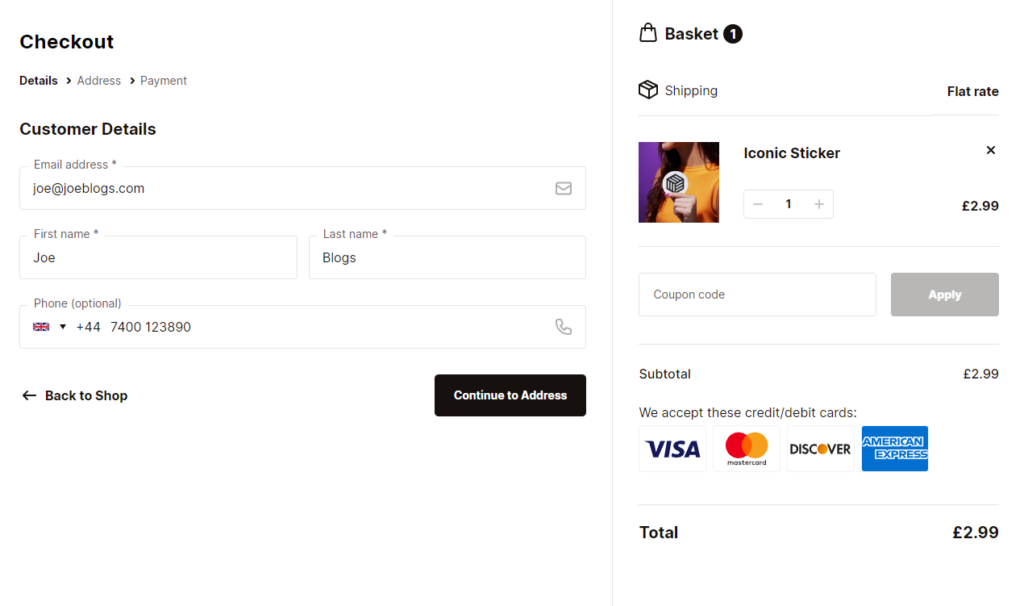
Use Flux Checkout Elements to add security badges
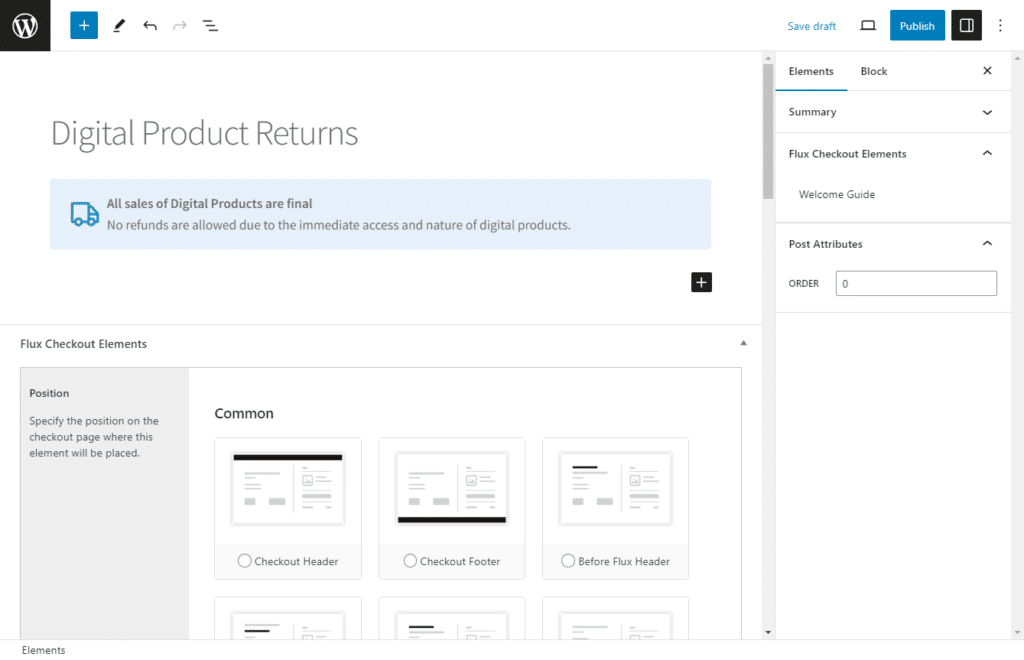
In Flux Checkout for WooCommerce, Checkout Elements are blocks or designs you can create and showcase anywhere on your Flux Checkout page. These elements are versatile and can be used for various purposes to create testimonials, FAQs, and, of course, trust badges.
When it comes to knowing how to build trust in ecommerce, you don’t have to start creating trust badges from scratch. For the best experience, Flux provides you with 5+ pre-built templates, including payment icons, free shipping, and customer review badges.
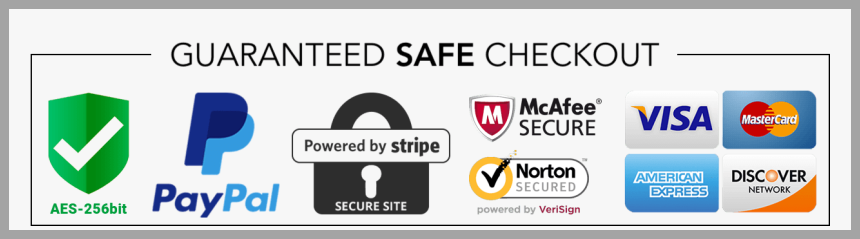
Steps to add security badges to your checkout page
You can customize these badges right on your WordPress block editor and choose where to display them in these four steps:
- Create, add, and design your security badge.
- Decide where this badge will sit on the checkout page. You can pick from several different positions, including the checkout header, footer, before or after all fields, and so on.
- Decide if you want your trust seals to be conditional or not.
- Test and view your trust badges.
But why should trust badges matter most to you as an online retailer?
Why are security badges during checkout so important
While displaying security badges reassures new customers and makes them feel secure, it provides you an opportunity to:
- Reduce your checkout abandonment rate. Keep in mind that 25% of customers will abandon the checkout process if they can’t trust an ecommerce site with their credit card information.
- Boost your conversion rates by reducing the checkout abandonment rate.
- Improve your brand reputation. One of the precursors to building trust is a solid business reputation.
Flux Checkout for WooCommerce
Flux Checkout transforms the default WooCommerce checkout into one that’s lightning-fast, distraction-free, and reduces checkout abandonment.
4. Provide clear contact information and accessible support options
Seeing clear contact information at the top or bottom of every page on your site is proof that you’re a real business (with a real address) for some new customers. Customers will know they can get in touch in case an issue, problem, or concern arises.
Therefore, ensure you have accessible contact channels like a phone number, email, live chat, and social media messaging throughout your ecommerce website.
In particular, add these contact details to important pages like your homepage, product pages, or the checkout page. Contact channels on these pages make support easy to find at critical moments of a buyer’s journey.
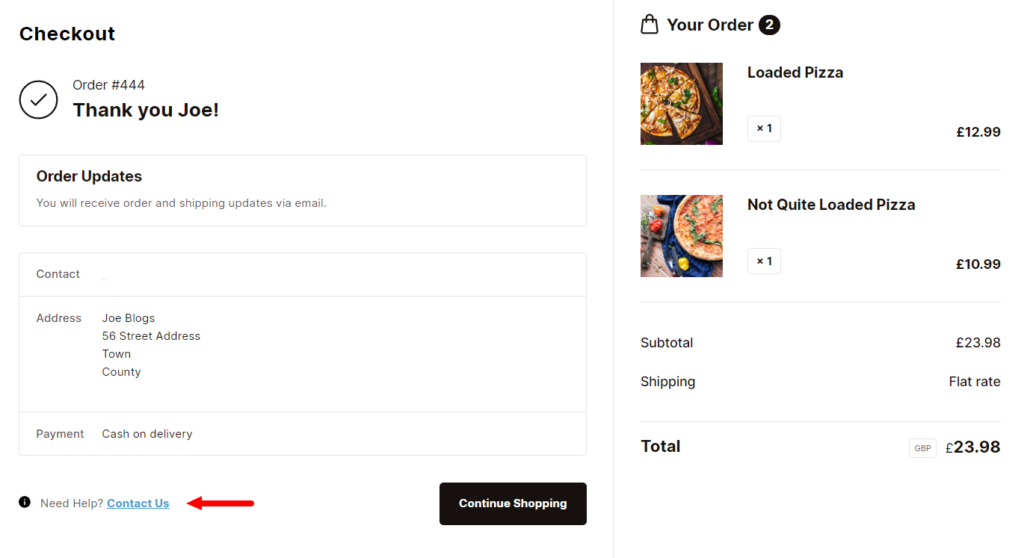
Add a ‘Contact us’ link to your WooCommerce checkout page with Flux Checkout for WooCommerce
With Flux Checkout, you can add a ‘Need help? Contact Us’ link like this one on your WooCommerce thank you page.
Clicking this link will lead customers to your contact page, where they can ask questions about their order or contact you directly. In this way, they won’t be frustrated if they face an issue post-purchase.
5. Create and share a unique brand story
The best place on your online store where you can create and share your brand story is the About Us page.
Why is this page so important for first-time customers to trust you? This is the page where you tell your story in detail. How did you start? What is your mission statement/values? What makes you unique? Who are the people behind it?
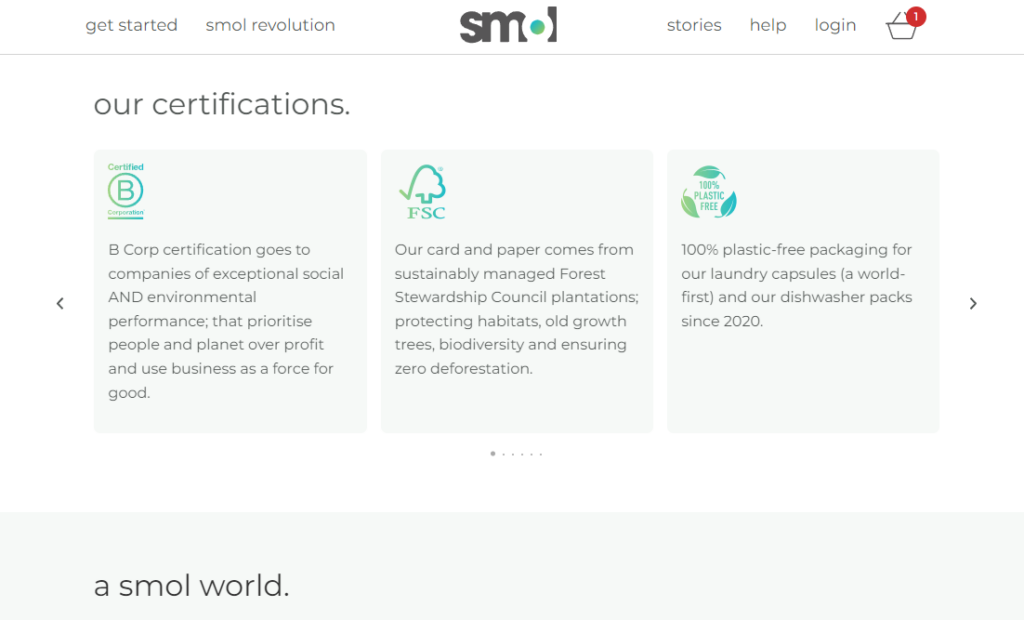
Why brand storytelling on the About Us Page is important
When customers read this story, they’ll see the human side of your online business and emotionally connect to your brand’s identity.
📈 52% of respondents in a KoMarketing study say the About Us page is the first thing they want to see when they visit a website. Those who view your About Us page will spend 22.5% more than those who don’t.
So, tell your brand’s story. Let your customers know where you’ve been, where you are, and how you got there. What problems did you face? How did you overcome them?
Bring your values and personality to life with images, videos, and posts that resonate with followers.
6. Ensure transparent pricing (including shipping costs)
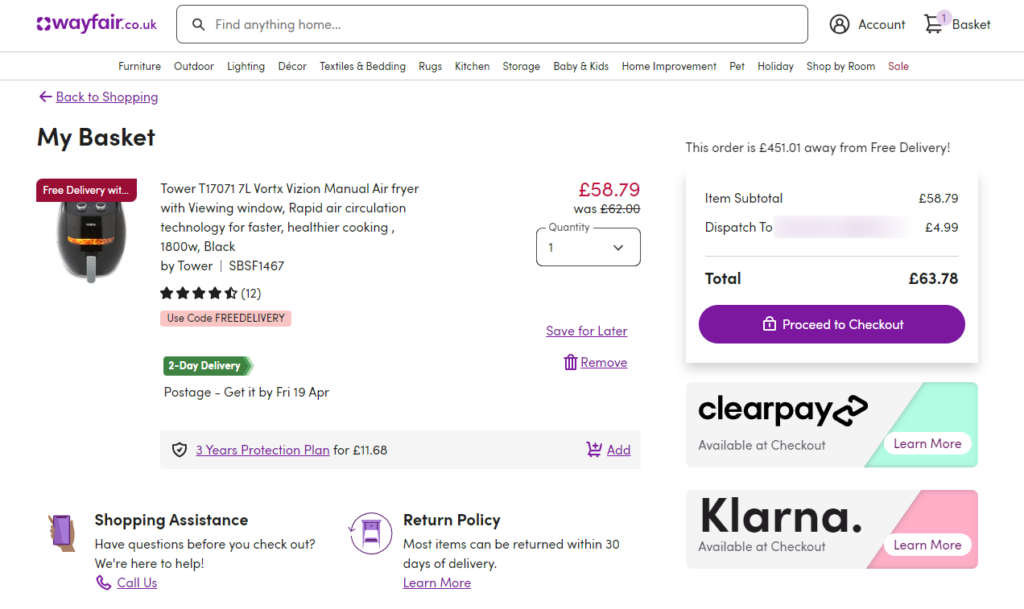
📈 One of the main reasons customers abandon their shopping carts is hidden extra costs like shipping, tax, and other fees. It accounts for 48% of the cart abandonment rate.
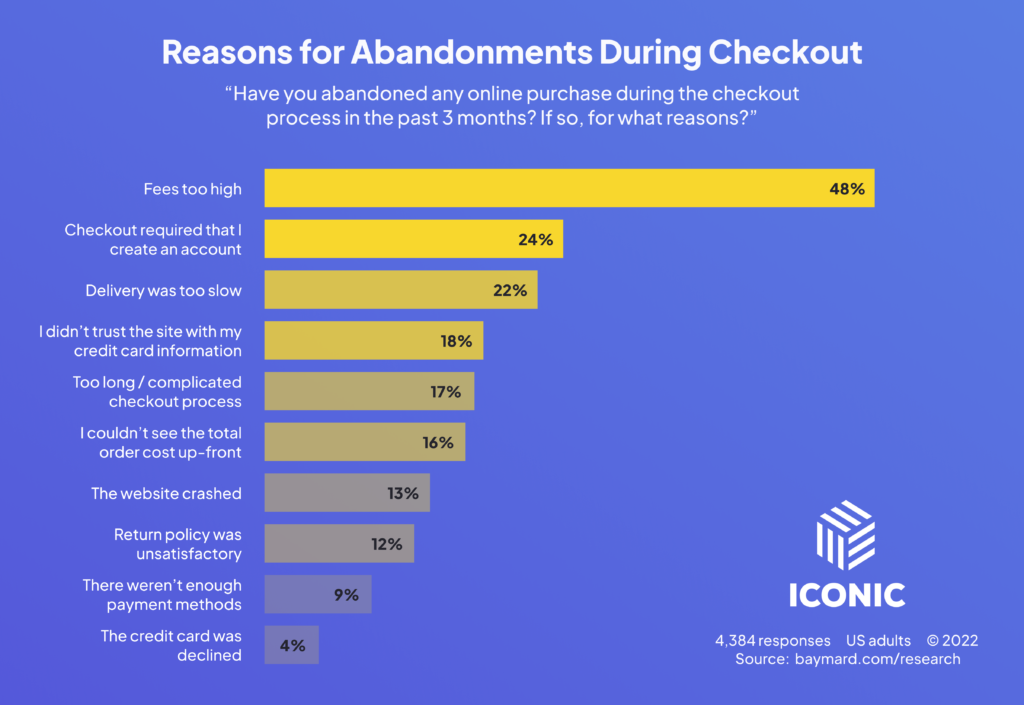
No customer likes hidden fee surprises in their shopping cart previews or at checkout. Unexpected costs undermine consumer trust.
So, if you charge extra for shipping and handling, make sure that this is communicated to prospects before they reach the checkout page. Being transparent by showing all extra costs early in the checkout process builds trust and helps reduce cart abandonment.
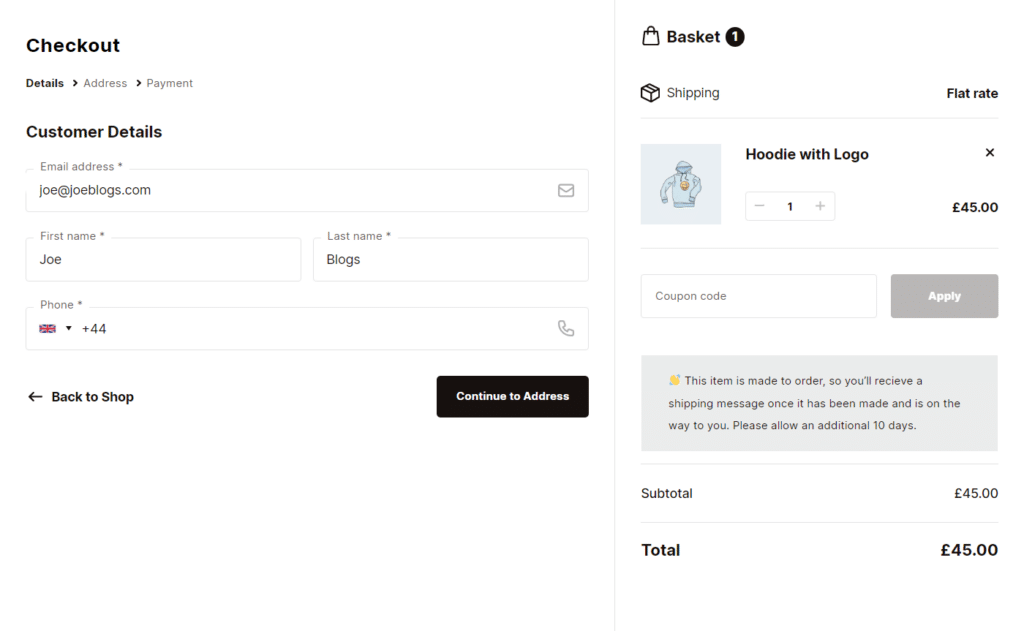
Display all prices upfront throughout the checkout process with Flux Checkout
For instance, you can show additional fees, like shipping costs, taxes, etc., early in the checkout, ideally after a customer enters their shipping address.
However, the most effective way would be to show the order summary throughout the checkout process. The Flux Checkout for WooCommerce plugin can help.
It allows you to display the full price upfront in an order summary (alongside other details). Customers can quickly review this summary at any point during checkout.
Those shopping on a desktop will see this summary side-by-side with the checkout, while mobile shoppers can view it in a collapsible menu so it doesn’t interrupt the checkout process.
7. Implement an easy-to-use and reliable checkout process
The more user-friendly and streamlined the checkout experience is, the more conversations you’ll receive. If the process is under four minutes, it’s highly likely to turn first-time buyers into loyal customers.
📈 Yes, you heard that right. 66% of customers expect your checkout to be under four minutes. Another 28% expect it to be two minutes or less. This implies slow, complicated checkout processes only decrease trust and cause drop-offs.
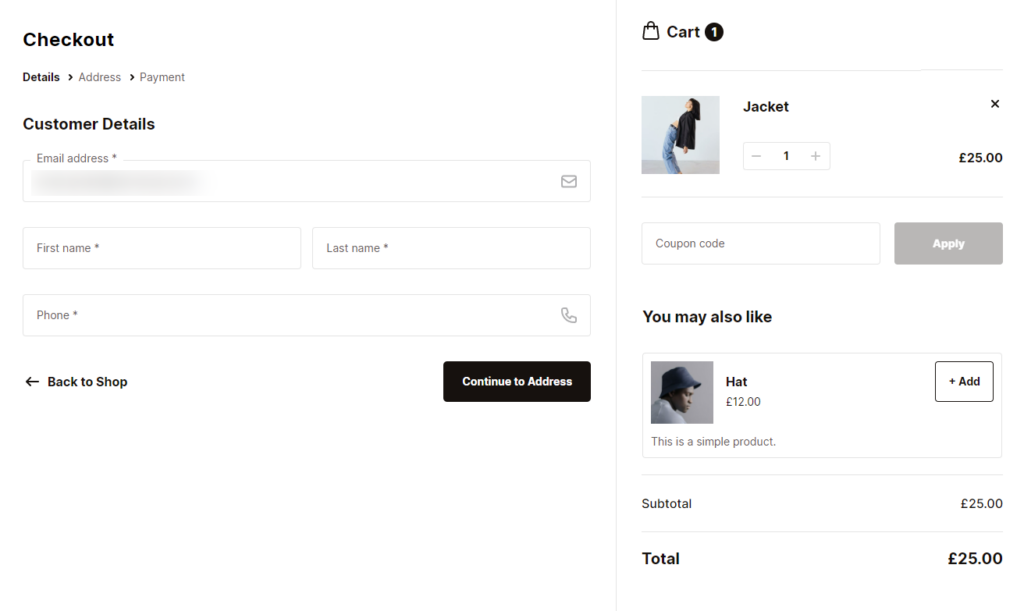
What constitutes a good checkout process
Typically, the checkout process is considered to be effective (or trustworthy) if it’s:
- Simple. The process is fast and easy for customers. This means fewer fields, a multi-step process, and automatic form filling.
- Focuses on the customer experience. It provides guest checkout options, transparent pricing, a progress indicator, and any feature that boosts the customer’s experience.
- Has an order confirmation page. That includes a thank you message, order details, payment information, and shipping methods.
You can find these components (and more) all in Flux Checkout for WooCommerce. We gave you a glimpse of this plugin earlier, but this is what it really is: it upgrades the default WooCommerce checkout.

Change your checkout to a multi-step checkout with Flux Checkout
Flux Checkout for WooCommerce replaces the default WooCommerce checkout with a fast, simplified, and modern multi-step checkout. This makes it more appealing, and more customers will be comfortable enough to complete a purchase.
📈 It also lets you add its modern design and customize your checkout design to fit seamlessly with the rest of your store. This is important because 75% of customers judge a site’s credibility by its appearance.
You can:
- Reduce the number of steps and information the customer needs to enter.
- Let customers auto-populate address fields.
The main goal of this new multi-step checkout design is to help customers get through the checkout process as quickly as possible.
Flux Checkout for WooCommerce
Flux Checkout transforms the default WooCommerce checkout into one that’s lightning-fast, distraction-free, and reduces checkout abandonment.
8. Offer detailed product descriptions and images
Customers can’t physically touch or try on products in an online store. They rely on detailed product descriptions and images that show a product from different angles so they can inspect it up close.
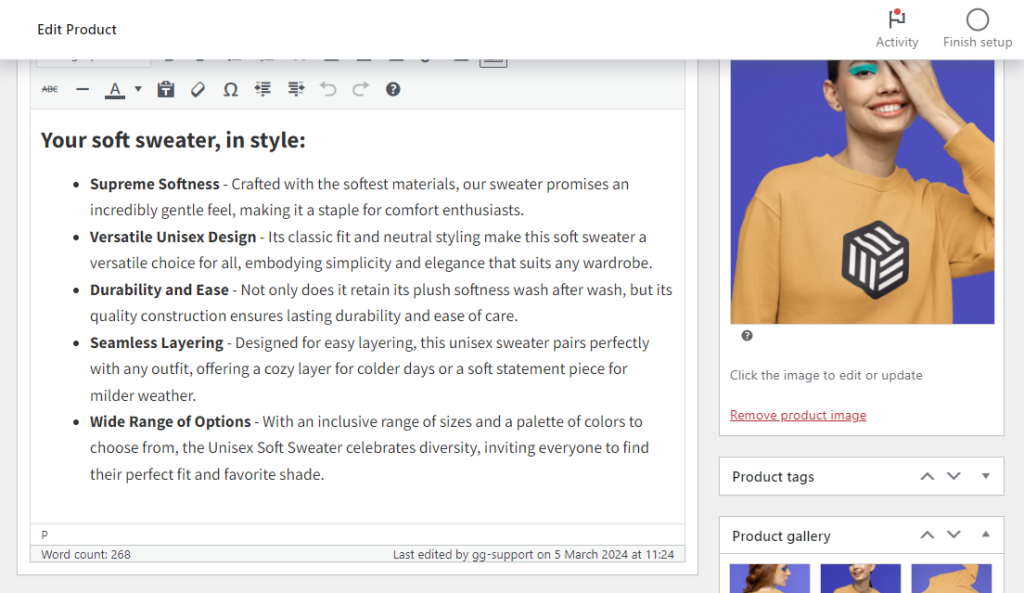
The importance of detailed product descriptions and images
Letting your customers zoom in on the smaller details, like the fabric or materials of the product, eliminates any doubt they may have about its quality or authenticity. In addition, it includes other product information about the features, benefits, and specifications, answers common customer questions, and highlights why the product is worth buying.
Looking for a quick and easy way to make your product photos or videos stand out, increase sales, and build trust? Using WooThumbs for WooCommerce can help.
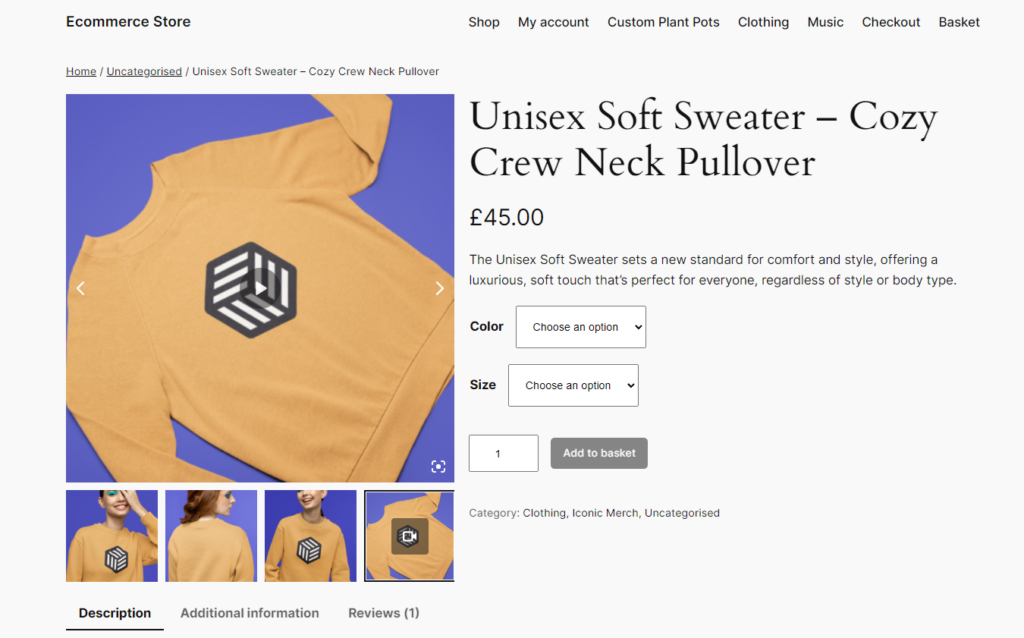
Build trust by showing the finer details of your product with WooThumbs
WooThumbs is a WooCommerce plugin that enhances your product images and galleries in minutes with a new layout, transition effects, and more.
You can completely customize this product gallery to suit you. You’ll be able to change everything from where your thumbnails are positioned to how they look, how your images move, and more.
More specifically, WooThumbs gives online stores three ways to showcase their products visually and make the online shopping experience the best it can be. It lets you:
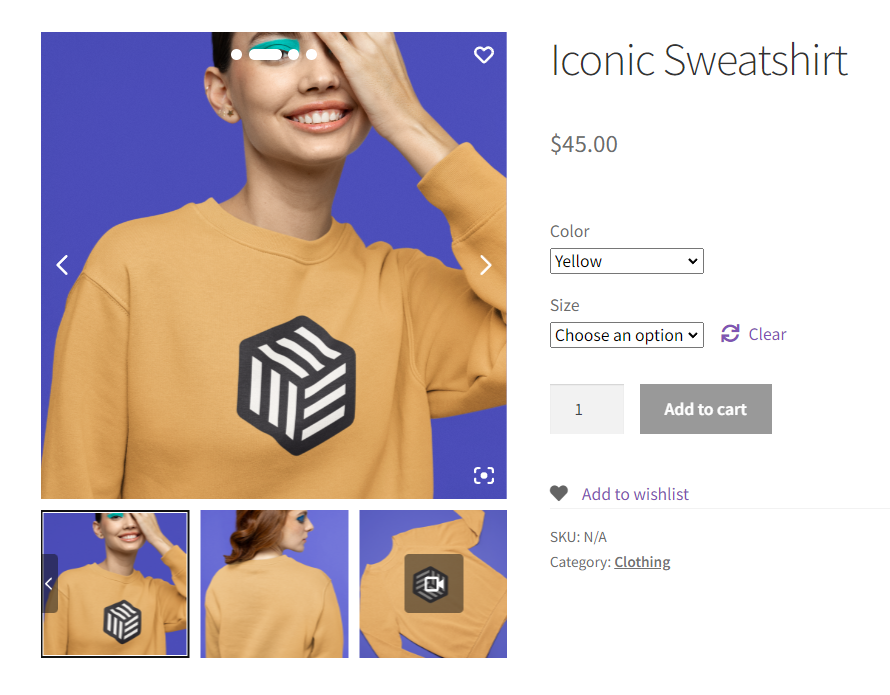
Show multiple images per variation
One of WooThumbs’ main features is that it allows you to add multiple images for each product variation. For instance, you can show your variations from different angles, like the front, side, back, or up close, using as many images as you like.
So, start with high-quality images that depict the product from various angles at different levels of detail.
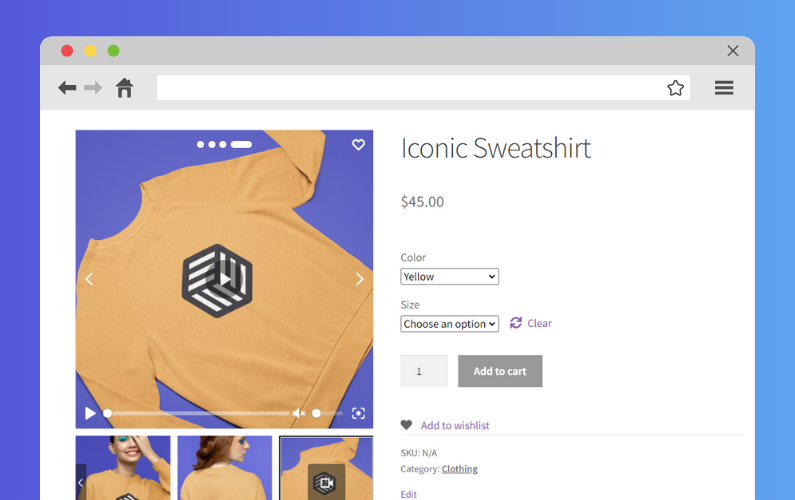
Embed product videos or other media
You can upload video demos directly into the gallery to help customers visualize the product in action. Or embed video from YouTube, Vimeo, etc.
Generally, high-quality videos condense key pieces of information your customer needs to know quickly. It can build trust by showing the product is real and tangible. Not to mention, video helps with SEO and ranking with Google.
Show finer details with in-built smooth image zoom
Image zoom lets customers closely inspect textures and other finer details, just as they would in a physical store.
WooThumbs for WooCommerce
Customize your WooCommerce product image gallery in minutes with a new layout, embedded video, multiple images per variation, and more.
9. Utilize personalization for a better user experience
If you want to know how to build trust in ecommerce, this tip is a must. Customers also visit an ecommerce store often with one or two products in mind.
You can personalize this experience by recommending a matching complementary item based on the product a customer has shown interest in. For example, you can do this through sections like “You May Also Like,” “Frequently Bought Together,” “Recommended for You,” or ”Customers also bought.”
Generally, recommending products this way can help you build real, human connections with your audience during their shopping experience.
📈 37% of online shoppers who clicked a recommendation during their first visit returned. That’s a clear sign that relevant product suggestions work.
You can achieve this with the help of the Iconic Sales Booster for WooCommerce plugin.
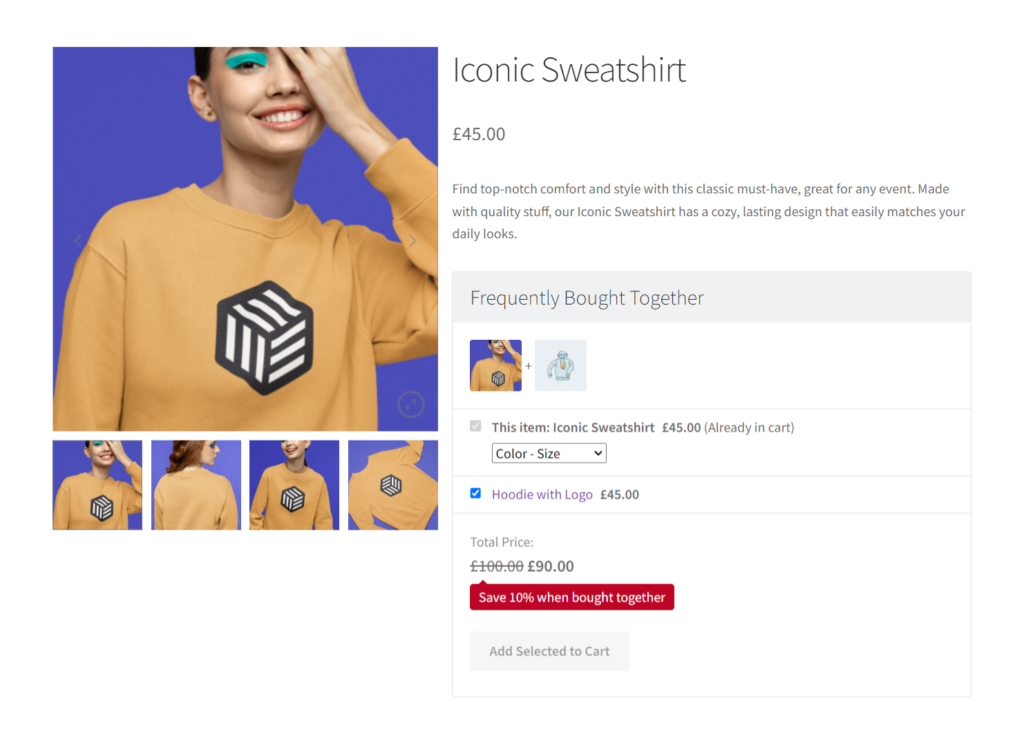
Cross-sell on your WooCommerce product page with Iconic Sales Booster
Iconic Sales Booster lets you recommend complimentary items to customers with a variety of proven cross-sell techniques that boost sales.
The two main ones include the ‘Frequently Bought Together’ or ‘Customer also Bought’ sections.
Show frequently bought together products on your product page
You can add a ‘Frequently Bought Together’ section on your product pages to show products that are often bought together at the same time. It’s a popular cross-selling technique used by ecommerce giants such as Amazon.
You’re also free to edit this section’s messaging and add a discount to appeal to your customers and make the offer irresistible.
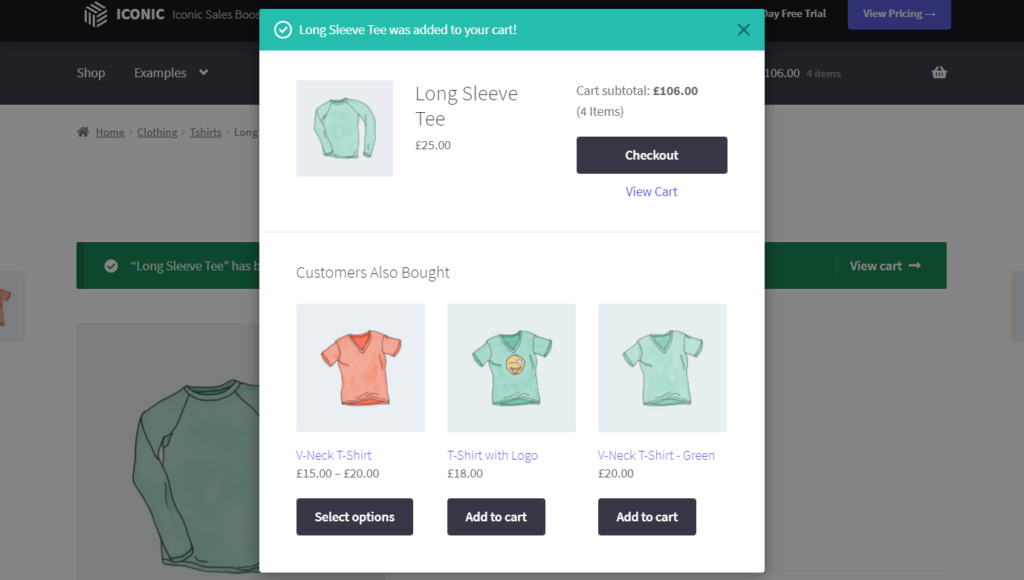
Show Customers also bought popups in shopping carts
With Sales Booster, you can add a related product’s popup immediately after a customer clicks ‘Add to Cart.’ This popup shows buyers what other customers bought to spark their interest in these products.
You can also customize every part of this popup, including the colors, borders, whether to include images, etc. You can also add incentives such as discounts to sweeten the deal.
Iconic Sales Booster for WooCommerce
Add cross-selling to your entire WooCommerce store in minutes with Iconic’s WooCommerce cross-sell plugin, Iconic Sales Booster for WooCommerce.
10. Offer trust-building guarantees (e.g., satisfaction guarantee)
Satisfaction guarantees can also help you build trust. You’re proving to customers that you’re confident in your product’s ability to meet their needs and reassuring them that you’ll get their money back if you don’t. The most common is to offer a 30-day guarantee.
These guarantees can also act as a safety net for customers by reducing the perceived risk of purchasing. They’ll know they won’t be stuck with a product if they’re unhappy with it, especially if it’s their first time buying.
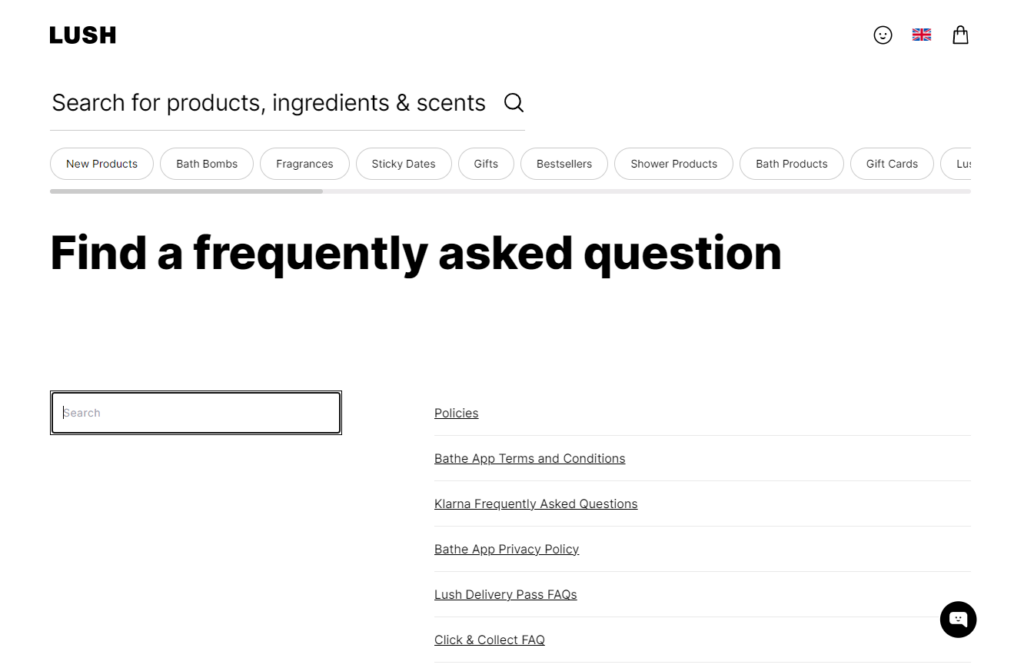
11. Include a comprehensive FAQ section
Whether you realize it or not, your customers have a lot of questions.
If you pay attention, you may notice the same ones come up frequently. Questions about your product or service, shipping, returns, general policies, etc. Those are the questions that your FAQ should target.
The most obvious reason for a FAQ section is to provide your curious customers with a place to have their top questions answered quickly. Addressing customer concerns this way eases them into buying by providing the answers they need upfront.
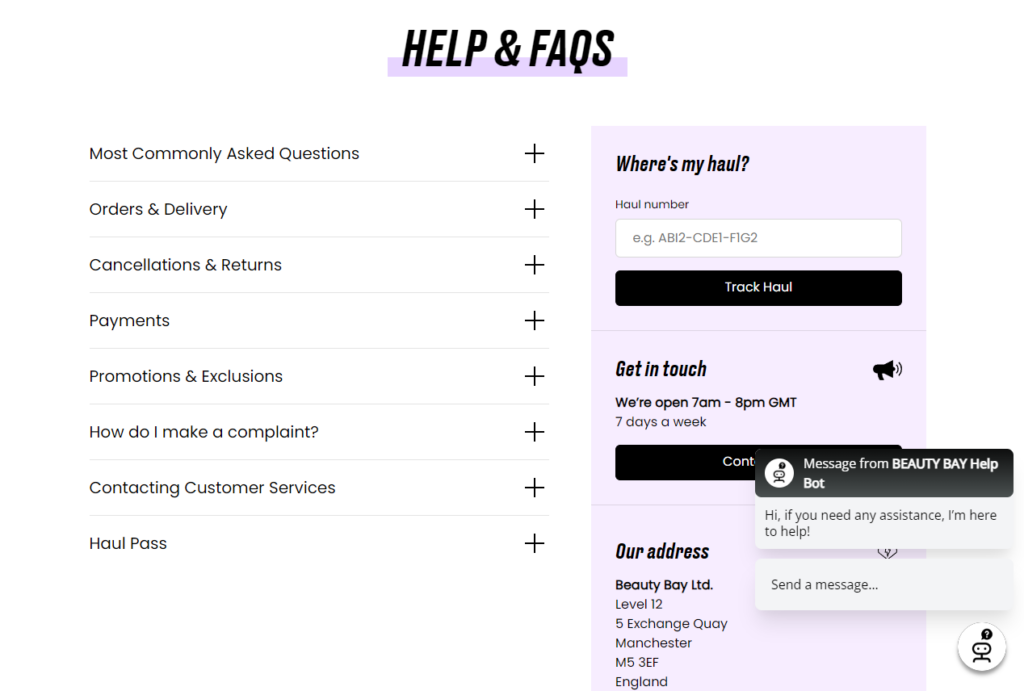
So, create a detailed FAQ section that covers the most common customer questions. Use clear language and organize questions by category for easy navigation.
With Flux Checkout Elements, you can create FAQ blocks or designs and add them anywhere on your checkout page. These FAQ sheets can address questions like delivery, shipping costs, return policies, etc.
12. Offer a variety of secure payment options
Customers trust secure payment gateways like credit cards, PayPal, Apple Pay, or other digital wallets. One reason is because they’re familiar options. These payment providers have strong security measures that give customers confidence that their transactions (and personal data) are secure.
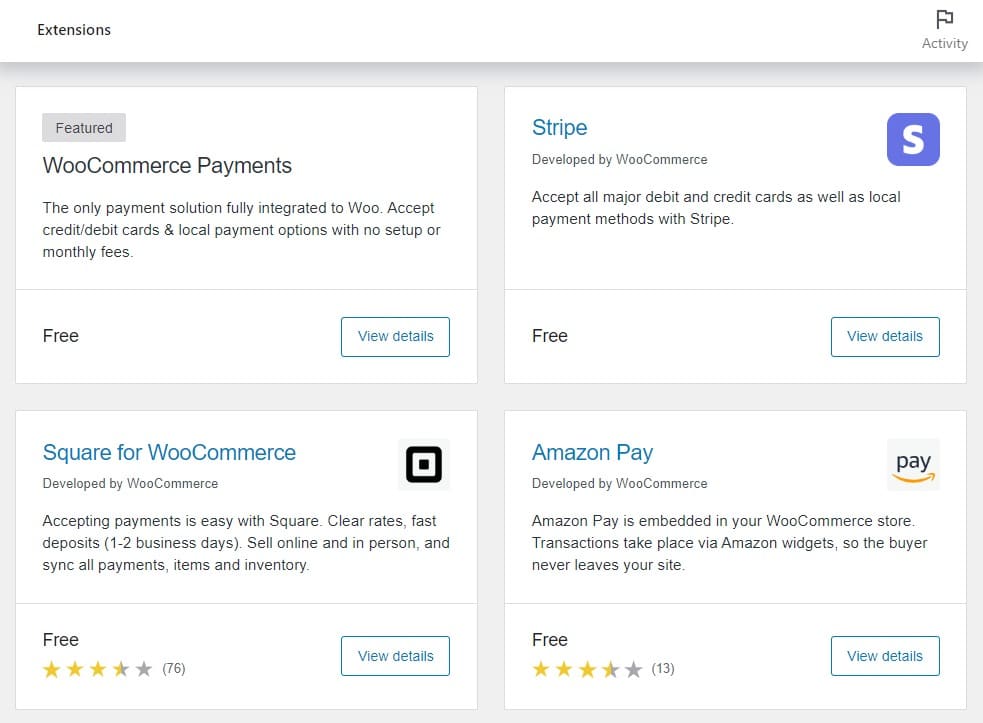
Providing a variety of payment methods caters to a variety of customer preferences. This ensures you won’t miss out on customers because their preferred payment option is missing.
Consider also newer options like buy-now-pay-later (BNPL) options, such as Klarna or Afterpay.
Note: Display secure payment icons and certifications during checkout to enhance customer trust further. This shows you’re committed to protecting a customer’s financial data.
13. Highlight industry certifications or awards
Well-known industry groups like Better Business Bureau (BBB) or ISO award third-party endorsement badges as recognition or approval of your business.
For example, an ISO 9001 certification shows you are committed to quality management. An A+ rating from the BBB indicates strong customer service. Awards like “Best in Ecommerce” or “Customer Choice” signal to customers that others have had good experiences with your brand.
Note: Endorsement seals require you to apply for them and undergo a review period before you get permission to use them. Some seals are available at a fee and subject to renewal after a given period.
When you display these badges on your website, they act as trust signals. It proves to customers that credible third parties vouch for your brand’s reputation, credibility, and commitment to quality.
14. Offer guest checkout for quick purchases
First-time customers expect a smooth and simple checkout process.
Asking them to create an account can add unnecessary friction for some because they don’t see the need to create an account for a one-time purchase. Or they’re not ready to commit or share personal information with a new brand.
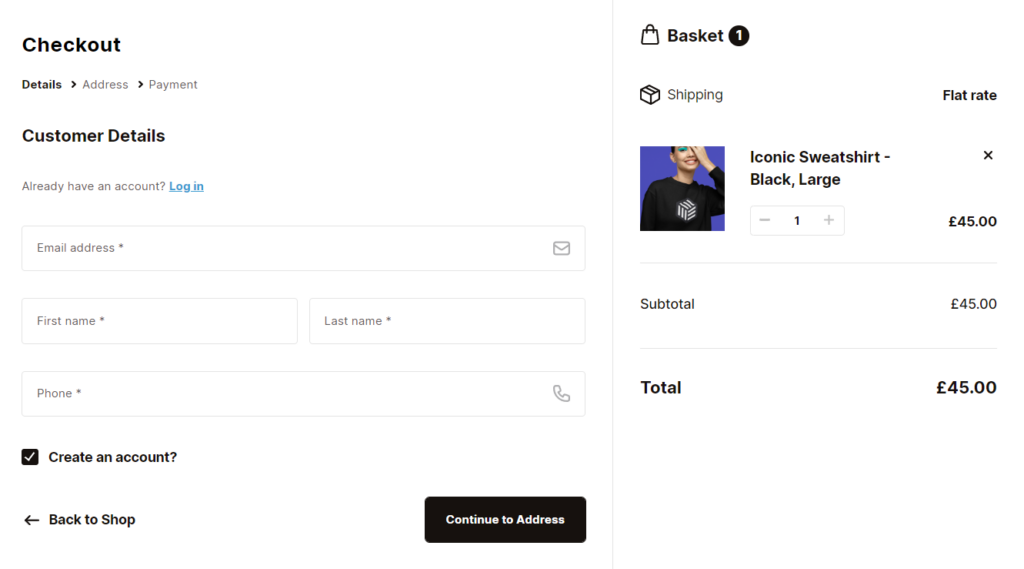
So, make account creation optional after the purchase with an invitation to save their details for next time. It’s a convenient option for new customers who don’t have an account and prefer not to create one.
📈 26% of customers will abandon their shopping carts if they have to create an account to check out.
How to enable the guest checkout option
If you use WooCommerce as your ecommerce platform, you can enable the guest checkout option from WooCommerce Settings under Accounts & Privacy. Then, check the box that says ‘Allow customers to place orders without an account’.
Also, check this box ‘Allow customers to log into an existing account during checkout.’ This will allow customers who already have an account with you to use the guest checkout option
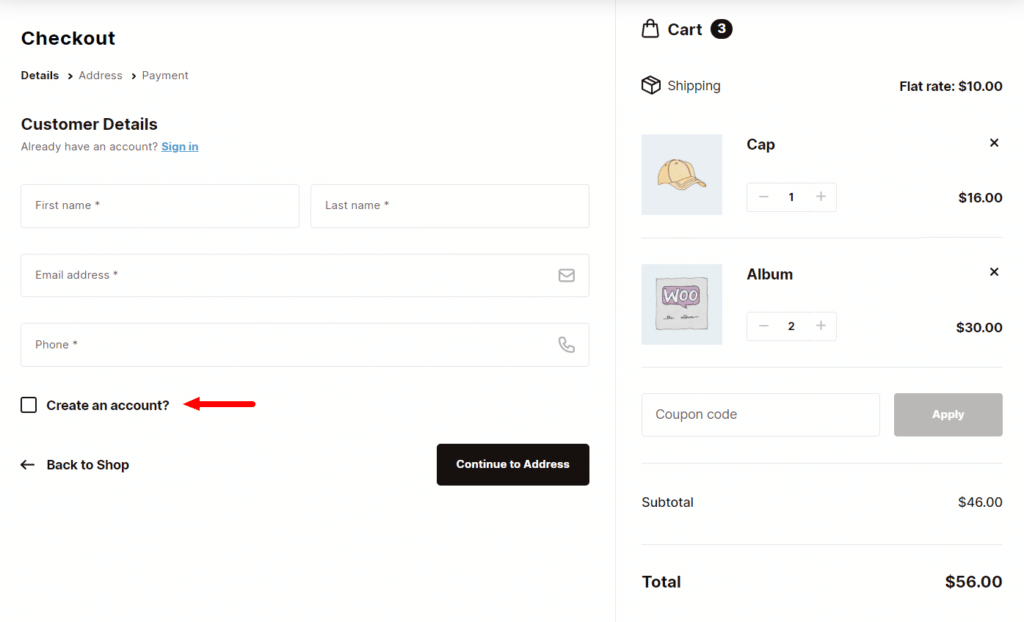
Use Flux Checkout to set up smart account creation and guest checkout
With the guest checkout option available, you can use Flux checkout to set up smart account creation and guest checkout.
It allows you to:
- Assign guest orders. So existing customers (who already have an account) can check out as guests. If they use the same email linked to their account, the order will automatically be assigned to their existing account.
With “Assign Guest Orders” enabled, you can also display a message prompting customers to log in when they enter an email that matches an existing account.
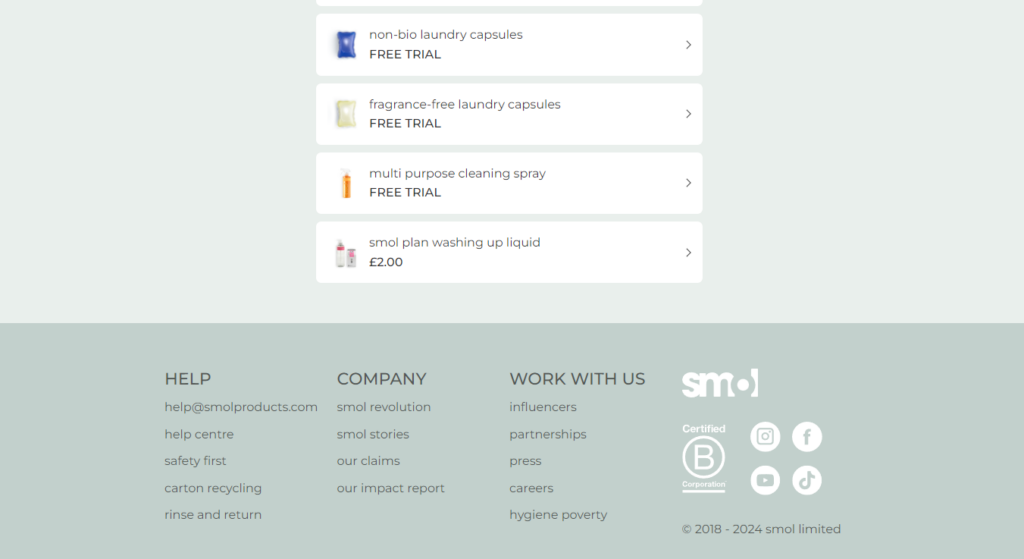
15. Emphasize your brand’s sustainability or ethical practices
Finally, consider integrating eco-friendly practices into the very heart of your online business operations.
That’s because customers today are keen to see your brand’s commitment to being green in action, not just in promises.
📈 In fact, 72% of customers globally are actively purchasing more eco-friendly products.
They want to buy from brands that:
- Reduce environmental impact by decreasing waste and pollution.
- It is transparent about its business practices, including how products are sourced, manufactured, and priced.
- Use eco-friendly materials and packaging.
- Ensures safe, humane working conditions for all employees and suppliers.
- Gives back to important causes and the local community.
- And more.
Building a strong green brand image resonates with eco-conscious consumers and is fundamental to gaining their trust and customer loyalty.
Communicating sustainability to consumers
You can do this by highlighting any eco-friendly initiatives, ethical sourcing, or fair-trade practices your brand follows. Include a dedicated page or highlight these practices on the homepage or product pages to align with customers who value responsible shopping.
Leverage other channels, like social media, branding elements, email newsletters, and product packaging.
Learn how to build trust in ecommerce today
The best way to gain the trust of a first-time customer is to create a trustworthy site, but this requires time to master.
In this guide, we’ve highlighted 15 trust-building strategies you can leverage to gain a customer’s confidence at various pages and touchpoints of your ecommerce site. They also make it easier for new customers to buy.
Using the plugins mentioned in this guide can quickly help you build trust on your product and checkout pages:
- Flux Checkout for WooCommerce. Upgrades your entire checkout page and also adds various trust elements at each checkout stage.
- WooThumbs for WooCommerce. Enables customers to inspect your products close-up from different angles using multiple image variations, video embeds, image zoom, etc.
- Iconic Sales Booster for WooCommerce. Let you provide product recommendations to personalize the online shopping experience for customers.
Leverage the features of these plugins to help you build trust on your product and checkout pages.
WooCommerce Conversions Bundle
Increase your WooCommerce store’s conversion rate and watch your revenue skyrocket. Includes Sales Booster, Flux Checkout, and WooThumbs.

Gina Lucia is our in-house Content Manager at Orderable. She writes articles, user guides, technical documentation, and creates videos on everything WooCommerce and Orderable.
Gina has been working in the WordPress/WooCommerce space since 2012 when she developed WordPress websites for clients large and small.
For the past 8 years, she’s been writing about everything WordPress and WooCommerce, becoming an expert in what makes a WooCommerce store succeed.
When not writing, Gina loves to tend to her vegetable garden, read, or travel to mainland Europe.