

Want to learn what cross-selling is and how to do it the right way in your online store? This guide is for you.
Cross-selling is one of the best ways to increase revenue in your ecommerce store. When done right, it creates a win-win situation where customers will have a great shopping experience, and you will sell more products.
👋 In this guide, we’ll walk you through what cross-selling is and how to implement it in your ecommerce store.
Curious to know what we’ll be covering, here are the details:
- What cross-selling is.
- What upselling is and how it differs from cross-selling.
- The benefits of cross-selling to a business.
- How to implement cross-selling in your online store.
Straightaway, let’s dive into what cross-selling.
What is cross-selling?
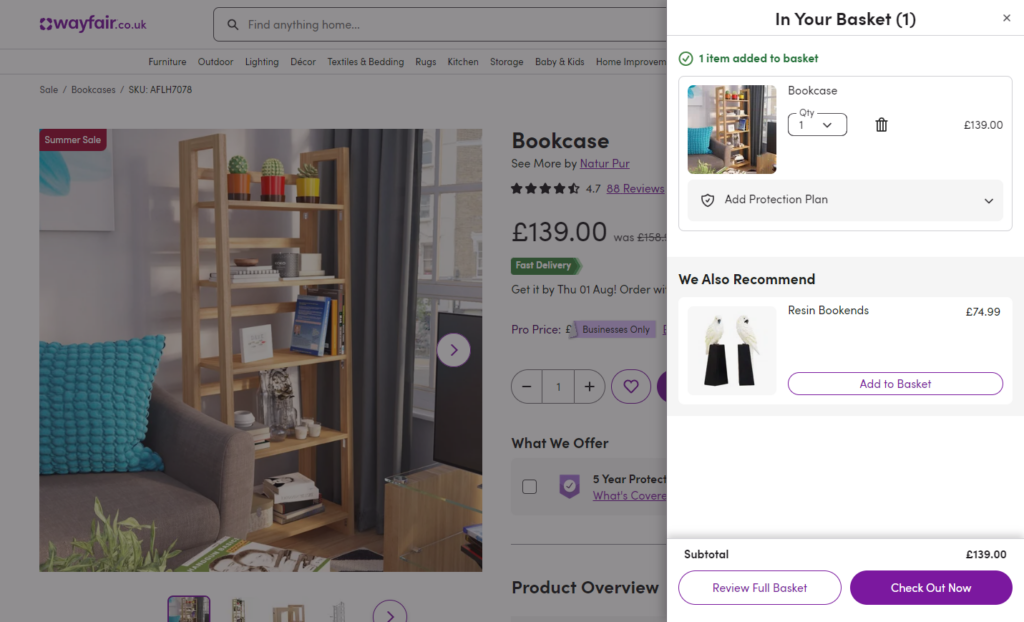
Customers visit your online store often with one or two products in mind. You can capitalize on their visits and sell them additional products each time they purchase with cross-selling.
Cross-selling is a sales technique where you invite customers to purchase additional products related to what they’ve set out to buy.
We can also look at cross-selling as a way to recommend complementary products to a customer’s original purchase.
Cross-selling introduces customers to a product separate from but enhances what they already want to buy from your online store. The main goal of doing this is to get customers to spend more each time they order.
How does cross-selling work?
Cross-selling works by strategically suggesting complementary products at different parts of your customer’s journey after they express interest in a product.
Let’s break down this process:
- Identifying the cross-selling opportunity. You set up your ecommerce site to recognize a customer’s interest in a specific product. This could be after they’ve visited its product page or added it to their shopping cart.
- Matching complementary items. Your site will identify related products based on the product a customer has shown interest in.
- Presenting the offer. After identifying related products, your site will pitch them to the customer on the product page or during the checkout process. There are several techniques to do this which we’ll be covering in the last section of this guide.
- Consideration and purchase. The customer will evaluate the cross-sell offer and see how useful it is to the original product and whether it falls within their budget. If it does, they will likely add it to their purchase.
Cross-selling isn’t limited to ecommerce stores alone. It also happens in brick-and-mortar stores. Here, a salesperson or the sales team will be able to identify cross-selling opportunities and cross-sell to the customer.
Cross-selling examples
Cross-selling efforts are present in all types of businesses. Chances are you’ve purchased cross-sales from other businesses before.
Let’s say you’re at a drive-through, and after buying a burger, the attendant asks you, “Would you like to make this a meal?”. This means adding a side (such as fries or a salad) and a drink.
In this case, the sides and the drink are cross-sales. You didn’t initially plan to buy them, but they present an opportunity for you to enjoy your purchase more. When you add them to your purchase, the drive-through earns more revenue. This is just one example.
Depending on the products you sell, here’s what cross-selling might look like in your online store:
- Suppose a customer wants to buy a sweatshirt from your clothing store. To complete the look, you can recommend sweatpants and sneakers from the same brand.
- You can suggest a croissant, muffin, or other pastries for a coffee shop to go with a customer’s coffee order.
- If you sell software, for instance, a photo editing app, you can cross-sell a plugin that extends the app’s features for specific image editing tasks.
As you can see, you can apply cross-selling to any type of product, whether physical or virtual. Before we proceed to cross-sell on your ecommerce store, we need to first go over upselling, which is a sales strategy closely related to cross-selling.
What is upselling?
Upselling is also a product recommendation strategy geared towards getting customers to spend more when they purchase. But how is it different from cross-selling? While cross-selling recommends add-ons, upselling focuses on convincing customers to buy an upgraded, more expensive version of the product they’re interested in.
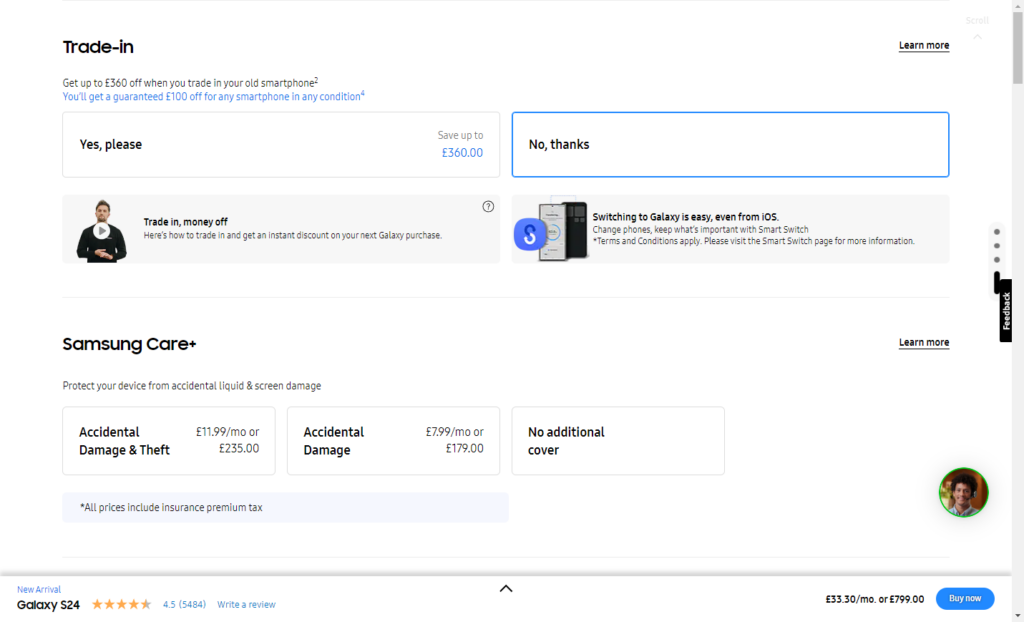
In our coffee shop example in the previous section, we’ve seen how cross-selling involves suggesting pastries to go with a customer’s coffee order. In this case, an upsell would be coffee in a larger size cup, which is more expensive but offers the customer an extra energy boost.
Cross-selling and upselling both work to increase how much a customer spends in your online shop, although they do it differently. With that out of the way, we can now look at the benefits of cross-selling and understand why you should implement it in your ecommerce store.
What are the benefits of cross-selling for a business?
When done right and when it works, cross-selling is great for both you and your customers. This is because it has the following benefits.
It increases your revenue sustainably
Cross-selling is the most effective way to generate additional revenue because it does it sustainably. You can do it without additional investment in new products, increasing your prices, and potentially driving customers away.
📈 As a result of this effectiveness, studies show that about 10 – 30% of ecommerce revenues come from cross-selling.
Effective cross-selling improves customer satisfaction
Cross-selling enables customers to get more value from their purchase when the additional products complement the product they’re originally interested in. Let’s look back at our drive-through example.
Instead of giving the customers a simple snack, cross-selling offers them an entire meal with sides and a drink. This means they will have a more complete solution instead of just part of it. With a complete solution, customers will have greater satisfaction with their purchase.
It leads to increased customer lifetime value
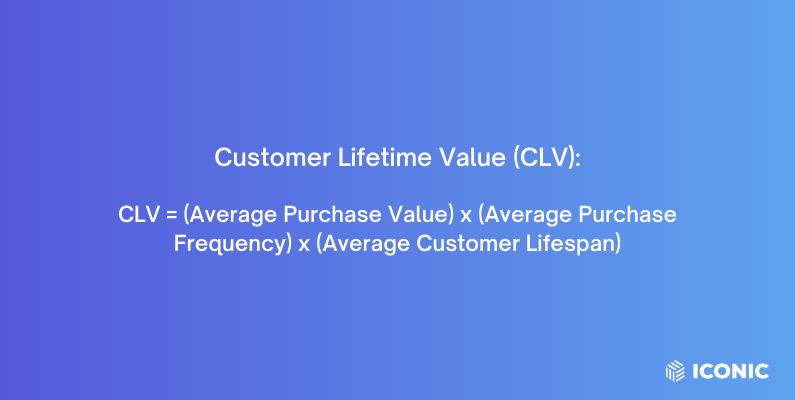
📈 A recent study found that businesses that adopt cross-selling can experience an increase in customer lifetime value by about 30 – 50%. But, why is that?
By recommending relevant products that meet your customer’s needs, effective cross-selling improves your customer’s experience. It saves them the time and effort they would otherwise spend looking for these products. Also, recommending related items reveals products customers might have missed, leading to a positive cross-selling experience.
📈 According to a study by Zendesk, 74% of customers are more likely to return to a business after having a positive cross-selling experience.
Cross-selling directly influences customer retention. New customers will become regulars who bring more value to your business through repeat purchases.
It improves customer loyalty
As customers buy more items from your brand, your product suite becomes integrated into their lifestyles. If you stay consistent, recommending relevant products each time they visit, they will likely stick with your brand.
We’ve seen this play out in established brands like Apple. The Apple ecosystem offers products that complement each other seamlessly, and because of this, it has a very loyal customer base.
It increases your customer’s average order value (AOV)
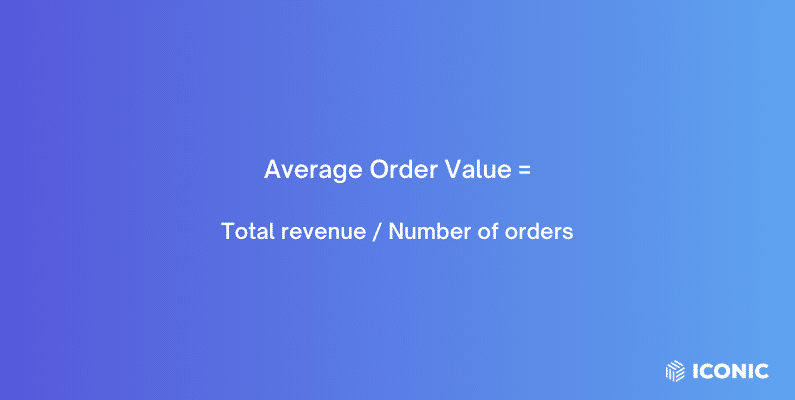
As mentioned earlier, the main purpose of cross-selling is to get customers to spend more each time they order. It sets customers up to spend more to buy more products than their original purchase. As customers spend more per order, your AOV increases.
It can boost your store’s conversion rate
Sometimes, customers may add a product to their cart, and after looking at the features, they realize that it’s not quite what they’re looking for. They will likely abandon their carts at this stage.
However, if you suggest related products, they might find something else that interests them, and you won’t lose a sale.
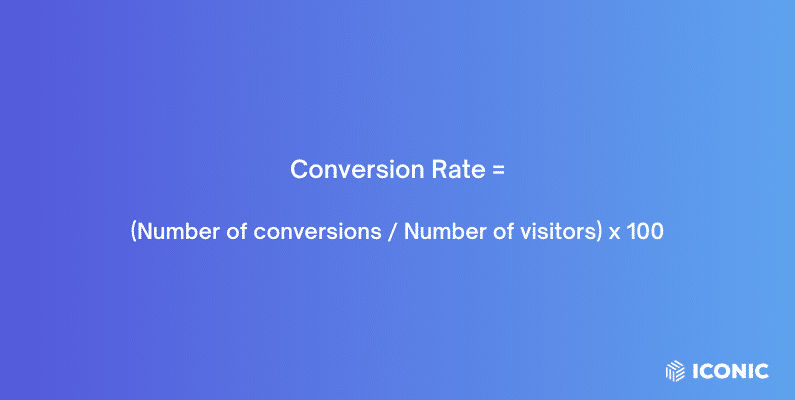
📈 To confirm this, a recent survey found that, 15% of retailers experience a 1 – 2% increase in conversion rates by cross-selling on the product page alone.
So, that’s how you and your customer can benefit from cross-selling. Moving on, it’s time to practice this sales tactic. There are several ways to do it, and we’ll cover them in the next section.
How can I implement cross-selling techniques in my online store?
You have tons of cross-selling opportunities on your ecommerce site. Applying the right cross-selling techniques gives you a great chance of selling additional products to your customers.
In this section, we’ll look at those techniques and how to get them done.
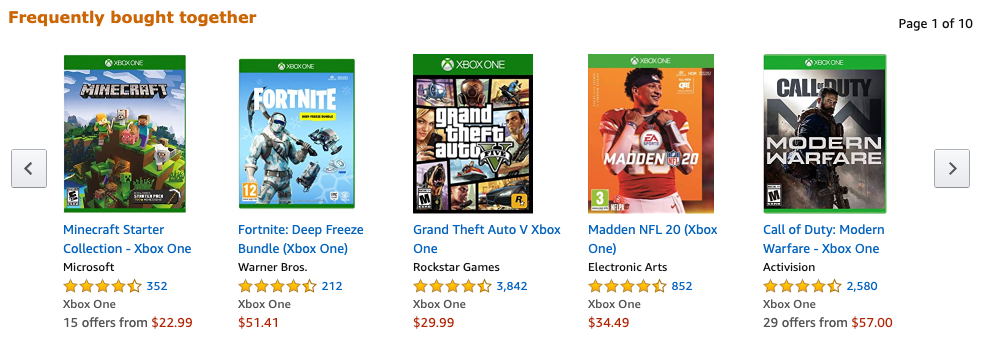
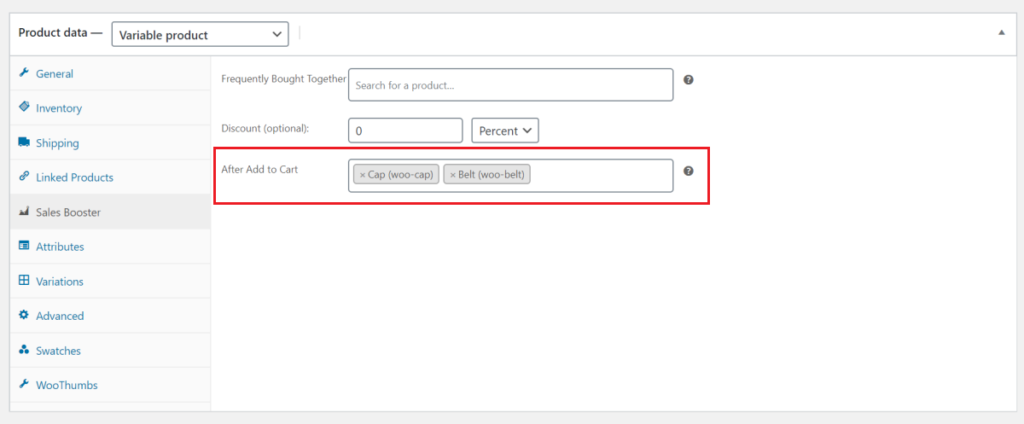
1. Frequently bought together (bundling)
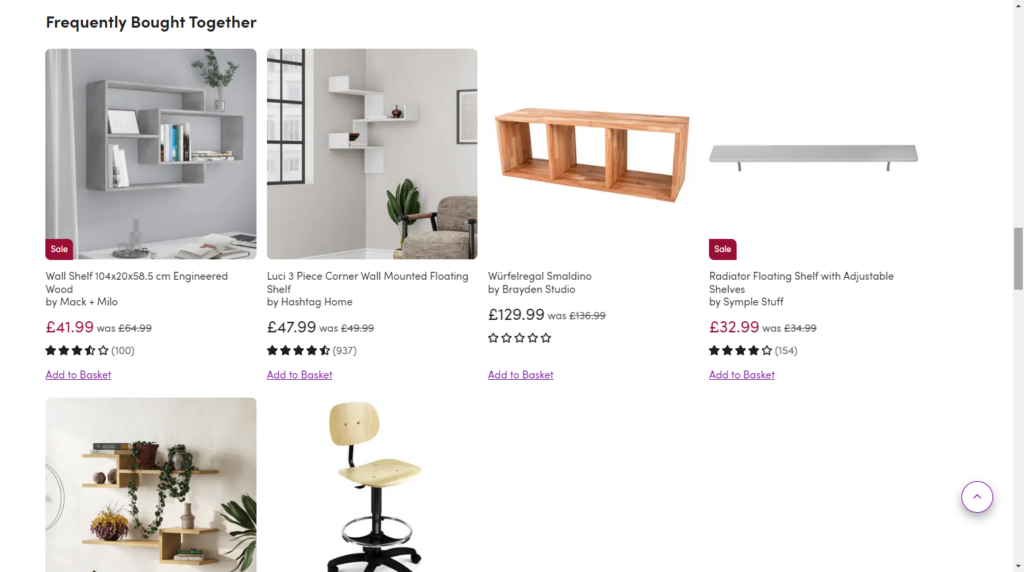
As the name suggests, this is a cross-selling technique that recommends other products, usually bought together with the product a customer is interested in. When customers click to view a product, they will find this cross-sell on the product page of what they want to buy.
Frequently bought together has become a household cross-selling technique for the following reasons:
- It leverages data. This sales and marketing strategy looks at historical data on what existing customers bought and what the customer is interested in. This way, it often suggests relevant products that customers will likely add to their purchases.
- It is a convenient way to find related products. It saves customers the extra time to visit your shop page to find products they would buy together with the one they’re interested in.
Depending on what you’re selling, here are some of the products that are frequently bought together:
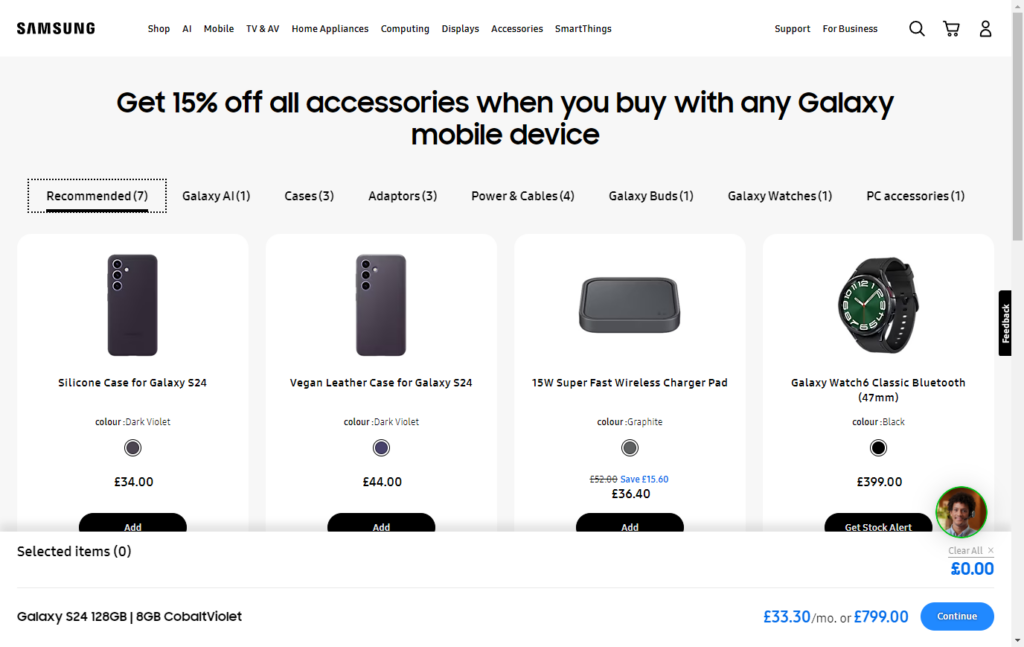
- A phone case and screen protector.
- A hat and sunglasses.
- Scarf and gloves for the winter.
When done right, this type of product bundling helps you convince customers to buy a set, not just a single item. Here’s how to get the best out of this technique.
How to effectively implement ‘Frequently Bought Together’
The goal isn’t to cross-sell just for cross-selling’s sake but to get more returns from it.
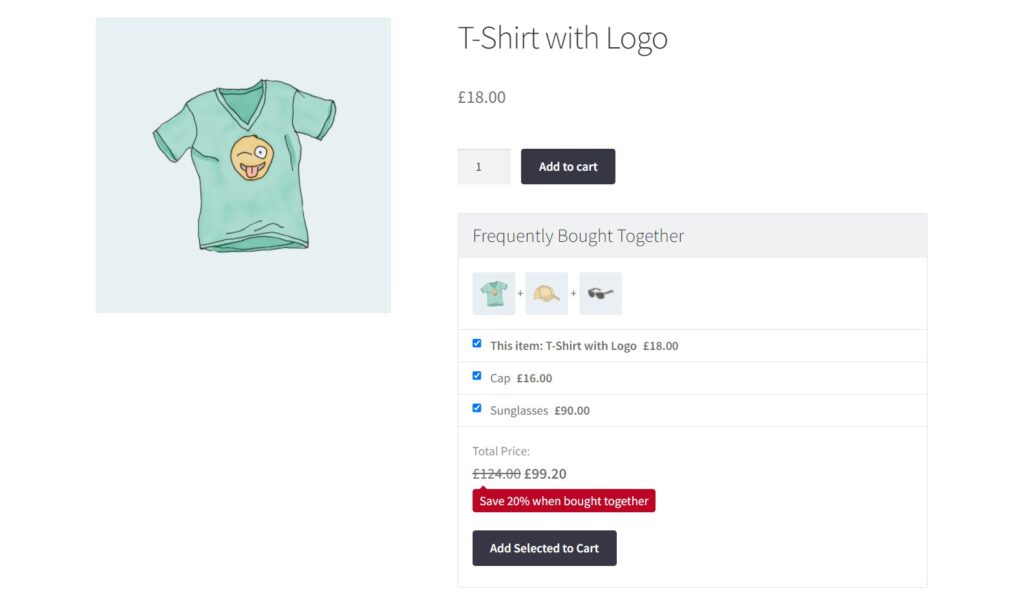
So, you’ll need a strategy that increases the likelihood of customers adding recommended products to their purchases:
- Prioritize naturally matching items. Some products are naturally bought together, such as staplers and staples, mattresses and pillows, etc. These should always appear when a customer is interested in either of them.
- Cater to different budgets. Provide options with different prices to allow budget-conscious customers to find options within their budget. For instance, you can have sports sunglasses as cheaper options than aviator sunglasses when a customer is interested in a hat.
- Consider seasonal trends. For example, during the winter, recommend beanies to go with a scarf and fedoras during the summer.
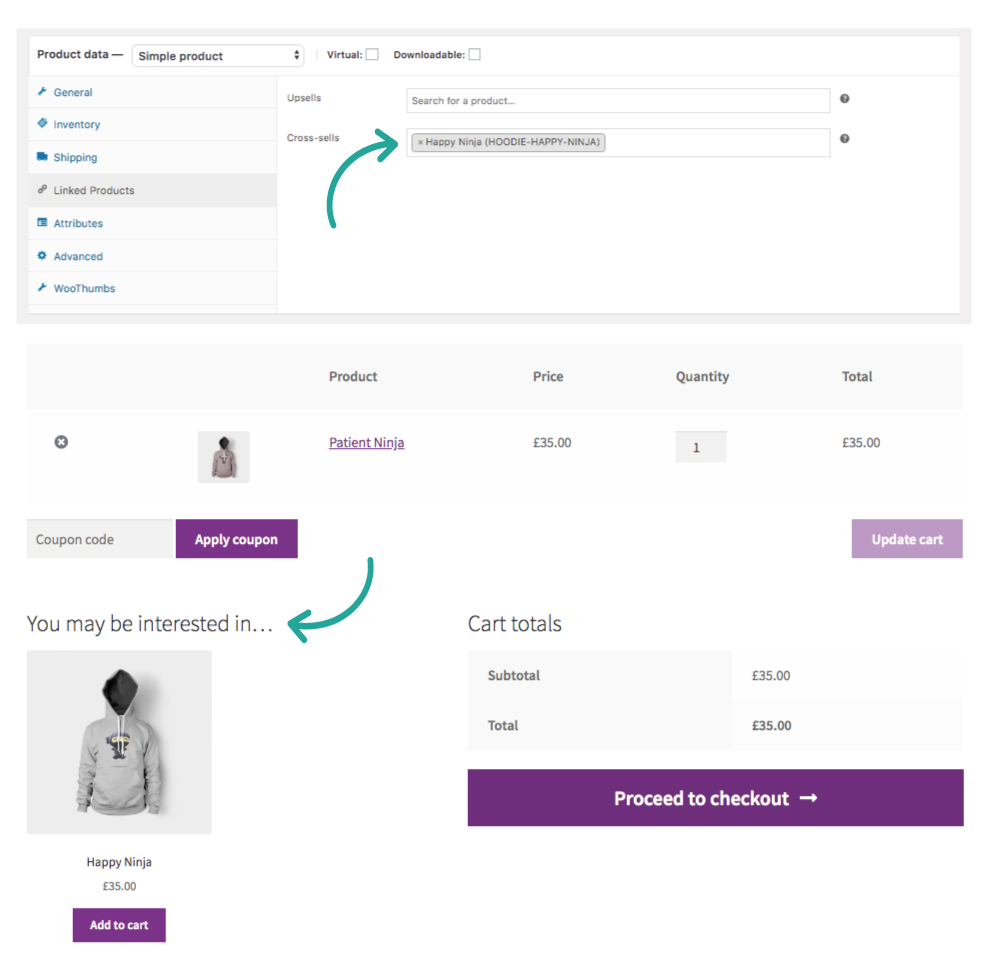
On your WooCommerce store using WordPress, you can add cross-sells as related products on the product page by default. But if you want to use the high-converting ‘Frequently bought together’ technique, you’ll need a plugin.
Add frequently bought together products on the product page with the Iconic Sales Booster plugin
Iconic Sales Booster for WooCommerce is the WooCommerce cross-sell plugin that allows you to maximize your sales with a variety of proven cross-selling techniques. One of them being ‘Frequently bought together’.
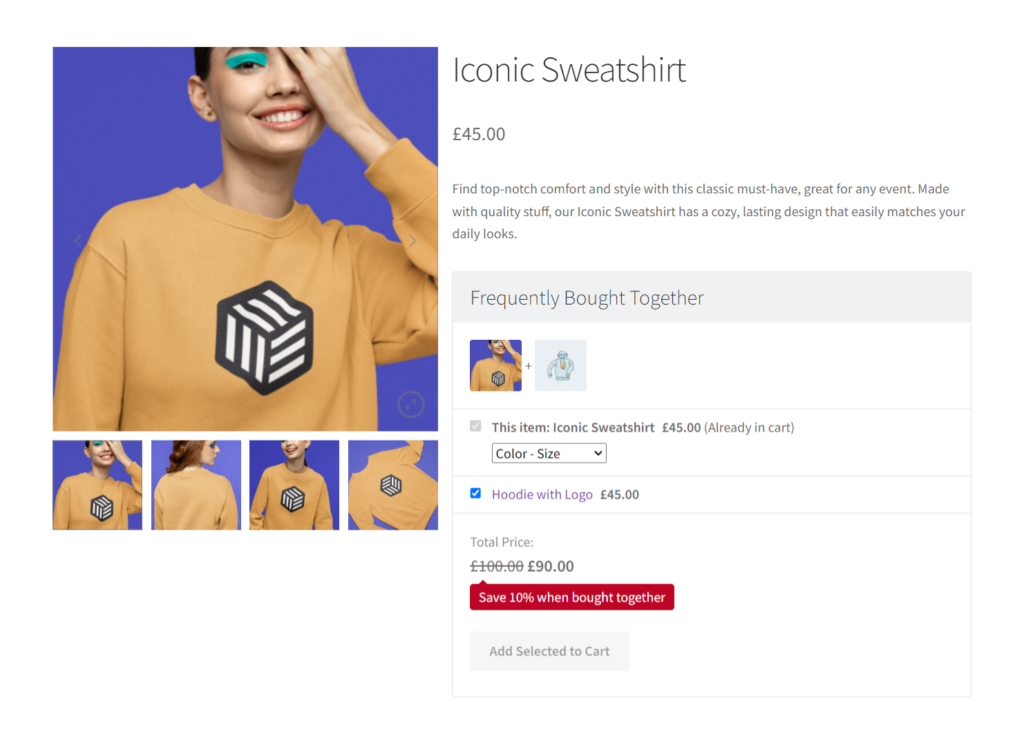
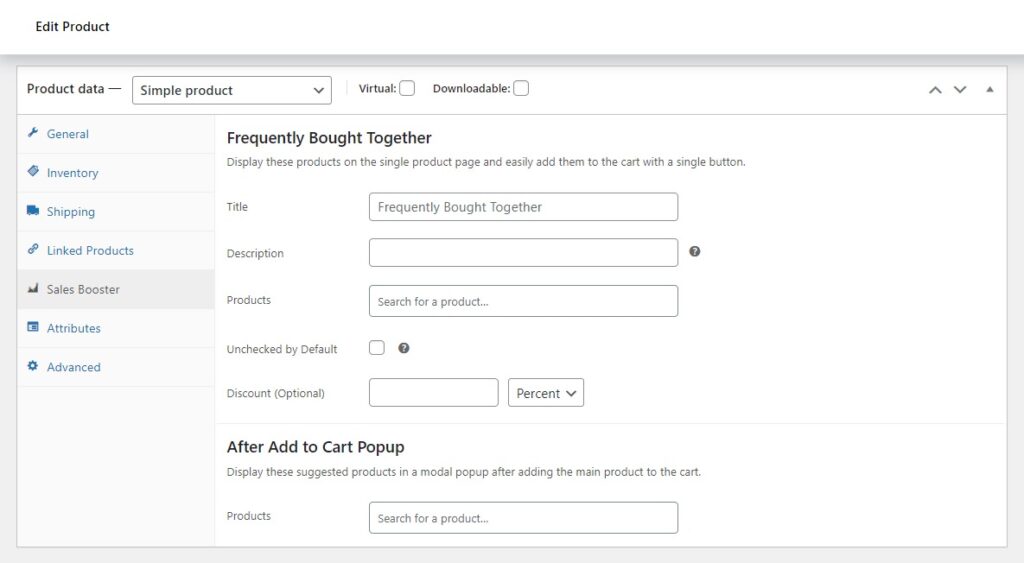
With Sales Booster, you can add this cross-sell technique to your product page and make it easy for customers to find complementary products. It gives you complete customization control from setting the prices to selecting where this section will be positioned on the product page.
You’re also free to edit this section’s messaging and add a discount to appeal to your customers and make the offer irresistible. You don’t have to change anything to accommodate Sales Booster.
It works with any payment gateway (credit cards and mobile payment options) and any theme. Its modern design will blend seamlessly with your existing theme.
2. Customers also bought
Before customers leave the product page, you can show them what other customers bought to spark their interest in these products. This technique is called ‘Customers also bought’ – a high-converting technique famously used by Amazon.
📈 Amazon reveals that this cross-selling strategy is responsible for about 35% of its sales.
‘Customers also bought’ is a cross-selling technique that recommends products other customers who bought the current item have also purchased. This is quite similar to ‘Frequently bought together,’ but there’s a subtle difference here.
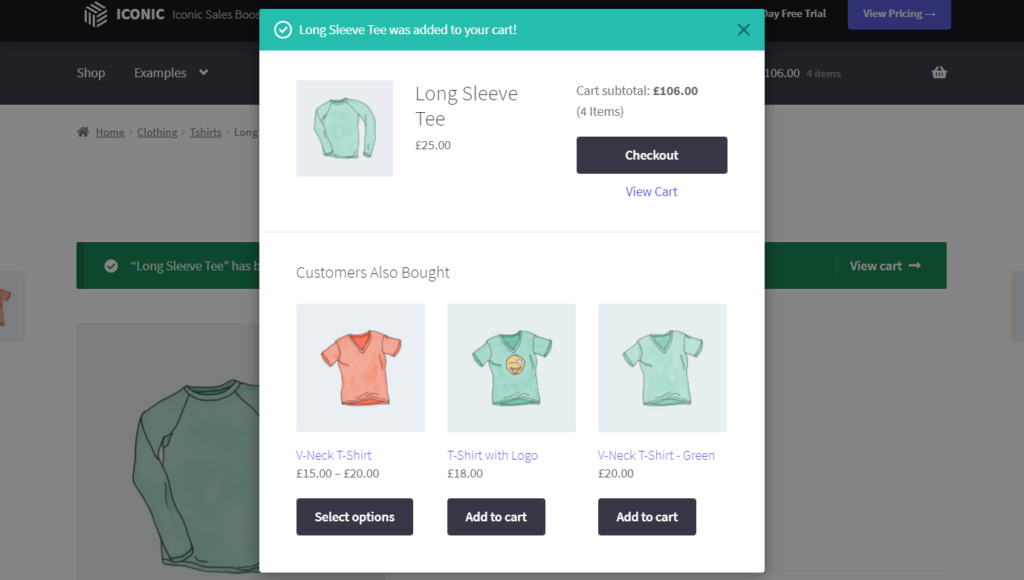
Frequently bought together typically recommends products purchased together in a single transaction. On the other hand, ‘Customers also bought’ doesn’t necessarily mean products these products are bought in the same transaction.
For example, if customers buy a book, you can recommend a sequel to that book or another book in that genre. Overall, it is a powerful technique that leverages social proof and customers’ fear of missing out (FOMO) to sell additional products. If customers see that others bought the recommended product and found it useful, they will be encouraged to add it to their purchase.
How to use ‘Customers also bought’ to maximize sales
Like with ‘Frequently bought together’, you want to maximize the likelihood of customers adding recommended products to their purchase.
To do this:
- Personalize your recommendations. Customers love a personalized experience, so your recommendations should be based on their habits. If customers have accounts, you can look into the products they’ve viewed the most, recently viewed, abandoned carts, etc. This will help you decide on the products to be included in their recommendations.
- Balance relevance with product discovery. Don’t be afraid to throw in some unexpected but related items. For example, suggest a water bottle or straps to go with a yoga mat. As you do this, prioritize relevance because relevance trumps all when it comes to product recommendations.
Implementing this might seem like a lot of work. Fortunately, with WooCommerce, you’ll have the Iconic Sales Booster plugin to help you do it.
Add a Customers also bought popup to WooCommerce with Iconic Sales Booster
With Sales Booster, you can add a related product’s popup immediately after a customer clicks ‘Add to Cart’. In this popup, you can include products other customers bought that could interest them.
Sales Booster allows you to choose the product to include in this popup to ensure it’s relevant to the customer’s cart. You can also customize every part of this popup, including the colors, borders, whether to include images, etc. You can also add incentives such as discounts to sweeten the deal.
Sales Booster allows customers to add these cross-sells to their carts without returning to the shop page, creating a seamless experience.
Iconic Sales Booster for WooCommerce
Add cross-selling to your entire WooCommerce store in minutes with Iconic’s WooCommerce cross-sell plugin, Iconic Sales Booster for WooCommerce.
3. You may also like
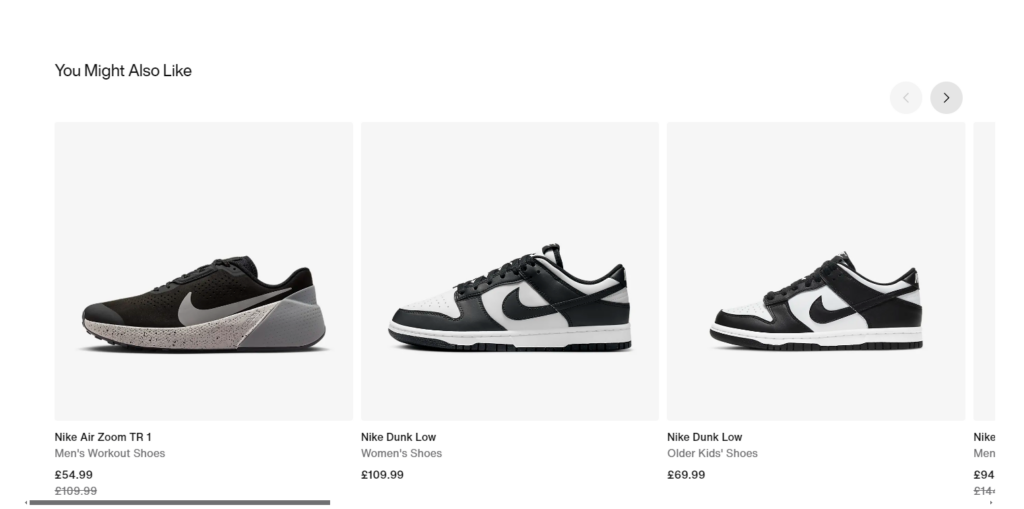
Using the ‘ You may also like’ technique, you can leverage your customers’ buying intent to invite them to explore other products they weren’t interested in. This is similar to the other techniques we’ve already covered but with a wider range of possibilities.
The recommended products don’t have to be based on what they have in their cart. You can go out on a limb to pitch trending or best-selling products.
The ‘You may also like’ technique helps customers discover products they might be interested in but haven’t searched for. It also keeps your customers engaged on your website longer as they explore different product options.
How to get the best out of the ‘You may also like’
There are a few things to consider to get the best out of this strategy. First, you can suggest products within the same category because relevance still matters here. For instance, if a customer is interested in an elegant wristwatch, you can tell them that you also sell bracelets, necklaces, and other jewelry.
Apart from that, you can also:
- Highlight popular/trending products in the same product line. This technique presents a great opportunity to promote your best-selling products. You can suggest trending products per category so that you retain relevance. For example, wireless earbuds after a customer has added wired headphones to their cart.
- Showcase new products. If you’re introducing a new product line, this is one way to promote it to your customers. It makes them more visible, allowing customers who might be interested to find them easily.
Present these recommendations in a visually appealing way, like we’ve done with Sales Booster. This will help you grab your customers’ attention.
4. Cross-sell on the checkout page
Your customer’s buying intent is at its highest when they’re on the checkout page. They’ve gone through the selection process, added items to their cart, and are now at the final step before completing the purchase.
It’s up to you to take advantage of this and promote impulse purchases by cross-selling at this stage.
📈 Did you know impulse purchases account for about 40 – 80% of sales?
Combining impulse purchases and a high buying intent makes cross-selling on the checkout page a powerful sales-boosting strategy.

How to take full advantage of cross-selling on the checkout page
At this stage, it is best to focus on cross-selling lower-cost items. This could be basic add-ons or accessories for the product being purchased. Let’s say a customer wants to check out with a bag of dog food. You can recommend some affordable items like dog toys or dog shampoo.
📈 Studies show that 58% of customers only impulse buy discounted items. So, to promote impulse purchases further, include a heavily discounted irresistible offer.
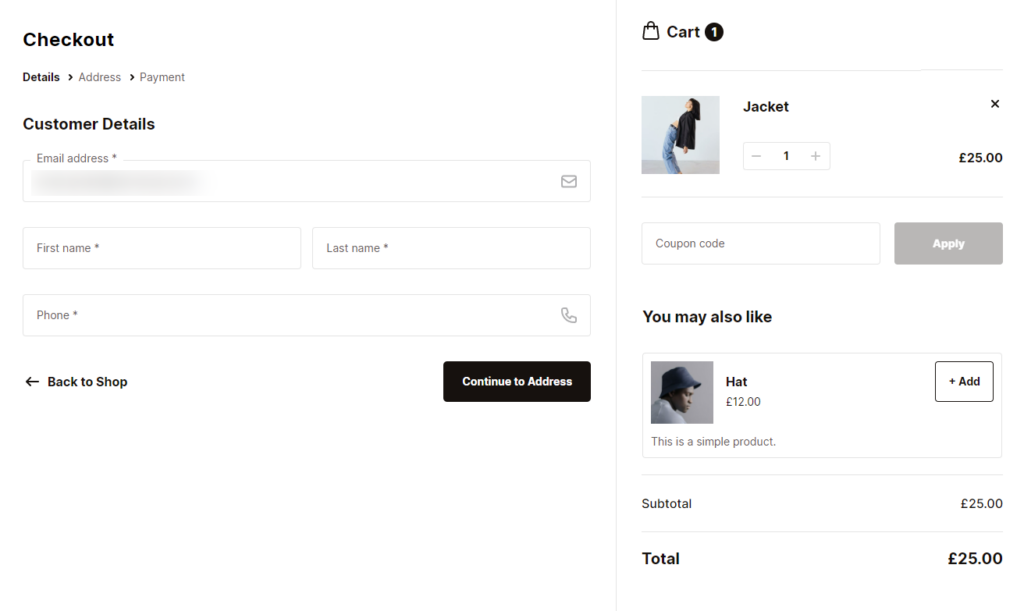
By default, WooCommerce doesn’t allow you to cross-sell on the checkout page. But Flux Checkout for WooCommerce has you covered.
Add cross-selling to the checkout page with Flux Checkout for WooCommerce
With the WordPress plugin Flux Checkout for WooCommerce, you can add a cross-selling widget/section to your checkout process that can cross-sell products of your choosing.
With this plugin, you can create a custom cross-sell offer and add it to any point in the checkout process with just the click of a button.
This is because Flux Checkout transforms the default WooCommerce checkout and gives you a whole host of customization features, including cross-sells.
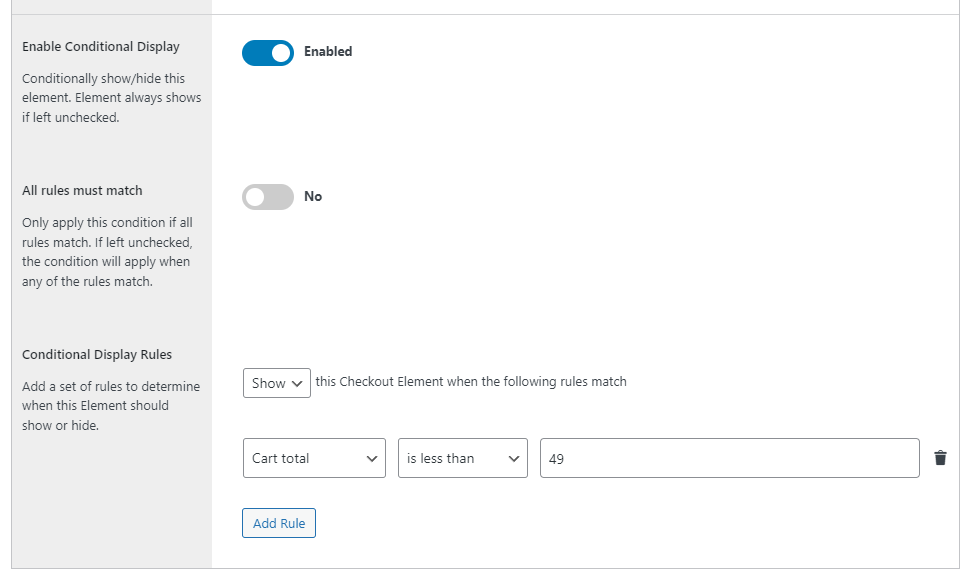
You’ll be able to sell specific products no matter what’s in your customer’s cart. Or you can promote products based on the contents or cost of the items in the cart. In terms of cross-selling strategy, this method is one of the best for your bottom line.
Flux Checkout for WooCommerce
Flux Checkout transforms the default WooCommerce checkout into one that’s lightning-fast, distraction-free, and reduces checkout abandonment.
5. One-click cross-sell after checkout
After customers have completed the checkout, don’t stop there. You can go further and cross-sell to them. It is one of the best ways to increase your store’s average order value, and it all boils down to timing.
At this stage, your customers are committed to buying and are less likely to abandon their carts over a small additional purchase.
Thanks to their strong buying intent, customers are more receptive to tempting last-minute offers after the checkout. Allowing them to add this product in one click creates a fuss-free experience that encourages them to follow through.
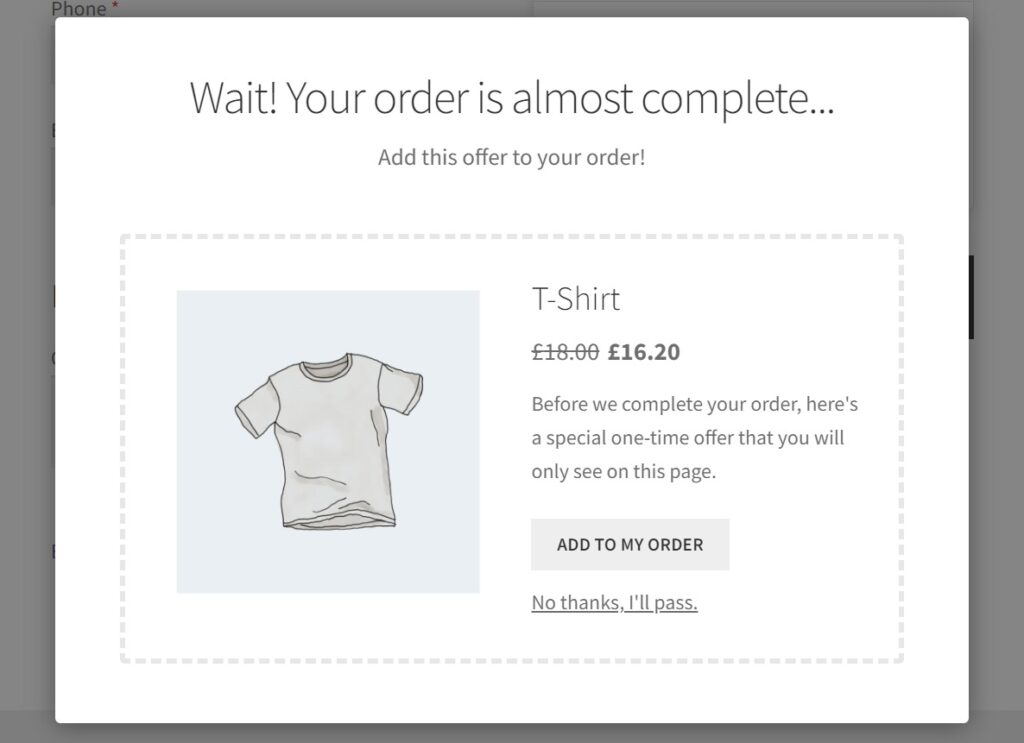
How to leverage one-click cross-sell after checkout
Like cross-selling during the checkout, you should include lower-cost items when cross-selling after the checkout. Present them with an opportunity to top up their purchase with an additional item they might have forgotten.
You can also allow them to add this cross-sell directly to their purchase, saving them the trip back to your shop page to look for it. You’ll need the Iconic Sales Booster plugin to add one-click cross-sells to your WooCommerce shop.
Add one-click cross-sells after checkout to your store with Iconic Sales Booster
With Sales Booster, you can add a one-time offer to a popup that displays after checkout. As the name suggests, customers can add the one-click cross-sell to their purchase in a single click.
There’s no need to revisit the shop page or re-enter their credit card details, which will make for a frustration-free experience. Just like the other cross-sell popups, you’ll have complete control over the sales text and the appearance of the popup.
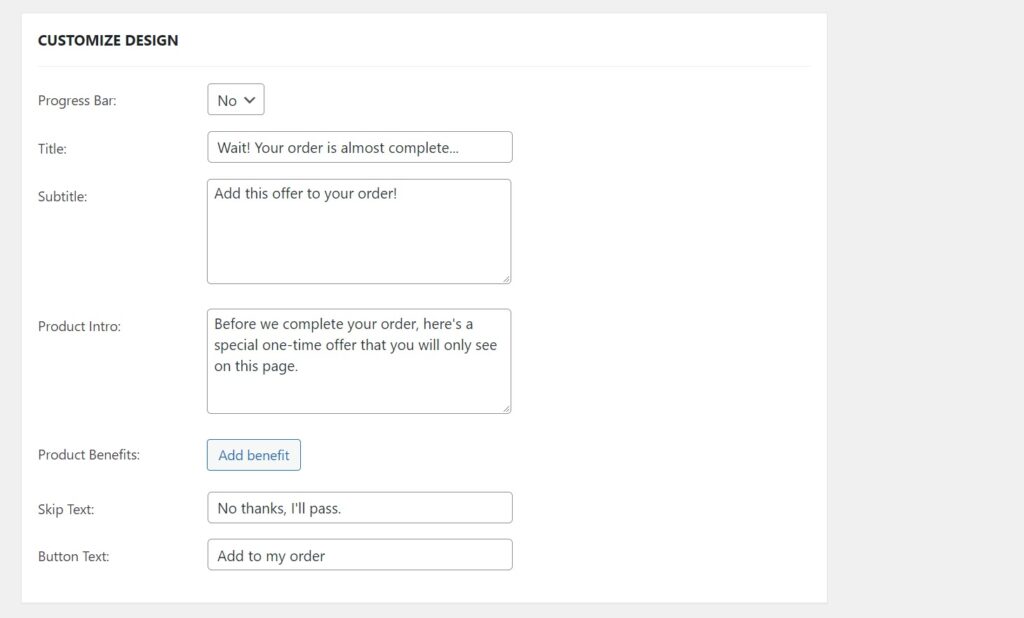
You can customize them to suit your brand and appeal to customers to boost the cross-sales capacity and get more sales.
After carrying out these strategies, keep track of your conversions, sales, and revenue changes to see if they work. Fortunately, Sales Booster has a dedicated page showing these statistics. You can track the rates of checkout-based cross-sells based on their impressions, purchases, and conversions and see what’s working for you.
Get to grips with your cross-selling strategy today
Cross-selling is one of the surest ways to boost your sales and revenue. The best part is you can do it without breaking a sweat. In this guide, we’ve looked at several strategies to effectively cross-sell in your ecommerce store.
The Iconic Sales Booster for WooCommerce plugin allows you to implement many of these strategies. This plugin covers everything from cross-selling on the product page to post-checkout. On top of that, it takes the work out of all this, allowing you to create an effective strategy that will help you maximize your sales.
Flux Checkout for WooCommerce takes care of cross-selling on the checkout page. Giving you a huge amount of freedom in one checkout plugin.
WooCommerce Conversions Bundle
Increase your WooCommerce store’s conversion rate and watch your revenue skyrocket. Includes Sales Booster, Flux Checkout, and WooThumbs.

Gina Lucia is our in-house Content Manager at Orderable. She writes articles, user guides, technical documentation, and creates videos on everything WooCommerce and Orderable.
Gina has been working in the WordPress/WooCommerce space since 2012 when she developed WordPress websites for clients large and small.
For the past 8 years, she’s been writing about everything WordPress and WooCommerce, becoming an expert in what makes a WooCommerce store succeed.
When not writing, Gina loves to tend to her vegetable garden, read, or travel to mainland Europe.