
Want to learn about ecommerce recommendations and improve your product recommendations strategy? This guide is for you.
Your number one goal as an online store owner is to sell more. Ecommerce recommendations are a simple, yet powerful way to get more sales on your online store and give your revenues a boost.
👋 In this guide, we’ll walk you through everything you need to know about ecommerce recommendations, including where and how to use them.
Here is a breakdown of what we’ll cover in this comprehensive guide:
- What are ecommerce product recommendations?
- Where in your store should you recommend products?
- How to set up ecommerce recommendations.
- The best practices for implementing product recommendations.
- The metrics to track to optimize your product recommendation engine.
Let’s get started by understanding what product recommendations in ecommerce are.
Iconic Sales Booster for WooCommerce
Add cross-selling to your entire WooCommerce store in minutes with Iconic’s WooCommerce cross-sell plugin, Iconic Sales Booster for WooCommerce.
What are ecommerce product recommendations?
Ecommerce recommendations are suggestions your online store makes to customers on products they’re likely interested in or find useful. Product recommendations are meant to guide customers to products they can add to their purchases and increase your sales and revenue in the long run.
Product recommendations are everywhere – across different businesses and industries. Have you ever bought an item at a convenience store or supermarket after a sales rep suggested it? Chances are that you have, and this is what product recommendations in physical stores look like.
But with an ecommerce business, you don’t have the luxury of sales reps recommending your products. Fortunately, you can set up your ecommerce website to do this for you when customers browse through it.
This is what we’ll be covering in this guide. But first, let’s look at the different types of product recommendations in ecommerce.
Types of product recommendations in ecommerce
There are different types of product recommendations you can set up on your ecommerce site. Each type is designed to meet different customer needs and comes at different stages of their shopping journey in your store.
Here are the different types of product recommendations you can use in your store:
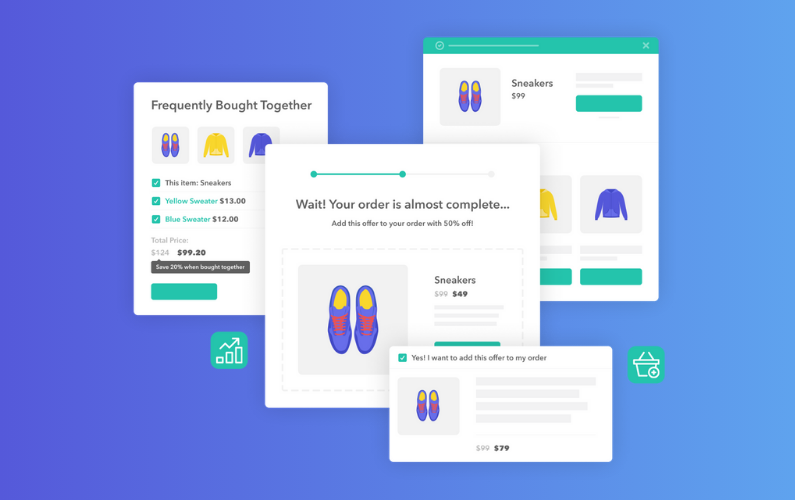
- Personalized recommendations (‘You may also like’). You can suggest similar items based on what a customer has in their cart, products they’ve bought or viewed in the past, or overall user behavior. For example, if a customer has running shoes in their cart, you can suggest running socks or a hydration pack.
- Frequently bought together. These are products other customers typically buy together with the product a customer is interested in. For example, a dog food and a feeding bowl.
- Trending products. Products currently in season, like beanies, scarves, and gloves during the winter.
- New arrivals. Products you’ve just launched or added to your store as a new product line.
You can also pitch your best-sellers, most popular products, products customers have recently viewed, or those that you’ve just restocked. The possibilities are endless. Product suggestions can be cross-sells, upsells, or direct alternatives to what a customer is interested in.
Now, let’s look at some benefits and see why you should spend your time and energy adding product recommendations to your online store.
The benefits of ecommerce product recommendations
Is the product recommendation process really worth the trouble? It’s perfectly okay to ask yourself this question when you intend to add product recommendations to your ecommerce store. After all, you’ll have to set this up yourself or invest in a solution to do this for you.
Given the potential benefits, the argument solves itself. So let’s look at some of these benefits.
Increased sales and revenue
Product recommendations can help you sell more products. With this feature, you can encourage customers to buy additional products, including those that they hadn’t considered. When they add suggested products to their purchases, your sales and revenue will go up.
Product recommendations are a proven technique for increasing sales and revenue – there are quite strong numbers behind it.
📈 A 2023 Barilliance study revealed that recommendations are responsible for 31% of ecommerce revenues on average. What’s more, Amazon owes 35% of its sales to its product recommendation engine, according to McKinsey.
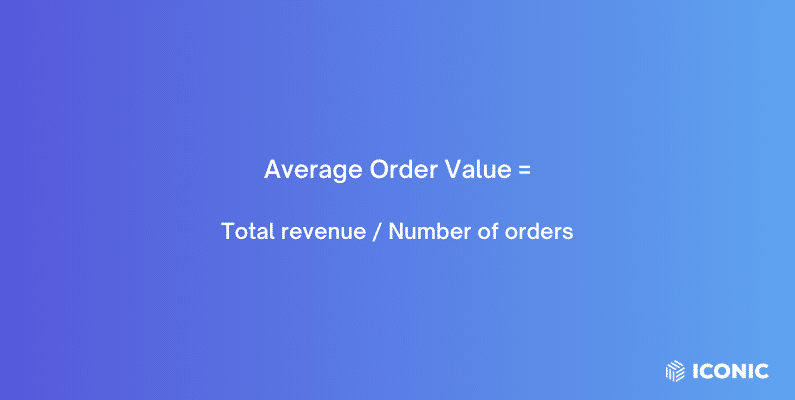
Increased average order value (AOV)
Ecommerce recommendations encourage customers to spend more per order.
This can happen through:
- Cross-selling. Suggesting complementary products (jeans and a belt) to turn single product orders into multiple product orders.
- Upselling. Suggesting higher value, more expensive products to what customers are interested in (like iPhone’s higher storage phones of the same model).
These recommendations can also promote impulse purchases, especially when they’re personalized.
📈 To confirm this, a Twilio Segment study revealed that 49% of customers have purchased products they didn’t initially plan to because of personalized product recommendations.
They help turn single product orders into multiple product orders through cross-selling. Alternatively, you can suggest a more expensive upgrade to what customers have in their cart through upselling.
Improved customer experience
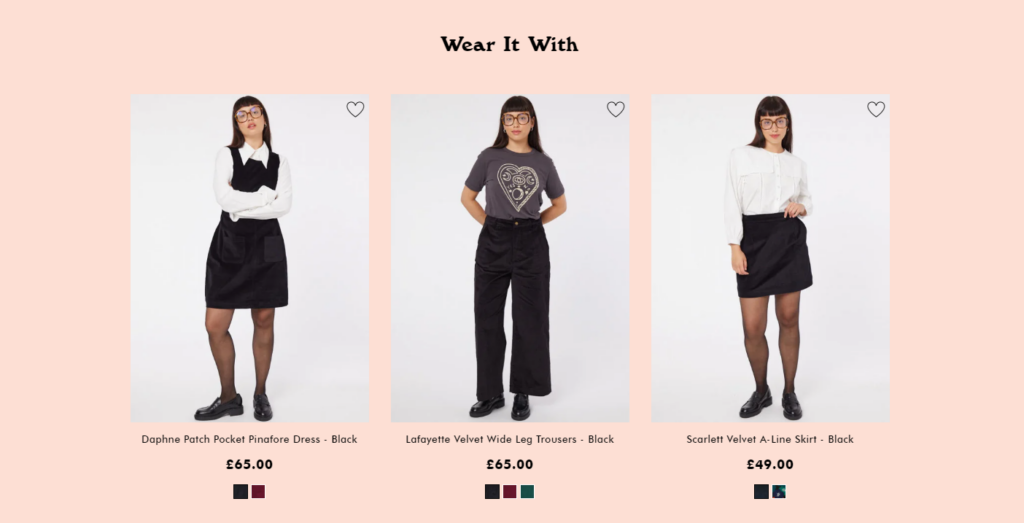
Product recommendations help ecommerce customers find products they might like easily. They don’t have to go through your product page searching and filtering to get what they want. And, they can still discover more products in the advanced stages of their shopping journey, for instance, on the cart page or checkout.
They can add these products to their purchase directly which makes for a smooth shopping experience.
Reduced bounce rate
Your customer’s journey doesn’t have to end if they land on your out-of-stock page or if they fail to find the product they were looking for. You can leverage product recommendations to pitch alternative products they might like on this page.
Instead of letting them leave your store without converting, you’ll invite them to explore other products they could buy from your store.
The best about ecommerce recommendations is that you can manage them hands-free. After setting up your online store to do this, it will handle the rest. All you’ll have to do is track the conversion rates and adjust your recommendation strategy if it’s not working.
Now we know the benefits of ecommerce recommendations. Let’s launch our product recommendation strategy by first looking at where we can offer these recommendations.
Where should you offer personalized product recommendations?
When we talk about where you should offer personalized product recommendations, you might automatically think that you can only do this on the product page. After all, this is where big ecommerce brands like Amazon and Target mainly do it.
But, you’ll be pleased to know that you can offer them throughout your store. So if you want to offer product recommendations in your store, here’s where you can do it.
1. Homepage
Nine times out of ten, the homepage is the first point of contact with your business for potential customers. You can display product recommendations on this page to engage them immediately.
This is a great opportunity to show them that your business is all about making their experience as simple as possible, right off the bat.
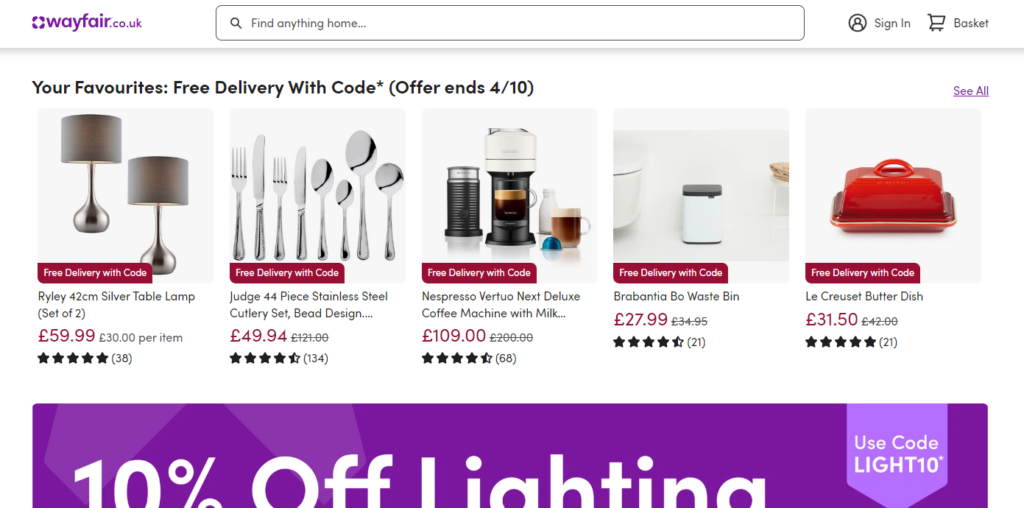
You can use sections like ‘Recommended for You,’ ‘Trending in Your Interests,’ or ‘Recently Viewed Items’ to display recommended products. If customers haven’t created an account, you can add a ‘Top picks for [customer’s region]’ like the way Amazon does it.
Or add a ‘Frequently Searched’ section, similar to Alibaba’s. Here, it is a best practice to show trending products, new arrivals, back-in-stock, etc.
2. Product pages
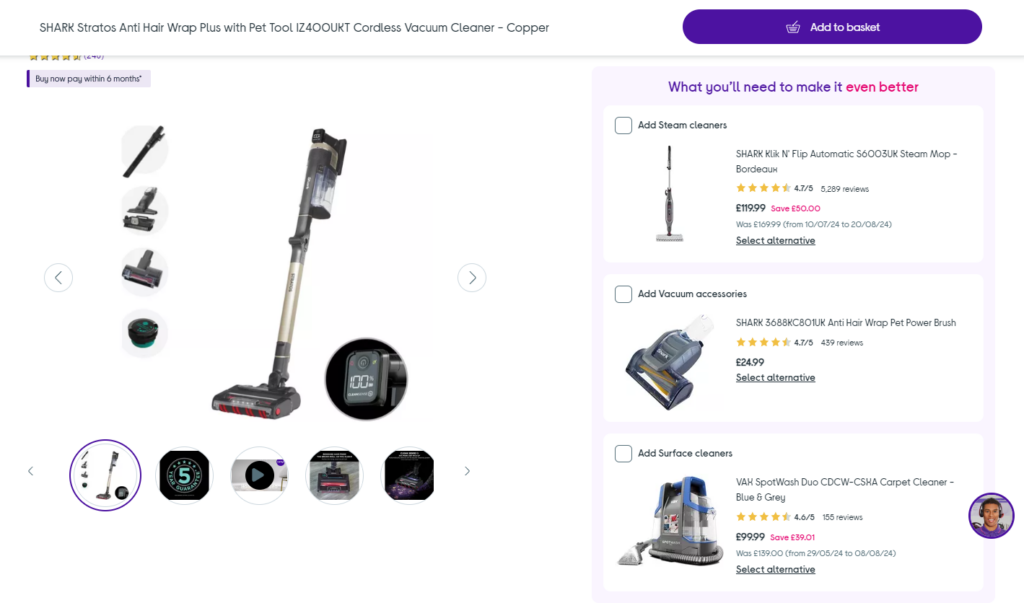
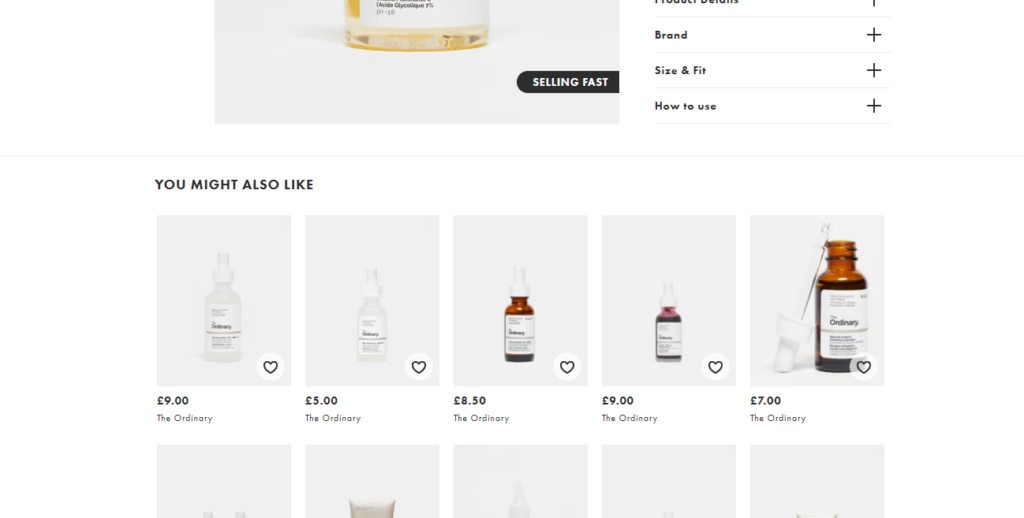
When customers are viewing a product, they might be interested in other similar products. You can take advantage and display cross-sells or upsells on the product page.
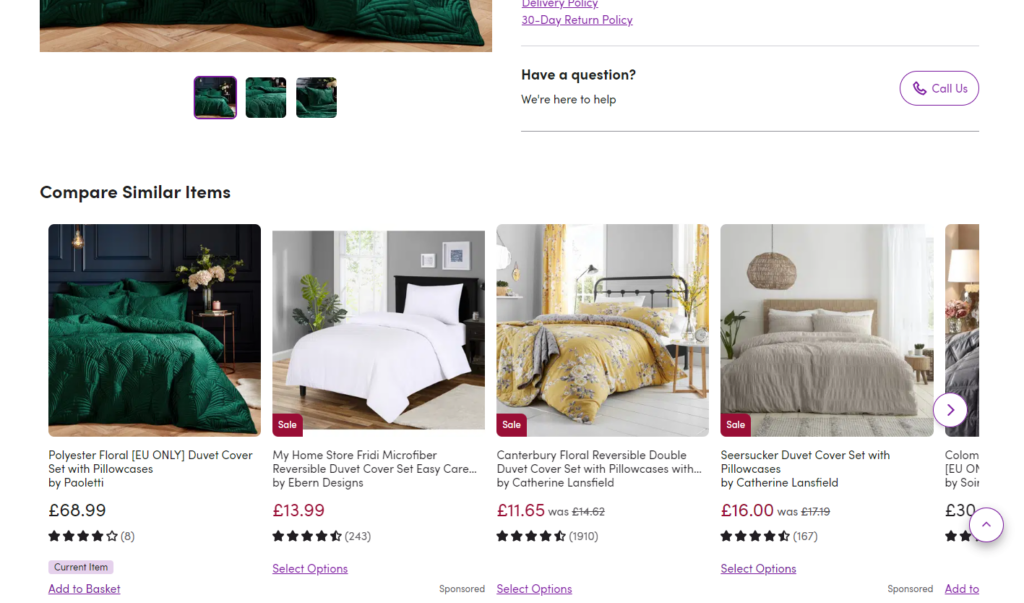
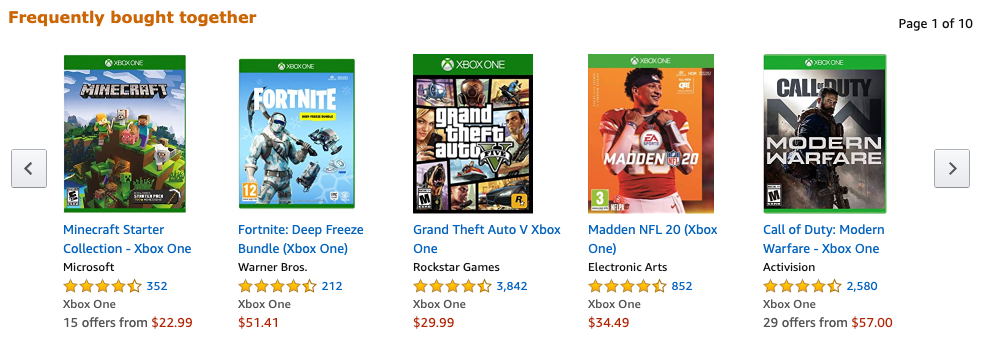
This is a very common technique used by nearly all big ecommerce brands and even smaller ones. If you visit their product pages, you will likely see sections like: ‘Customers Also Viewed,’ ‘You May Also Like,’ or ‘Frequently Bought Together’.
Amazon has 3 of these sections on each of its product pages, including ‘Customers Also Bought’, ‘Customers Frequently Viewed’, and a generic ‘Related Products’.
3. Shopping cart
As we move further down a customer’s journey in your online store, the chances of customers buying your recommended products go higher. When customers get to the cart page, they have registered an advanced interest in a product(s).
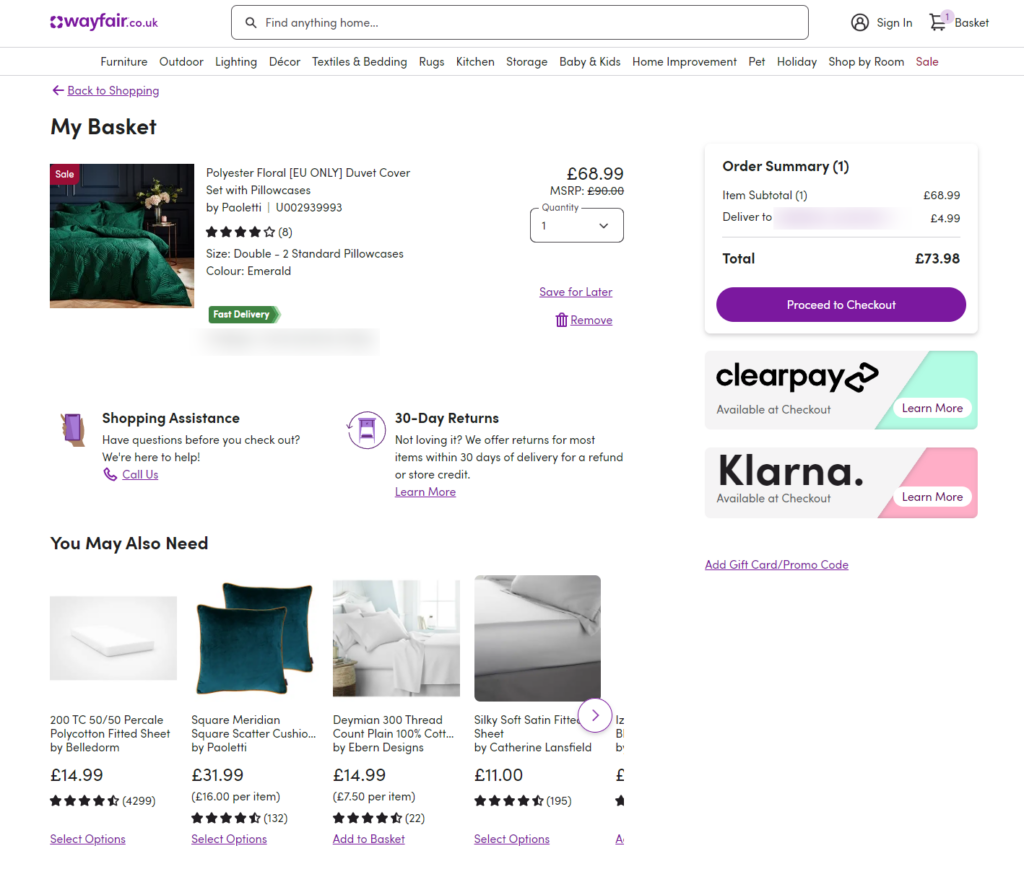
At this stage, cross-selling or upselling can be very effective. Since you know what is in their carts, you can personalize recommendations based on products in the shopping cart.
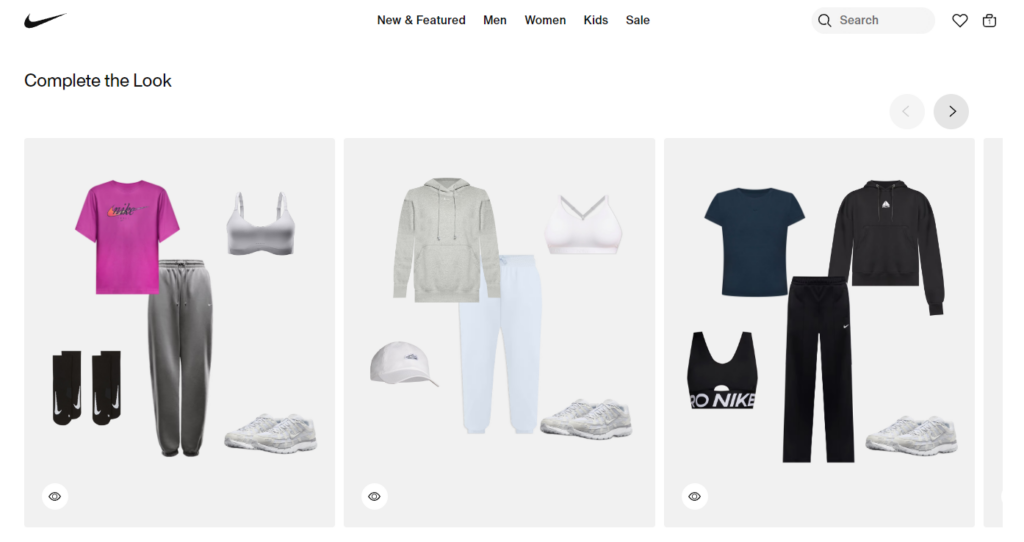
To do this, display suggestions like ‘You Might Want to Add’ or ‘Complete the Look’. Nike does this so well. Once you visit the cart page, you’ll see a ‘Complete the Look’ section showing upsells for the product in your cart.
4. Checkout page
Upsells and cross-sells work best when a customer is committed to a purchase. Whether it is an additional item, an upgrade, or a subscription, it is easier to convince customers to buy it once they’re on the checkout page.
At this stage, they’re committed to purchasing and are less likely to backpedal even when they don’t like your cross-sell or upsell offer. Here you can present product suggestions under the following subheadings ‘Last-Minute Deals’, ‘One-time Offer!’, ‘Add This for a Discount’, etc.
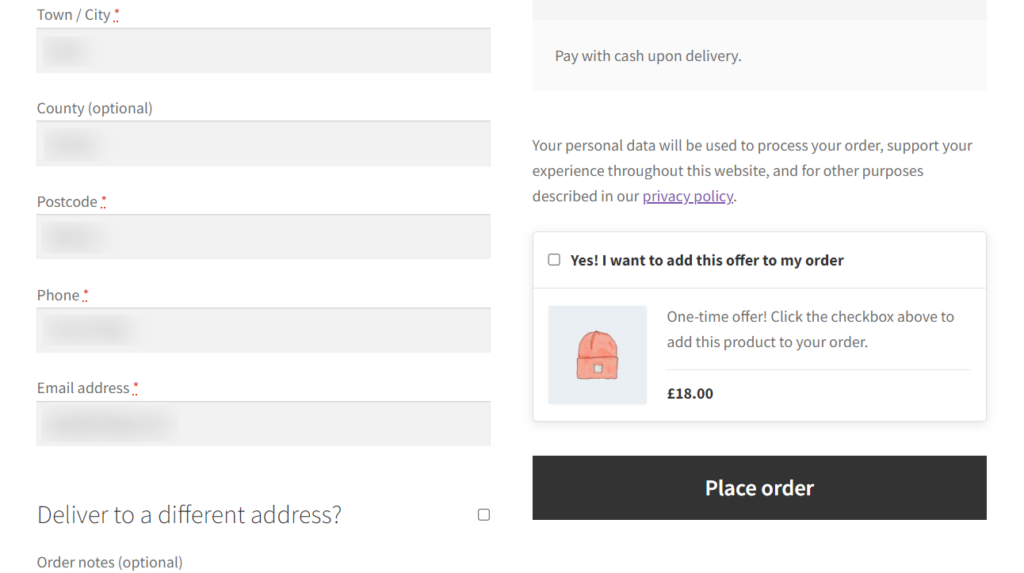
It’s worth mentioning that only a handful of ecommerce businesses use this feature. So making relevant recommendations on the checkout page might give you the edge over your competitors.
5. Search results page
Ecommerce customers rely on search and filters to find products. You can make the product discovery process quick and easy for them by showing recommended products.
📈 This improves their shopping experience, which 73% of online shoppers prioritize when making purchase decisions.
Alibaba has a solid search recommendation strategy on the search results page. If you search for an iPhone for example, it recommends earbuds, screen protectors, and other relevant products.
6. Category pages
Like the search results page, you can also help customers find what they might like by recommending products on the category pages. Making personalized recommendations here can help narrow down options and present products that align more closely with the customer’s interests.
Simply put, it takes the work out of finding their preferred products from the category pages.
You can incorporate a ‘Top Picks for You’ section that displays products based on their browsing history. Or be generic and present a ‘Best of [Your Store’s Name]’, and showcase your best sellers, like the way Adidas does it for every Men’s, Women’s, and Kids categories.
7. Email marketing
Personalized product recommendations can also enrich your email marketing campaigns. You can include product suggestions in your marketing emails in different situations including:
- When launching a new product. According to Hubspot, these types of emails have the highest click-through rate at 30.7%.
- During Win-Back campaigns. If your customers have gone silent on you, you can send personalized recommendations under the “We Miss You” or “We Thought You’d Like These” titles. Brands like bareMinerals do this to great effect.
- Sending abandoned cart emails. You can send an email reminding customers of the products they added to their carts but didn’t purchase.
8. Push notifications
If a customer hasn’t visited your online store in a while, you can leverage push notifications to send them personalized offers and win them back. You can do this when you have a sale or new arrivals.
Based on the customer’s past purchases, you send them notifications like ‘New Arrivals You’ll Love’ or ‘Don’t Miss Out on These Items.’
9. Post-purchase pages
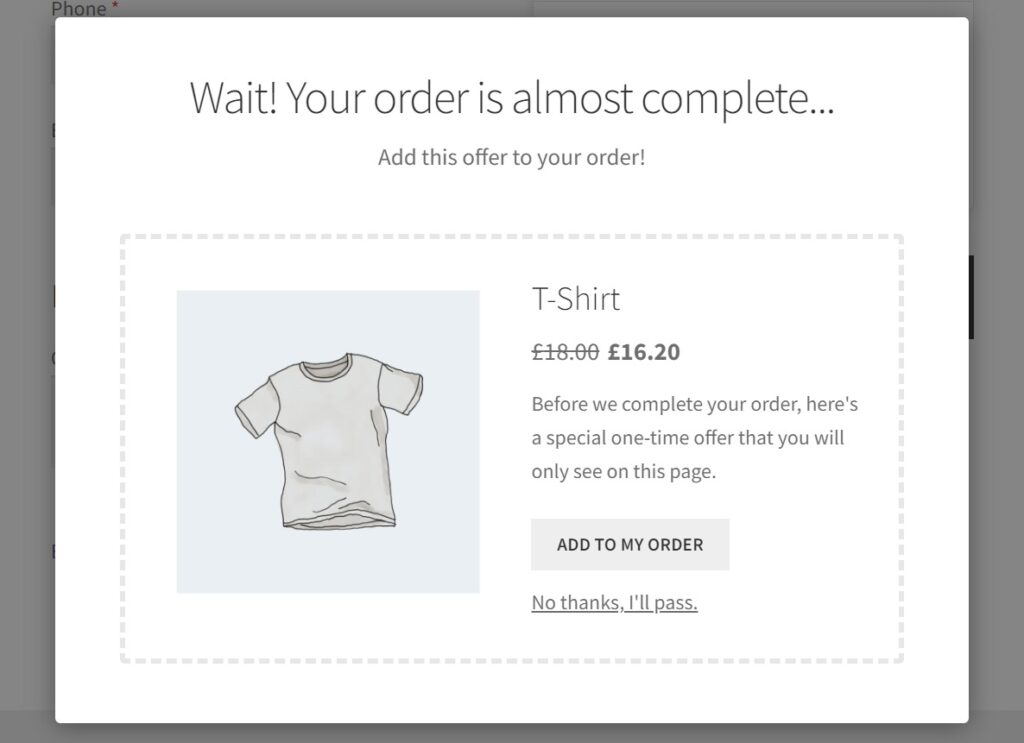
After customers have completed a purchase, their journey through your store doesn’t have to end there. Instead of simply saying ‘Thank you for your purchase!’ or ‘Order received!’, you can recommend cross-sells or upsells here.
This allows you to remind them of products they might have missed or those that they might need in the future. For example, if they’ve bought a dog bed you can present the offer this way ‘Here are some cozy blankets and cushions to go perfectly with your dog bed’.
10. Customer account dashboard
When customers create an account on your ecommerce site, you have their data. This customer data is valuable – you can use it to display personalized recommendations to your customers on their account pages. This is a great way for them to discover new products that could interest them.
If you’re looking for inspiration be sure to check out Amazon’s Recommendations section under a customer’s account.
Based on your customer’s purchase history, you add a ‘Recommended for you’ section on this page.
11. Wishlists
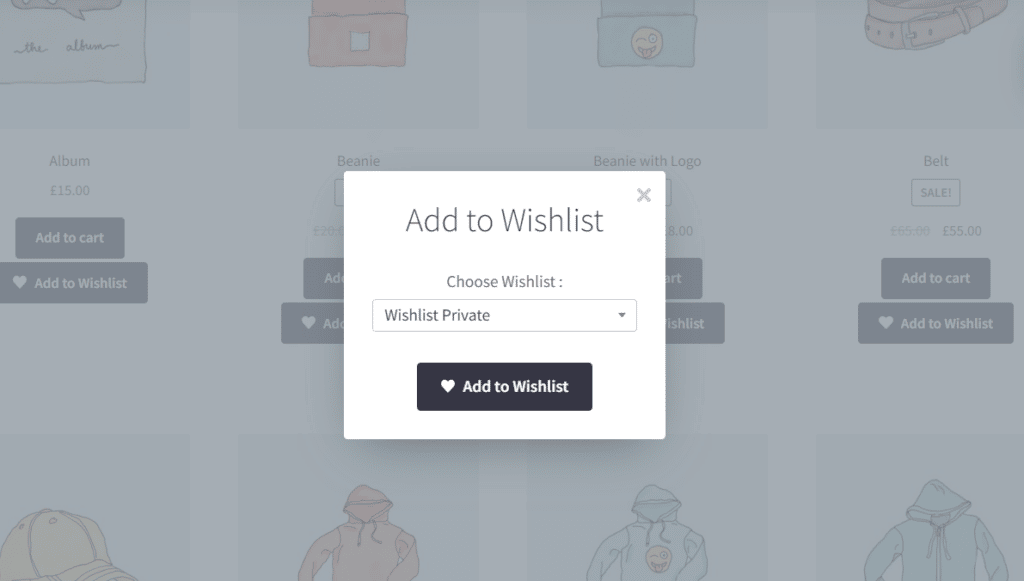
Customers who use wishlists are explicitly telling you what they prefer. Displaying related product recommendations on a wishlist page works the same as doing it for a cart page.
You’ll show them products, similar to what they have in their wishlists. The chances of adding these recommendations to their purchase are high since they are closely related to what they prefer. When they come back to buy what they have on their wishlist, they will likely add your suggestions to their purchases.
12. Out-of-stock pages
If a product customers are looking for is out of stock, you want to keep them engaged. This way they won’t leave your online store and go looking elsewhere. Cross-selling on the out-of-stock page is a great way to keep them looking around.
You could easily get lucky by suggesting a product closely related to the out-of-stock product. If it fulfills a similar purpose, let’s say they wanted Nike running shoes but you have Adidas only, they will likely add it to their purchase.
When a product is unavailable, you can use headings like ‘Similar Items You Might Like’ or ‘Customers Also Purchased’ section. If there isn’t a close relative, you can opt for new arrivals to invite them to keep browsing.
Now we know where we can display product recommendations. It’s time to get to work and see how we can set this up in your ecommerce store.
How to set up ecommerce recommendations?
There are different ways to set up ecommerce recommendations depending on the ecommerce platform you’ve set up your online store. In this section, we’ll walk you through how to do it in WooCommerce and Shopify.
Let’s start with WooCommerce.
How to set up ecommerce recommendations in WooCommerce
In the default WooCommerce install, you can only suggest related products on the product page. If you want to do it in different areas of your WooCommerce store, you’ll need the help of a plugin.
Set up product recommendations across your store with Iconic Sales Booster for WooCommerce
Iconic Sales Booster for WooCommerce is a cross-selling plugin built to help you sell more on your online store. This plugin allows you to spread product recommendations across your customer’s journey and leave no sales on the table.
With Sales Booster, you can create a complete product recommendation system for your WooCommerce store in minutes. It gives you complete control over everything, from the design to the content of your product recommendation sections.
It enables you to recommend products pre-purchase and post-purchase in the following ways.
Iconic Sales Booster for WooCommerce
Add cross-selling to your entire WooCommerce store in minutes with Iconic’s WooCommerce cross-sell plugin, Iconic Sales Booster for WooCommerce.
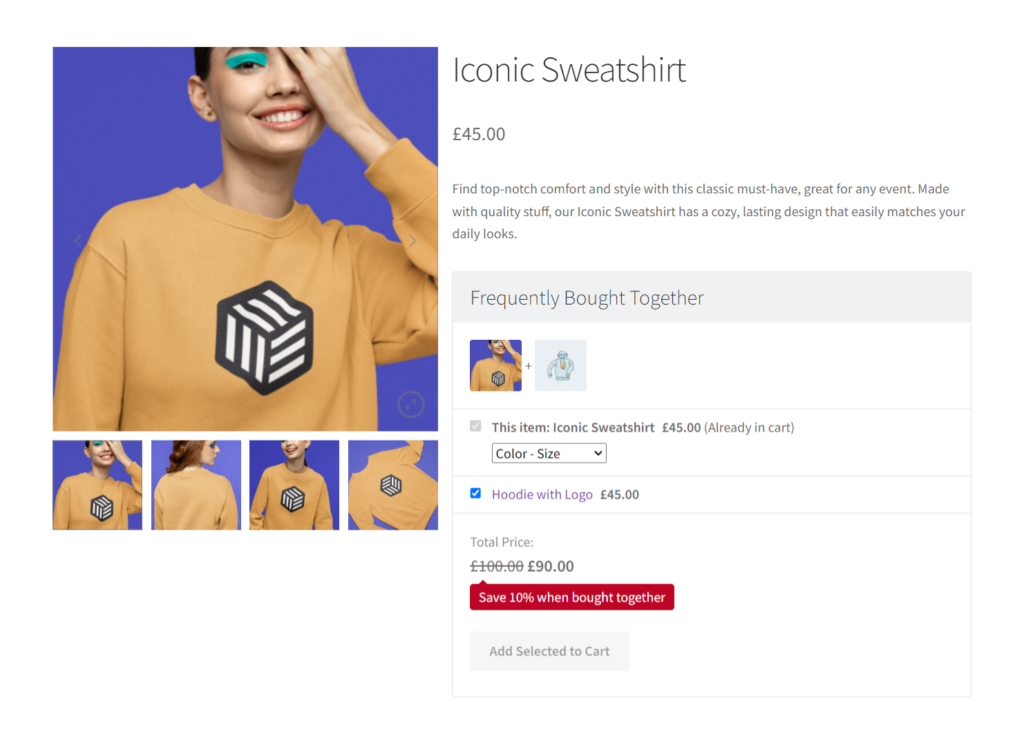
Display frequently bought together items on the product page
Sales Booster allows you to start your product recommendation experience by displaying complementary products on the product page. These are products that go well together with what a customer has in their cart.
When customers visit a product page, they’ll see a ‘Frequently Bought Together’ section just below the Add to Cart button. You can customize the products that appear here, the appearance, and the sales message of this section to fit seamlessly with your store and brand.
Show what customers also bought once a customer clicks ‘Add to Cart’
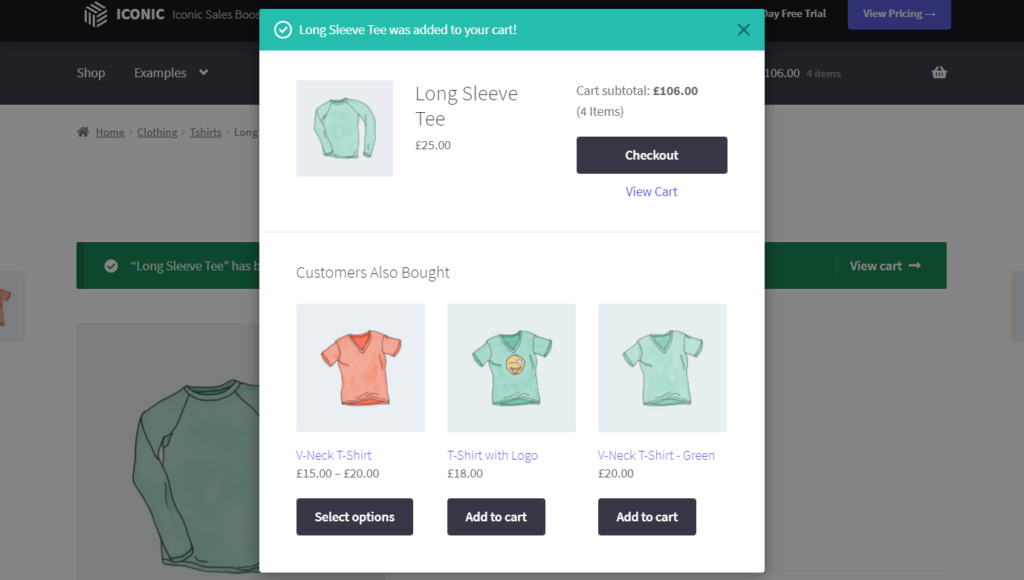
Once they click on the ‘Add to Cart’ button for any product, you can display a related products pop up showing them what other customers also bought. New customers will love this feature because they depend on social proof to make purchasing decisions.
Customers can add this offer to their purchase in one simple click for a seamless and frustration-free experience.
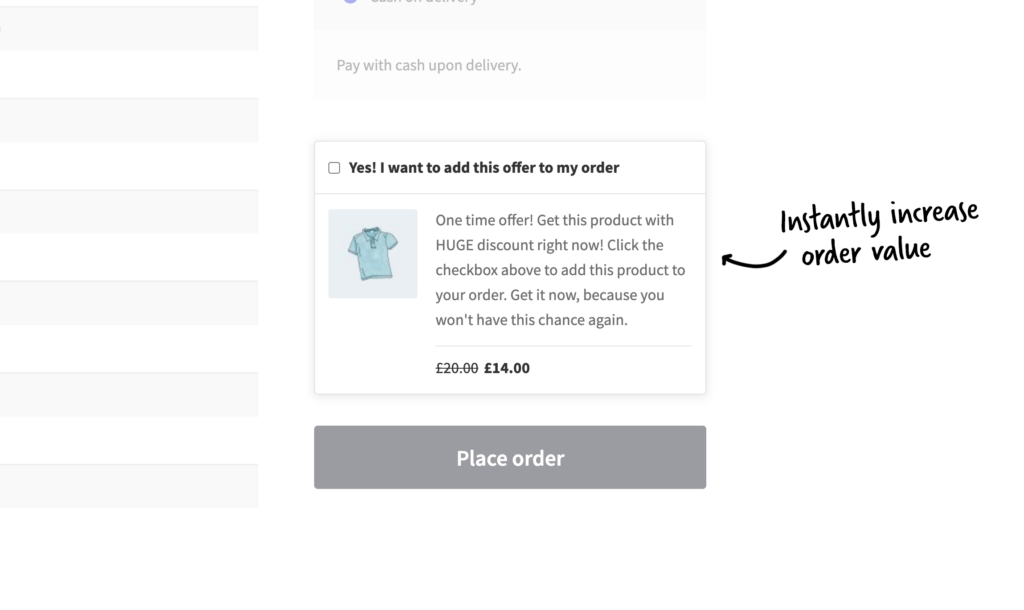
Recommend products in an order bump at checkout
With Sales Booster, you can take advantage of your customer’s buying intent and recommend related products when they’re checking out. To promote impulse purchases, you can add heavy discounts and make it a one-time offer.
You can display this offer based on what customers have in their cart. This allows you to offer relevant, hyper-personalized recommendations for individual customers. Customers only have to click a checkbox to add this offer to their purchase.
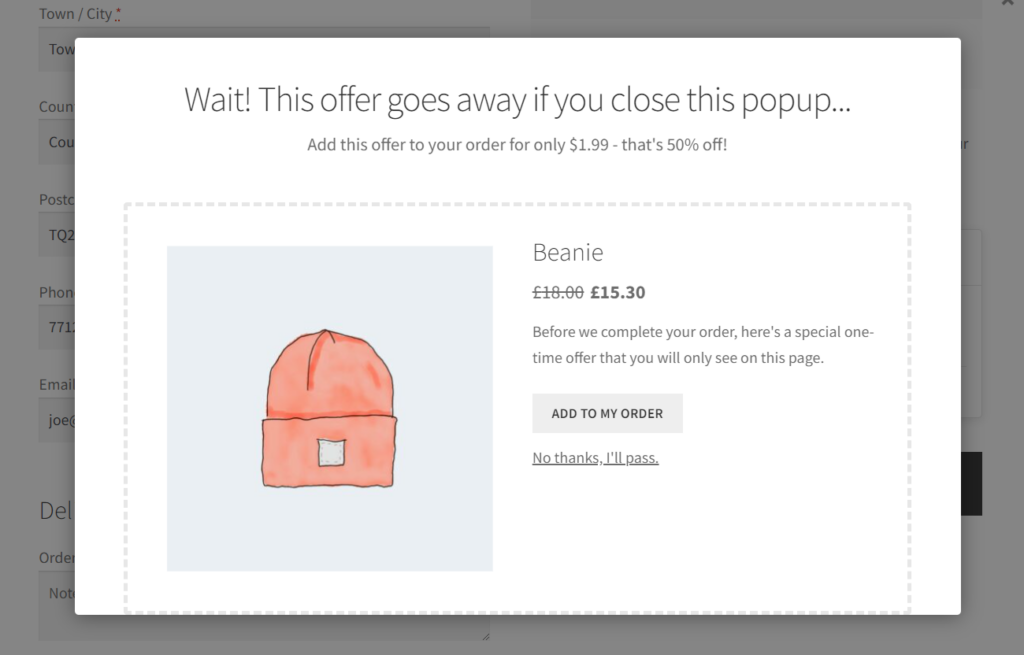
Add a post-purchase recommendation after checkout
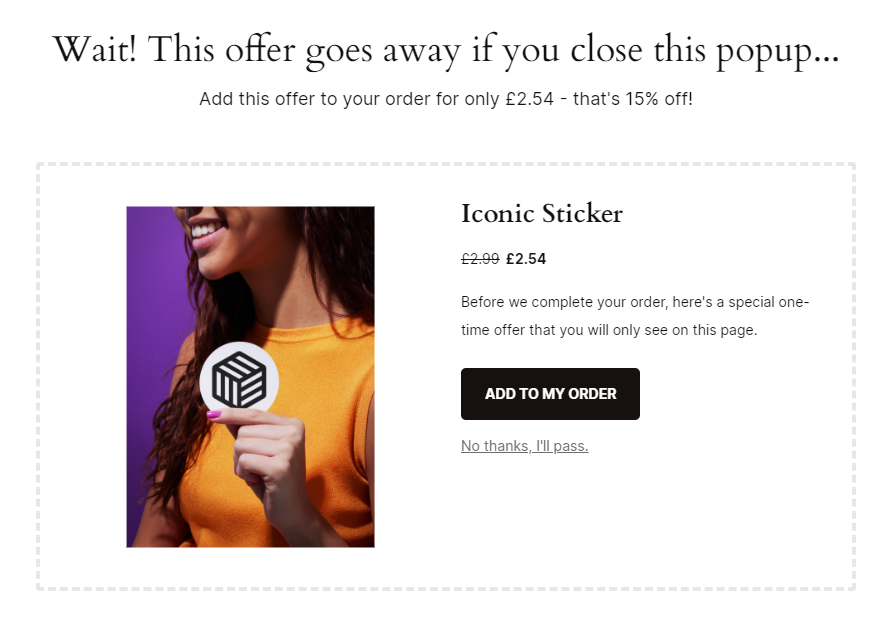
It doesn’t stop after a customer has completed their purchase. With Sales Booster, you have one more chance to sell additional products by displaying a post-purchase offer.
Once a customer clicks this offer, it will be added directly to their purchase without needing to re-enter their payment information. It is a great way to get an extra sale as it doesn’t disrupt the customer’s initial purchase.
Sales Booster is mobile optimized, meaning customers will have a superb user experience exploring your recommendations.
Note: Sales Booster isn’t an automatic product recommendation engine (that uses AI or machine learning algorithms). This is the best thing about it since you’ll have precise control over the recommended products.
You’ll be able to match the right products, with the right customer, and at the right time of their journey in your store. This improves the chances of converting.
Iconic Sales Booster for WooCommerce
Add cross-selling to your entire WooCommerce store in minutes with Iconic’s WooCommerce cross-sell plugin, Iconic Sales Booster for WooCommerce.
We now know how to do it in WooCommerce, let’s move on to Shopify.
How to set up ecommerce recommendations in Shopify
There are two ways to set up ecommerce recommendations in Shopify:
- Using your theme.
- Using Shopify apps.
Using your Shopify theme
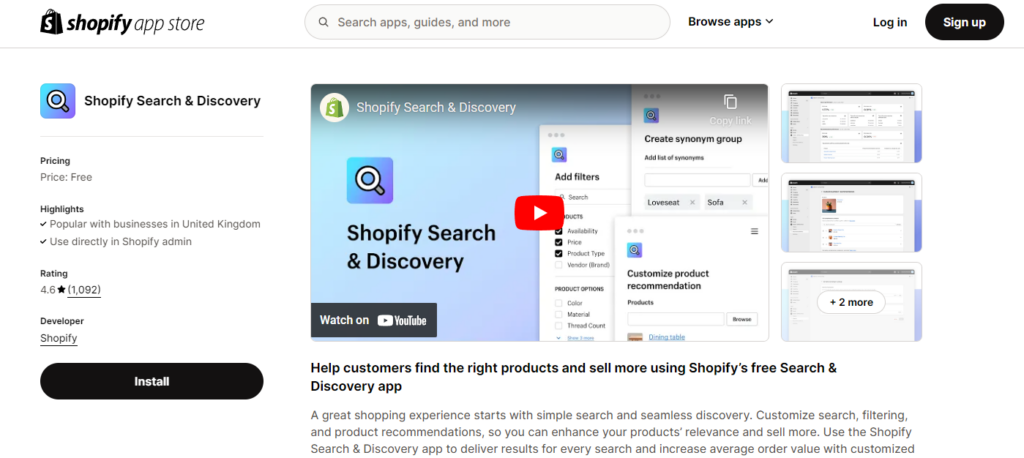
Product recommendations in Shopify depend on the theme you’re using. Themes like Woodstock, Sense, and Local allow you to add product recommendations on the product and cart pages under titles like “You may also like” and “Often bought together”.
You can customize these sections using the native Shopify app, Shopify Search and Discovery. This app is built to help customers discover products in your Shopify store.
It can improve your product recommendations in the following ways:
- Featuring best sellers on the product.
- Adding a related product section on the product descriptions page.
Using Shopify apps
Shopify apps such as Wiser, Glood, and Frequently Bought Together can help you recommend products pre and post-purchase. These are AI-powered automatic product recommendation engines.
They use machine learning to filter product suggestions based on the customer’s past behavior (content-based filtering) or that of other similar customers (collaborative filtering). This way suggestions are hyper-personalized and relevant.
There are many more product recommendation apps you can select from the Shopify app store. For the best results pick the ones with the ‘Built for Shopify’ badge.
With the right product recommendation tool, you’re only halfway there. The next step is to determine and implement the best practices and make the most of your product recommendation strategy.
What are the best practices for implementing ecommerce product recommendations on a website?
Deploying your product recommendations effectively is essential to realize success with it. Below, we’ll walk you through the best practices you can lean on to create engaging product recommendations and maximize the impact of your efforts.
Diversify recommendation types
Most ecommerce store owners and some large brands focus mainly on displaying complementary products. That is products that go well with the one a customer is viewing, for example, matching heels to go with a dress.
But in doing so, you might miss out on an opportunity to sell to customers looking for something a little bit different.
So diversify your recommendations and include:
- Similar products. You can offer alternatives, like a different design of the dress or one made with a different material.
- Bestsellers. Showcase your popular products in the same product category.
- Recently viewed. Display products the customer has recently looked at to help them easily return to items they showed interest in.
This helps you cater to different customer preferences and make it easy for them to discover new products.
Make relevant suggestions
Throwing around random recommendations is not advisable because they will likely not meet your customer’s needs or interest them. This harms their shopping experience and, worst case scenario, discourages them from future purchases.
To mitigate this, make your suggestions relevant depending on:
- Context. For example, if a customer is shopping for winter gear, suggest related products like gloves and scarves.
- Events or holidays. For instance, suggesting Christmas-themed t-shirts and mugs when customers order greeting cards during the Christmas holiday.
Balance automation with human curation
Automatic product recommendation engines take most of the work of creating product suggestions off your hands. But, you shouldn’t leave everything up to them. Like any other system, they’re prone to mistakes so you should review each suggestion they make to ensure they’re not irrelevant.
For new products where the AI system doesn’t have much data to work with, they could struggle to match your products with relevant suggestions. So you can take charge and do it yourself. Also, consider featuring ‘Staff Picks’ or ‘Editor’s Choice’ to provide a personal touch.
Avoid overloading users
If customers are bombarded with too many options they will be overwhelmed.
📈 One study found that nearly 40% of customers abandoned their carts after they were presented with too many options.
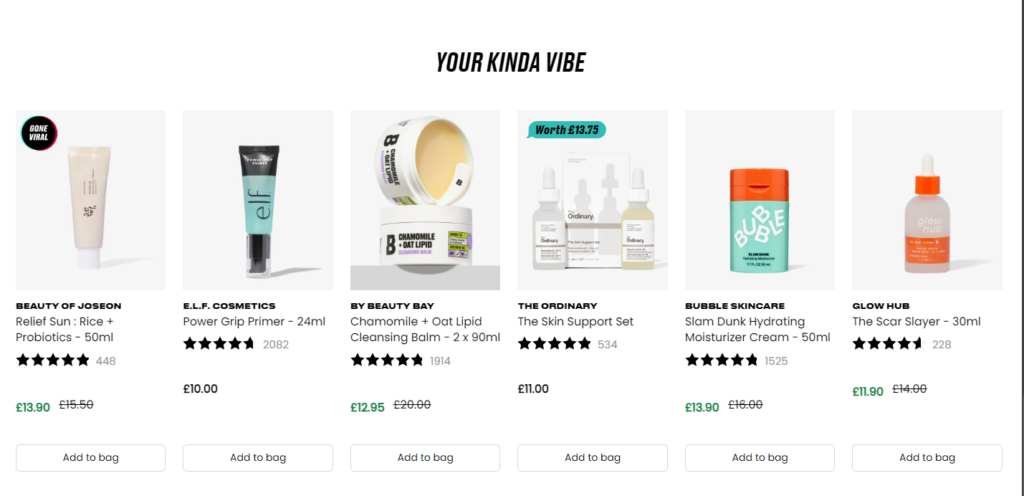
Because of this, you should stick to a manageable number of recommendations (about 4 – 6 items). Ensure the recommendations are highly relevant rather than simply showing a large quantity of options.
Add discounts to your offers
You can give customers a reason to add the recommended products to their purchases by adding discounts. Show customers the percentage of the price you’re chopping off (e.g., 20% OFF) and or how much they’ll be saving (‘Save $X’). This incentivizes them to buy.
📈 A recent Psychology of Discounts revealed that two-thirds of consumers would purchase if they had a discount coupon even when they hadn’t planned it. This means discounts will greatly impact the conversion rate of your recommended products.
So you’ve set up your recommendations system and you’re now actively recommending products to customers. How will you know if your strategy is working? By measuring the metrics we’ll discuss in the next section.
What metrics should be tracked to optimize your product recommendation engine?
You can evaluate your product recommendation system’s effectiveness by looking at how your customers respond to them. Here are a few metrics you can keep an eye on to understand how customers are engaging with your recommendations.
1. Click-through rate (CTR)
This is the percentage of shoppers who click on a recommended product after seeing it. They might end up not buying it, but this shows that they’ve taken an interest and are willing to explore it.
When a recommendation has a high click-through rate, it indicates that it is relevant to customers and appeals to their interests. In other words, tracking CTR helps you understand how well your recommendations capture your customer’s interest.
2. Conversion rate
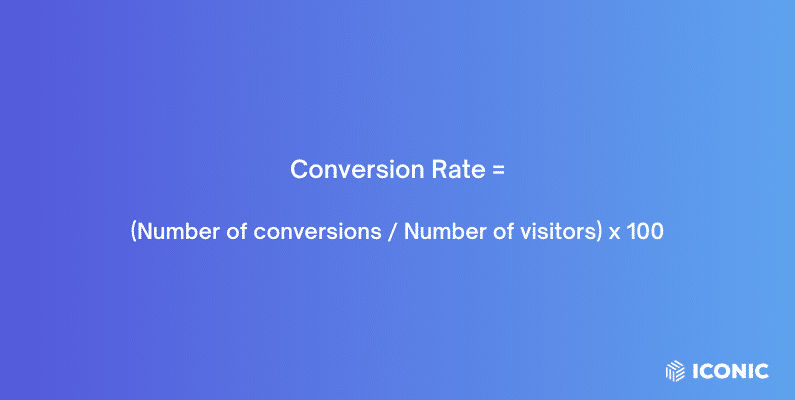
Conversion rate is probably the most important metric to keep an eye on as it indicates the percentage of customers that buy what you’ve recommended. It shows you how your product recommendation engine is impacting sales.
If you’re displaying recommendations and their conversion rate is low, it means they’re not fulfilling their purpose. You’ll need to adjust your recommendation strategy to get more customers purchasing your recommended products.
3. Average order value (AOV)
This is the amount customers spend per order on average. If your product recommendations increase your AOV, it indicates that your upselling or cross-selling strategies are successful. Customers are making additional purchases and buying more expensive alternatives, spending more per order.
There we have it! All you need to know to get started with product recommendations and track their performance on your store.
Get to grips with ecommerce recommendations today
Ecommerce recommendations are a great way to improve your sales, revenue, and your customer’s shopping experience at the same time.
You can add product recommendations to your online store in different ways depending on your ecommerce platform. With WooCommerce, you can do it with the Iconic Sales Booster for WooCommerce plugin.
It allows you to add product suggestions throughout your customer’s journey, pre and post-purchase. After you’ve put your recommendations strategy in place, it also allows you to monitor its success through statistics on impressions, purchases, and conversion rates.
Then you can optimize your strategy and get the best out of your product suggestions.
Iconic Sales Booster for WooCommerce
Add cross-selling to your entire WooCommerce store in minutes with Iconic’s WooCommerce cross-sell plugin, Iconic Sales Booster for WooCommerce.

Gina Lucia is our in-house Content Manager at Orderable. She writes articles, user guides, technical documentation, and creates videos on everything WooCommerce and Orderable.
Gina has been working in the WordPress/WooCommerce space since 2012 when she developed WordPress websites for clients large and small.
For the past 8 years, she’s been writing about everything WordPress and WooCommerce, becoming an expert in what makes a WooCommerce store succeed.
When not writing, Gina loves to tend to her vegetable garden, read, or travel to mainland Europe.