
Are you looking for ways to keep your ecommerce store exciting without offering sales and discounts? This article is for you.
Shoppers love sales discounts, and you’re sure to get more orders if you offer them on your ecommerce store. But, relying on them to grow your revenue and customer base won’t cut it, especially since customers don’t pay full price for your products.
👋 Fortunately, there are several ways to generate excitement for your store and attract new customers and repeat purchases without offering discounts. In this article, we’ll walk you through them.
Here’s what we’ll go over:
- The reasons why you should look beyond sales and discounts to attract new customers.
- Strategies on how to grow your online store without sales and discounts.
Let’s begin by looking at why you should find strategies for growing your online business other than discounts.
Why look beyond sales and discounts to attract new customers?
By definition, sales discounts are price reductions that you, as the retailer, offer for your products or services.
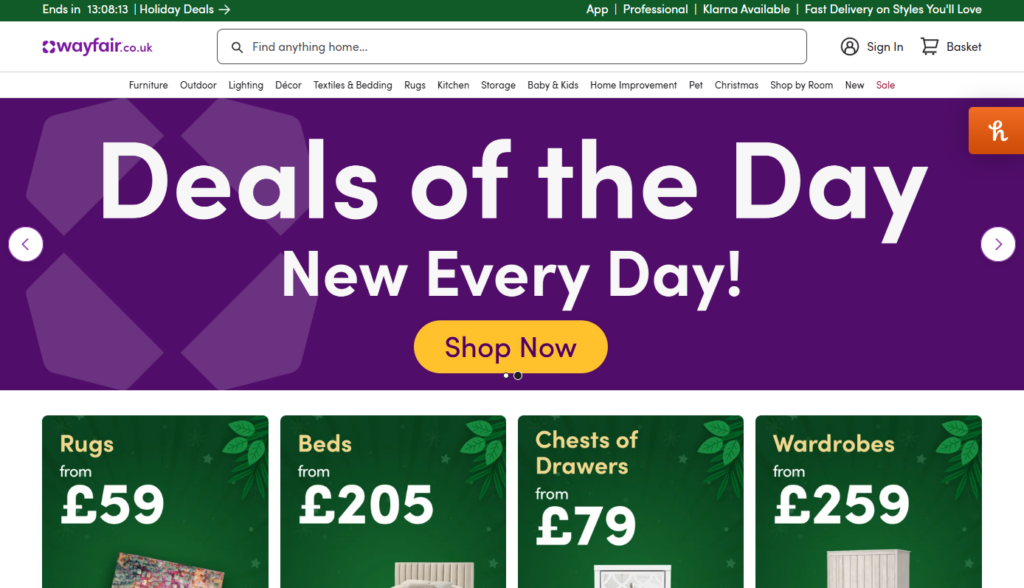
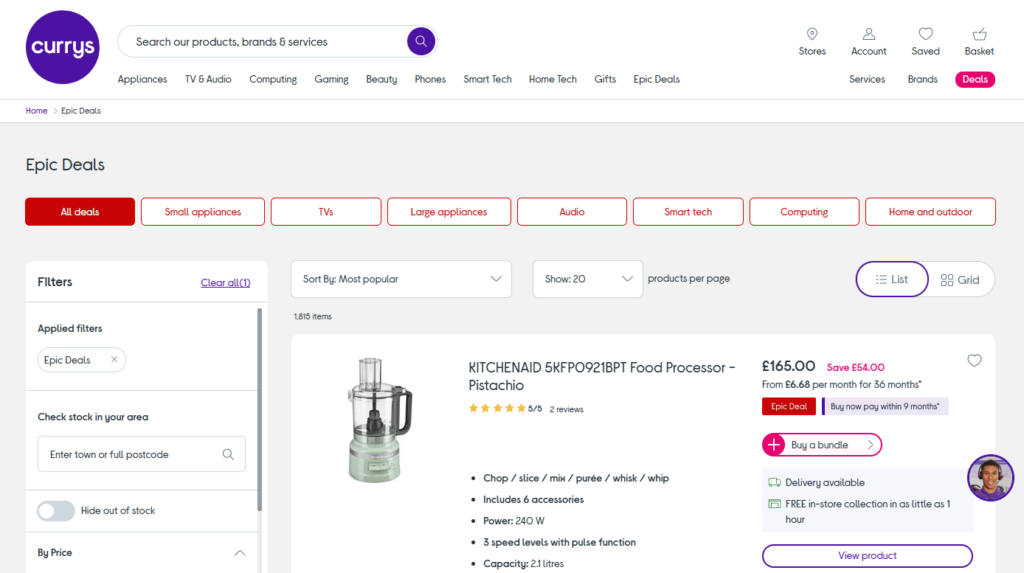
Sales and discounts are still some of the most effective ways to drive sales, and you probably use them to push up your net sales during the holiday seasons or sales discount periods like Black Friday.
This is because they’re a solid marketing strategy, allowing you to:
- Attract customers looking for deals.
- Create rapid demand for your products.
- Quickly boost short-term sales.
- Move excess or outdated inventory quickly and improve your cash flow.
While sales and discounts are beneficial, they have their fair share of pitfalls, making it important to look beyond them in your online store.
Regardless of the type of discount you offer, here’s why you should look beyond discounts to attract and retain customers.
Sales and discounts attract bargain hunters
Bargain hunters are customers who actively seek out goods or services at reduced prices. They enjoy the thrill of finding deals and getting the best value for their money.
📈 Bargain hunting happens more than you think. One study found that 75% of consumers scour their inboxes for relevant discounts.
The problem with bargain hunters is that they rarely become loyal customers. They usually have a ‘no discount, no purchase’ mentality, and when you revert to your usual prices, they will leave your business and look for bargains elsewhere.
Constant sales don’t encourage trust
Constantly offering sales and discounts can come off as telling your customers that you don’t trust the quality of your product enough to sell it at full price. Instead, you rely on the discount to attract them.
This could lead them to perceive your ecommerce store as a discount store while overlooking the quality of your products. In other words, you could become the ecommerce version of Dollar General. It also sets a bad precedent for customers to expect these discounted prices going forward.
Being known as a discount brand is bad for business (unless that’s your business model), and you could set yourself up for a race to the bottom.
Sales and discounts don’t always equate to value
Although sales allow customers to save on their expenditures, it isn’t the only thing that equates to value for customers. Instead, value could come from convenience, quality products, and great customer service.
📈 In fact, a Forbes study found that 58% of customers are willing to pay more for great customer service. This is a testament to how much customers value other things other than getting a great deal.
Offering discounts to attract purchases is short-term thinking
Suppose your ecommerce store is in a sales slump. And instead of trying to figure out why your sales are slumping, you hold a sales promotion or offer cash discounts to try to get out of it. This isn’t really fixing the problem – it’s like placing a bucket under a leaking pipe.
Discounted products could solve your slump in the short term, but you will likely go back into the slump once the sales period ends. To solve this problem in the long term, you’ll need to look into strategies for increasing your sales without discounting.
To top it up, discounts eat into your profits, leaving you with thin profit margins. Which is why they shouldn’t be your ultimate strategy for increasing sales. With that in mind, let’s go over other strategies you can use to do this.

How to grow your online store without sales and discounts
To increase your sales without relying on sales and discounts, you’ll need to implement one or a variety of strategies. We’ll give you some of these strategies and tips and walk you through how to get them done.
1. Create exclusive product bundles
You can make more sales per order by offering exclusive product bundles. Product bundles are products grouped and sold together as a single unit. Customers can buy one or multiple items from the bundle or add their entire bundle to their cart.

How exclusive product bundles boost sales
By offering products in a bundle, you allow customers to purchase more products per order. Instead of leaving your store with a single product, they can buy the entire package, which raises your gross sales.
Exclusive product bundles are such an effective way to boost sales because they:
- Enrich your customer’s shopping experience. Customers can find products they might like quickly and easily. According to a Salesforce study, 89% of consumers will likely make another purchase after a positive experience. This means that product bundles could help you encourage repeat purchases.
- Free your customers from decision fatigue. You pre-select perfectly matching products and place them in a bundle. This way customers don’t have to scour your ecommerce store looking for products that complement what they’re interested in.
Once customers purchase these bundles, they’ll get added value, and you’ll make more from their purchase without slicing your profits through discounts.
How to create exclusive product bundles in your ecommerce store
You can use different product bundling strategies depending on how you want to market your products and what your customers prefer. You can bundle products that can only be bought as a bundle or mix up separate products to sell them as a unit.
💡 Alternatively, you can create a gift bundle with complementary products, like the way Gillette has shave sets. There are so many more ways to bundle products, and you can learn about them in our Product Bundling guide.
You can make this exclusive to loyal customers and name it something like ‘Premium Set’ to entice customers to buy it. You could also pair best-selling items with slower-moving stock – the possibilities are endless.
If you’ve set your online store on WooCommerce, you’ll run into a little problem since it doesn’t have bundled products as a product type by default.
Fortunately, you can add this product type and create bundled products on your WooCommerce store with the WooCommerce Bundled Products plugin.
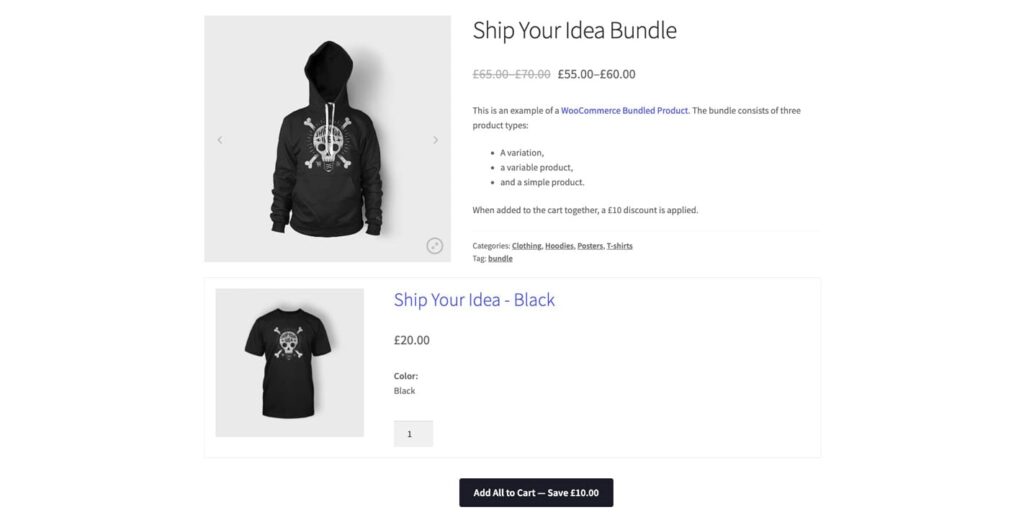
Create bundled products on WooCommerce with WooCommerce Bundled Products
WooCommerce Bundled Products allows you to create attractive product bundles to boost your sales and increase your average order value. It allows you to create custom product bundles, pick the products in the bundle, and name it how you wish.
As a result, you can create hampers, add-on bundles, lookbooks, starter kits, and so much more.
With this plugin, you’ll have the option to:
- Set up prices for your bundles.
- Allow customers to add individual items or the entire bundle to their cart.
- Show or hide prices, quantity, and ‘Add to Cart’ buttons for each product in the bundle.
You can add any type of product to the bundle to cater to your customer’s preferences. This includes simple, variable, and composite products. For variable products, customers will be able to select individual product variations that best suit them.
WooCommerce Bundled Products
Add WooCommerce bundles to your online store with WooCommerce Bundled Products. Create custom product bundles with a discount.
2. Launch limited-time collections
Limited-time or limited-edition collections are collections of items available only for a short amount of time. These types of products generate a lot of buzz for small businesses and larger ones as they often sell out quickly.
Brands like Nike and Supreme frequently release limited-edition clothing and accessories, which almost always sell out instantly. Why is that?
It all boils down to how customers perceive limited-time collections. Customers feel special when they own unique product,s and they typically don’t pass up opportunities to buy them.
📈 When limited-time collections come out, they have a fear of being missed out (FOMO). Studies show that nearly 60% of millennials make reactive purchases driven by FOMO.
Scarcity is a powerful motivator, and you’re sure to get more sales when you add limited-time collections to your store.
Which limited-edition collections should you add to your online store?
You can add different types of limited collections depending on the time of year and what you’re selling. Let’s say you sell apparel. You can offer seasonal colors for your clothes, shoes, and accessories. For example, green, red, and white for the Christmas holidays.
You can also have a “Winter Essentials” collection with unique fabrics and patterns that are only available for a short time. If you sell utensils such as mugs, you can brand them with Halloween colors and offer them in a single collection.
You can do the same for other types of products, including jewelry, food and beverage, collectibles, etc.
3. Implement a loyalty program
📈 Loyal customers are key to your business’s growth. According to the Harvard Business Review, increasing customer retention by 5% increases profits by 25 – 95%.
This is because:
- Loyal customers guarantee your business sales.
- It is easier to sell to loyal customers compared to new ones since they already trust your brand.
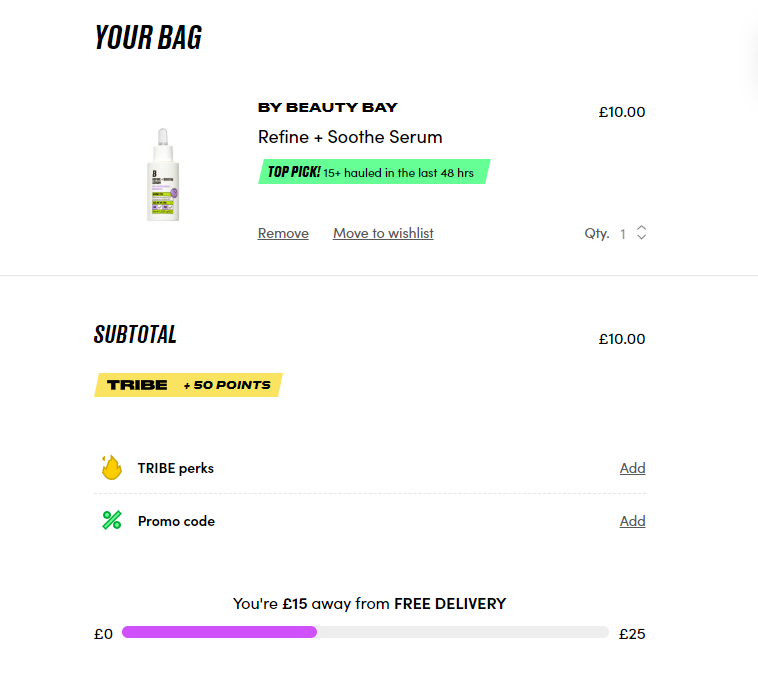
The most straightforward way to encourage more customers to be loyal to your brand is to implement a loyalty program. This is a program that customers can sign up for to receive rewards for repeat purchases and loyalty.
Think of it as a way of telling your customers, ‘Keep purchasing from us, and we’ll reward you with some incentives.’ Reward programs track your customers’ purchases and assign points to them.
Once they hit a certain point threshold, they can redeem these points for rewards such as free gifts (freebies), free shipping, access to exclusive deals, and even discounts.
Customers will be motivated to keep buying from you to earn these incentives.
How to implement a loyalty program
The first thing you’ll need to do is pick your loyalty program type. This could be points-based, tiered (where customer spending or referral unlocks a new tier), or time-based (rewarding customers for their loyalty over time).
Then, set up the rewards we’ve mentioned above. Once everything is in place, you’ll need to promote your loyalty program. Ensure your customers know about this program by showcasing it on your landing page and social media channels or via email marketing.
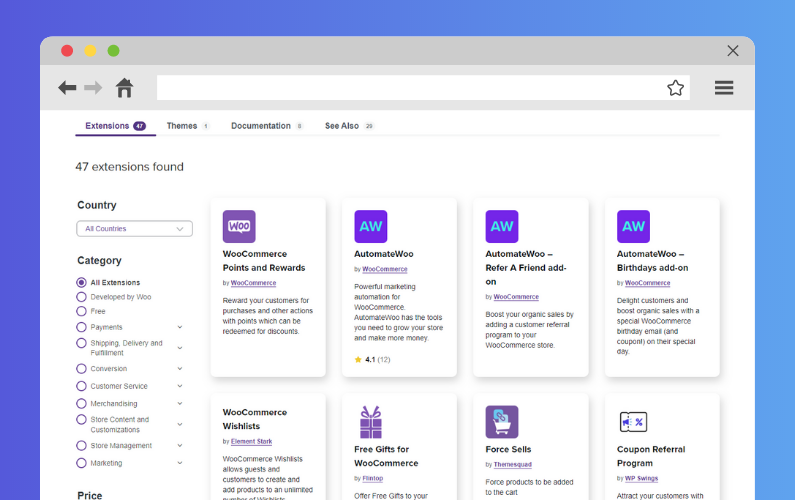
If your store is on WooCommerce, you can leverage loyalty program plugins such as Points and Rewards for WooCommerce where most of this work has already been done for you.
4. Develop a subscription box
Getting new customers is no easy feat. Once you acquire them, you want to do everything you can to retain them to guarantee future purchases for your business.
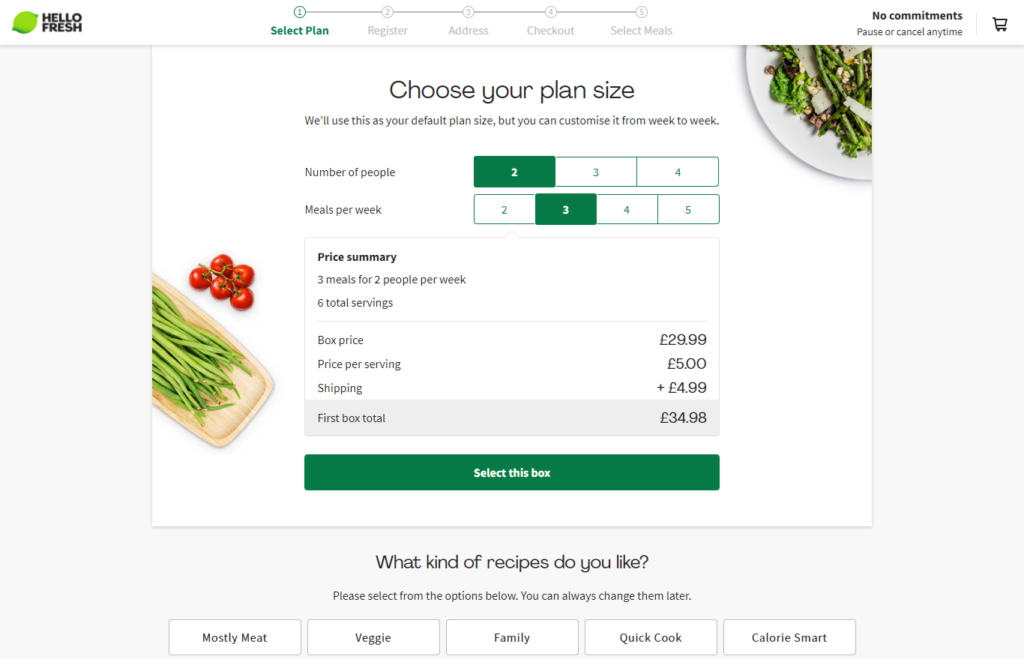
By developing a subscription box, you can do just that. Subscription boxes are a way to offer your products as a service that customers can subscribe to weekly, monthly, or yearly.
This is a business model where customers pay a recurring fee to receive a curated collection of your products regularly. These could be pet products such as dog food or treats, grooming supplies such as shampoos, or meal kits (like Hello Fresh’s meal box subscriptions).
Subscription boxes are a consistent revenue stream for your business, which makes them quite profitable. You’ll know that your business will have a certain amount of revenue at the end of the month beforehand.
How to create subscription boxes for your products
Creating subscription boxes is a lot like bundling products and offering them as a unit; only here will you be offering renewals after a month or so.
Here, you would want to look at products that run out after customers use them, such as dog food and the grooming supplies we’ve mentioned before.
5. Introduce interactive product recommendation quizzes
Sometimes, customers may bounce off your site when they can’t find what they’re looking for.
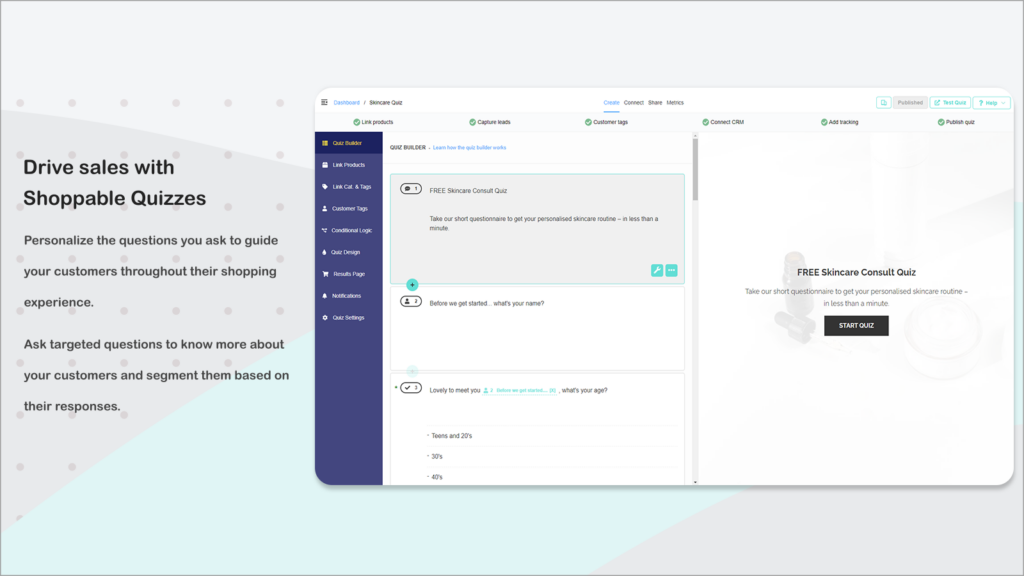
You can introduce interactive product quizzes to help customers find products that best suit their needs and preferences. This is a series of questions designed to identify what customers prefer.
Let’s say you’re selling earplugs. Your product recommendation quiz might look like this:
- Why are you looking to purchase [Our] earplugs?
- How much sound do you want your earplugs to block?
This will be followed by a set of options customers can select to answer these questions.
Your ecommerce site asks customers these questions and then delivers personalized product recommendations based on their answers. In case you didn’t know already, customers love personalized experiences.
📈 In fact, they’re 80% more likely to make a purchase when brands offer personalized experiences. Because of this, implementing product quizzes in your store will likely lead to more sales because customers will have a smooth shopping experience.
How to add a product recommendation quiz to your ecommerce site
Adding these quizzes is as easy as installing a product quiz plugin. There are several plugins you can use, including:
These plugins will provide a guided system for sorting your products and creating product quizzes to help ideal customers find them. They come with templates so that you don’t have to struggle to figure out everything from scratch.
6. Add a ‘build your own’ product option
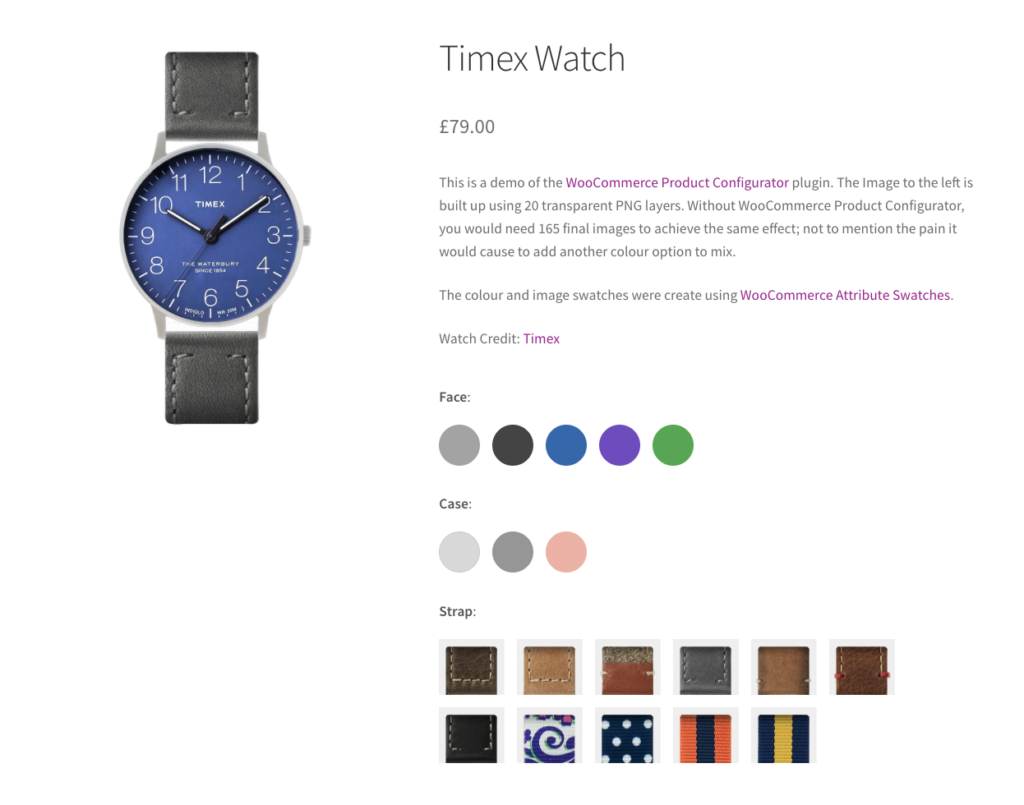
A ‘build your own product’ option is exactly what it sounds like. A feature that allows shoppers to customize, configure, and personalize your products according to their preferences before they purchase.
Having this option is something you should explore if you want to get more sales and repeat customers. This is because it enables customers to have an enriched, personalized shopping experience.
Being able to create something that is truly theirs, in their own time and comfort, is an experience most of your customers will appreciate. And this means more sales for your online store.
How to add a ‘build your own product’ option to your ecommerce store
To add this option to your online store, you’ll first need to create configurable products. Then, add a product configurator that allows customers to customize your configurable products.
WooCommerce supports composite products by default, which you can use to create customizable product kits. But it lacks a product configurator. To add this tool to your store, you’ll need the WooCommerce Product Configurator plugin.
Add a ‘build your own product’ option to WooCommerce with WooCommerce Product Configurator
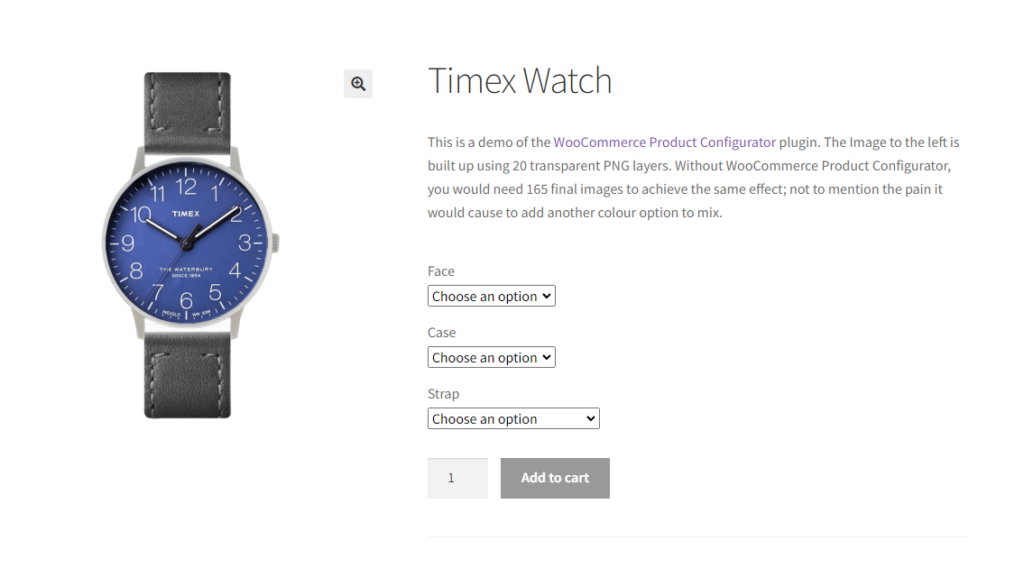
WooCommerce Product Configurator allows you to add a visual, user-friendly, and mobile-optimized product configurator to your online store on WooCommerce. It enables customers to select product attributes of the custom product and watch their selection update in real-time.
This is like having a live preview as they construct their ideal product, which makes for a satisfying experience. You know that when you have tons of product options, you might need to create images for all possible combinations.
But with this plugin, you don’t have to go through this hassle. You simply need to create one image layer for each option. The other images will layer on top of one another as the customer selects them.

You can also use conditional logic to set the pre-conditions for specific images to be displayed. What’s more, you can manage inventory for each option right from the product edit page.
Overall, this plugin makes setting up and using customizable products on your WooCommerce store quick and easy for you and your customers.
WooCommerce Product Configurator
WooCommerce Product Configurator adds a visual product configurator to your WooCommerce store and allows visitors to customize your products with ease.
7. Start a pre-order campaign for new products
Pre-ordering campaigns allow customers to place orders on new products yet to be released or existing products yet to be restocked. This is such a powerful technique used by big brands such as Amazon and Target to boost their sales.
So, what makes it worth adding to your marketing strategy? Two main reasons:
- You’ll lock in more sales for your products even when you’re yet to have them in stock.
- You can create hype and excitement about a new product. Just as movie trailers generate hype about movies, pre-ordering helps build excitement and anticipation for your product before it ‘hits the shelves’.
📈 Pre-ordering campaigns have been proven to increase customer spending. A study by Square and Afterpay found that customers spent 21% more per order on pre-orders than they did on regular product orders.
What to do when launching pre-order campaigns
Start by putting your product out there so customers can know about it and start pre-ordering it. You’ll want to create images of what it looks like and write the marketing copy and messaging.
If the product hasn’t been assembled yet, you can use factory samples and even retouch the images. You can also offer exclusive perks such as limited edition packaging or personalized ‘Thank you’ cards to incentivize customers to make pre-orders.
8. Regularly refresh your homepage and product pages
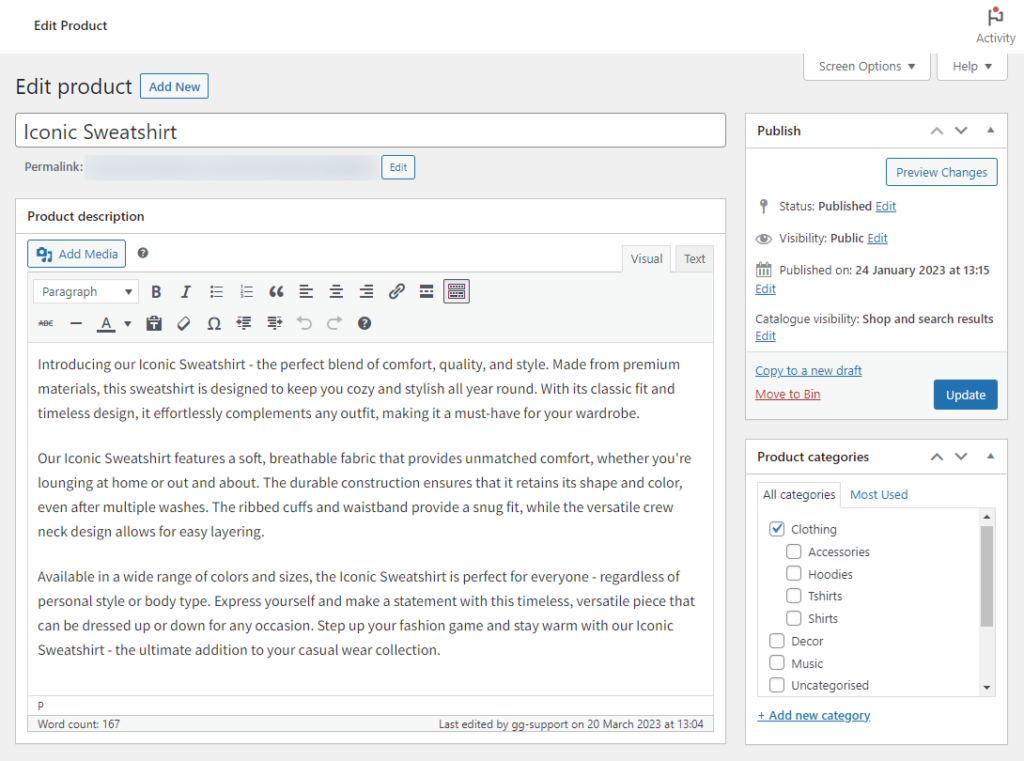
When you frequently refresh your homepage and product page, you encourage repeat visits. Shoppers will repeatedly visit your store,e anticipating new content, promotions, or products.
In other words, it keeps customers interested, as opposed to sticking with the same old content on these pages. When customers regularly visit your online store, they are more likely to get something they like and buy it.
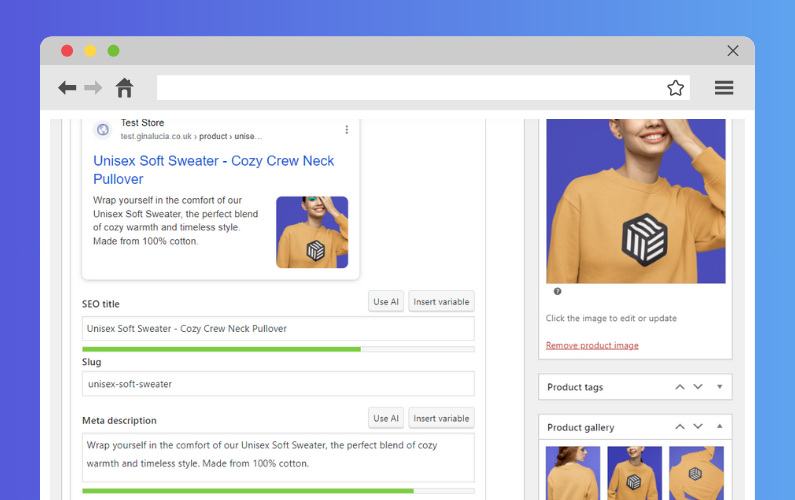
To keep these pages fresh, ensure to highlight your best-selling products each week, showcase new arrivals, or use banners to highlight seasons, holiday events, etc.
Remember that search engines like Google favor websites that regularly update their content. So doing this could boost your SEO ranking and set you up for more organic traffic.
9. Offer exclusive first access to new products
In addition to pre-ordering campaigns, you can also offer exclusive first access to new products, especially to your loyal customers.
📈 This is a great way to strengthen relationships with loyal customers who spend 67% more on average compared to new customers.
You get to reward their continuous engagement with your business by allowing them to access products regular customers don’t have access to yet. This is also a great way to help them discover products they might like.
Doing this is pretty easy. You can use different channels to introduce them to these products including:
- Emails.
- Push notifications.
- Or leave them a message they’ll find as soon as they visit your site.
10. Develop an exclusive rewards tier
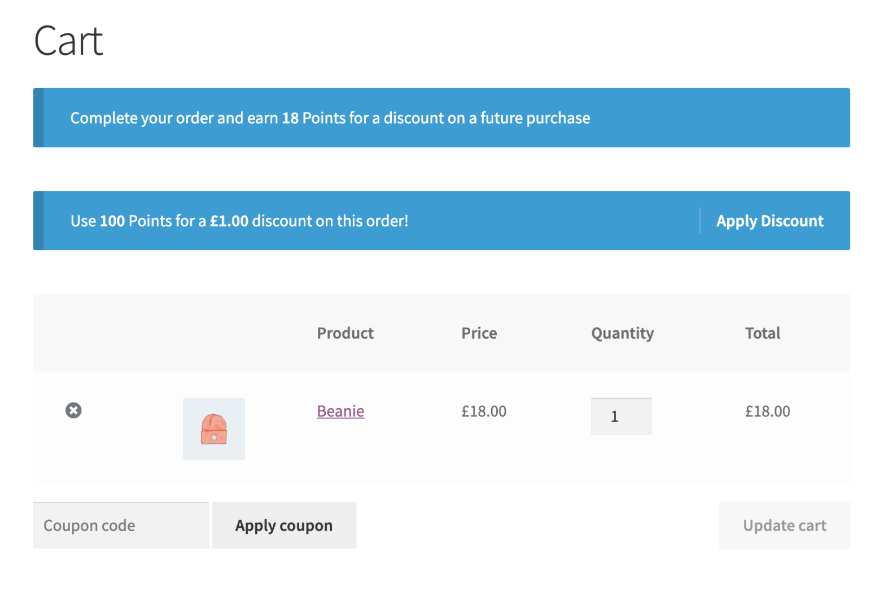
Another way to encourage first-time, casual, and loyal customers to spend more on your brand is by developing a tiered exclusive VIP program. This program onboards a special group of your customers and awards them with perks like free samples, early product previews, buy one get one free (BOGO), etc.
Inside the program, there are tiers where customers receive better rewards as they move up the tiers.
Like loyalty programs, this type of program rewards customers for their continuous engagement with your brand. Here, we discuss those who turn to your brand for all their related needs, trust your products, and follow your announcements.
How to set up a tiered VIP rewards program
The first thing you’ll need to do is determine the entry criteria for this program.
This could be:
- Based on the points customers earn (like in a loyalty program).
- Other factors such as how much they’ve spent, if they follow your socials, and how long they’ve been working with your brand.
Next, you’ll set up the tiers in this program, including the pre-conditions for joining and the rewards.
Tip: If you’re basing your tiers on how much customers spend, make the entry criteria for the first tier slightly larger than the average order value. This way, you can push customers who spend around the AOV to spend more and raise your AOV further.
Remember that the perks you offer are what drive customers to spend. So you should make them as valuable as possible without exceeding your means.
11. Provide product care guides
After-sales services are something you should consider if you want to boost customer satisfaction without sales and discounts. This could be anything from installation services to product care guides.
If you sell products that require specific care practices to maximize their lifespan, for example, leather bags or cameras, customers would appreciate guides on how to care for them. This will improve their satisfaction with your business.
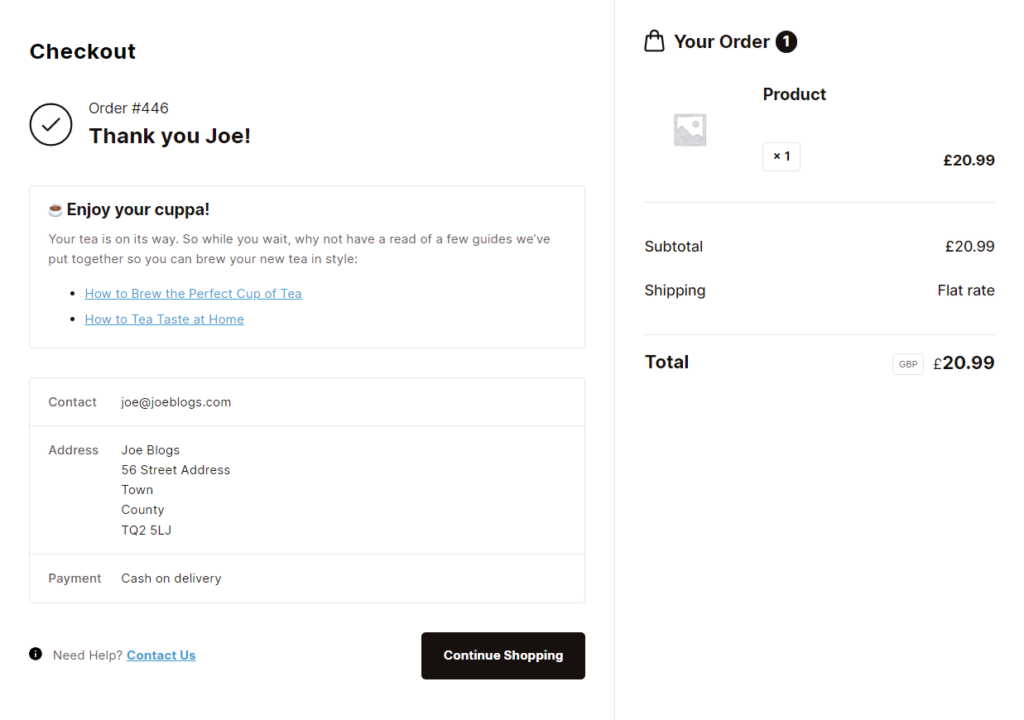
You can send follow-up emails with these guides post-purchase. Or better yet, add them to the order confirmation page since not all customers check their emails regularly.
By default, you can’t provide product care guides on the WooCommerce order confirmation page (Thank You page). Thankfully, you can do it with the Flux Checkout for WooCommerce plugin.
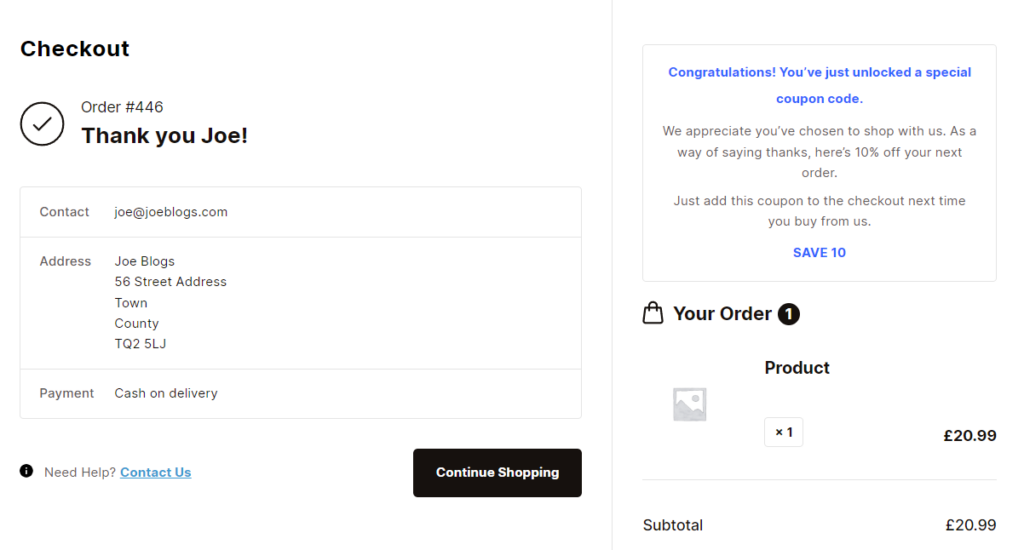
Add product care guides to the order completion page with Flux Checkout
Flux Checkout is the plugin that upgrades your WooCommerce checkout to be fast, well-designed, and distraction-free. It provides everything you need to enable your customers to get through your checkout flow smoothly.
Flux allows you to create a customizable order completion page. You can add custom content to this page for customers to engage with after they’ve completed their purchase. This includes product care guides for those who need them.
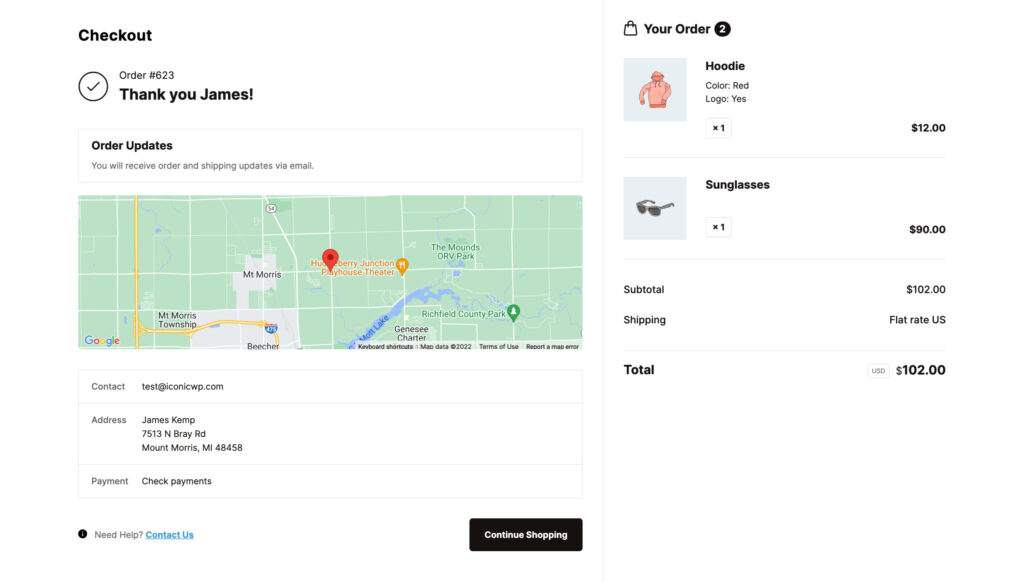
You can add text, video, images, and anything else you need to clearly explain how they should go about caring for their product.
In case anything is unclear, you can use Flux’s checkout elements to add an FAQ section here to help answer their questions. With Flux, you can improve your customer pre and post-purchase experiences.
Flux Checkout for WooCommerce
Flux Checkout transforms the default WooCommerce checkout into one that’s lightning-fast, distraction-free, and reduces checkout abandonment.
Improve your store without sales and discounts this year
Sales and discounts can make your store exciting to potential customers because they’re always looking to get a good deal. But, by relying on them, you risk attracting customers simply looking for bargains and eating too much into your profits.
Fortunately, there are several ways to improve your online store without relying on sales and discounts. We’ve covered them in this guide. For some of these strategies, you’ll need these plugins to implement them seamlessly on your WooCommerce store:
- WooCommerce Bundled Products – Bundle products together to boost your sales.
- WooCommerce Product Configurator – Improve your customer’s shopping experience with a ‘build your own product’ option.
- Flux Checkout for WooCommerce – Provide product care guides post-purchase to boost customer satisfaction.
Leverage this guide to look beyond sales and discounts to improve your online store.

Gina Lucia is our in-house Content Manager at Orderable. She writes articles, user guides, technical documentation, and creates videos on everything WooCommerce and Orderable.
Gina has been working in the WordPress/WooCommerce space since 2012 when she developed WordPress websites for clients large and small.
For the past 8 years, she’s been writing about everything WordPress and WooCommerce, becoming an expert in what makes a WooCommerce store succeed.
When not writing, Gina loves to tend to her vegetable garden, read, or travel to mainland Europe.