

Choosing the right WooCommerce payment gateway is one of the most important decisions you’ll make for your online store.
It affects how customers pay, how quickly you get paid, and how smooth the entire checkout experience feels.
If you’re looking to choose the best WooCommerce payment gateway for your online store this year, this guide will walk you through the top options and help you find the right fit.
There are a lot of choices out there – and if you’re feeling overwhelmed by all the different fees, features, and setup requirements, you’re not alone. Finding a reliable, cost-effective payment gateway that works seamlessly with WooCommerce isn’t always easy.
That’s why we’ve created this guide. We’ll compare the top WooCommerce payment gateways available, breaking down the pros, cons, and must-know features of each. By the end, you’ll feel confident in choosing a solution that fits your store’s needs.
Here’s what we’ll cover:
- What a WooCommerce payment gateway is and why it’s important.
- A comparison of the best WooCommerce payment gateways available in 2026.
- Key factors to consider when choosing a payment gateway.
Let’s start with the basics – what is a WooCommerce payment gateway, and why does it matter?

What is a WooCommerce payment gateway?
A WooCommerce payment gateway is the technology that allows your online store to accept payments securely from your customers. It acts as the bridge between your WooCommerce store, the customer’s payment method (like a credit card or digital wallet), and your bank account.
Here’s how a payment gateway works in WooCommerce:
- The customer selects their products and proceeds to checkout.
- The payment gateway securely processes the payment information.
- The transaction is verified, and the funds are transferred to your merchant account.
- The customer receives confirmation that their payment was successful.
Why does choosing the right gateway matter? It impacts your business in more ways than you might expect:
- Transaction fees. Some gateways charge higher fees than others, which can cut into your profits.
- User experience. A fast, reliable, and secure checkout can reduce cart abandonment and improve conversions.
- Currency support. If you sell internationally, make sure your gateway supports your customers’ currencies.
- Security and compliance. Look for gateways that offer PCI compliance and built-in fraud protection.
Now that you know what a WooCommerce payment gateway is and why it’s important, let’s look at the top options available.

The best WooCommerce payment gateways compared
When it comes to accepting payments in your WooCommerce store, there are a lot of options to choose from.
In this section, we’ll break down the most popular and effective WooCommerce payment gateways available. Whether you’re focused on reducing fees, improving user experience, or scaling globally, you’ll find a solution that fits your needs.
Here’s how we’re comparing them:
- Features: What makes each gateway unique.
- Fees: What you’ll pay in transaction or setup costs.
- Security: How each gateway protects customer data.
- Ease of integration: How smoothly it connects to WooCommerce.
- Best for: The types of stores that benefit most.
Let’s start with one of the most exciting options on the market:

StellarPay
StellarPay is a powerful, free WordPress plugin developed by StellarWP. It’s designed to supercharge WooCommerce by offering an enhanced Stripe integration with premium features – without the premium cost.
Features:
- Advanced Stripe integration with WooCommerce – process one-time payments, subscriptions, and installments from within your WordPress website dashboard.
- Built-in fraud detection and prevention for safer transactions.
- Real-time insights into orders, disputes, refunds, and payouts – no need to switch between platforms.
- A clean, intuitive interface that’s easy for both store owners and clients to use.
- Free premium features that typically come at a cost with other platforms.
Fees:
- No setup fees. StellarPay is completely free to use.
- Low transaction costs, thanks to its partnership with Stripe (you pay Stripe’s standard fees, with no added markup from StellarPay).

Security:
- PCI-DSS compliant.
- End-to-end encryption and fraud protection are built in.
Ease of integration:
- Seamlessly integrates with WooCommerce and WordPress.
- Lightweight plugin that won’t slow your site down.
- Customizable settings make it easy to adapt to your store’s needs right out of the box.
Best for:
Global stores and businesses that need multi-currency support, subscription payments, or installment plans – all without the added cost. It’s especially ideal for store owners and agencies looking for a powerful yet easy-to-manage Stripe-based solution.

PayPal
PayPal is one of the most widely recognized and trusted online payment systems in the world. Developed by PayPal Holdings, it’s a go-to choice for many WooCommerce store owners who want to offer a familiar, secure checkout option to their customers.
Features:
- Trusted payment method with global recognition.
- Supports payments via PayPal accounts, credit cards, and debit cards.
- Simple to set up and use, especially for first-time store owners.
Fees:
- 2.9% + 30 per transaction, which can vary depending on your country or customer location.
Security:
- End-to-end encryption for secure transactions.
- Built-in buyer and seller protection features.
Ease of integration:
- Available to stores with the PayPal Payments for WooCommerce plugin.
Best for:
Businesses that prioritize customer trust and recognition, especially if they’re selling to international audiences who already know and use PayPal payments. It’s also a solid choice for stores just getting started with WooCommerce.

Google Pay
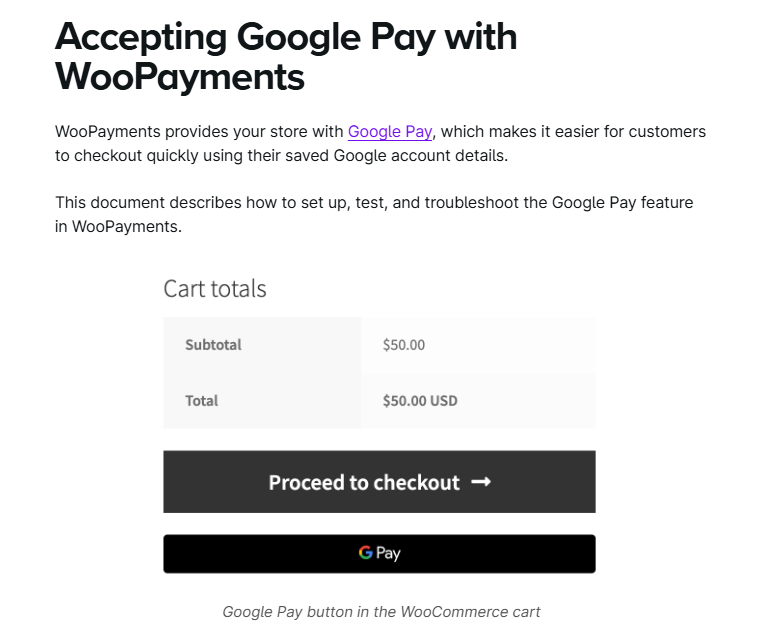
Google Pay is a digital wallet and online payment system developed by Google. It allows customers to pay quickly and securely using their saved Google account information, making it a popular choice for mobile shoppers and those using Chrome-based browsers.
Features:
- Offers fast, seamless payments through saved Google accounts.
- Designed with a mobile-first approach for smooth, quick checkouts.
- Compatible with major payment processors like Stripe and Braintree.
Fees:
- No additional fees from Google.
- Standard payment processor fees (like Stripe or Braintree) still apply.
Security:
- Uses tokenized transactions, so sensitive card data isn’t shared with your store.
- Built-in fraud protection features through your processor.
Ease of integration:
- Can be added using the WooPayments plugin or via Stripe or Braintree integration.
- Minimal setup is needed once your processor is customized.
Best for:
Stores that want to offer fast, mobile-friendly checkout experiences – especially if a large portion of your traffic comes from mobile devices or Android users.
WooPayments
WooPayments is a native payment gateway plugin developed by WooCommerce (owned by Automattic, the company behind WordPress.com). Built specifically for WooCommerce stores, it offers a seamless payment experience without needing third-party providers.
Features:
- Accepts major credit/debit cards, Apple Pay, Google Pay, and local payment methods.
- View and manage payments directly from your WordPress dashboard.
- Supports recurring payments, multi-currency, and express checkout options.
Fees:
- 2.9% + 30 per transaction for US-based cards (rates may vary by country or card type).
- No monthly fees or setup costs.
Security:
- PCI-compliant infrastructure is handled by WooCommerce and Stripe.
- Fraud prevention tools included.
Ease of integration:
- Built specifically for WooCommerce – no extra configuration is needed.
- Clean, consistent experience within your existing dashboard.
Best for:
WooCommerce store owners who want an all-in-one solution that’s easy to manage from within WordPress, especially if you prefer sticking with official tools supported directly by the WooCommerce team.
Square
Square is a popular payment solution developed by Block, Inc., known for its easy-to-use point-of-sale (POS) systems. It’s widely used by small businesses that need both online and in-person payment capabilities. With the official Square for WooCommerce plugin, it’s a strong choice for retailers expanding into ecommerce.
Features:
- Supports online and in-person payments, making it ideal for hybrid businesses.
- Integrates with Square’s inventory management, so stock levels stay synced between your physical store and WooCommerce site.
- Includes real-time sales reporting to help track performance across channels.
Fees:
- 2.6% + 10 per in-person transaction.
- 2.9% + 30 for online payments.
Security:
- Fully PCI-DSS compliant.
- Secure encryption and fraud prevention tools included.
Ease of integration:
- Works seamlessly with the Square for WooCommerce plugin.
- Easy to sync inventory, products, and customer data across platforms.
Best for:
Brick-and-mortar stores expanding online. If you already use Square for your in-person sales, adding WooCommerce is simple and efficient with this integration.
Authorize.net
Authorize.net is a long-standing and reliable payment gateway developed by Visa. Known for its robust feature set and enterprise-level tools, it’s a trusted choice for established businesses that need advanced payment capabilities and greater control over transactions.
Features:
- Supports major credit cards, debit cards, and eChecks.
- Offers tools for subscriptions, recurring billing, and customer information management.
- Includes advanced fraud detection and configurable security settings.
Fees:
- Typically 2.9% + 30 per transaction, plus a monthly gateway fee (often around $25).
- Custom pricing is available for higher-volume businesses.
Security:
- PCI-DSS compliant with secure data encryption.
- Advanced fraud prevention suite with customizable filters and rules.
Ease of integration:
- Works with the official Authorize.net for WooCommerce plugin.
- Slightly more complex setup compared to other gateways but offers extensive configuration options.
Best for:
Established businesses and high-volume stores that need advanced features, detailed fraud protection, and full control over their payment infrastructure.
Amazon Pay
Amazon Pay is a digital payment service developed by Amazon, allowing customers to check out using the payment methods already saved in their Amazon accounts. It offers millions of Amazon users a familiar and trusted experience, helping reduce checkout process friction.
Features:
- Lets customers log in with their Amazon credentials and pay using saved payment methods.
- Speeds up checkout with auto-filled shipping and billing information.
- Supports recurring payments and multi-device checkout page.
Fees:
- 2.9% + 30 per transaction for domestic payments (international rates may vary).
- No monthly fees or setup costs.
Security:
- Backed by Amazon’s secure infrastructure.
- Offers fraud detection and prevention powered by Amazon’s risk management tools.
Ease of integration:
- Integrates with WooCommerce via the official Amazon Pay plugin.
- Setup is straightforward, especially for stores already using Amazon Seller Central.
Best for:
Stores that want to offer a familiar, trusted checkout experience for customers who already shop with Amazon. It’s a great fit for increasing conversion rates with a quick, no-fuss payment option.
WooCommerce payment methods compared
| Gateway | Best for | Fees | Security | Ease of integration | Standout features |
|---|---|---|---|---|---|
| StellarPay | Global stores using Stripe for subscriptions or installments | No setup fee; Stripe’s standard fees apply | PCI-DSS compliant, fraud protection included | Seamless WooCommerce integration, lightweight plugin | Free premium Stripe features, real-time insights, no extra costs |
| PayPal | New stores or those prioritizing customer trust | 2.9% + 30¢ per transaction (varies by region) | End-to-end encryption, buyer & seller protection | Easy setup with PayPal Payments plugin | Globally trusted brand, simple checkout |
| Google Pay | Mobile-first stores and Android users | No extra fee from Google; standard processor fees | Tokenized transactions, fraud protection | Integrates via WooPayments, Stripe, or Braintree | Fast, seamless mobile checkout |
| WooPayments | Stores wanting a native WooCommerce solution | 2.9% + 30¢ for US cards (varies by region) | PCI-compliant, fraud tools included | Built-in integration, managed within WordPress | Supports Apple Pay, Google Pay, subscriptions, and multicurrency |
| Square | Brick-and-mortar stores moving online | 2.6% + 10¢ (in-person), 2.9% + 30¢ (online) | PCI-DSS compliant, encrypted payments | Easy sync via Square for WooCommerce plugin | POS integration, real-time inventory sync |
| Authorize.net | High-volume or enterprise-level stores | 2.9% + 30¢ per transaction + ~$25 monthly | Advanced fraud tools, PCI-DSS compliant | More complex setup, high configurability | eChecks, subscription tools, detailed security rules |
| Amazon Pay | Stores targeting existing Amazon users | 2.9% + 30¢ per domestic transaction | Amazon-level security, fraud detection | Simple setup with official plugin | Auto-filled checkout using saved Amazon details |
Choosing the right WooCommerce payment gateway for your ecommerce store
Finding the right WooCommerce payment gateway plays a major role in shaping your customer’s experience and your store’s bottom line. The gateway you choose can impact everything from how fast you get paid to how easily customers complete their purchase.
As we’ve seen, each gateway has its own strengths. Some are better suited for mobile-first stores, while others are designed for global sales, in-person transactions, or advanced control over your payment infrastructure.
When deciding which one to use, take time to consider:
- The fees involved and how they affect your profit margins.
- How easy the gateway is to set up and manage.
- What your customers expect and prefer when checking out.
Start accepting payments today by choosing the WooCommerce payment gateway that best fits your business needs – and give your customers the smooth, secure checkout experience they expect.

Gina Lucia is our in-house Content Manager at Orderable. She writes articles, user guides, technical documentation, and creates videos on everything WooCommerce and Orderable.
Gina has been working in the WordPress/WooCommerce space since 2012 when she developed WordPress websites for clients large and small.
For the past 8 years, she’s been writing about everything WordPress and WooCommerce, becoming an expert in what makes a WooCommerce store succeed.
When not writing, Gina loves to tend to her vegetable garden, read, or travel to mainland Europe.