
If you’re looking to create a customer onboarding process for your ecommerce store or improve an existing one, this guide is here to help.
In this guide, we’ll walk you through:
- What a customer onboarding process is (including the 5-step process).
- Why having a good onboarding experience is important.
- How to put together a good customer onboarding experience.
- How to measure your onboarding experience.
👋 So let’s get straight to it by first getting to grips with what a customer onboarding experience is in the first place.
What is a customer onboarding process?
A customer onboarding process is the journey a new customer experiences after their first interaction with your business.
For an ecommerce business, this starts when a customer purchases a product from you. For other businesses, it could mean signing a contract (for client onboarding) or joining a kickoff call.
No matter if you’re a SaaS company or an online marketplace, the onboarding journey you create will be unique to your business and customer needs.
An onboarding experience is designed to welcome new customers/clients, educate them about your products and services, and set the foundation for a long-term relationship.
To understand this in a little more detail, let’s take a look at the 5-step onboarding process as it relates to ecommerce businesses.

What is the 5-step ecommerce onboarding process?
The 5-step ecommerce onboarding process is pretty standard across many online businesses. You may even do some of these steps/touchpoints already.
The general aim is to give your customers the information they need, educate them, ask for feedback, and build a long-term relationship.
We’ll go through each step one by one.
Step 1: Welcome and introduction
The first step is to welcome your customer. It’s the simplest part of the process, but it’s also the foundation for everything that follows. A warm, thoughtful welcome helps your customers feel appreciated right away, showing that they’re more than just a transaction to your business.
This first interaction also introduces them to your brand – who you are, what you stand for, and what they can expect.
When done well, a good welcome sets the tone for a positive experience. Customers who feel valued from the start are more likely to trust your store, come back, and even recommend you to others. It’s a small step that can have a big impact.
Step 2: Education
Once your customer feels welcomed, the next step is to ensure they have everything they need to make the most of their experience.
For online stores, this often means providing information about their purchase or helping them navigate your website.
📈 55% of customers say that they will stop using a product or service that they don’t understand.
This step is about reducing any friction or uncertainty they might face. If they’ve bought a product, you want to make sure they know how to use, care for, or enjoy it. If they’ve just discovered your store, you want to guide them in exploring your offerings.
By being proactive in helping them, you create a smoother, more enjoyable onboarding experience. Customers who feel informed are less likely to encounter problems, which reduces returns or complaints, and they’re more likely to see the value in their purchase.
Step 3: Engagement
Engagement is where you invite the customer to take a more active role in your store. After they’ve received their purchase or explored your site, this step encourages them to deepen their connection with your brand.
It might mean inviting them back to browse again, sharing ways they can benefit more from what you offer, or simply encouraging them to stay in touch.
📈 Highly engaged customers tend to buy 90% more often, spend 60% more per transaction.
This step builds on the goodwill you’ve already established, helping the customer see your store as more than just a place to shop. The benefit is twofold: it keeps your business top of mind while giving customers additional value. It also starts to establish habits. Whether it’s returning to shop or engaging with your brand elsewhere – that can lead to long-term loyalty.
Step 4: Feedback collection
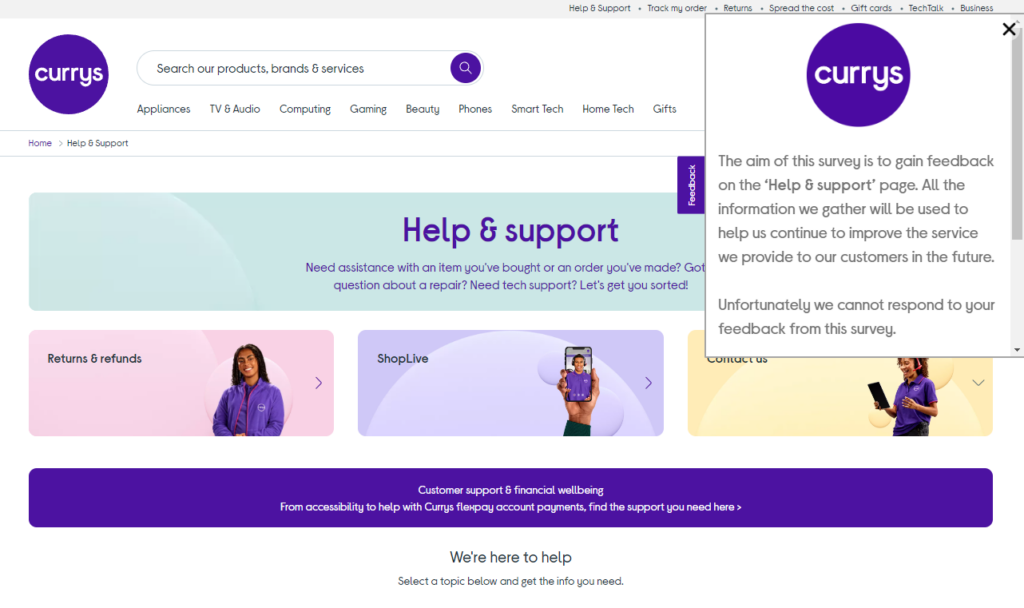
At this point, your customer has interacted with your store and (ideally) used their product. Now is the perfect time to check in and ask how everything went. Collecting feedback shows your customers that their opinions matter and that you care about their experience.
This step is incredibly valuable for both the customer and your store. For the customer, it reinforces that you’re invested in their satisfaction, which can turn a neutral experience into a positive one.
For your store, it provides insight into what’s working and what isn’t, giving you the chance to improve. Feedback also opens the door to resolving issues before they escalate, turning potential detractors into loyal customers.
Step 5: Building long-term relationships
The final step in the process is to focus on the bigger picture: creating a lasting connection with your customers. This is where you go beyond the immediate purchase or interaction and aim to become their go-to store.
Long-term relationships benefit your business in countless ways. Loyal customers are more likely to spend more over time, recommend your store to others, and engage with your brand in meaningful ways. They also cost less to retain than it does to acquire new customers.
📈 86% of customers say that they would be more likely to stay loyal to a business if they knew that they would have access to welcoming onboarding content.
For the customer, a strong relationship means they feel supported, valued, and excited to continue shopping with you. It’s the ultimate goal of the entire customer onboarding process.
Now that we know the basic steps, let’s take a look at why these are so important for your online store.
Why work on the customer onboarding for your online store?
Customer onboarding is a vital part of running a successful online store. A thoughtful onboarding process can have a significant impact on your business by creating smoother experiences for customers and boosting your bottom line.
Here’s how:
- Improves customer retention by ensuring customers feel confident and supported. When customers have a positive first experience, they’re far more likely to return for future purchases instead of turning to a competitor.
- Builds trust. A clear, organized customer onboarding process demonstrates that you’re reliable, attentive, and invested in helping your customers. This trust lays the groundwork for long-term relationships.
- Increases customer lifetime value. Customers who are educated about your products and feel engaged with your brand tend to stick around. They’re more likely to make repeat purchases and even become advocates for your store, recommending it to friends and family.
- Reduces support queries. Proactively addressing common questions or potential pain points during onboarding saves time for both you and your customers. By offering helpful resources upfront, you can prevent unnecessary frustration and free up your support team to focus on more complex issues.
In short, customer onboarding is an opportunity to make a lasting impression, strengthen your customer relationships, and set your business up for long-term success.
So now we know what customer onboarding is and the benefits. Let’s put all this to work by creating a great onboarding experience for your ecommerce store.
How to put together a good ecommerce customer onboarding experience
In this section, we’ll go through actionable onboarding best practices to make your customer onboarding process as seamless and effective as possible.

1. Start with a warm welcome
A well-crafted welcome email is the cornerstone of a successful customer onboarding process. This first impressions email should go out as soon as the customer completes their purchase or signs up for an account.
What to include:
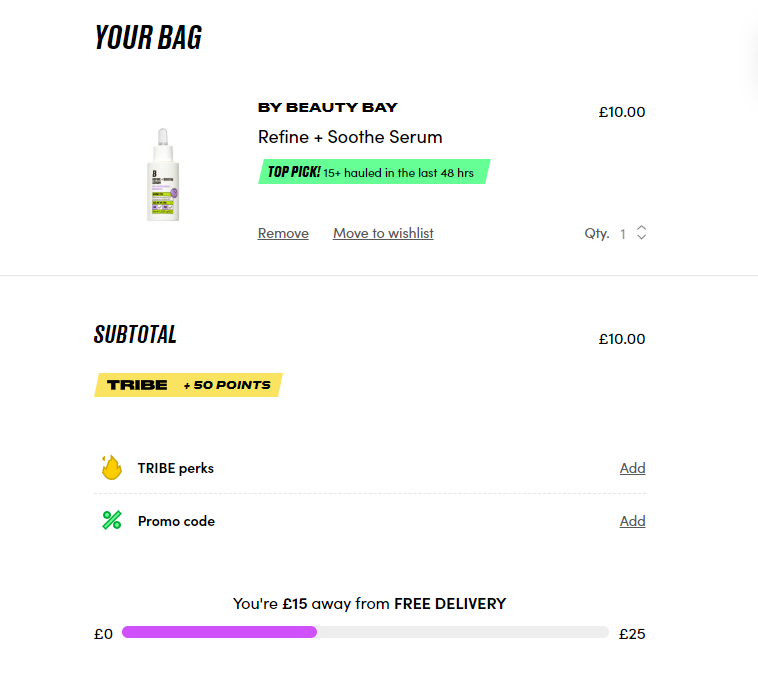
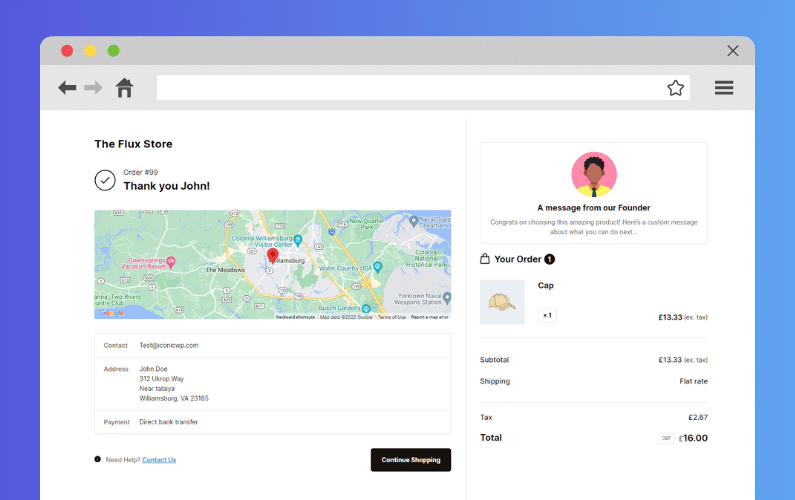
- Order confirmation: Reassure customers by including their order details, such as item descriptions, total cost, and expected delivery date. Improve this for your WooCommerce store with Flux Checkout for WooCommerce.
- Tracking information: If available, share a tracking link or let them know when to expect it.
- Brand introduction: Briefly highlight what makes your store unique – your values, mission, or story. Or showcase the value of your product with a product tour.
Practical tips:
- Personalize the email with the customer’s name and their specific order details.
- Use a friendly, conversational tone to make the email feel personal.
- Include a clear call to action, like exploring your store further or following you on social media.
Flux Checkout for WooCommerce
Flux Checkout transforms the default WooCommerce checkout into one that’s lightning-fast, distraction-free, and reduces checkout abandonment.
2. Make navigation easy
Ensure customers can quickly find what they need on your site. Whether they’re exploring for the first time or returning to shop again, user experience is extremely important.
What to include:
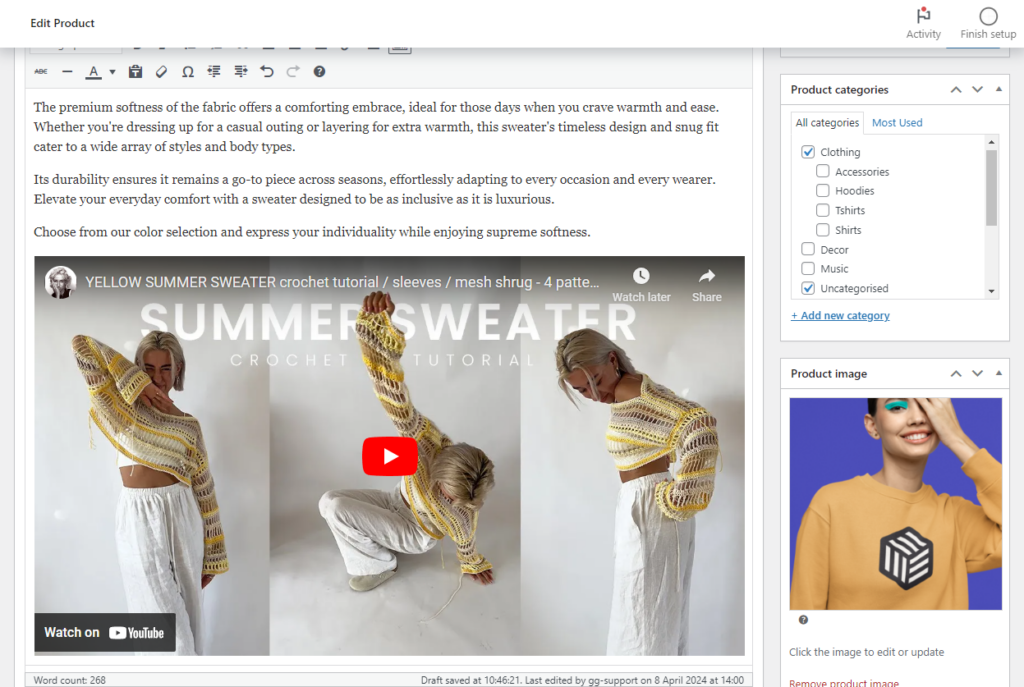
- Guided tours: Add pop-ups, tooltips, or videos that introduce key parts of your site, like your search bar, product categories, or account settings.
- Quick start guides: Share a visual email with links to important areas, like your FAQ page, customer support, or knowledge base guides and documentation.
Practical tips:
- Keep pop-ups and tooltips short – focus on one feature at a time to avoid overwhelming the customer.
- Use clear, descriptive text for links, like “Shop Women’s Clothing” instead of “Click Here.”
- Make your site navigation mobile-friendly, as many customers will browse on their phones.
3. Personalize the experience
Tailoring your customer onboarding process to individual customers makes them feel seen and valued.
What to include:
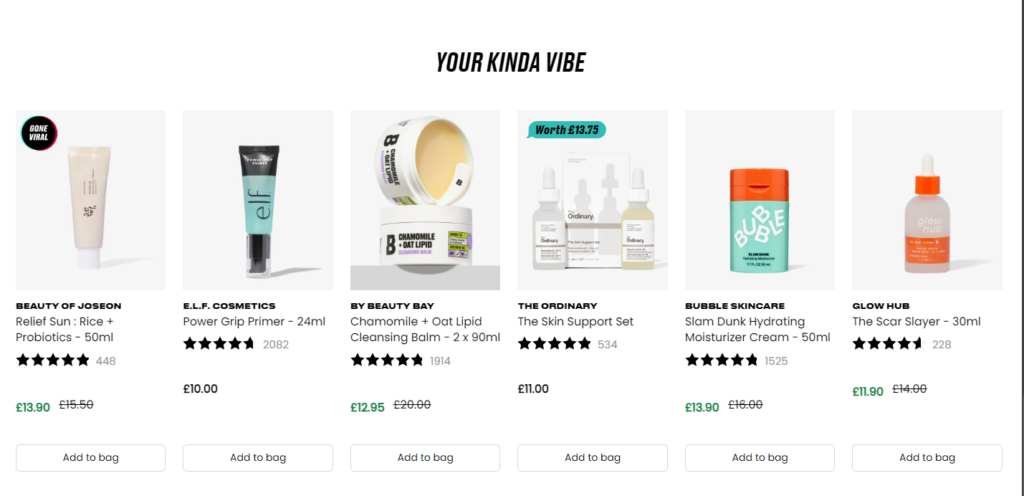
- Product recommendations: Use their browsing history or first purchase to suggest complementary items.
- Dynamic content: Adjust email content, homepage banners, or product suggestions based on their preferences or location.
Practical tips:
- Set up automated email campaigns that adjust based on the customer’s behavior, like abandoned cart reminders or recommendations for related products.
- Use segmentation to group customers by interests, purchase history, or location for more relevant communication.
- Include personal touches, like referring to their most recent purchase in follow-up emails.
4. Provide clear information
Reduce customer frustration by making key details easy to find.
What to include:
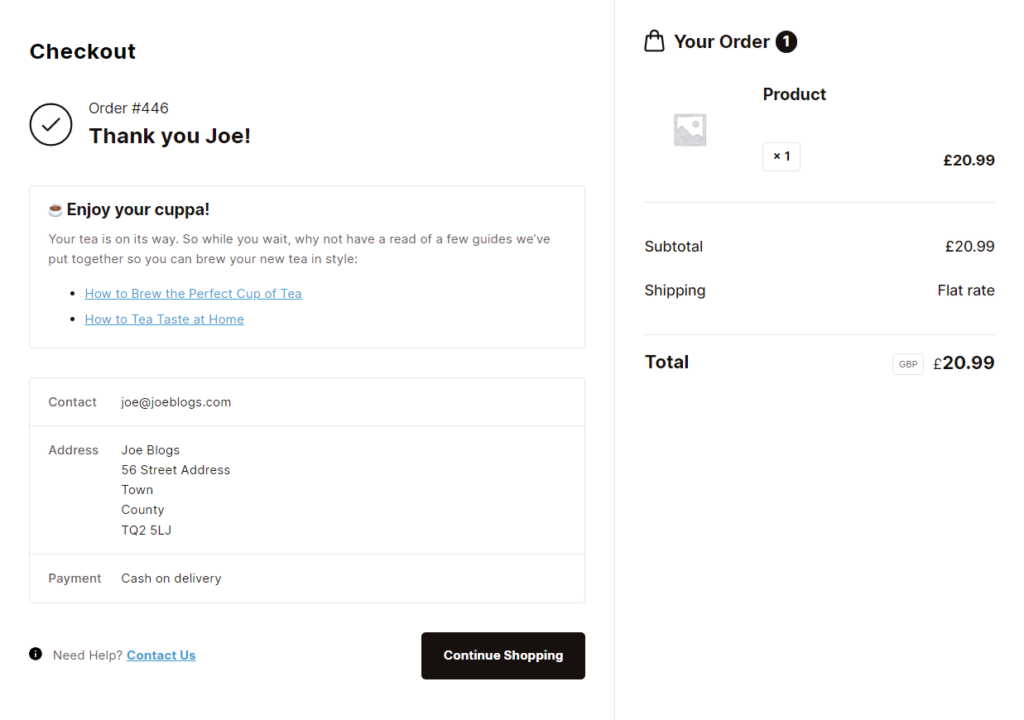
- Tutorials and guides: Offer resources that help customers understand how to use or care for their products.
- Delivery and returns info: Clearly explain shipping times, tracking options, and your return policy.
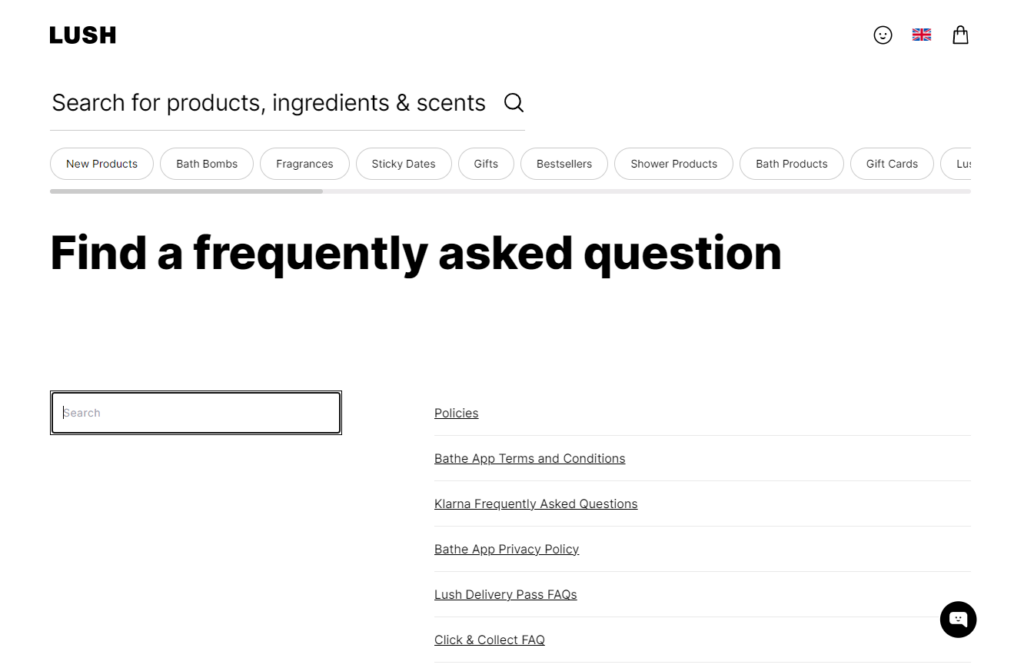
- Contact details: Make it easy for customers to reach out with questions by including a support email or live chat link.
Practical tips:
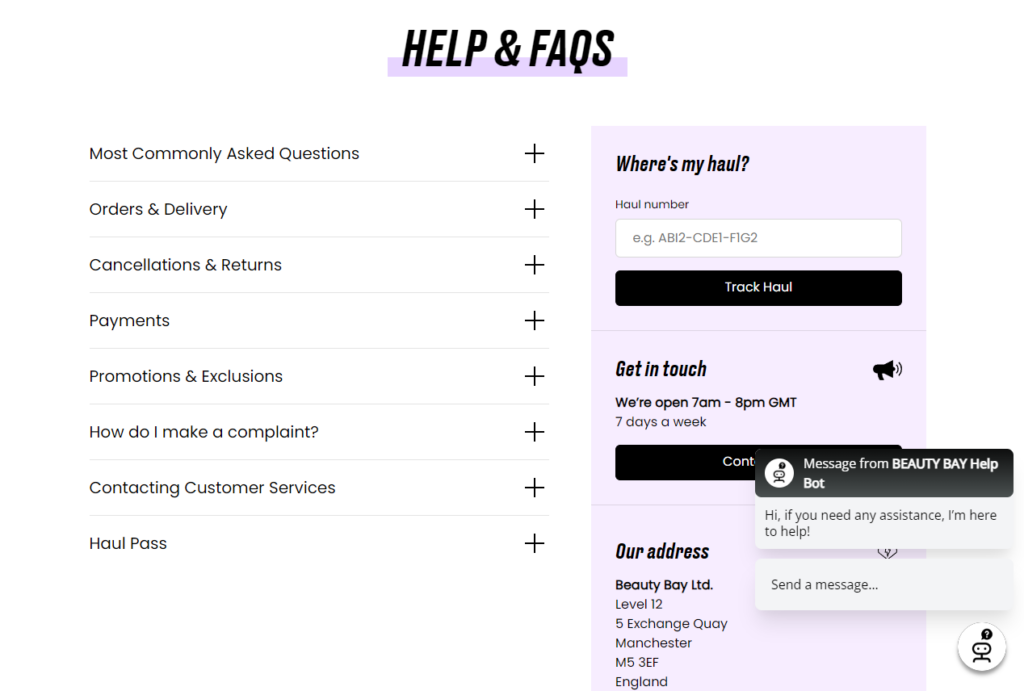
- Create a dedicated “Help” or “Support” section on your website with FAQs, guides, and contact options.
- Customize your order confirmation page with these guides, contact links, and more with Flux Checkout for WooCommerce.
- Send an email after the order ships with a tracking link about what to expect next.
- Use visuals, like infographics or videos, to explain complex product features or care instructions.
Flux Checkout for WooCommerce
Flux Checkout transforms the default WooCommerce checkout into one that’s lightning-fast, distraction-free, and reduces checkout abandonment.
5. Customer engagement through follow-ups
Don’t let the relationship end after the first purchase. Use follow-up emails to stay in touch and add value to the customer journey.
What to include:
- Post-delivery check-ins: Ask how the product is working out and if they need assistance.
- Feedback requests: Prompt customers to leave a review or complete a short survey about their experience.
Practical tips:
- Time follow-ups carefully – send the first one a few days after delivery, and space out additional emails.
- Provide a link to review their product directly on your site or a third-party review platform.
- Offer a small incentive for feedback, like a discount on their next purchase.
6. Highlight loyalty opportunities
Encourage customers to stick with your brand by introducing them to your loyalty program or exclusive perks.
What to include:
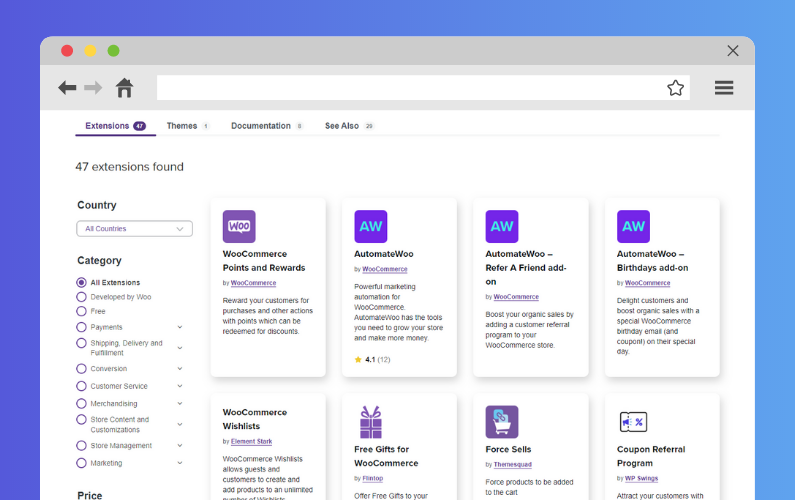
- Rewards overview: Explain how your loyalty program works and what they can earn, like points for purchases or referral bonuses.
- Exclusive offers: Share a discount code or free shipping for their next purchase.
Practical tips:
- Promote your loyalty program prominently in follow-up emails, on your homepage, and at checkout.
- Make it easy to join – customers should be able to sign up with one click or minimal details.
- Periodically update customers on their points balance or upcoming rewards.
7. Address potential concerns
Proactively solve problems to reduce frustration and build trust.
What to include:
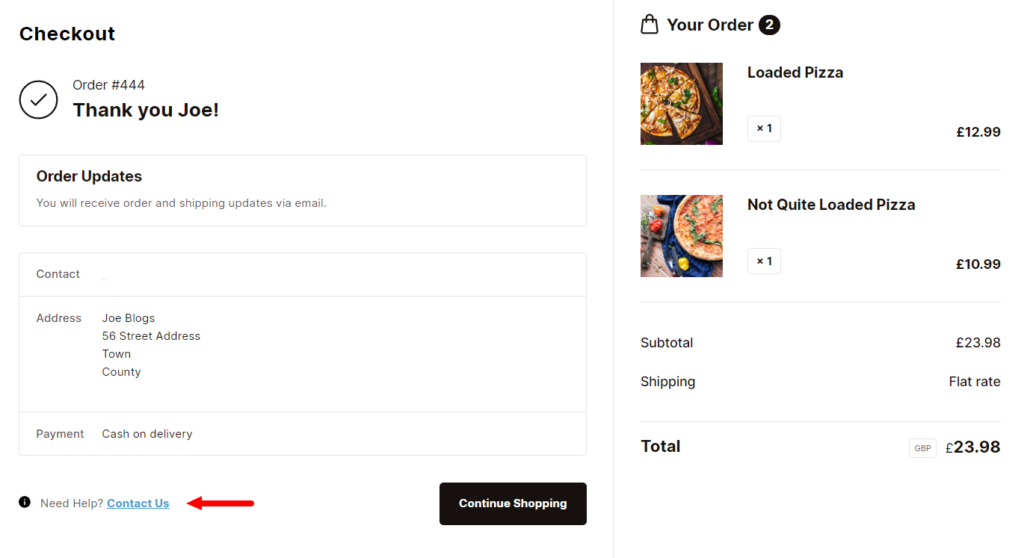
- Support options: Share contact information for customer service, like live chat, email, or phone.
- Common solutions: Offer resources for troubleshooting issues, like sizing guides or return instructions.
Practical tips:
- Use email triggers to address potential concerns, like a “We’re here to help” email after delivery.
- Make return instructions simple and clearly available in the customer’s order summary or your website footer.
- Add a chatbot to your site to answer common questions instantly.
8. Use automation to scale
Streamline your onboarding with automated tools that keep communication consistent.
What to include:
- Triggered emails: Set up messages for order confirmations, delivery updates, abandoned carts, and post-purchase follow-ups.
- AI-powered recommendations: Suggest products based on what customers have viewed or bought.
Practical tips:
- Use email workflows to guide customers through the onboarding process without overwhelming them with too many messages at once.
- Test your automation regularly to ensure accuracy and avoid sending irrelevant recommendations.
9. Create a sense of community
Encourage customers to connect with your brand and other customers for a more engaging experience.
What to include:
- Social media invites: Prompt customers to follow you on platforms where you share updates, tips, or exclusive content.
- User-generated content: Ask them to post photos of their purchases with branded hashtags.
Practical tips:
- Offer small incentives for customers who share photos or reviews, like an entry into a giveaway.
- Highlight user-generated content in your marketing to show appreciation and build trust with new customers.
- Create spaces for interaction, like a Facebook group or dedicated Discord server.
Example customer onboarding flow
- Day 0: Welcome email with order details, tracking link, and an introduction to your brand.
- Day 1–3: Send a guide or tutorial to help them get the most from their purchase.
- Day 5–7: Request feedback and suggest related products they might like.
- Day 10+: Introduce loyalty programs, share exclusive offers, or invite them to your community.
By combining these strategies, you can create a smooth and engaging onboarding process that strengthens customer relationships and encourages repeat purchases.
So now we have some solid strategy for creating your own customer onboarding experience, let’s take a look how to measure it.
How to measure the success of a customer onboarding experience?
The following are some practical ways to measure your customer onboarding experience once you’ve created it. By using these, you’ll be able to make adjustments so your onboarding strategy is as effective as it can be.
These, in particular, should be measured by your customer success team/sales team or customer success manager (CSM).
1. Customer retention rate
What to measure: The percentage of customers who make repeat purchases after their first order of a new product.
Why it matters: Retention is a key indicator of how well your onboarding builds loyalty and encourages customers to return.
How to measure it:
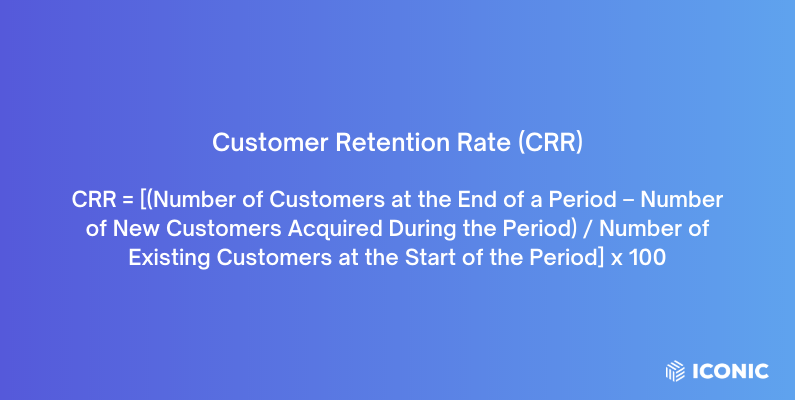
- Formula: Customer Retention Rate = [(Number of Customers at End of Period – New Customers Acquired During Period) / Number of Customers at Start of Period] x 100
- Practical tip: Use your ecommerce platform or CRM to filter for customers who made two or more purchases within a specific time frame (e.g., 30, 60, or 90 days).
2. Time to first repurchase
What to measure: The average time it takes for a customer to make their second purchase.
Why it matters: A shorter time to repurchase suggests that your onboarding effectively engages customers and encourages repeat shopping.
How to measure it:
- Formula: Time to First Repurchase = Total Days Between First and Second Purchases for All Customers / Total Number of Customers with a Second Purchase
- Practical tip: Analyze order history in your eCommerce system to calculate the days between each customer’s first and second purchase. Look for trends and set benchmarks to assess improvement.
3. Customer lifetime value (CLV)
What to measure: The total revenue a customer generates during their relationship with your store.
Why it matters: Higher CLV indicates that customers are staying longer and spending more, a sign of successful onboarding and customer loyalty.
How to measure it:
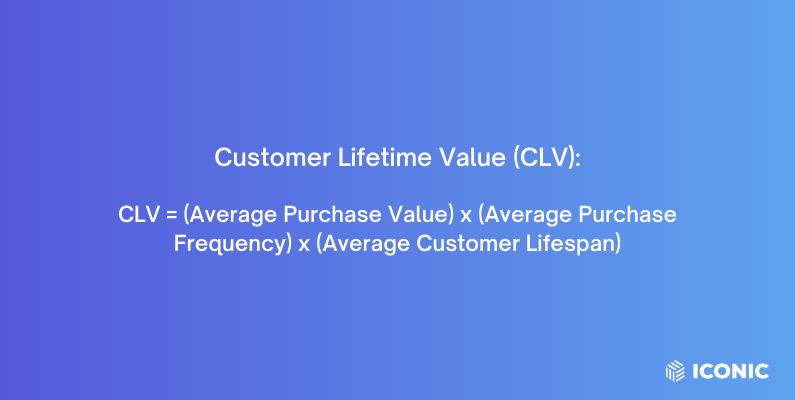
- Formula: CLV = Average Order Value x Purchase Frequency x Average Customer Lifespan
- Practical tip: Use analytics tools or plugins to track metrics like purchase frequency and average order value. Many platforms provide automated CLV calculations, but you can calculate manually if needed.
4. Engagement metrics
What to measure: How customers interact with your onboarding communications, such as emails, tutorials, or loyalty programs.
Why it matters: Engagement indicates whether customers find your onboarding process helpful and relevant.
How to measure it:
- Key metrics to track:
- Email open rate: Open Rate = (Emails Opened / Emails Sent – Bounced Emails) x 100
- Click-through rate (CTR): CTR = (Clicks / Emails Delivered) x 100
- Content views: Use website analytics to track visits to tutorials, FAQ pages, or onboarding videos.
- Practical tip: Use email marketing platforms like Mailchimp or Klaviyo to track engagement metrics automatically. Set up goals in Google Analytics to monitor specific content interactions.
5. Customer satisfaction score (CSAT)
What to measure: How satisfied customers are with their onboarding experience.
Why it matters: CSAT reflects whether your onboarding meets customer needs and expectations, influencing loyalty and repeat purchases.
How to measure it:
- Formula: CSAT = (Number of Positive Responses / Total Responses) x 100
- Practical tip: Use survey tools like Google Forms, Typeform, or post-purchase survey plugins to collect CSAT ratings. Keep surveys short to increase response rates.
6. Customer support metrics
What to measure: The volume of support tickets from new customers and how quickly these are resolved.
Why it matters: High ticket volume or long resolution times may indicate gaps in your onboarding process.
How to measure it:
- Metrics to track:
- Number of onboarding-related tickets: Filter for support queries related to first-time purchases or account setup.
- Average resolution time: Average Resolution Time = Total Time to Resolve All Tickets / Total Number of Tickets
- Practical tip: Use a help desk platform like Zendesk or Freshdesk to categorize tickets and measure resolution times automatically.
7. Churn rate
What to measure: The percentage of new customers who don’t return after their first purchase.
Why it matters: A high churn rate suggests that your onboarding process isn’t effectively retaining customers.
How to measure it:
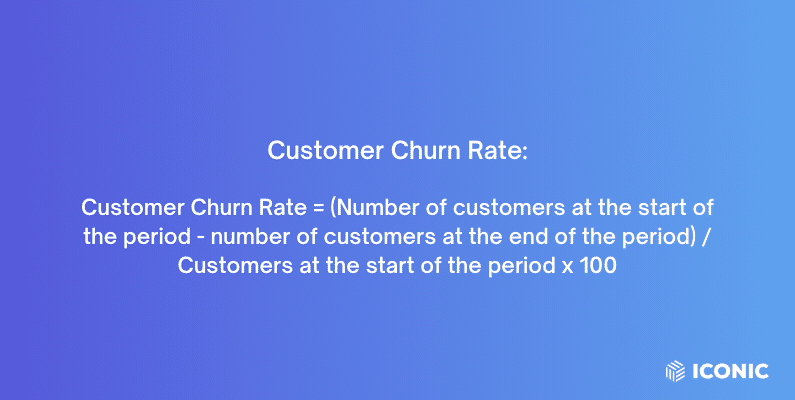
- Formula: Churn Rate = (Number of Customers Who Didn’t Repurchase / Total First-Time Customers) x 100
- Practical tip: Analyze your customer database to identify first-time buyers who haven’t made a second purchase within a set period. Compare churn rates over time to assess changes.
Get to grips with onboarding customers today
So there we have it, a detailed guide to understanding, creating, and improving your customer onboarding experience. No matter if you’re using an onboarding platform or a combination of various tools, creating an effective onboarding sales process is more important than we think.
The tips and tools within this guide will help you get there, but if you want to start your onboarding process off with a bang, using Flux Checkout for WooCommerce is a must.
Flux Checkout will help you start the onboarding process lifecycle with an order confirmation page that you can customize with guides, tutorials, and even feedback.
Flux Checkout for WooCommerce
Flux Checkout transforms the default WooCommerce checkout into one that’s lightning-fast, distraction-free, and reduces checkout abandonment.

Gina Lucia is our in-house Content Manager at Orderable. She writes articles, user guides, technical documentation, and creates videos on everything WooCommerce and Orderable.
Gina has been working in the WordPress/WooCommerce space since 2012 when she developed WordPress websites for clients large and small.
For the past 8 years, she’s been writing about everything WordPress and WooCommerce, becoming an expert in what makes a WooCommerce store succeed.
When not writing, Gina loves to tend to her vegetable garden, read, or travel to mainland Europe.