
Looking to understand and improve your ecommerce customer service this year to build the best online shopping experience for customers? This article is here to help.
The main goal of creating an ecommerce customer service strategy is to be available for customers when they have questions or problems during their buyer’s journey.
You can achieve this using different techniques that also impact other metrics positively. Metrics like customer loyalty, satisfaction, retention, reduced cart abandonment rate, increased sales, etc.
👋 In this guide, we’ll walk you through different techniques and best practices to create excellent customer service.
Here’s what we’ll cover:
- What is ecommerce customer service?
- The different elements of ecommerce customer service.
- 10 best practices (and techniques) for effective customer service.
Ready to get started? Let’s begin with what ecommerce customer service is in the first place.
What is ecommerce customer service?
Ecommerce customer service is the support you provide to customers before, during, and after their online shopping experience.
It encompasses various channels, including email, live chat, phone calls, social media, etc., and self-service options like documentation or tutorials. The objective is to offer product suggestions, resolve issues and complaints, or answer the general questions online customers usually ask.
It also includes services like assisting customers with product information, order tracking, returns and exchanges, payment processing, etc. Or troubleshooting technical issues on your ecommerce business website.
Different elements of ecommerce customer service work together to ensure this experience is as smooth and satisfying throughout a customer’s journey. Next, we’ll take a look at what they are in detail.
What are the different elements of ecommerce customer service?
In this section, we’ll break down how various customer-related concepts, such as customer satisfaction, expectations, loyalty, etc., can be addressed through practical customer service elements.
Let’s see the elements you can add to your ecommerce customer service strategy:
Improve customer satisfaction
Customer satisfaction measures how people feel when interacting with your ecommerce brand. Any number of factors, such as communication, complaint handling, perceived product quality, etc, influence it.
Satisfied customers are more likely to leave positive reviews, refer friends, and make repeat purchases.
The key elements of customer service to help you increase customer satisfaction include:
- Quick issue resolution. Resolve issues, such as incorrect orders or damaged products, within a set time frame (e.g., 24 hours).
- Responsive ecommerce customer support. Offer responsive, helpful, and courteous assistance across various channels like email, live chat, and phone.
- Follow-up communications. After resolving issues or completing a purchase, send follow-up emails or surveys to ensure the customer is happy with the service or product.
📈 Keep in mind studies show that satisfied customers are 140% more likely to spend more on a business than unsatisfied customers (Deloitte)
Manage customer expectations
Customer dissatisfaction often stems from unmet expectations. The key to managing expectations with a new customer is to be thorough and honest about all important terms before they make a purchase.
Some of the elements include:
- Clear and accurate product information. Product descriptions, images, and specifications should be detailed and accurate to avoid misunderstandings.
- Transparent shipping and return policies. Shipping timelines and return policies should be clearly communicated upfront, including any potential delays.
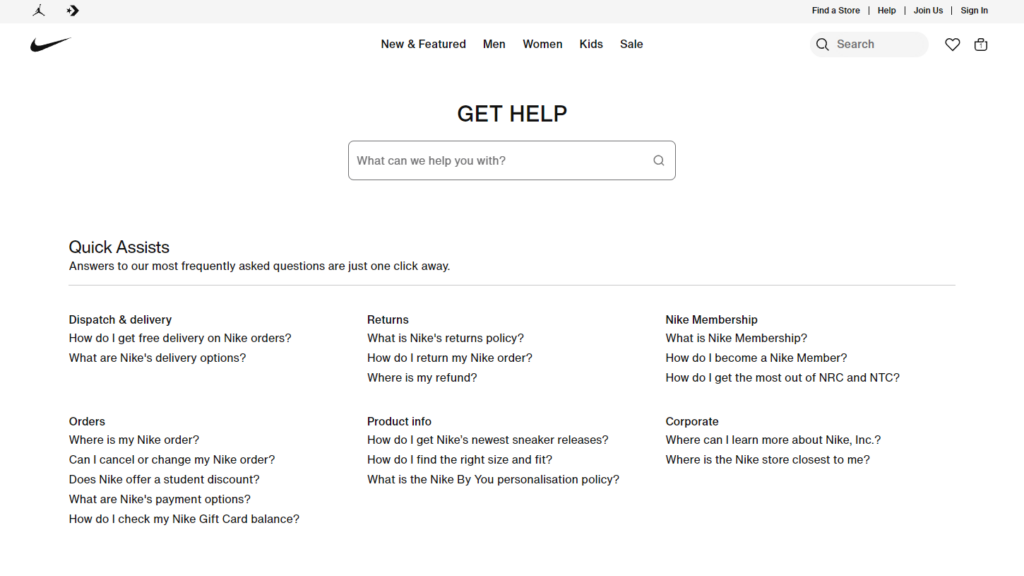
- Frequently Asked Questions (FAQs). A well-maintained FAQ section can address common concerns about products, payment methods, shipping, returns, etc. It reduces the need for direct customer support.
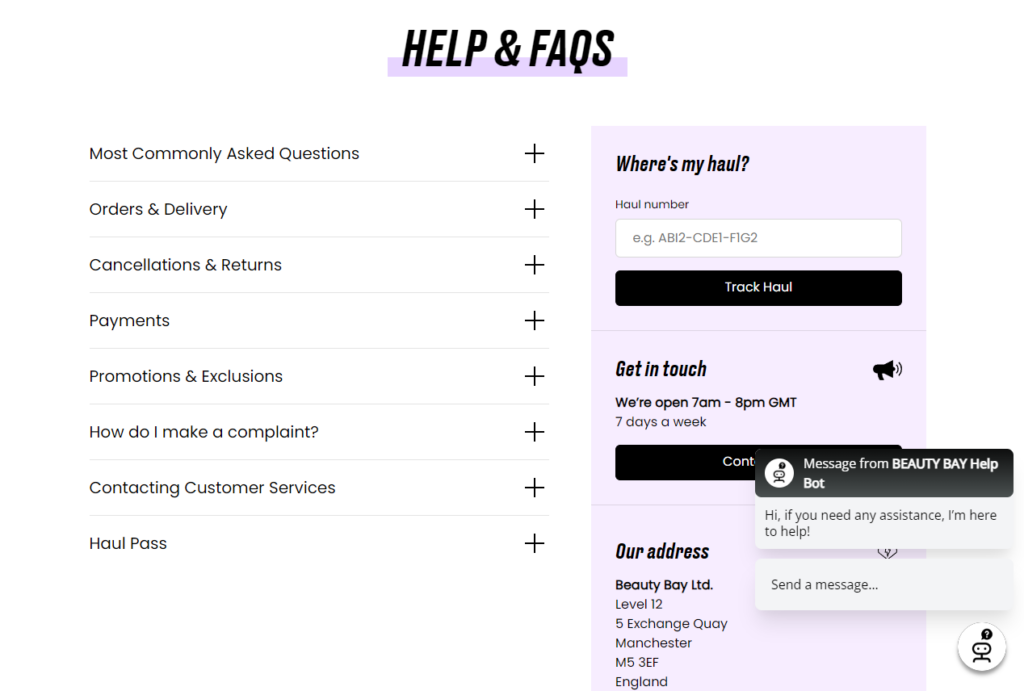
- Offer multiple customer support channels. For example live chat, social media, email, phone support, etc.
Note: Omnichannel integration lets you create a connected customer journey by bringing together all these customer service channels. Eventually, this creates a seamless experience for customers.
📈 Research from Capital One shows that 73% of online shoppers are omnichannel buyers.
Proactive communication
Ecommerce customer service isn’t just reactive. It’s also about anticipating customer needs and keeping them informed.
Proactive communication boils down to components like:
- Order updates. Send regular updates on order processing and shipping status, including expected delivery dates and delays.
- Proactive issue resolution. Reach out to customers when issues arise, such as stock shortages or delivery delays, and offer compensation or alternatives.
- Post-purchase engagement. Send post-purchase emails with tips on product use, care, and maintenance, or ask for reviews and feedback.
Bolster customer loyalty program
Online stores thrive on repeat customers. So, customer loyalty can be made a key element of customer service by treating customers like royalty.
For example:
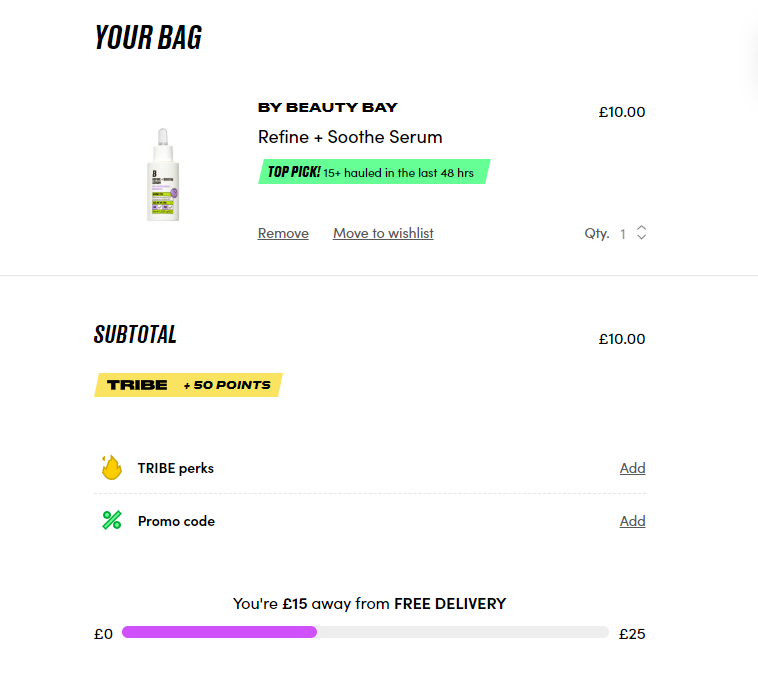
- Implement loyalty programs. like points-based systems, special discounts, or exclusive access to sales for returning customers.
- Personalized communications. Send personalized follow-ups, offer product recommendations based on past purchases, or recognize customer anniversaries with special offers.
- Proactive problem-solving. Reach out to customers when there’s an issue (e.g., delayed shipments) before they have to contact you.
Self-service options
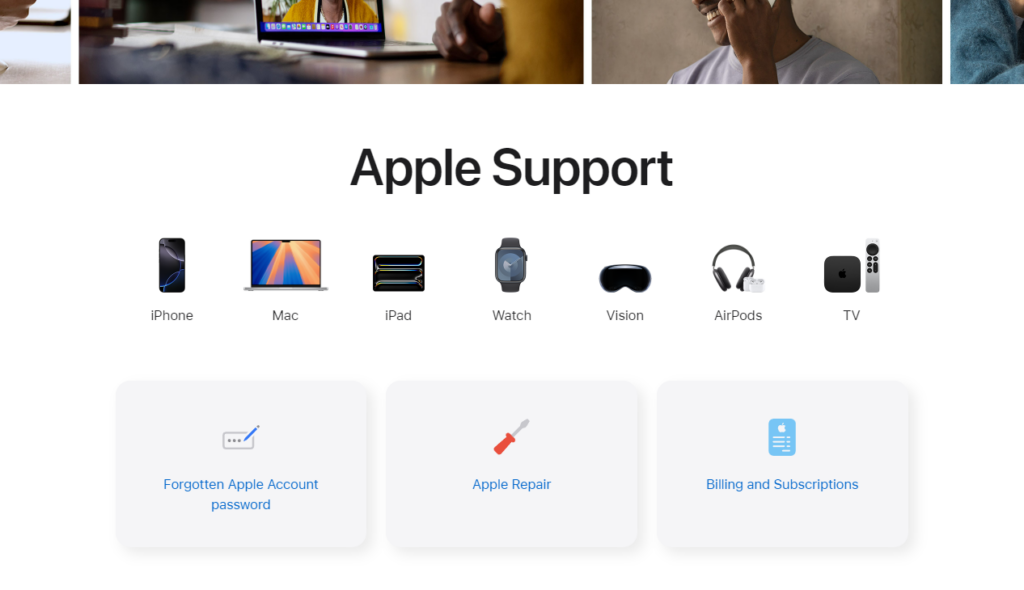
Many customers prefer finding answers themselves. Online retailers can achieve this by providing good self-service tools to encourage customers to resolve issues independently through:
- Comprehensive knowledge base. A knowledge base that includes guides, how-to articles, and video tutorials allows customers to find answers to common issues, such as troubleshooting or using a product. If they can’t find answers, a customer service team should be on standby to chip in.
- Order tracking tools. Allow customers to track their orders in real-time and view shipping details to reduce anxiety about delivery status.
- Create a help desk software. On this platform, customers can track their tickets, find solutions through knowledge bases, or submit support requests if they can’t find the answers by themselves.
Gathering customer feedback
It’s from the customer feedback you can improve customer service and products.
Some of the ways to do this are through:
- Customer reviews and ratings. Encourage product reviews and ratings to provide social proof for future buyers and help you identify areas for improvement. An extra star rating on reliable review sites like Yelp can translate into a 5% to 9% revenue growth.
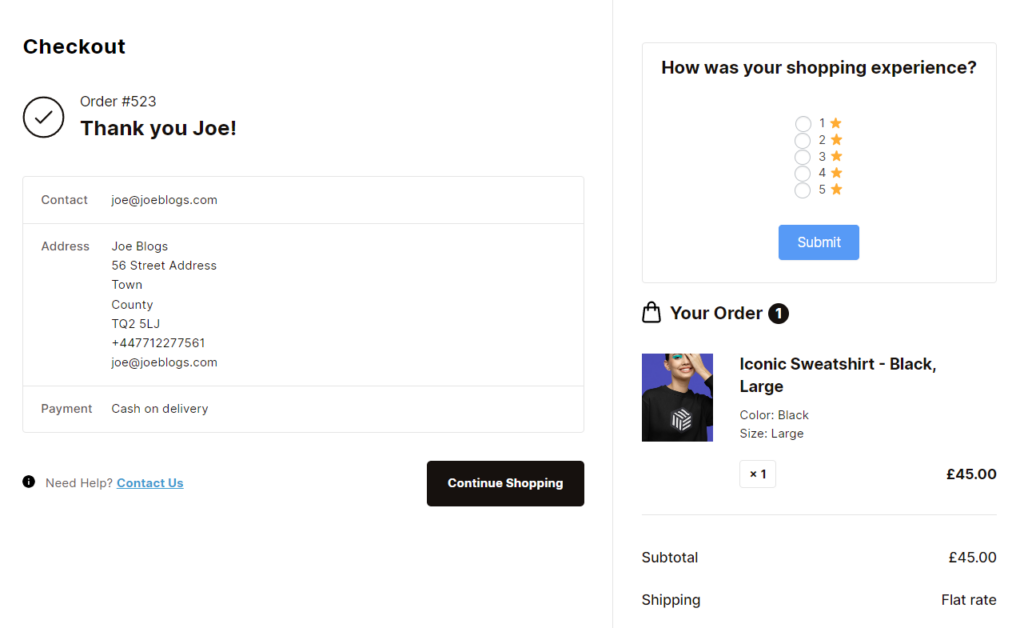
- Post-purchase surveys. These can help gather feedback on the purchasing process and overall experience. It can also give you insight into potential service improvements.
- Response to feedback. Show customers that their feedback is valued by responding to it and implementing changes, which helps build trust and loyalty.
Generally, good customer service is a multi-faceted approach that touches on every stage of the customer journey. That is, from pre-sale inquiries to post-purchase support and feedback.
So, what are some of the ecommerce customer service best practices you can implement now that we have this simple checklist? Read on.
What are the best practices for effective ecommerce customer service?
In this section, we’ll get deeper into ways online businesses can handle some of the most important components we’ve mentioned above and improve their customer service.
1. Offer multiple contact channels
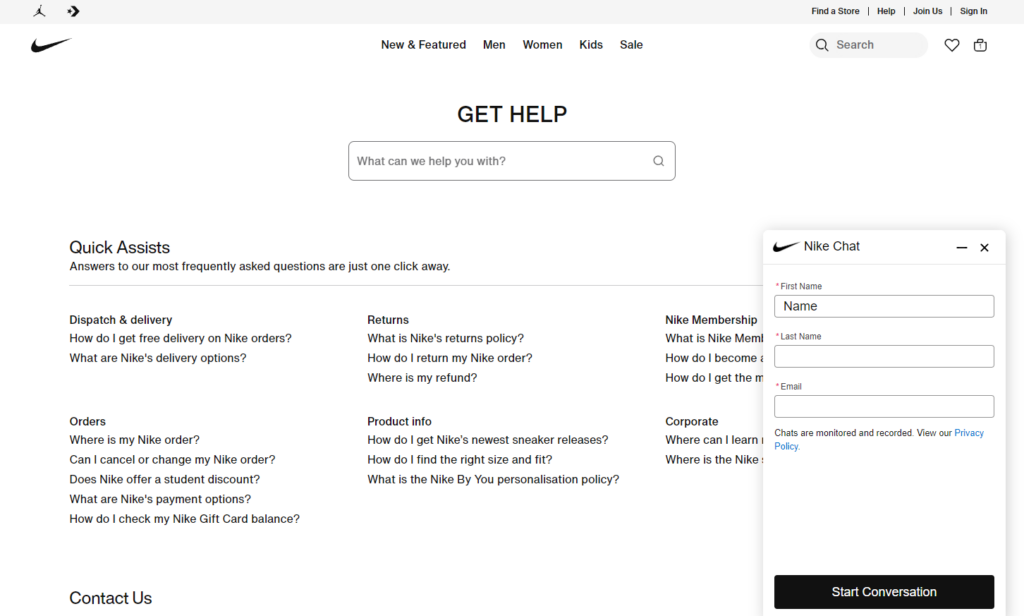
Provide a variety of communication channels such as chat, email, phone contacts, and social media messaging throughout your ecommerce website.
This is because different customers prefer different communication methods. At the same time, offering multiple contact options implies that everyone can find a way to reach out to you conveniently when they need your help.
Most importantly, ensure that these contact channels are consistently monitored and well-integrated at every stage of the customer journey. This will seal all the cracks so that no customer query can slip through or go unanswered by you.
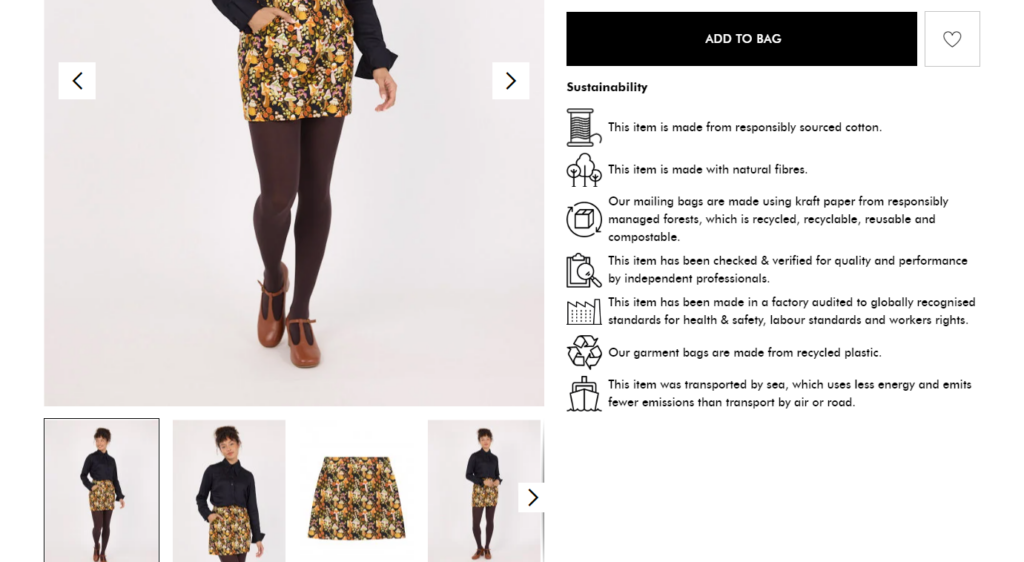
Why multichannel support works throughout the buyer’s journey
Generally, each stage of a buyer’s journey has unique customer needs. Providing the right communication channels can help address these inquiries quickly and effectively as they arise.
For example, questions about product features, pricing, or other inquiries can pop up during the pre-purchase stage. In this case, chatbots can offer instant responses. Or, if the online customer prefers to speak to a real person, they should easily find your contact numbers and call one of your customer service reps.
This also applies to the purchase and post-purchase stages to handle related customer inquiries. Customers should be able to contact you even after they’ve paid for their orders for more peace of mind.
With the help of the WordPress plugin Flux Checkout for WooCommerce, you can add additional ways online shoppers can get in touch with you and handle post-purchase inquiries.
It’s an area that is often overlooked by small businesses in their checkout flow. Let’s change that today.
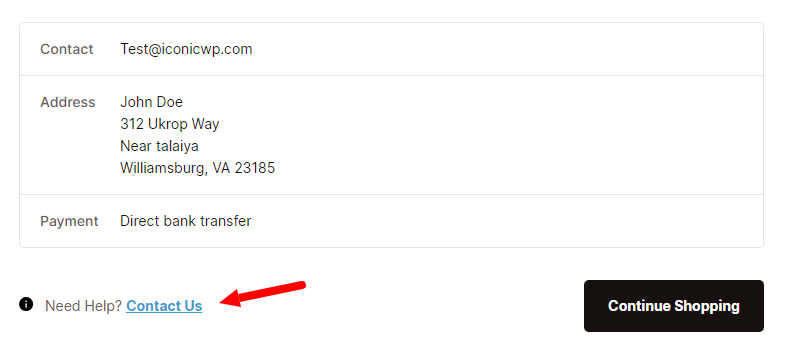
Add a ‘Contact us’ link to your WooCommerce checkout page with Flux Checkout for WooCommerce
Flux Checkout for WooCommerce lets you create a user-friendly multi-step checkout process that makes it easy for customers to complete a purchase.
It achieves this by replacing the default WooCommerce checkout with a modern checkout design template. This checkout is lightning-fast, distraction-free, and fully optimized to increase checkout conversion rates in multiple ways.
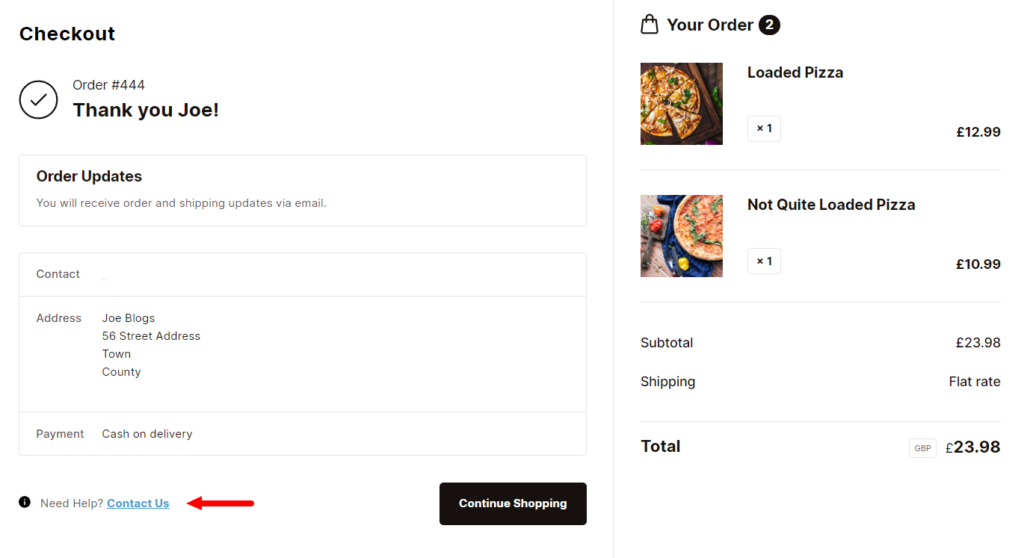
Specifically, this plugin allows you to add a ‘Need help? Contact Us’ section on your WooCommerce thank you page. Customers can click this link if they have inquiries about their purchase. It will lead them to your contact page, where they can ask questions about their order or contact you directly. In this way, they won’t get frustrated if they face an issue post-purchase.
How does Flux Checkout do this so your contact information is available at a glance?
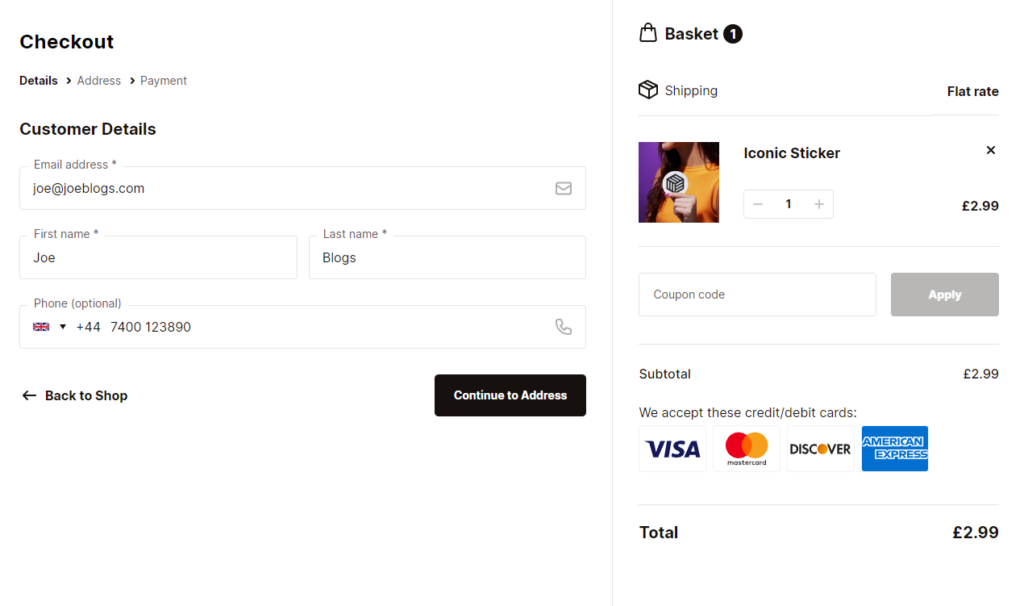
It upgrades the WooCommerce thank you page layout and design
Details in the default WooCommerce thank you page are displayed in a single column.
Flux Checkout also upgrades this page by displaying customer and order details side-by-side for a better visual experience. Customers will see a thank you message and map with a pin on their location. They can also see a thumbnail of an item they’ve just bought, total price details including shipping fee, order number, contact info, and billing address, etc.
Since everything is neatly arranged in boxes and columns, customers don’t have to scroll around to confirm their order details.
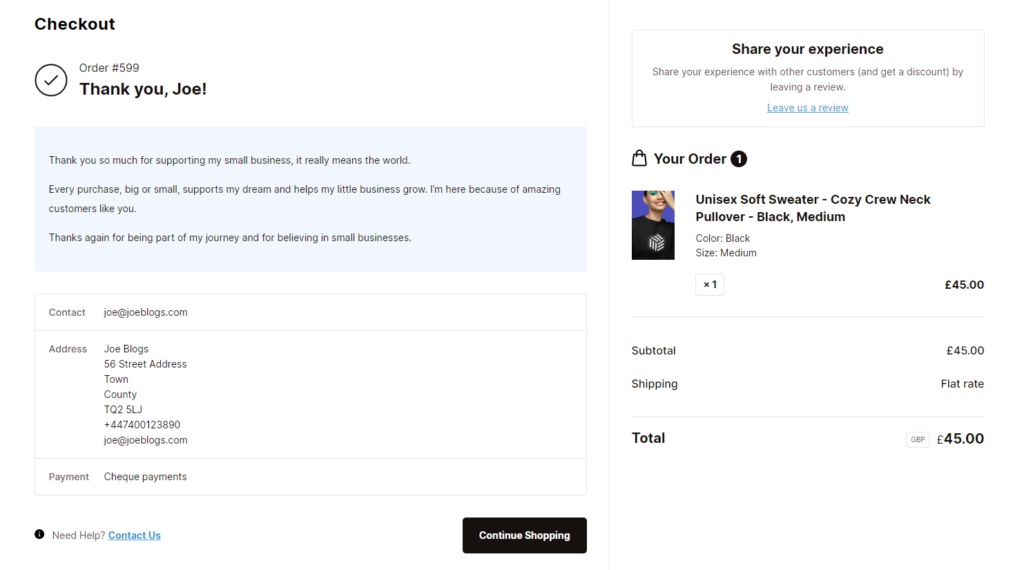
The ‘Contact us’ link can be seen at a glance
Because Flux Checkout highlights the important components of your thank you page in this manner, customers can see the Contact Us link at a glance. Then, click it to access your contact information quickly.
Additional Flux Checkout Features to improve your thank you page performance
There are a few additional features that make Flux Checkout’s thank you page stand out and can cause customers to remember you.
For example, Flux has a custom content section on the thank you page ecommerce store owners can add any content they want.
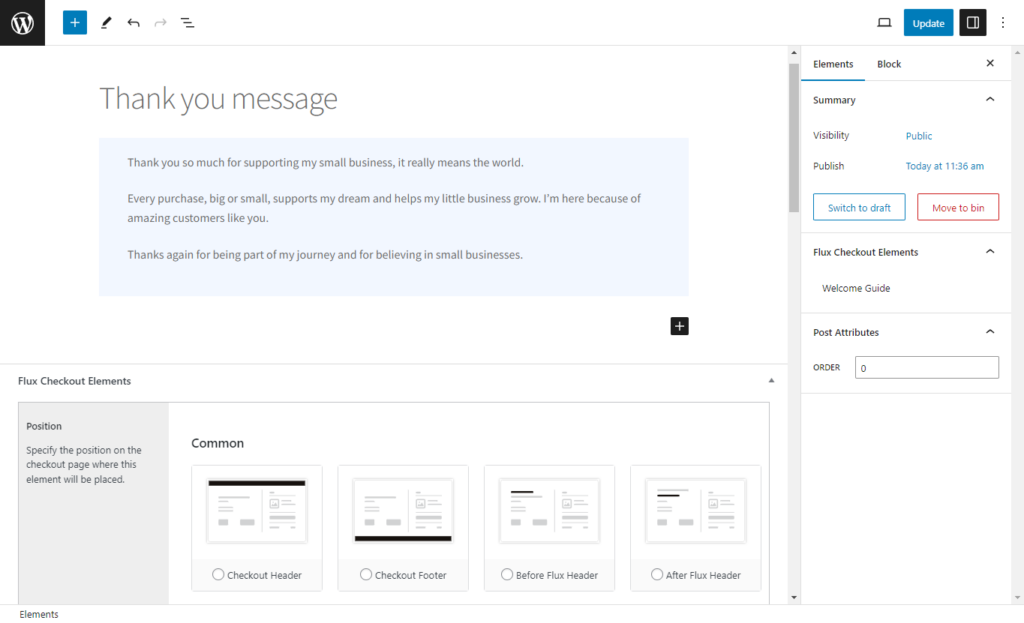
In this section, you can:
- Create a customer feedback box and collect feedback like ratings. It can help you track your Customer Satisfaction Score (CSAT) metric and improve thereafter.
💡 Want to know the different metrics you can measure to evaluate customer experience, check out this guide for 5 ecommerce customer experience KPIs.
- Include a “message from our founder”. You can use this feature to thank your customers personally. Or, share custom messages that can help lead customers to more seasonal promotions, take advantage of their buying intent, etc.
Generally, this feature can partly enhance your customer retention strategy if you successfully connect to a customer.
Flux Checkout for WooCommerce
Flux Checkout transforms the default WooCommerce checkout into one that’s lightning-fast, distraction-free, and reduces checkout abandonment.
2. Provide self-service options
Sometimes, providing good customer service requires no contact at all.
📈 About 69% of customers first try to resolve their issues independently before they can contact you. Another study reports that 90% of customers expect you to have an online self-service support portal.
For this reason, it’s prudent to share resources or documentation that allow customers to find information and resolve issues themselves conveniently. These resources also reduce the burden on your customer service teams because customers won’t have to contact them directly for answers.
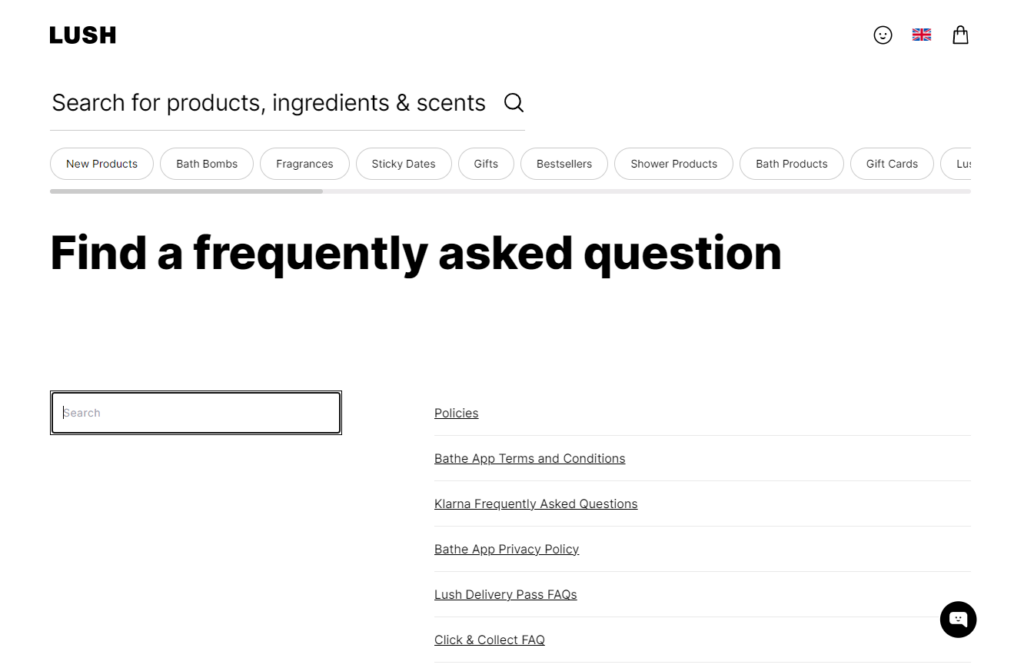
Common self-service options
The most common self-service options include:
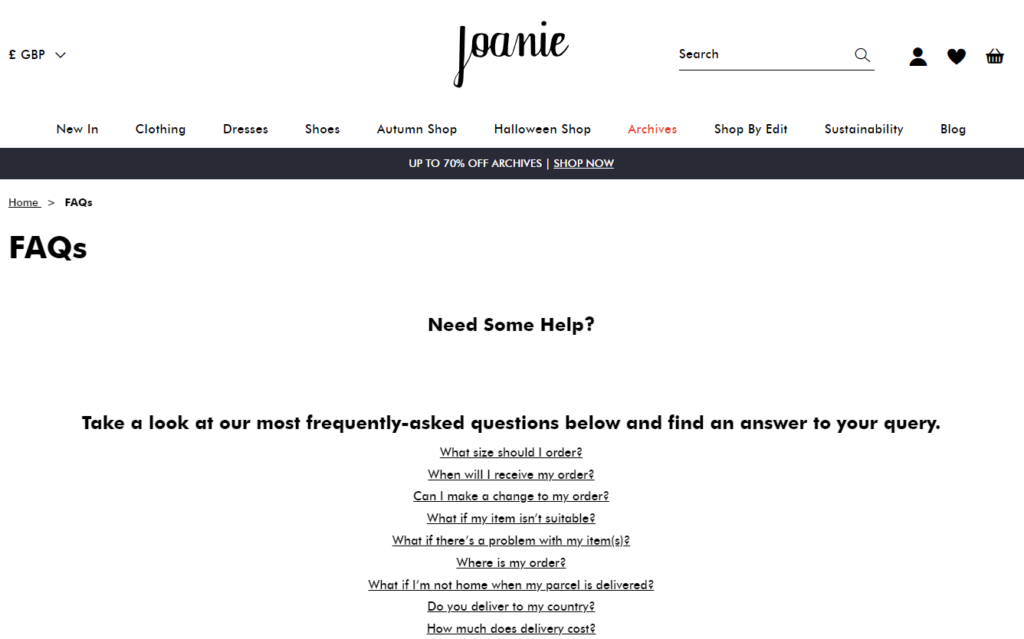
- FAQs. This is a list of frequently asked questions from your customers with clear, to-the-point answers. The section addresses the most basic concerns and provides straightforward solutions.
Tip: Continuously update the FAQ section based on recurring customer queries to keep it relevant.
- Knowledge bases. They provide more detailed information through articles, guides, and tutorials than FAQs. They can cover a wide range of topics, including product usage, troubleshooting, best practices, and company news.
- Help documentation. This typically includes user manuals, technical specifications, installation guides, and troubleshooting instructions.
Use search functionality to help users quickly find specific articles or guides within the knowledge base.
3. Use live chat to provide real-time support
Implementing live chat means customers can get real-time support while they browse or actively shop on your ecommerce store.
📈 In fact, 44% of online shoppers believe that live chat is an essential feature on ecommerce websites. They don’t have to wait on hold for a support agent to show up.
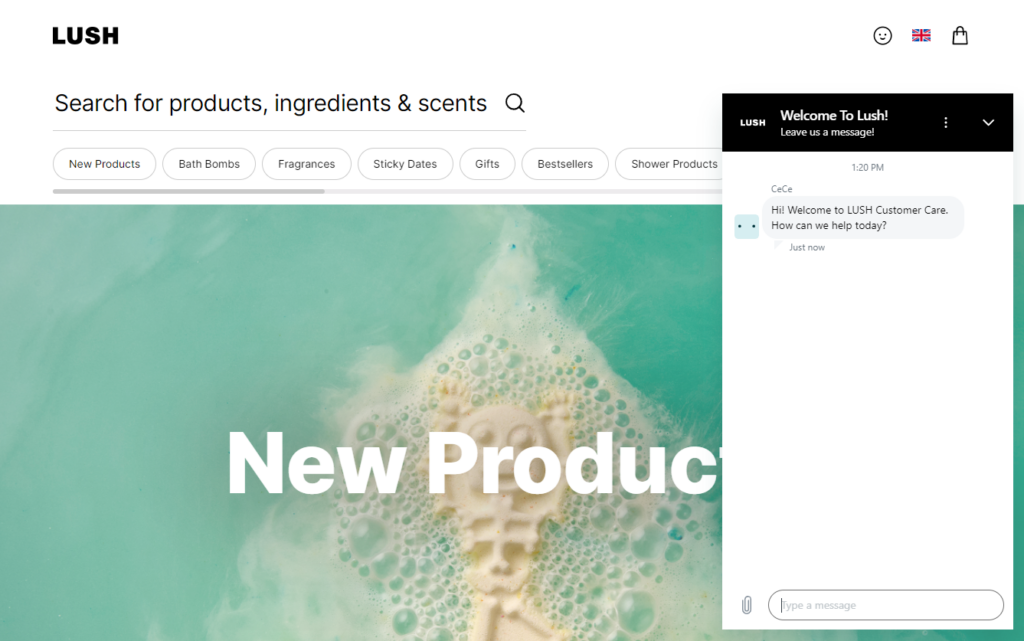
Here’s why live chat works
- Instant response 24/7. With live chat, customers can get the help or answers they need around the clock and, in many cases, get answers immediately.
- High satisfaction rate. The average customer satisfaction rate for live chat support is 83.1%. It adds that human touch during an online purchase that can’t be replicated elsewhere.
- Proactive assistance. Some live chats trigger proactive messages based on customer behavior. For example, to ask if they need help when they’ve spent too long on a product page.
Use chatbots for common questions
In addition, if you can let this kind of ecommerce customer service to handle common questions from your customers, do so to save you time and resources.
📈 They are now able to answer up to 80% of routine questions faster than live agents.
But make it easy for customers to escalate to a live human agent when the conversation needs a personal touch. Generally, this kind of automation also frees up your customer service agents to handle more complex requests.
4. Work on your response time
📈 75% of customers want a quick response when engaging with brands. More specifically, 90% of customers consider instant response to mean within 10 minutes or faster when they have a customer service question.
If a customer’s patience wears out in 10 minutes, you must strive to respond as quickly as possible. This is especially so for urgent issues like order problems or payment issues on your ecommerce platform.
If you can’t, acknowledge you’ve received a customer’s concern immediately. Then, follow up with a detailed response later. That’s one way you can control the response time using automation tools like email autoresponders.
Another way will be to set expectations for response times and then communicate them.
Set response time expectation
This means classifying customer queries as urgent, important, normal, and low priority, based on their urgency, impact, and complexity. Or, in the case of emails, use different criteria like sender, subject, or keywords, to sort emails.
Once you have these categories, you can assign a target response time for each one. For instance, you can respond to urgent emails within an hour, important emails within four hours, and low-priority emails within two days.
Generally, speedy response times matter because they can affect your reputation, trust, and customer satisfaction rate.
Note: Investing in customer service software can help speed your response by automating these processes.
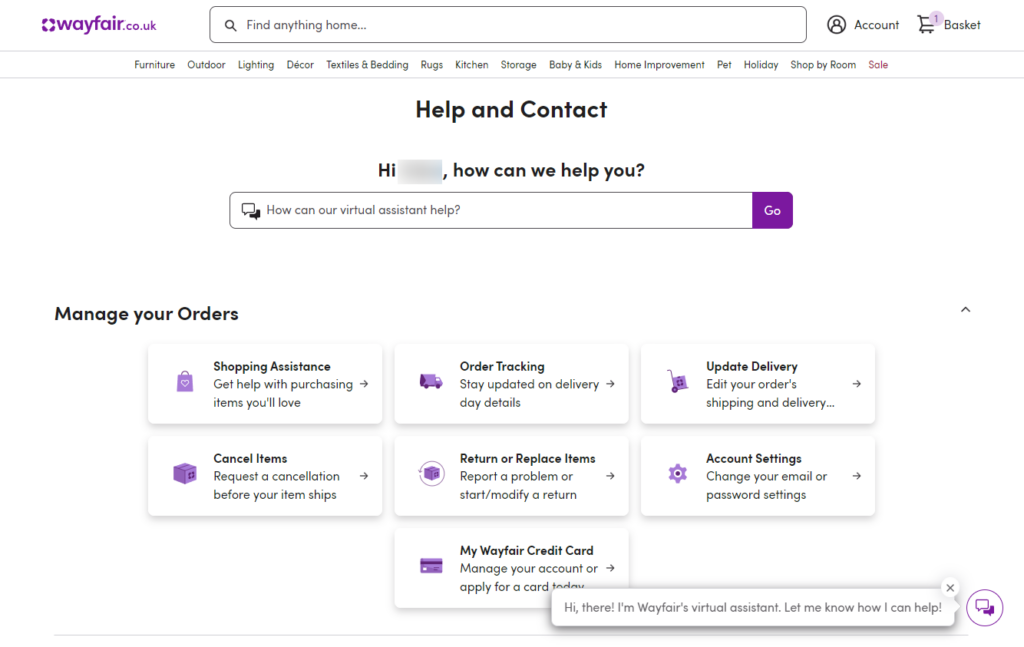
5. Create personalized interactions
Another easy way to create loyal customers is to personalize customer interactions in your responses.
For this, you’ll need customer data, such as their names. Try responding to customers using their first names, keeping in mind what they enjoy and dislike, and spending time learning about their preferences. Your customers will enjoy this kind of ecommerce customer service, and as a result, your business will benefit from their brand loyalty.
This is data you can learn from Customer Relationship Management (CRM) software. It tracks customer preferences and purchase history to help you create a more personalized customer service experience.
Why it’s important to keep it personal
📈 Did you know that 80% of customers prefer to do business with brands that customize their experiences for them?
You can build trust and create stronger connections with your customers by personalizing your interactions with them. If you make customers feel valued, they’re likely to do business with you again.
Customer loyalty research shows:
- 89% of customers are more likely to make another purchase after a positive experience.
- Returning customers spend 67% more than new customers.
- Loyal customers are 64% more likely to purchase more frequently.
Note: Be authentic in customer interactions to win customers over. Customers are now more sensitive to affectations and pretense than you might think. They can sense when they’re being played. And if they feel that way, they’ll take their business elsewhere.
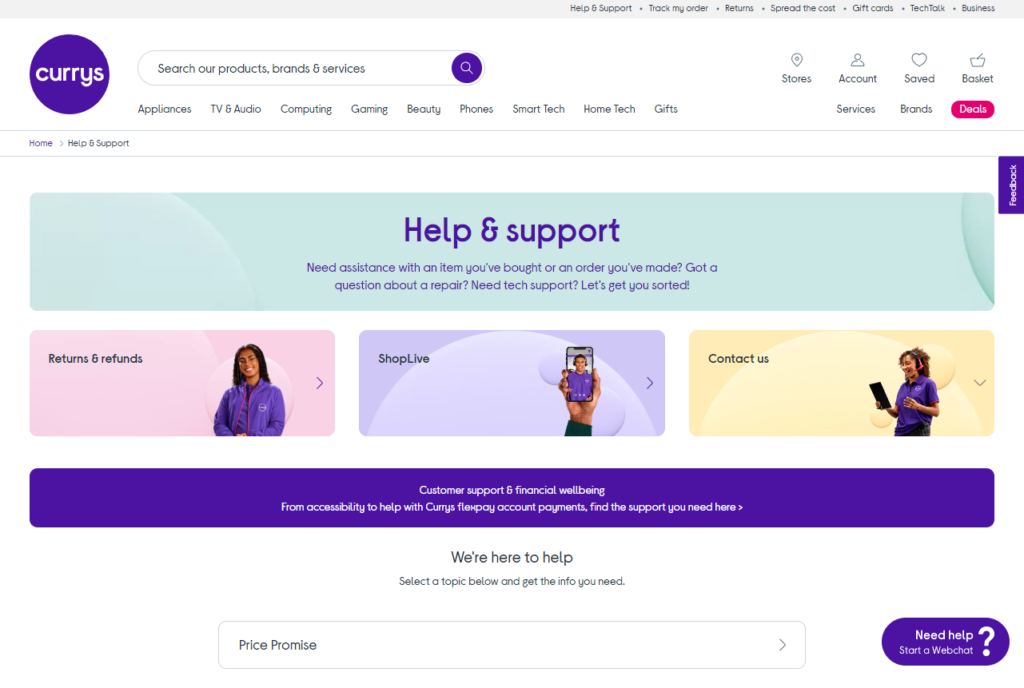
6. Work on proactive communication or support
Being proactive in your customer service approach means you can anticipate your customer’s needs. It means checking in regularly and addressing potential issues before they escalate.
A good example of proactive communication is sending order notifications after a customer places an order.
You can give customers peace of mind by sending them SMS, WhatsApp, or email notifications of their order statuses. Provide tracking updates and notify them of potential delays, if any, as early as possible.
Tip: Streamline this process by setting up automated email notifications for order status. These can include order confirmations, shipping updates, and even back-in-stock alerts.
The benefits of proactive communication
This proactive communication helps reduce customer anxiety and minimizes the need for customers to contact us with questions.
It shows your customers that you care about your ecommerce customer service. It also helps build trust and demonstrate your commitment to exceptional customer service. It’s important to take the lead and surprise your customers with your proactive approach to customer service.
They’ll appreciate the extra effort, which might set you apart from the competition.
7. Empower your customer support team
Continuing on, also consider that your customer service staff represents your ecommerce business.
They are the people who assist your online customers in resolving issues, help them find answers, and solve their problems. These reps can uphold your brand’s reputation by delivering an efficient, positive experience.
Because of this, train your customer service representative on handling a wide range of issues. Encourage the members of your customer service team to concentrate on honing their communication, problem-solving, and conflict-resolution skills.
But also gives them the autonomy to resolve problems without always needing manager approval.
In this way, you can empower your team to work much faster, provide quality service to customers, and increase customer satisfaction.
Additionally, provide your support agents with detailed documentation and clear escalation procedures for handling more complex issues confidently. Doing this will ensure you deliver consistent, high-quality service across all interactions because everyone is on the same page.
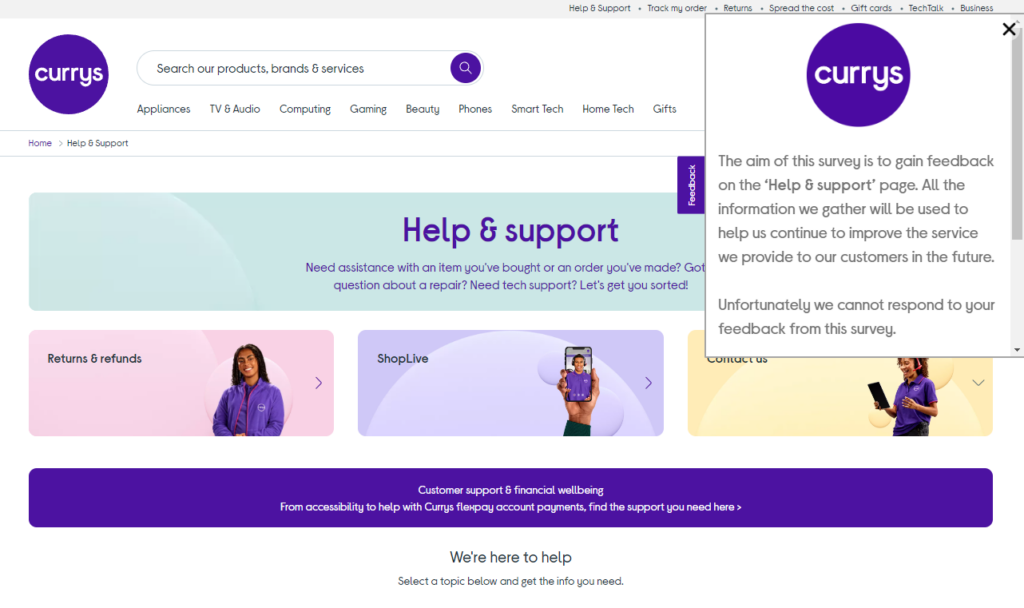
8. Implement customer feedback loops
Implementing a customer feedback loop means regularly collecting feedback from customers through post-purchase surveys, reviews, or direct outreach. Then, analyze it to understand how well your customer service is performing. Or gain insights that will improve your product or service in the long run.
This ecommerce customer service process creates a continuous cycle where customer input helps refine and enhance your service. Consequently, this leads to better ecommerce customer experiences and ongoing improvements.
Use feedback to manage customer expectations around your service
Basically, collecting customer feedback shows you value their opinions and can help you manage their expectations.
Find out what the customer expects as soon as possible. Talk to them. But most importantly, ask open-ended questions in your surveys and listen to understand customer perception.
Some examples of questions you could use for customer feedback in managing expectations around your service are:
- What was your overall experience with our customer support team?
- What kinds of results do you expect?
- What additional support features would you find helpful?
- And more.
Then, from there, listen to what they tell you, as this customer feedback will shape your next move
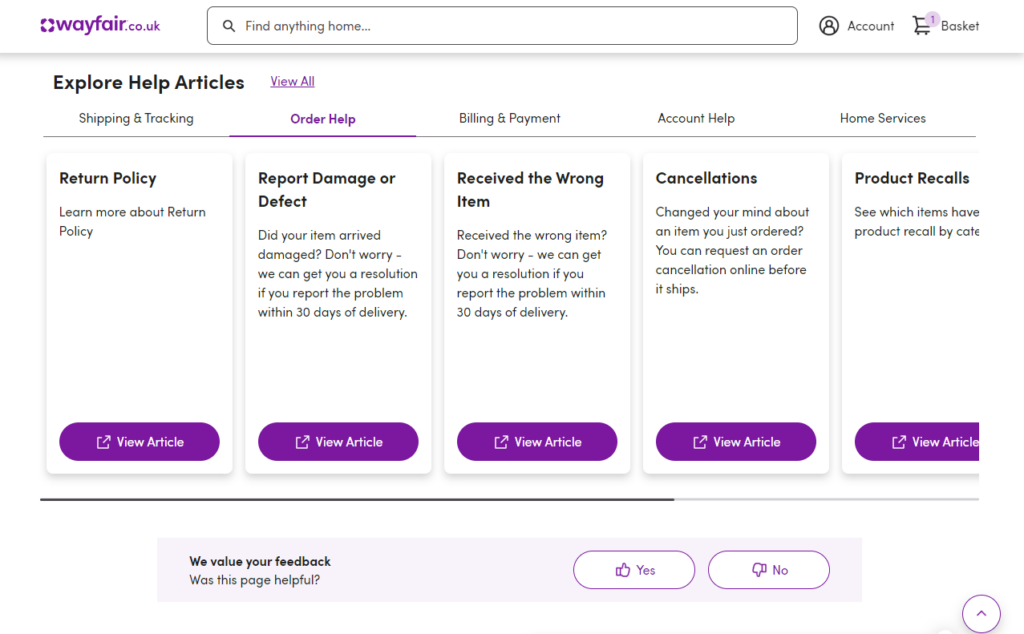
9. Signpost clear refund and return policies
Prominently display return and refund policies on your ecommerce website. Then, communicate these policies in a way that is easy to understand.
This ensures customers can easily find and know the terms and conditions for returning or exchanging items, as well as how to get a refund, if necessary. Reassuring customers in this manner boosts their confidence in making a purchase. This is because they now know how they can easily return or exchange a product if necessary.
Additionally, consider offering prepaid shipping labels or simple drop-off options to simplify the return process.
- Clearly outline the return conditions. Things like the product’s condition and original packaging.
- Communicate the return window.
- Explain the refund process (including any applicable fees or restocking charges).
Clear return/refund policies can increase customer experience, their satisfaction, and reduce hesitation when they’re shopping with you.
10. Ensure consistent follow-up
Finally, consistently follow up with customers after resolving their issues to check if they are satisfied with the solution.
Reaching out post-resolution shows you genuinely care about the customer’s experience, not just closing the ticket. This simple action can make a big difference in how the customer perceives your business.
In fact, when customers feel well taken care of, they will remember the moment. It will enhance their overall experience. All it takes is a simple phone call, email, or message from you.
Try automating your follow-up routine as much as possible. It can be simple, such as triggering automated follow-up emails after an issue is resolved. This automation ensures every customer receives a check-in message without adding extra work for your customer service team.
Get to grips with ecommerce customer service today
Your customers are the lifeblood of your ecommerce business. You should treat them accordingly by providing them with excellent customer service to win them over.
In this guide, we’ve covered various elements and best practices to ramp up your ecommerce customer service strategy. From empowering your support team to having a clear returns and refunds policy.
One thing you should focus on is ensuring customers can easily reach out to you when they need to. The Flux Checkout for WooCommerce plugin can help you with this.
With this plugin, you can add a link to your contact page on the order confirmation page. This way, customers can easily contact you even after a purchase. You can also place feedback boxes and other custom content to encourage customers to keep engaging with your ecommerce business.
Flux Checkout for WooCommerce
Flux Checkout transforms the default WooCommerce checkout into one that’s lightning-fast, distraction-free, and reduces checkout abandonment.

Gina Lucia is our in-house Content Manager at Orderable. She writes articles, user guides, technical documentation, and creates videos on everything WooCommerce and Orderable.
Gina has been working in the WordPress/WooCommerce space since 2012 when she developed WordPress websites for clients large and small.
For the past 8 years, she’s been writing about everything WordPress and WooCommerce, becoming an expert in what makes a WooCommerce store succeed.
When not writing, Gina loves to tend to her vegetable garden, read, or travel to mainland Europe.