

Looking to achieve ecommerce success this year? This guide is here to help.
In this guide, we’ll walk you through how to set yourself up to achieve ecommerce success this year.
We’ll cover:
- How to measure ecommerce success with metrics.
- How to achieve ecommerce success with several proven strategies.
Let’s get right into it, starting with how to measure ecommerce success.
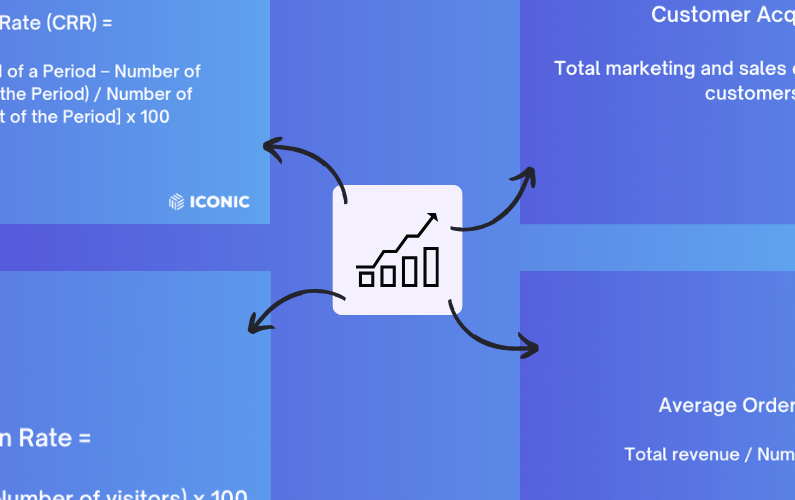
How to measure ecommerce success
Before we get into the strategies for achieving ecommerce success, we’ll first need to understand what ecommerce success is and how to measure it.
What is ecommerce success?
There’s no one-size-fits-all definition for ecommerce success. It varies from business to business but generally boils down to achieving your business’s goals.
Simply put, ecommerce success is a show of how well your ecommerce business is meeting your:
- Sales targets – Growing sales usually indicate a thriving online store.
- Customer satisfaction targets – Keeping customers happy leads to loyal customers who bring in more business over time.
- Web traffic and conversion rate targets – You should have a steady stream of site visitors, with many of them making a purchase.
- Profitability goals – You need to be making more than what you’re spending on raw materials, marketing, etc.

How ecommerce success differs across different businesses
While the core principles of ecommerce success are similar, how each business achieves them can look quite different. Take two businesses, one with a subscription-based business model and a traditional ecommerce store.
Getting many one-time purchases may spell success for the traditional ecommerce store, but it might not be the same with a subscription-based business. This is because this type of business will want to retain as many customers as possible to secure long-term revenue.
Alternatively, a hand-crafted jewelry seller’s success can be measured by how strong of a brand they build. On the contrary, a bulk jewelry seller’s success will depend on the volume of orders they fulfill.
These are just a few examples, but they illustrate how ecommerce success is about understanding your niche and creating a strategy to thrive in it. That said, how can you measure ecommerce success?
There are several ecommerce metrics you can measure to determine how successful your business is at achieving your goals.
Measuring ecommerce success with metrics
Ecommerce metrics are your roadmap to building a successful ecommerce business. They give you an insight into how well your ecommerce business is performing. Specifically, if it’s growing steadily, is profitable, and your customers are happy.
You can track a whole load of metrics to measure success in your ecommerce business. Here are some useful metrics that cut across different types of businesses.
Total revenue
This represents the total earnings from sales over a given period. It includes the income you get from selling your products or services. But, it doesn’t take discounts, refunds, and deductions into account, which is why it is also called gross income.
Total revenue is a fundamental metric for any ecommerce business, giving you a clear picture of your ecommerce business’s overall financial performance. If you monitor it over time, you can see if your business is growing.
Average order value (AOV)
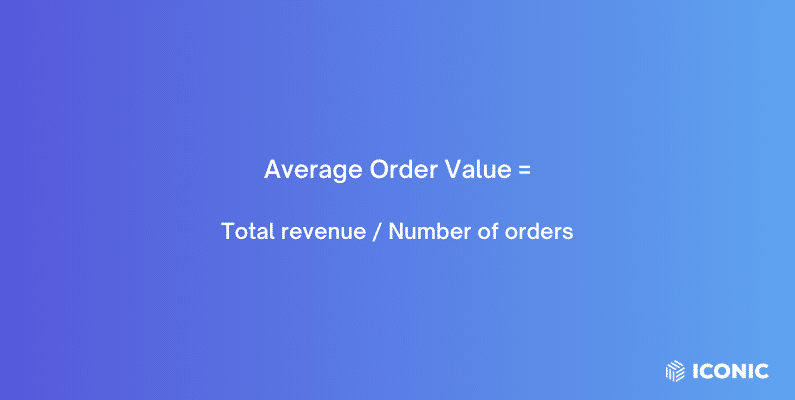
As the number of orders placed in your ecommerce store increases, you’ll also want your sales to go up significantly. But if they aren’t, then you might be having an AOV (average order value) problem.
AOV measures the average amount customers spend on your ecommerce business per order. A higher AOV means that customers are spending more per order, which increases your revenue. Even a small bump in AOV can significantly improve your profits, especially when you don’t spend more to improve it.
It is often more cost-effective than acquiring new customers, and a high AOV is a pretty good indicator of a thriving online business.
Conversion rate
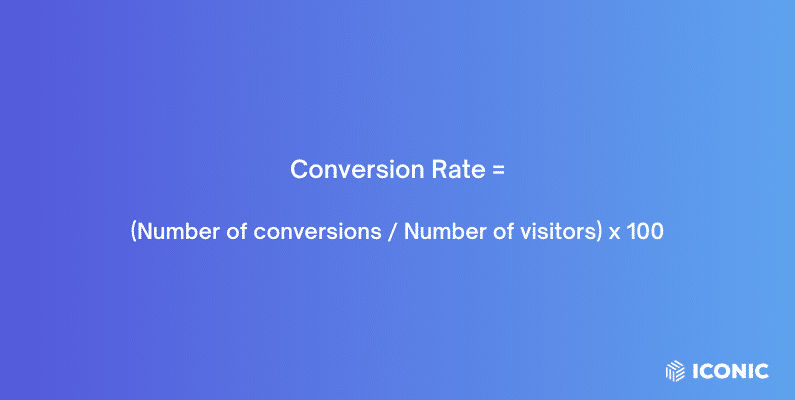
Conversion rate measures how successful you are with turning site visitors into customers. If you’re currently running a marketing campaign, it can help you measure its effectiveness.
This metric represents the percentage of site visitors in your online store that do what you need them to do.
This could be:
- Purchasing a product.
- Subscribing to your service or email newsletters.
- Creating an account, etc.
In other words, a conversion can be different depending on your goals or business model. But if you’re focusing on purchases, the conversion rate is the percentage of customers who visit your store and make a purchase. The opposite of conversion rate is bounce rate – potential customers who visit your ecommerce website but leave without buying anything.
📈 The average conversion rate sits at about 3% across all businesses. So, a successful ecommerce store’s conversion rate should be close to or higher than this.
Customer acquisition cost (CAC)
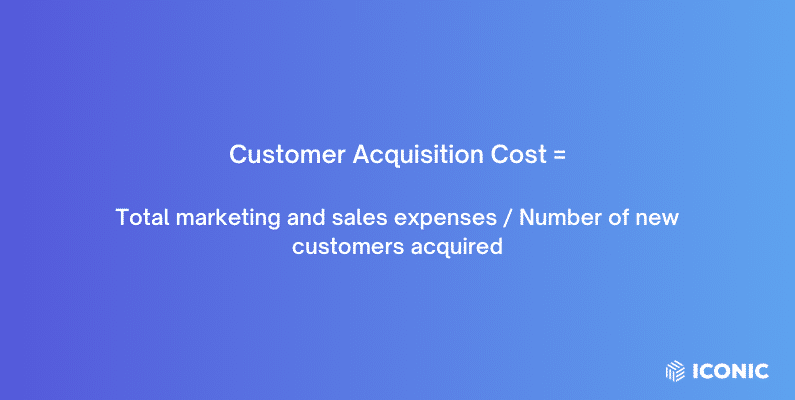
The CAC metric is pretty straightforward. It is simply how much you spend to acquire one customer. For your business to be successful, your CAC should be as low as possible compared to what they’re spending on your business.
Otherwise, if you’re spending more to acquire customers than what they spend on average, your business model might not be sustainable.
It is a benchmark for running a cost-effective marketing strategy, getting more returns on investment (ROI), and building a profitable business.
Customer lifetime value (LTV)
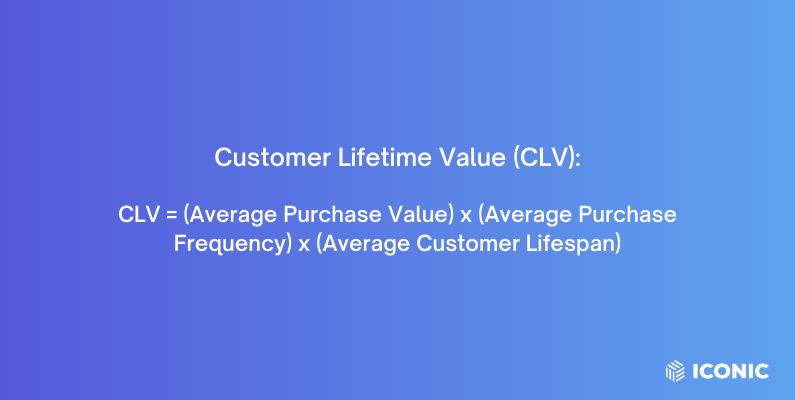
LTV indicates the total revenue you can reasonably expect from a single customer throughout their entire relationship with your business. Instead of looking at a single purchase, LTV considers a customer’s first and subsequent purchases until they stop being your customer.
LTV shows how well you focus on long-term value and boosting your customer’s worth to your business over time. As such, a high LTV shows that you’re doing a great job in keeping your customers buying from you and becoming loyal to your brand.
📈 This is an effective ecommerce strategy since retained customers spend 67% more on your business than new customers.
Customer retention rate (CRR)
📈 Did you know the cost of retaining a customer is 5 to 25 times less than acquiring a new one?
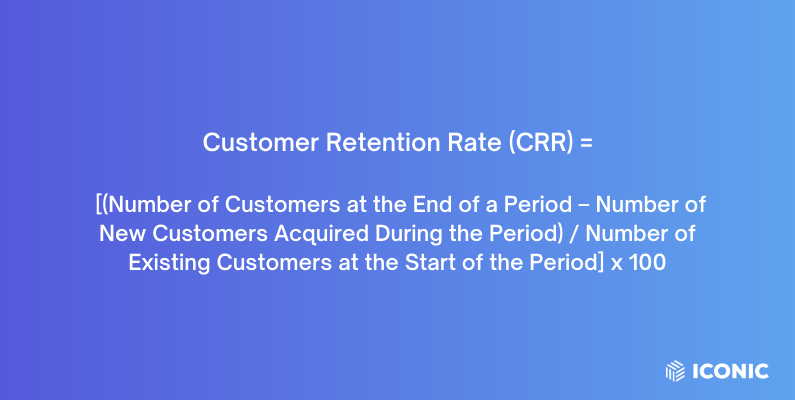
Retaining customers is a key component of a successful ecommerce strategy, and CRR helps you measure this.
It measures how many customers stay with your business over a given period, usually a month or year. Ultimately, you want first-time customers to become repeat buyers and eventually become loyal to your brand. This means that a high CRR value shows that you’re achieving this goal well.
📈 A high CRR is a characteristic of successful ecommerce businesses since a 5% increase in customer retention can lead to a 25 – 95% profit increase.
It shows that customers are satisfied with your business, and they’re happy to keep working with it.
There are other numerous metrics you could be tracking, too, including:
- Additional performance metrics include shopping cart abandonment rate.
- Email marketing metrics.
- Operational metrics like inventory turnover.
- Advertising metrics like cost per click and so much more.
If you want to take a bigger bite of the ecommerce success apple, you have work to do to improve these metrics. Now that you have a good idea of what ecommerce success means and how to track it, let’s walk through some methods of achieving it.
How to achieve ecommerce success
As to answering the question ‘How to achieve ecommerce success’, there’s no universal way to do it. What works for others may not work for you. The key is to implement strategies that improve specific metrics of your ecommerce store that measure success.
So, let’s roll up our sleeves and optimize your store for ecommerce success this year.
Focus on user experience
Achieving ecommerce success doesn’t have to be difficult. You can do it by focusing on one of the things large ecommerce businesses often struggle with – providing a great user experience on your ecommerce site.
📈 Just to see how crucial customer experience is to your business, 86% of customers are willing to pay more for a great experience.
Ecommerce user experience optimization is all about creating a seamless, enjoyable online shopping experience on your ecommerce store. The goal here is to minimize friction when customers are browsing your ecommerce site or buying from it.
You can do many things to achieve this.
Improving site speed
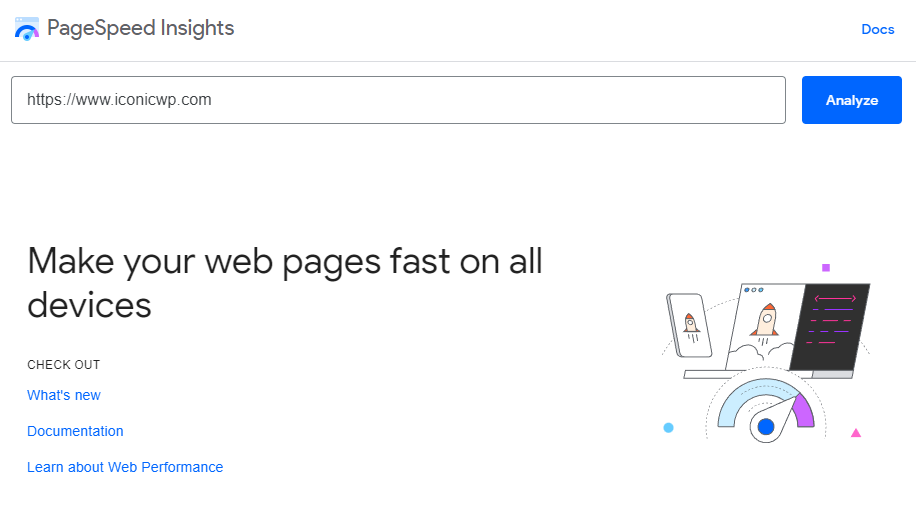
📈 Potential customers expect your site to load in 2 seconds or less. In fact, 53% of site visitors abandon a website if it takes longer.
Which is why you should improve your site’s speed. With WooCommerce as your ecommerce platform, you can do it by getting dedicated WordPress hosting plans. Alternatively, you can also use caching, image optimization, and minification plugins to help you do this.
Make your website mobile-friendly
📈 Optimize your site for mobile devices since a majority of the web traffic comes from these devices (60.67%). This allows you to cater to a majority of your customer base.
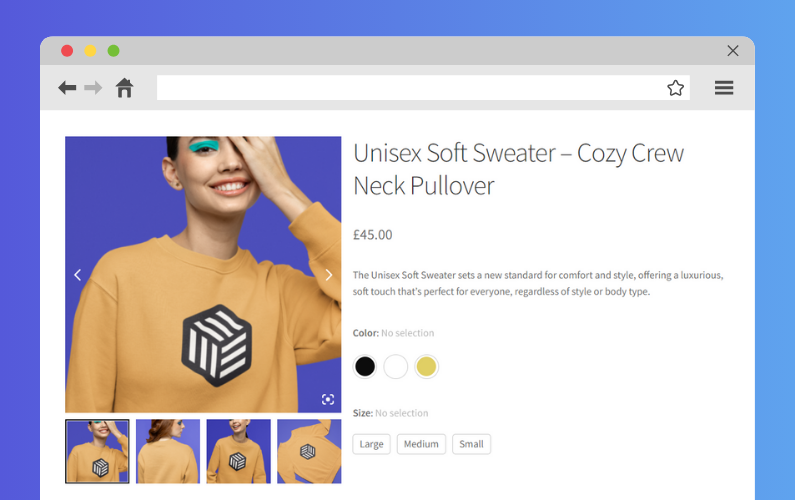
Ensure everything works as it should
For instance, the navigation elements should lead customers where they’re supposed to on your ecommerce site. Also, buttons and other links should work as intended. This will prevent your customers from getting frustrated and abandoning their carts.
Create a fast, seamless checkout experience
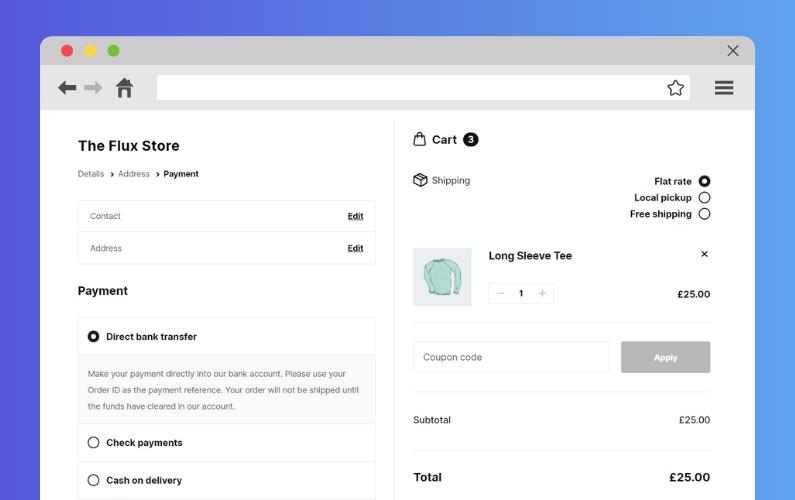
What makes a great checkout experience? It should be fast and simple, allowing customers to complete it fuss-free.
Unfortunately, the default WooCommerce checkout doesn’t allow you to create a seamless checkout experience for your customers. But you can do it with the help of the Flux Checkout for WooCommerce plugin.
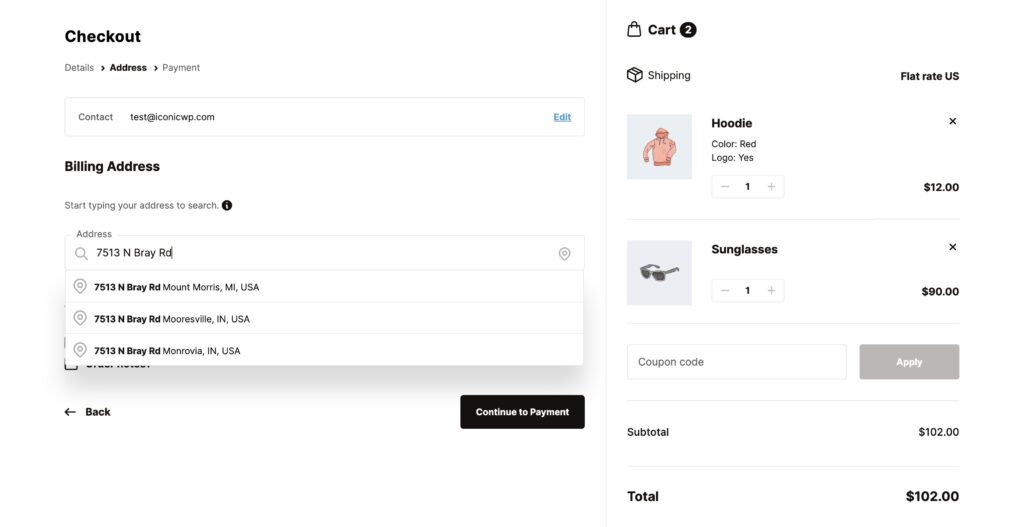
Create a fast, distraction-free checkout experience with Flux Checkout
Flux Checkout is the key to converting more customers once they get to the checkout. This WooCommerce plugin enables you to upgrade the default WooCommerce checkout to one that is simple, fast, and distraction-free.
With Flux, you can encourage more customers to complete their purchases and boost your conversion rate in the following ways:
- A simple, multistep checkout – Instead of customers completing the entire checkout on one page, Flux Checkout makes your checkout multi-step. This is a series of simple, more manageable steps for the customer.
- A user-friendly checkout process for your customers – It removes distractions like headers, sidebars, etc., to keep customers focused on checking out. Also, it has an address autocomplete feature to help customers fill out their addresses quickly and accurately.
- Improve your CRR post-purchase with a customizable ‘Thank You’ page – Flux allows you to create a customizable ‘Thank You’/Order received page. You can add custom content here, for instance, asking customers to sign up for your email marketing campaigns.
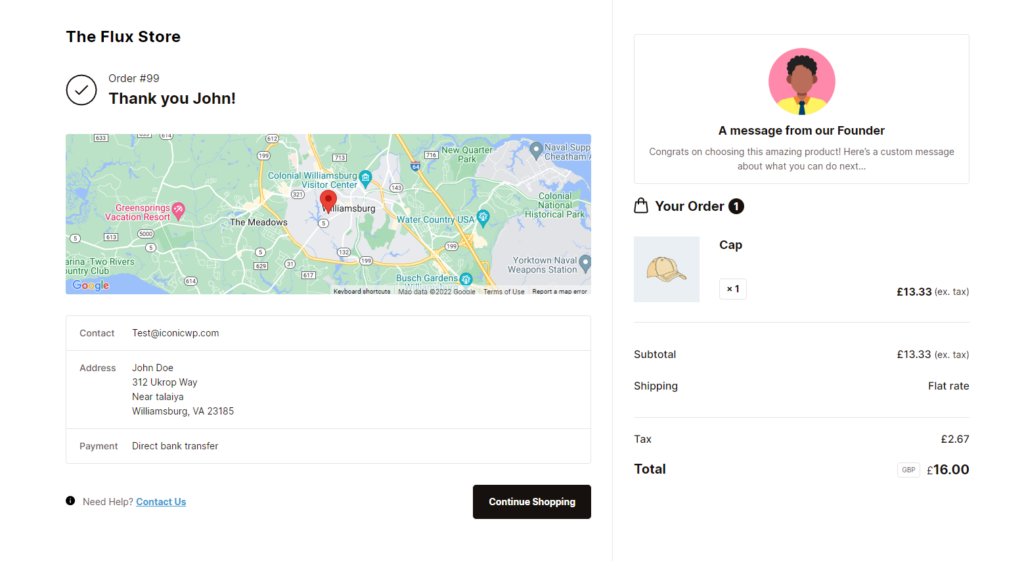
Flux’s mobile friendliness ensures your customers will have an easy time checking out regardless of the device they use.
Flux Checkout for WooCommerce
Flux Checkout transforms the default WooCommerce checkout into one that’s lightning-fast, distraction-free, and reduces checkout abandonment.
Help customers find what they’re looking for easily
When you have tons of product variations, it can be difficult for customers to find their preferred option on your shop and product pages. But you can help them find what they’re looking for easily with the Show Single Variations plugin.
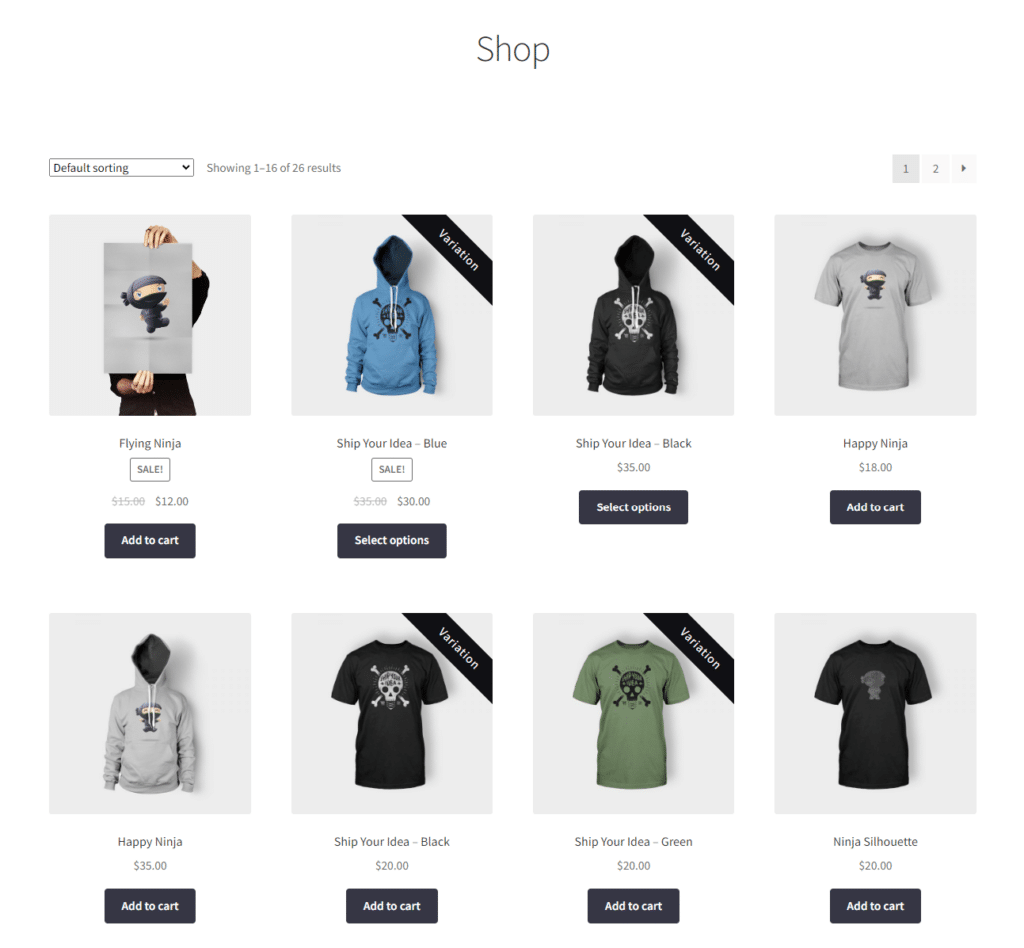
Show product variations as single products with the Show Single Variations plugin
Show Single Variations allows you to display product variations as single products on shop and category pages and search results. This way, customers can easily find the variations they’re looking for.
With this plugin, customers don’t have to waste time and clicks looking for product variations. You can save them clicks by allowing them to add product variations to their carts directly from the product listing pages.
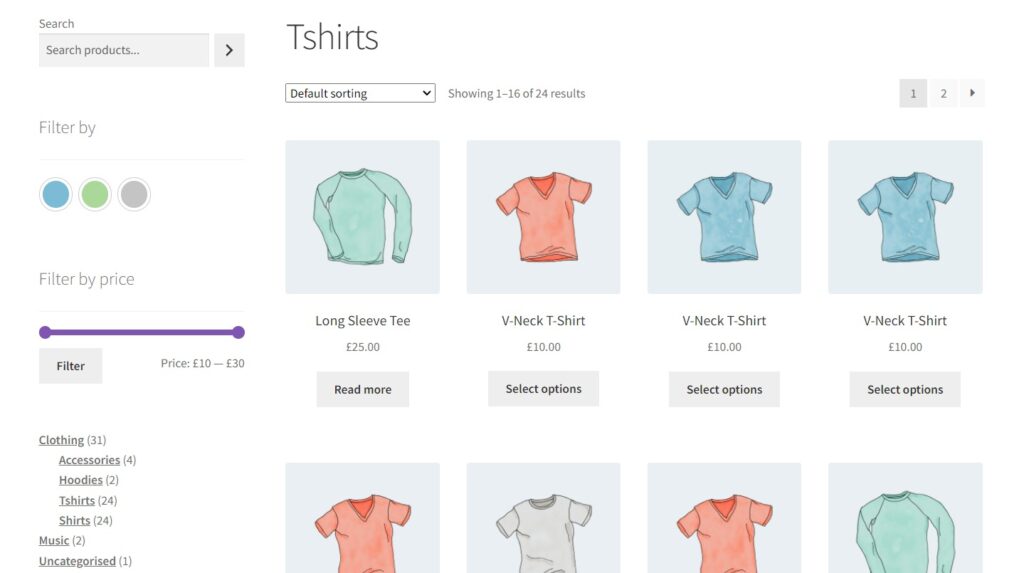
If you have a smaller product catalog, displaying product variations this way will help to expand it. On top of all this, Show Single Variations allows you to change the titles of your product variations to make them more appealing to your customers.
WooCommerce Show Single Variations
Show WooCommerce variations as single products on the shop page, category pages, search results, and filtered results with WooCommerce Show Single Variations.
Work on your customer journey
Customers take several steps before making a purchase in your ecommerce store. This includes when they first become aware of your product/business and when they purchase and ultimately become loyal to your brand.
To be a successful ecommerce store, you must work to optimize your customer’s journey before and after they get to your ecommerce store. There are many ways to do it. Let’s look at them, starting with the journey before a customer lands on your ecommerce store.
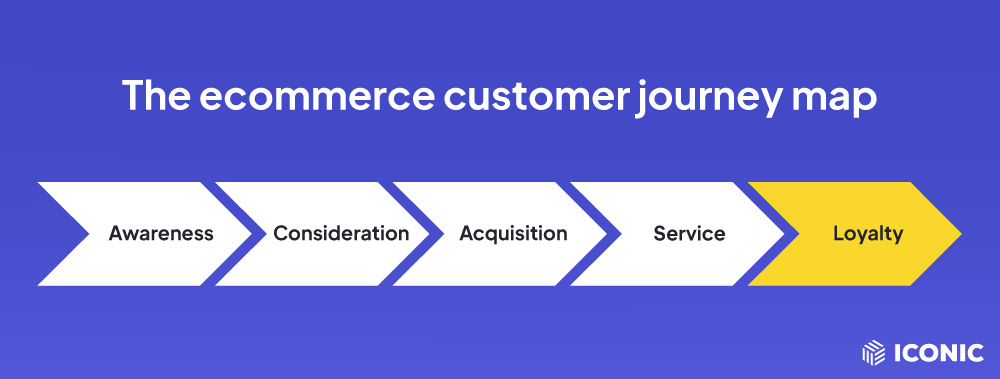
How to improve your customer’s journey before they land on your store
Before they land on your store, they will first become aware of your business and consider buying from you.
Here’s how you can improve this step of their journey:
- Targeted marketing – Use digital marketing strategies like email, influencer marketing, and social media marketing to reach your target audience. Personalize your ads to resonate with them better.
- Compelling content marketing – Create tutorials, guides, and blog posts that introduce customers to your products and inform them about what you offer.
- Provide valuable comparisons – Develop comparison guides that pit your products against your competitors to help customers make a decision.
How to improve your customer’s journey when they land on your store
Now that a customer has picked your online store over your competitors, you want to convert them into paying customers.
To boost conversions and make more ecommerce sales:
- Make your site’s design clean and intuitive – Ensure your website is easy to navigate and visually appealing. This is important as studies show that 38% of site visitors disengage if a website lacks visual appeal, leading to missed sales opportunities.
- High-quality images and product descriptions – In brick-and-mortar stores, customers can physically see and even touch products before buying them. Ecommerce customers, however, rely on product images and descriptions to make a purchasing decision.
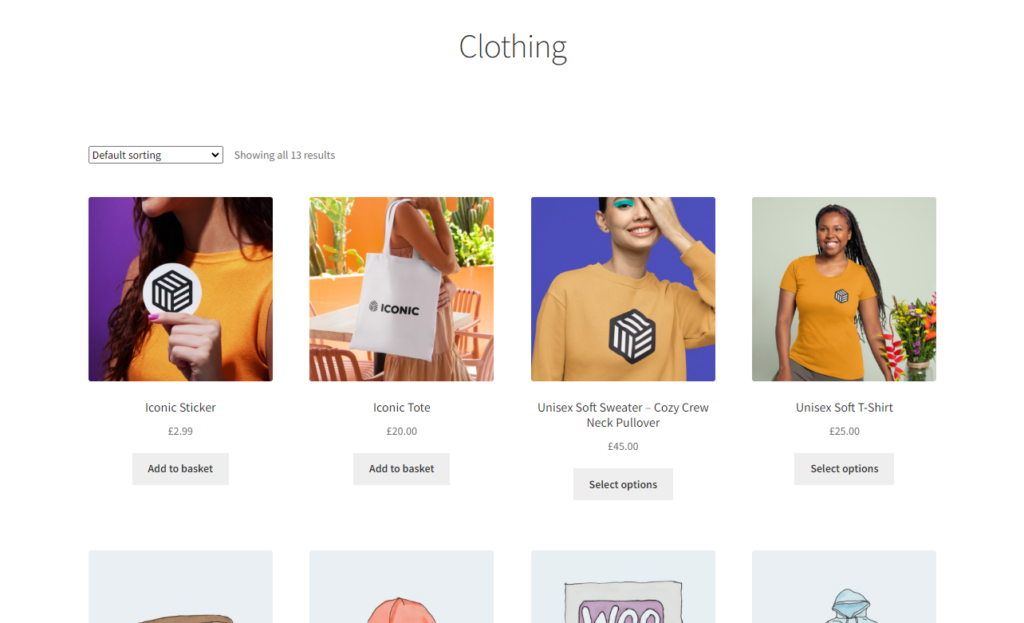
You can entice them to make a decision by providing high-quality product images and detailed product descriptions that show how they will benefit from them.
The optimizations mentioned previously, for instance, having a mobile-friendly website, optimizing the checkout flow, etc., also play a key role in improving your customer’s journey. Since your customer’s journey doesn’t end after they purchase, you can also pitch a loyalty program to foster customer loyalty.
Work with what you’ve got to boost sales
As a small business or startup owner, you probably don’t have the budget to overhaul your product line completely when you aren’t getting enough sales. But you don’t have to. You can work with the products you have to boost sales and your total revenue in the following ways.
Improve product presentation
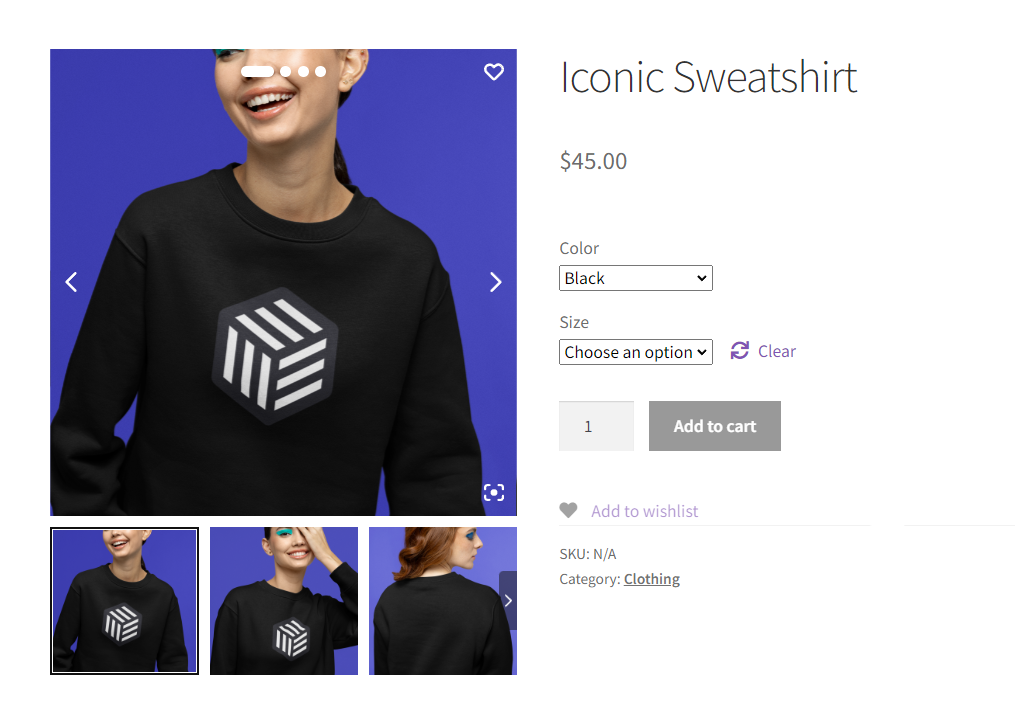
Showcase high-quality images of your product from multiple angles. You can also take lifestyle shots so customers can see themselves using your product. If possible, add product videos to show 360-degree views of your products, allowing customers to understand them better.
Show customer reviews and ratings
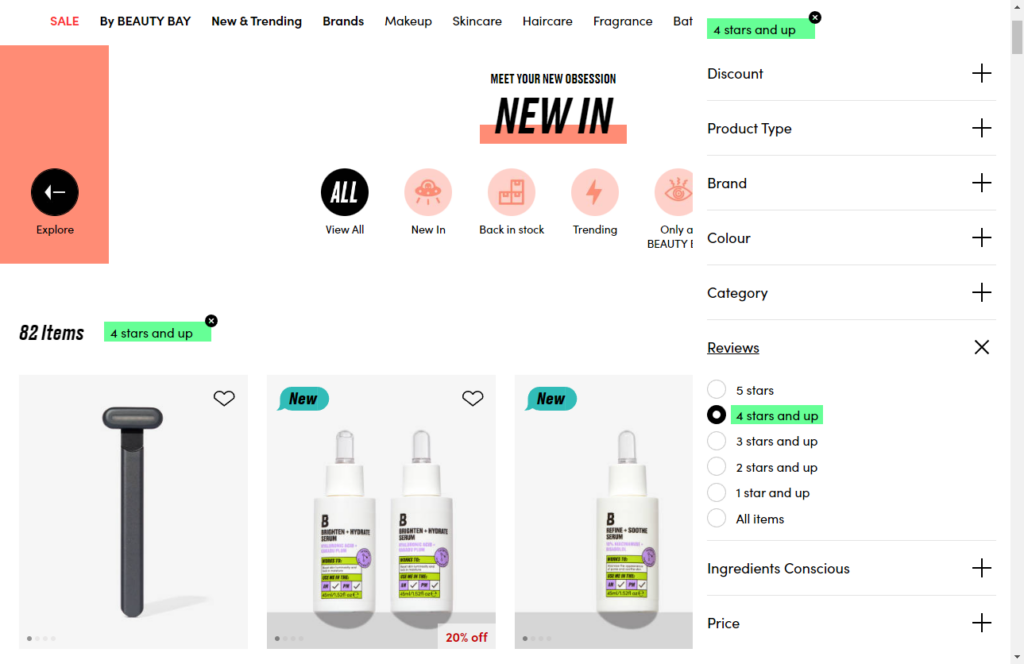
📈 A recent study revealed that 97% of customers rely on online reviews to make a purchasing decision.
If your reviews are mostly positive, showcasing them on your ecommerce site can boost your sales. This is because customers will believe they’ve made the right purchase decision if others have made a similar choice and benefitted from it.
Boost your AOV with cross-sells and upsells
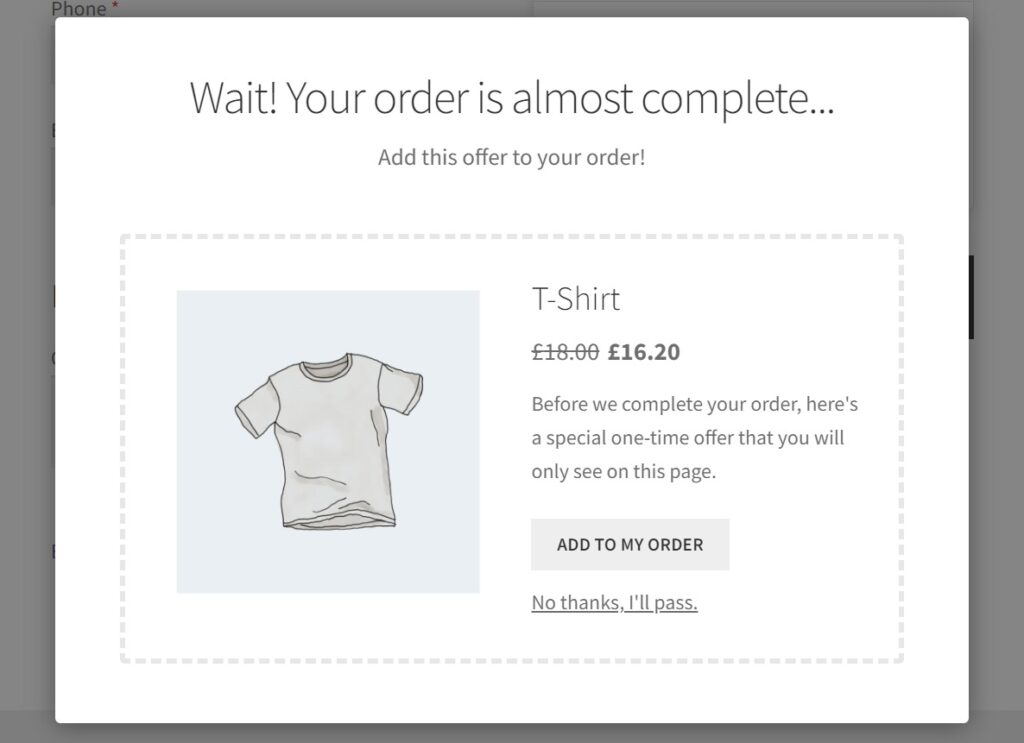
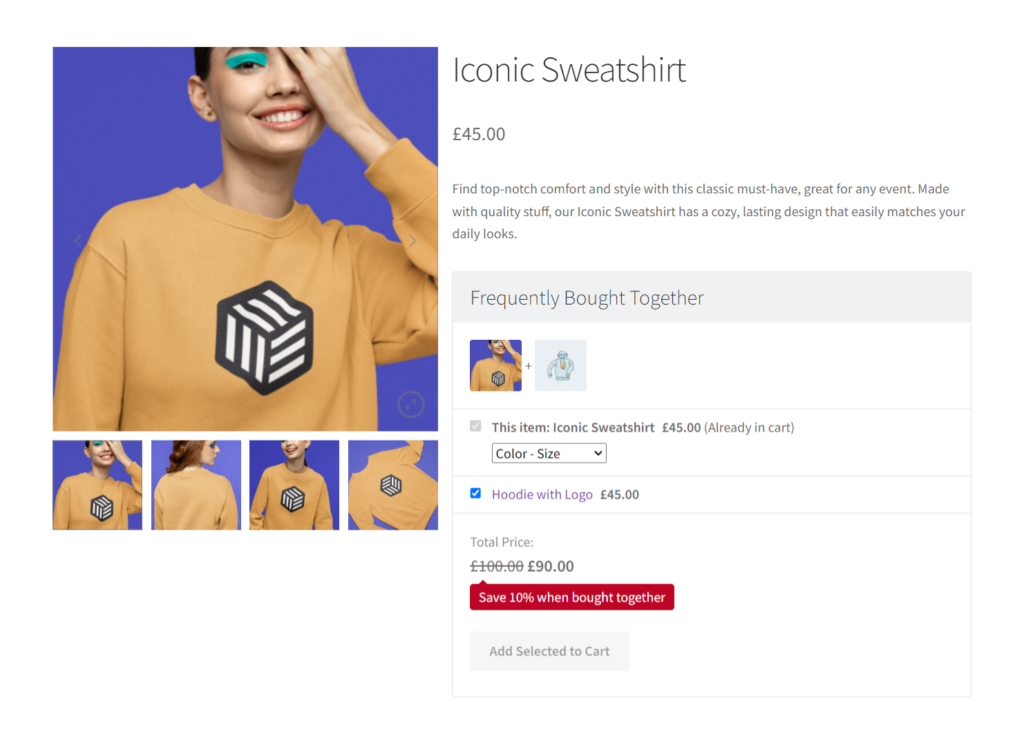
To boost your average order value, recommend products that go well with (cross-sells) or are better than (upsells) what the customer has in their cart. With the Iconic Sales Booster for WooCommerce plugin, you can do this at the right time – when the customer is about to buy.
Cross-sell throughout the checkout with Iconic Sales Booster
When customers get to your checkout, they strongly intend to buy. You can use this to recommend products they might have missed out on with the help of Iconic Sales Booster.
With this WooCommerce cross-sell plugin, you can cross-sell:
- Just before the checkout – It allows you to add a ‘Frequently Bought Together’ section just below the ‘Add to Cart’ button containing products that complement what the customer wants to buy.
- Once a customer clicks ‘Add to Cart’ – You can also add a related products popup here which customers can add directly to their purchase.
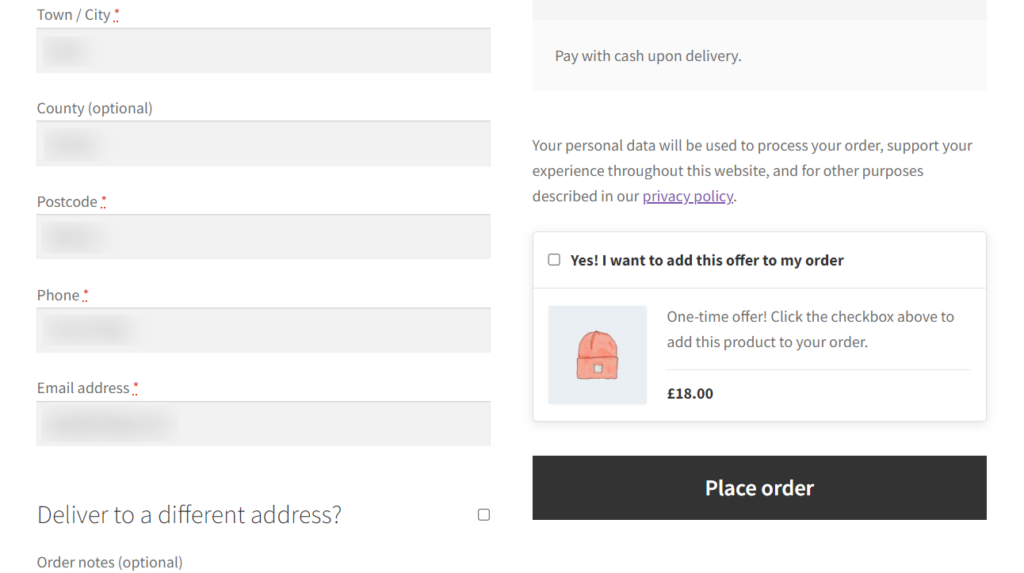
- At the checkout – Add an ‘Order Bump’ popup with a heavily discounted offer to promote impulse purchases.
- Post-purchase – Add a popup with an irresistible one-time offer that displays after the checkout.
Iconic Sales Booster allows you to customize these popups appearances and sales texts to make them appealing to your customers.
Iconic Sales Booster for WooCommerce
Add cross-selling to your entire WooCommerce store in minutes with Iconic’s WooCommerce cross-sell plugin, Iconic Sales Booster for WooCommerce.
Leverage abandoned cart recovery email automation
If customers add products to their carts but fail to proceed to the checkout, you can send them automated emails reminding them to return. This simple service might just appeal to them and cause them to buy from you.
Make customer service a priority
📈 Great customer service experiences will help you retain more customers. According to research, these experiences increase the chances of repurchases by 82%.
With that in mind, here are some best practices for serving customers online.
Offer a favorable return policy
Offer your customers a sufficient window for returning items and simplify the return process. This will make them more confident in buying from you.
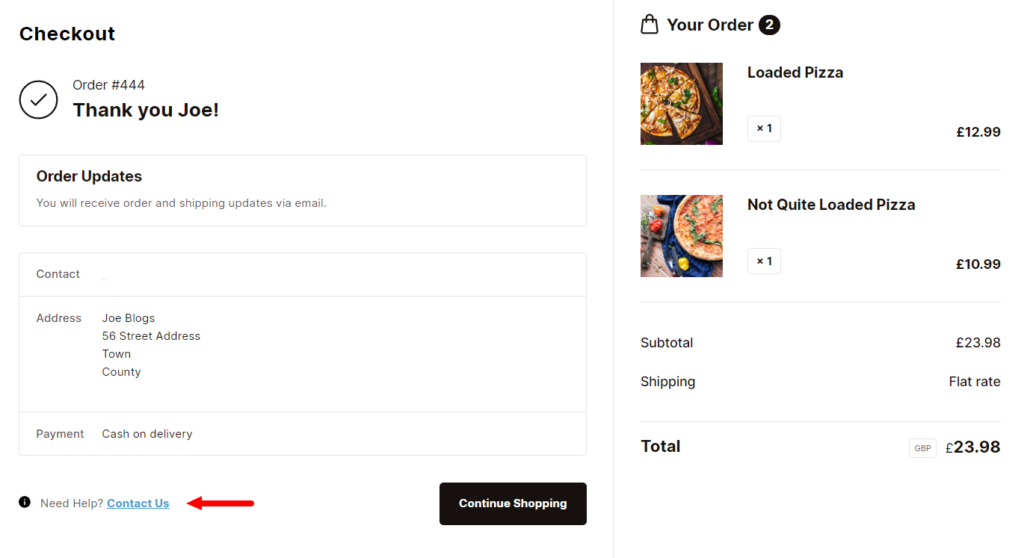
Offer chat support
Leverage instant messaging to answer customer inquiries as they browse and buy from your ecommerce store. You can combine AI chatbots and live customer service agents. The chatbots are available 24/7, and they can deal with simple inquiries. For complex cases, the chatbots can forward the customer to the relevant customer service agent.
Provide multi-channel support services
Not all customers will reach out via your chat support or contact forms. Others could reach out on social media or your community forums. So, ensure that customer service agents help customers with their inquiries across different channels.
Offer self-service support
📈 An American Express study revealed that 60% of customers prefer to use self-service support rather than contacting a customer service agent.
Because of this, you can benefit from creating a help center with FAQs, documentation, return policies, etc., on your ecommerce store.

Work on your ecommerce site’s SEO
Having an effective SEO strategy can propel your ecommerce business toward success. If your ecommerce site is optimized for search engines, customers find you by simply searching online for your products or services. Why is this beneficial?
You won’t have to pay for expensive ads to acquire new customers, and this will cut down your customer acquisition costs.

Ecommerce SEO involves:
- General on-page SEO – Optimizing your homepage, shop, about pages, etc., and their content for search engines. It mainly involves researching keywords that your customers are likely to use and strategically integrating them into your page titles, headings, copy, etc.
- Product page SEO – This involves writing compelling product descriptions and injecting relevant keywords into product descriptions. You can also add ALT text to images and use schema markup to help search engines understand your content easily.
- Local SEO – This refers to optimizing your ecommerce site for local searches. It mainly involves incorporating location-specific keywords like “the best burger in Atlantic City, New Jersey”.
WooCommerce SEO plugins can help you do this as well as handle the technical aspects of SEO.
📈 If you would like to dive deep and see how, be sure to check out our WooCommerce SEO guide.

Analyze, track, and adapt
You might be too heads-down into implementing several ecommerce success strategies but unaware of whether they’re working or not. This might cancel out all of the work you’re doing.
Which is why you should focus on tracking all the changes you make to ensure you can see their impact. Then keep making changes as you go, to achieve what you’ve set out to.
Many tools can help you with this, but we would like to mention only two:
- Google Analytics – A versatile free tool that provides useful information on website traffic, user behavior, bounce rates, conversion rates, etc.
- Crazy Egg – This is an A/B testing tool. Meaning it allows you to run different tests against each other. It can be useful when you want to optimize your web pages or content but you’re unsure which optimizations customers will respond to best.
Testing and analytics shouldn’t be a one-time thing. It should be embedded into the ecommerce success optimization process, allowing you to stay on top of this process.
Achieve ecommerce success for your online store this year
By now, you know what you need to do to optimize your ecommerce business for success this year. So, it’s time to leverage this guide to make changes across your business and set it up for success.
We’ve covered everything including what you can do outside your ecommerce store and inside it. Where it may seem like a lot of work, the plugins mentioned in this guide will make it easy for you:
- Flux Checkout for WooCommerce – create a seamless checkout experience to boost conversions.
- WooCommerce Show Single Variations – help customers find their preferred product variations easily to improve sales.
- Iconic Sales Booster for WooCommerce – cross-sell throughout the checkout to improve your average order value.
Join our All Access Club and get them all in a single discounted purchase, or buy them one after the other above.
Join the All Access Club
Get every single one of our 14+ plugins (and all future plugins) by joining our All Access Club.

Gina Lucia is our in-house Content Manager at Orderable. She writes articles, user guides, technical documentation, and creates videos on everything WooCommerce and Orderable.
Gina has been working in the WordPress/WooCommerce space since 2012 when she developed WordPress websites for clients large and small.
For the past 8 years, she’s been writing about everything WordPress and WooCommerce, becoming an expert in what makes a WooCommerce store succeed.
When not writing, Gina loves to tend to her vegetable garden, read, or travel to mainland Europe.