
Looking for ways to minimize friction in your ecommerce checkout to clear the path for your customers to purchase? You’ve come to the right place.
The easier and faster you can make it for customers to complete a purchase, the more likely you are to close the deal and capture the sale. In other words, reducing checkout friction leads to higher conversion rates, sales, and revenue.
👋 In this guide, we’ll go over 10 common checkout friction points and walk you through some actionable steps to fix them.
But first, let’s understand why a frictionless checkout is important.
Flux Checkout for WooCommerce
Flux Checkout transforms the default WooCommerce checkout into one that’s lightning-fast, distraction-free, and reduces checkout abandonment.
Why a frictionless checkout experience is important
💡 Checkout friction is any element(s) in your checkout process that confuses customers or slows them down.
When customers get to your checkout, they’re committed to purchasing. So checkout friction is anything in your checkout flow that inconveniences them and gets in the way of purchasing the product they want.
Creating a frictionless checkout is the process of removing these obstacles so that customers have a smooth path to buying what they want. This is important for the following reasons.
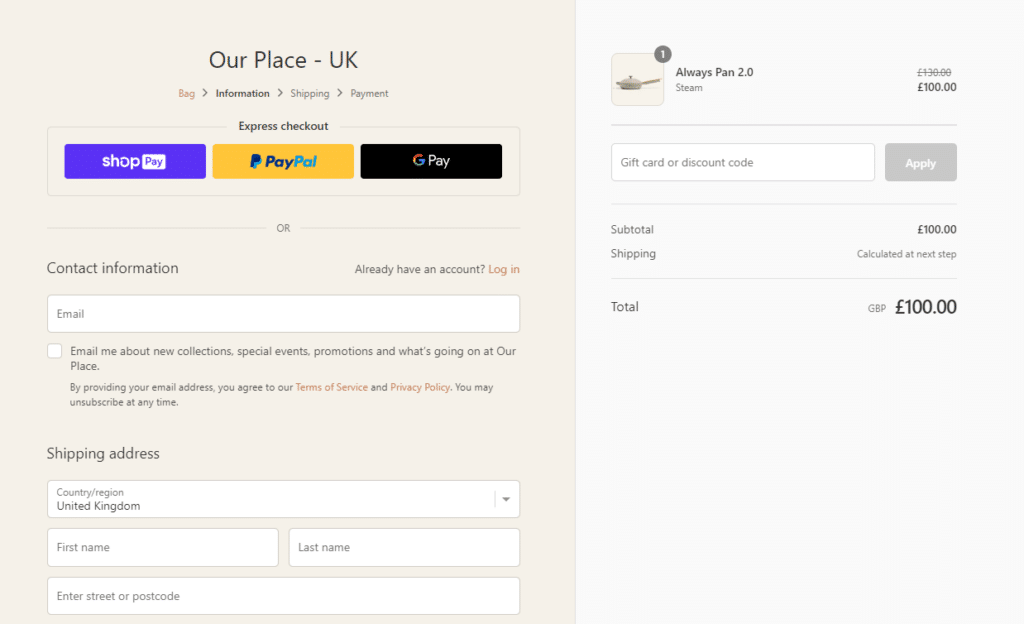
Customers expect it
Ecommerce customers expect a smooth shopping experience from start to finish. If you’ve delivered a smooth and efficient experience in other parts of your ecommerce site, they expect the same level of convenience when checking out.
📈 Because of this, it’s no surprise that 22% of online shoppers abandon their carts when the checkout process is too complicated.
Customers have shifted their expectations towards a fast, seamless online shopping experience. This makes frictionless checkout more important now than ever.
A frictionless checkout is key to increasing your conversion rates
The checkout is where money exchanges hands, you make a sale, and all the effort to get customers into your ecommerce store gets rewarded.
At the same time, this is where most of the drop-off happens. Any small inconvenience here can easily cause customers to abandon their purchase, leading to high bounce rates.
Luckily, having a frictionless checkout has been proven to mitigate this and contribute significantly to increasing conversion rates.
📈 Studies show that optimizing your checkout increases conversions by up to 35%.
With a frictionless checkout, customers won’t have a reason to follow through with their purchase – unless they’re simply window shopping. More site visitors will become paying customers, which will raise your conversion rates.
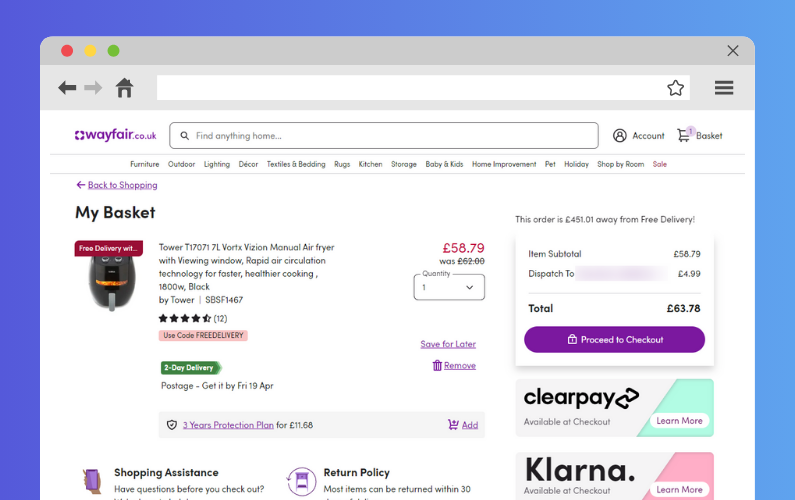
Great user experience at checkout has a competitive advantage
📈 There’s no better time to be an ecommerce store owner than now. The global ecommerce market is booming, with over 2.1 billion shoppers buying items online. At the same time, the competition is also at an all-time high.
Customers have tons of options, and any small inconvenience could cause them to look elsewhere.
Making customers unnecessarily jump through hoops to purchase from your ecommerce website will only drive them to your competitors. Thankfully, with a frictionless checkout, you’ll be able to maximize sales from the customers you get.
Reducing checkout friction will give you a significant advantage over other ecommerce store owners with an unoptimized checkout process. Their site visitors will likely abandon their stores and opt for yours.
Checkout friction is avoidable, and there are several things you can do to reduce it. With that in mind, let’s look at the common checkout friction points and how to fix them in the next section.
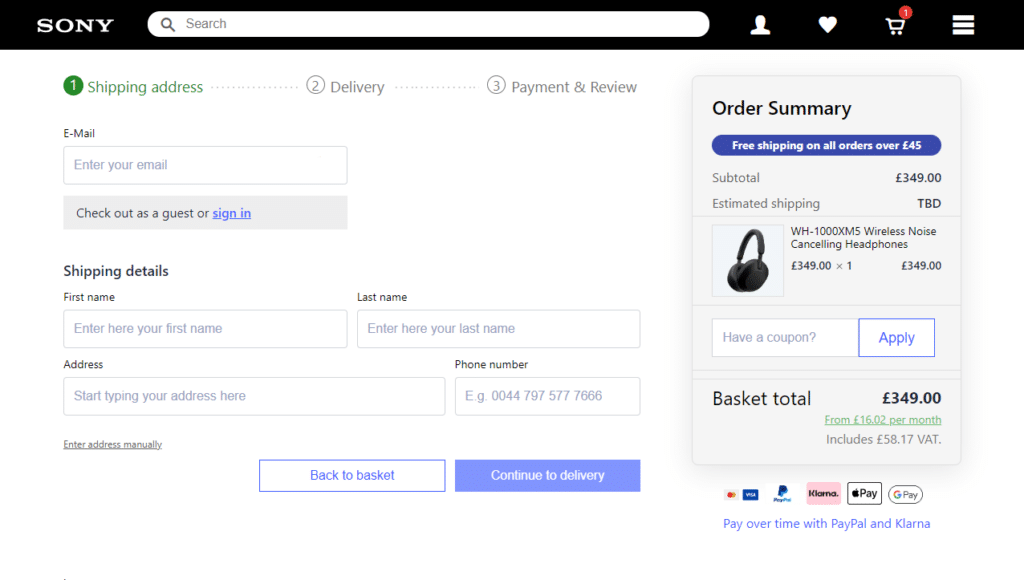
10 common checkout friction points and how to fix them
Now that we know what checkout friction is and why we should reduce it, it’s time to get practical and actually reduce it.
We’ll walk you through 10 common checkout friction points and how to fix them. We’ll talk about each friction point, what causes it, how it impacts customers, and go over actionable steps on how to fix it.
1. Forcing account creation on customers before checking out
Customer accounts are important for improving their shopping experience. They save your customer’s information, allowing them to make repeat purchases without filling in as many details as they would when shopping for the first time.
But despite this importance, account creation isn’t something that you should force your customers to do before completing a purchase.
📈 And when you do, studies from the Baymard Institute reveal that 25% of your customers will likely abandon their shopping carts. We don’t want that.
Mandatory account creation at checkout is just another unnecessary hurdle that customers have to get through to make a purchase.
Offer guest checkout
Instead of forcing customers to create an account before making a purchase, you should allow them to check out as guests. This is a convenient option for customers (usually first-time customers) who don’t have an account and prefer not to create one.
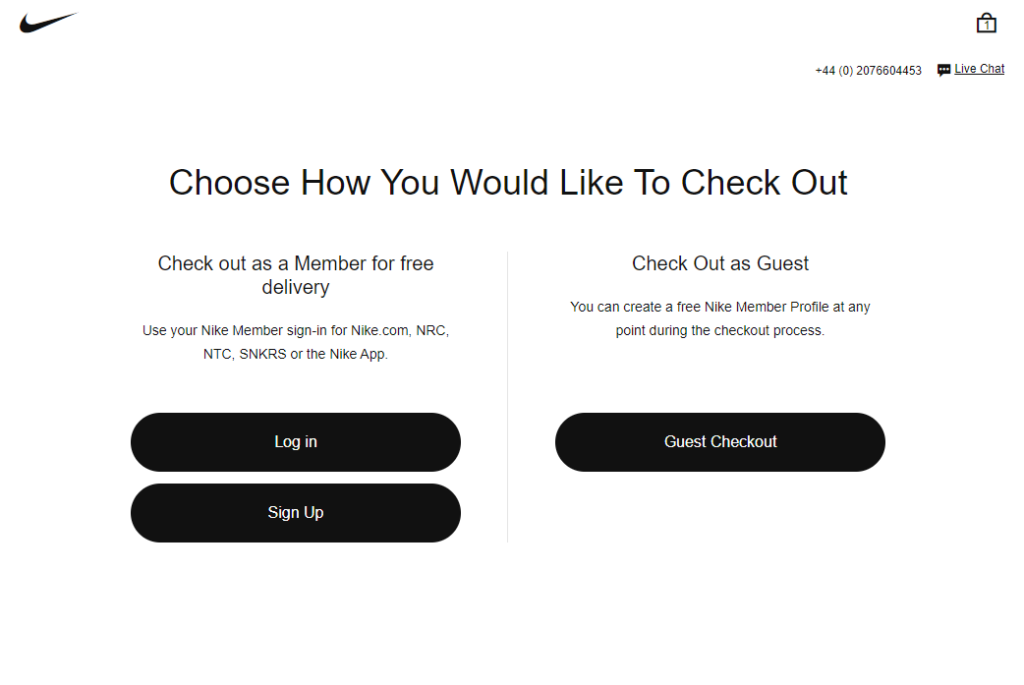
The guest checkout option enabled means one less hurdle for them. This option is so effective that large footwear brands like Adidas and Nike use it to cater to different customers.
How to enable the guest checkout option
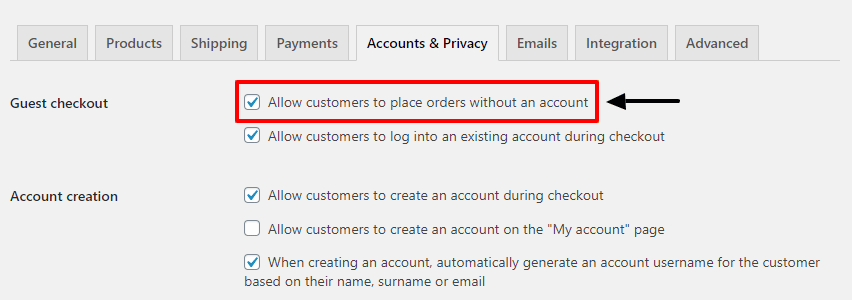
If WooCommerce is your ecommerce platform, you can enable the guest checkout option from WooCommerce Settings under Accounts & Privacy. Here, you can check the box that says ‘Allow customers to place orders without an account’.
You can also check the box that says, ‘Allow customers to log into an existing account during checkout.’ This way, customers who have an account will see a call-to-action to log into their accounts as they check out.
With both account creation and guest checkout options available, customers can check out with their preferred option. You can take this further and improve both account creation and guest checkout options with the help of the Flux Checkout for WooCommerce plugin.
Set up smart account creation and guest checkout options with Flux Checkout
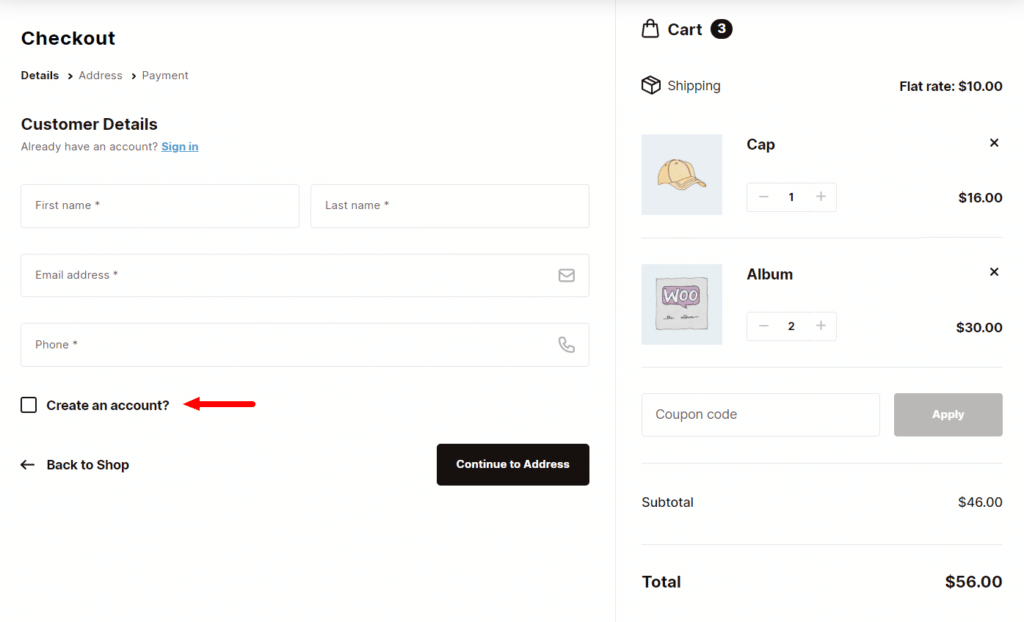
Flux Checkout is built to upgrade every aspect of your WooCommerce checkout design, including account creation and guest checkout options. It fully supports the account creation and guest checkout options in WooCommerce.
On top of that, it comes with the following additional settings to improve these options:
- Assign Guest Orders. Customers who already have an account can check out as guests. With this option enabled, guest orders can be assigned to existing customer accounts if the email address provided matches an existing account.
- Existing user. When you allow ‘Assign Guest Orders,’ you can use this setting to display a message asking customers to log into their account when they provide an email that matches an existing account.
With these settings, Flux enables you to improve the user experience for your customers regardless of the checkout option they choose.
2. Lengthy complex forms
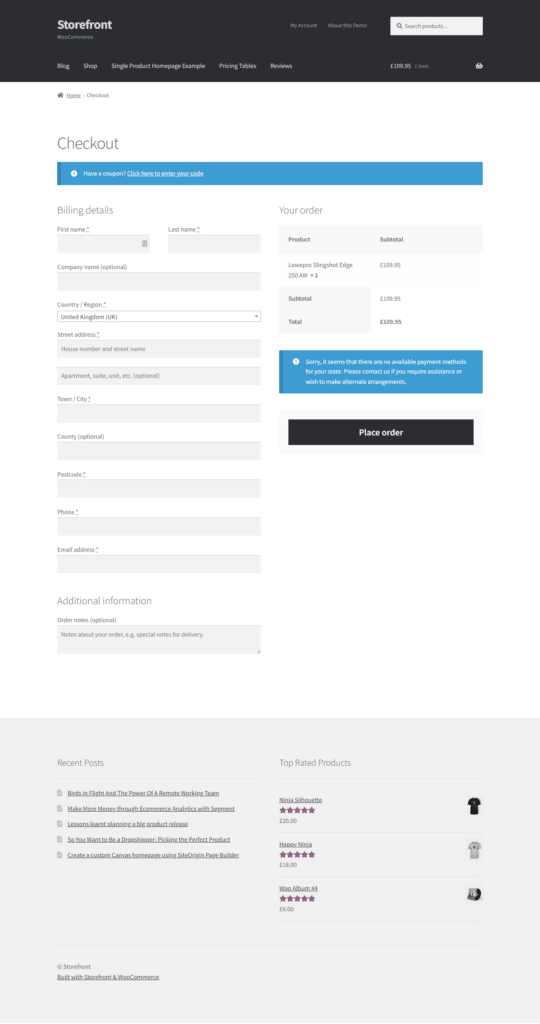
Lengthy, complex forms asking customers to provide unnecessary information are another source of checkout friction. These forms slow them down, causing the checkout to be longer and more complicated than it has to be.
📈 A cart abandonment study revealed that if a checkout process is too long or complicated, 22% of customers will likely abandon it.
With too many fields to fill, customers will get overwhelmed with the amount of information they have to provide. This could frustrate them, causing some of them to abandon their purchases.
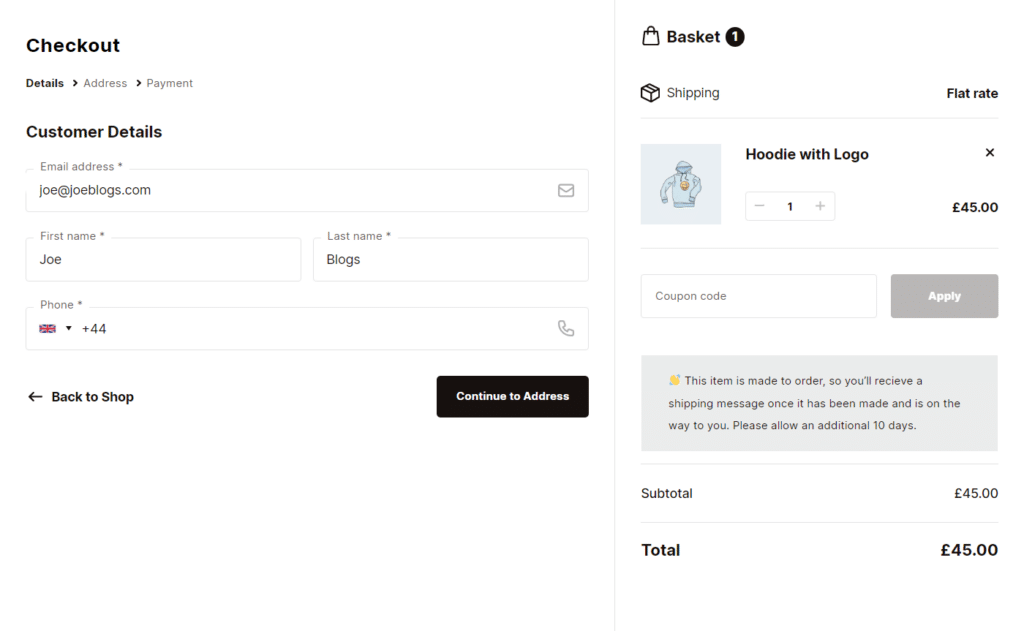
How to simplify form filling for your customers
There are different ways to simplify form filling for your customers to avoid overwhelming them.
This includes:
- Reducing the number of unnecessary fields. For example, birth dates and detailed address information (street, city, or state).
- Implementing autofilling. Especially for shipping address fields. When customers start typing their address, suggest the closest matches and fill out the rest of the fields automatically once they select their address. This is something Nike does quite well, especially when using the guest checkout option.
- Make your checkout multi-step, which breaks down form filling into a series of simple, manageable steps. Completing all of these steps on a single page could easily overwhelm customers.
If you’ve set up your ecommerce business on WooCommerce, you’re in luck because the Flux Checkout plugin allows you to implement all of this quickly and easily.

Simplify form filling for your customers with Flux Checkout
With Flux Checkout, you can make your WooCommerce checkout user-friendly, fast, and distraction-free in several different ways. Once you install it, it automatically replaces your default one-page checkout with a multistep checkout, like the one Gymshark uses.
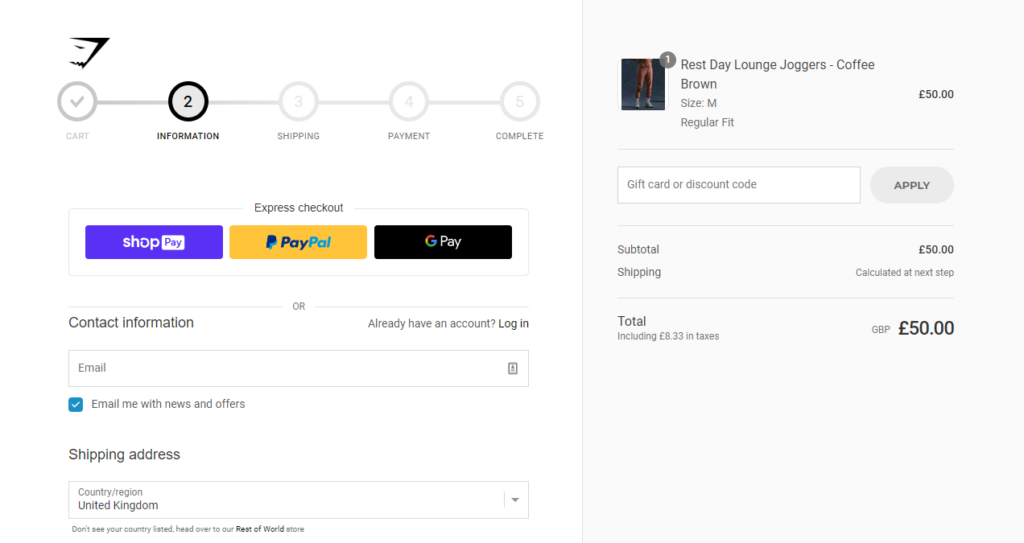
Customers can fill in their personal details, address information, and payment information in simple separate steps with a progress indicator displayed. This progress bar will keep customers focused on completing the checkout.
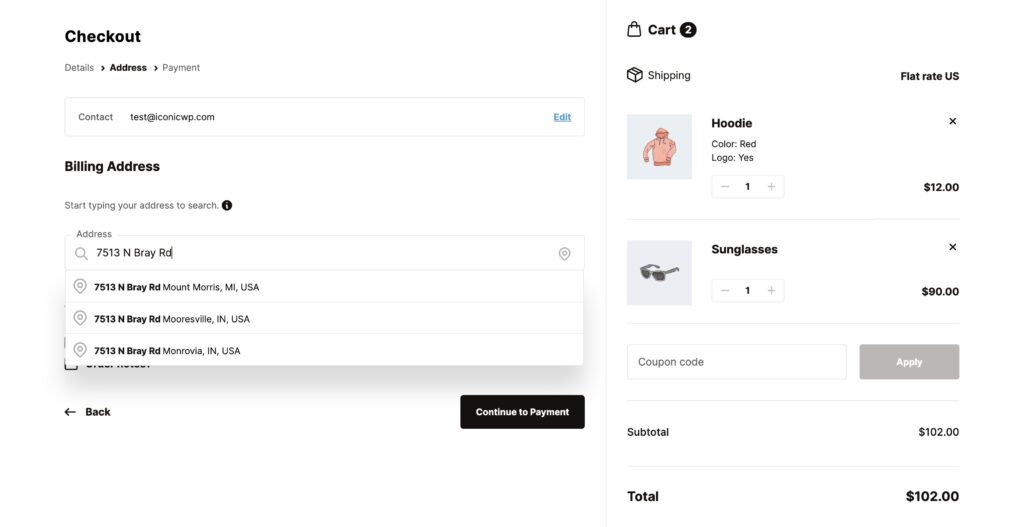
Apart from multi-step form filling, Flux also allows you to:
- Implement address autofilling. To save customers’ time as they fill in shipping details and billing address forms.
- Reduce unnecessary form fields. You can remove unnecessary fields like Coupon and separate street numbers and stick with the important ones like phone numbers and email.
With all these options, your customers will have an easy time filling out checkout forms and have a frustration-free checkout experience.
3. Checkout surprises due to unclear or unexpected costs
Customers value transparency on the ecommerce checkout page. They want to know what it would cost them to obtain your product upfront. Hiding extra costs, such as shipping, taxes, etc., until when they’re ready to make a payment will surprise them – and not in a good way.
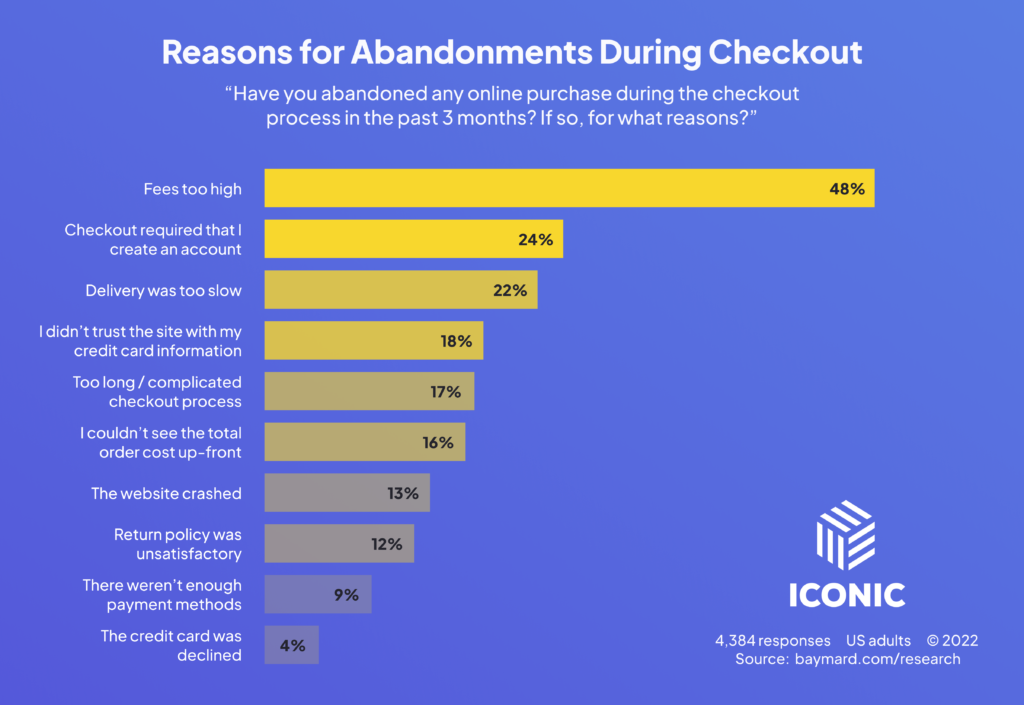
📈 The global cart abandonment rate sits at about 70%. A good percentage of this comes from potential customers simply window shopping. However, 48% of abandoned carts result from extra costs such as shipping.
That’s nearly half of them. Customers simply don’t like these surprises, and you need to avoid them to minimize checkout abandonment.
Show extra costs early in the checkout flow to avoid checkout surprises
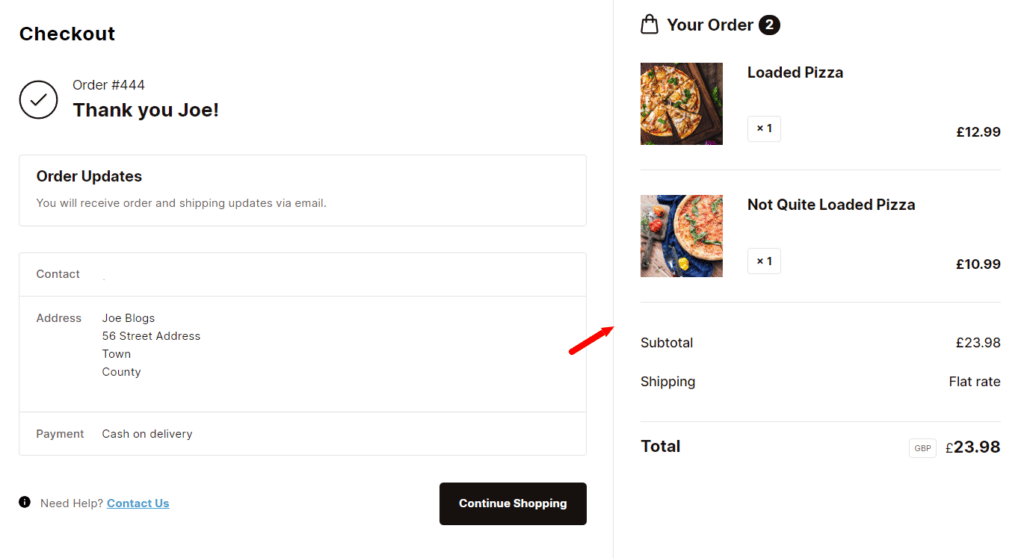
You can avoid unexpected costs by displaying extra costs as soon as possible. Preferably, it should be done immediately after a customer provides their shipping address. One way to do this is to display the order summary throughout the checkout.
Ensure that you show shipping costs, taxes, and other additional fees upfront so that customers don’t get surprised later. If you’re looking to do this on WooCommerce, Flux Checkout is the plugin that can help you get it done.
Display extra costs throughout the checkout flow with Flux Checkout
Flux Checkout’s native design allows you to display the order summary throughout the multi-step checkout flow. You can use this feature to show extra costs as early as possible so that customers know what they will need to pay from the get-go.
Those shopping on desktop devices will see the order summary and checkout steps displayed side-by-side. The order summary will be available to those on mobile devices in a collapsible menu so that it doesn’t get in the way of the checkout process.
4. Limited payment methods
When setting up payment options you should keep in mind that:
- Customers prefer multiple payment methods. This is proven by the studies that show that 13% of customers will likely abandon their shopping carts when they don’t see enough payment methods.
- Different payment methods are predominantly used in different regions. For example credit cards in the US and digital wallets in Europe.
Because of this, having credit cards as your only payment option won’t cut it. When customers don’t find their preferred payment method, they won’t be able to pay for what they want to buy.
Offer multiple popular payment options
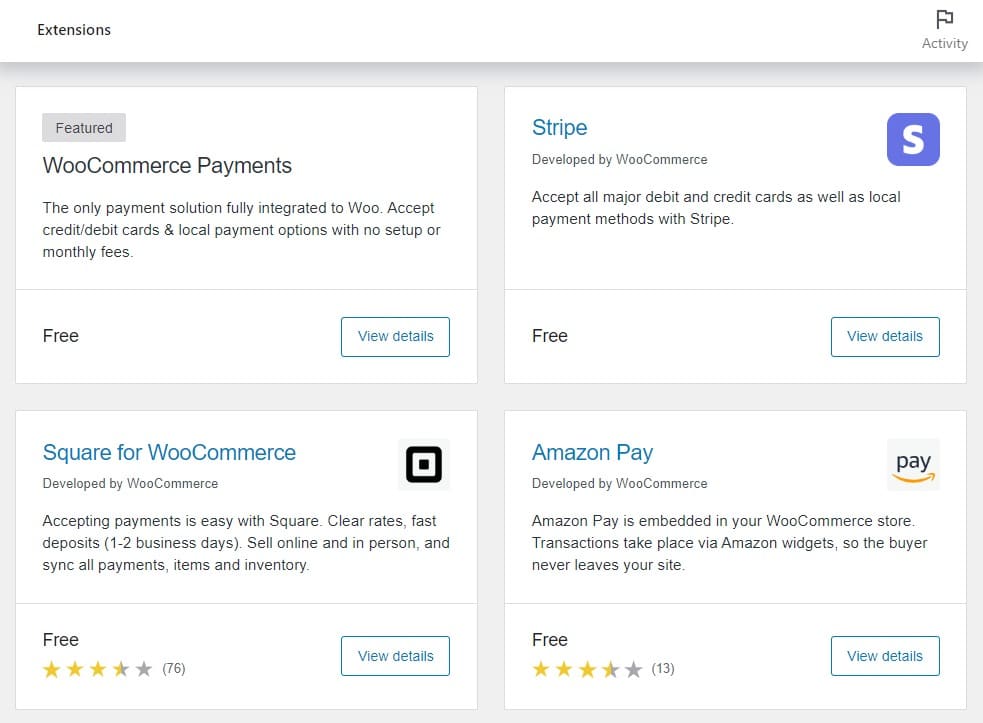
One of the key steps to checkout optimization is to offer multiple payment options in addition to credit cards. When doing this, prioritize digital wallets like PayPal, Amazon Pay, or Apple Pay. Today customers prefer these options as they make the payment process easy for them.
5. Lack of trust signals
Before first-time customers buy from you, they need to trust your business. They need some sort of assurance that their payment information (credit card details) will be secure once they share it with your ecommerce site.
They also want to be assured that you’ll deliver the goods and services you promise on your ecommerce site. With trust signals, you can give them this assurance.
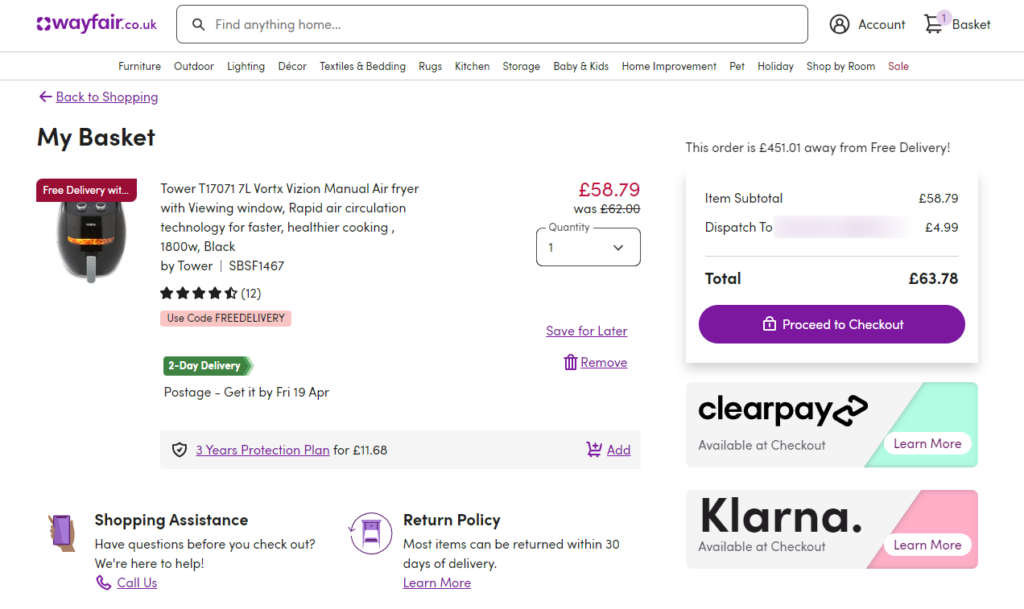
Trust signals (or trust seals) are digital icons you add to your ecommerce site to show site visitors that your brand is secure, legitimate, and trustworthy. These trust seals make first-time customers confident in their purchase, and you can understand why not having them is a source of checkout friction.
There are several trust signals you can add to your checkout, including:
- SSL badges. To show that customers’ credit card information will be safe.
- Accepted payment badges. To allow customers to see the payment options they can use at a glance.
- Free shipping option badges. To communicate an incentive like a free shipping method.
💡 There are many more trust seals you can add to your online store, and you can learn about them in our Trust Badges in Ecommerce guide.
How to display trust signals in your ecommerce checkout flow
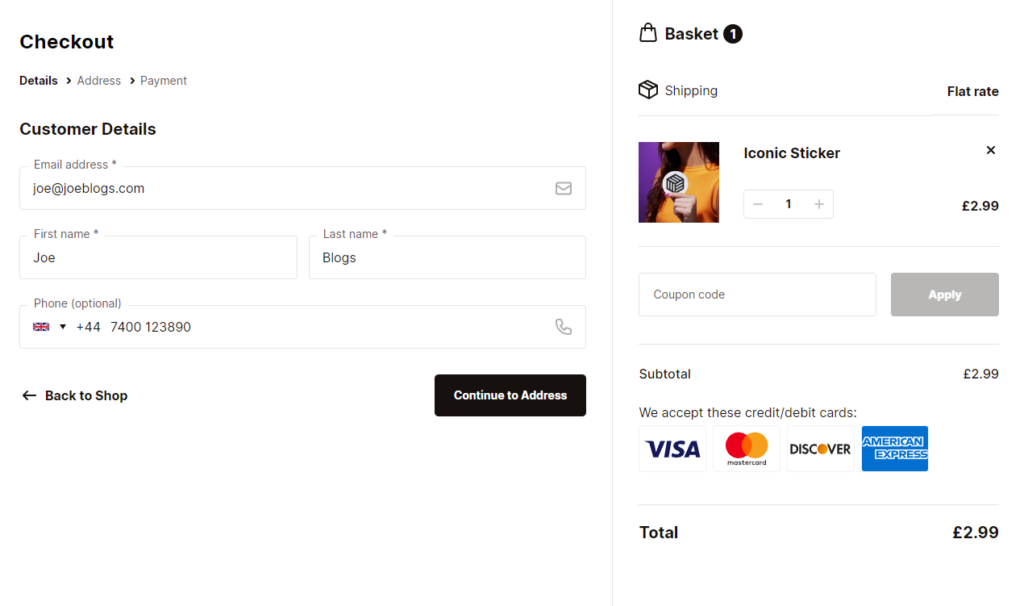
The best badges to display during the checkout are the ones we’ve mentioned above. Accepted payment and free shipping are free for you to use. You don’t have to do anything to acquire them.
However, for SSL badges, you need to use a working SSL certificate in your online store. Once you acquire them, you’ll need the Flux Checkout plugin to add them to your checkout since you can’t do this in the default WooCommerce setup.
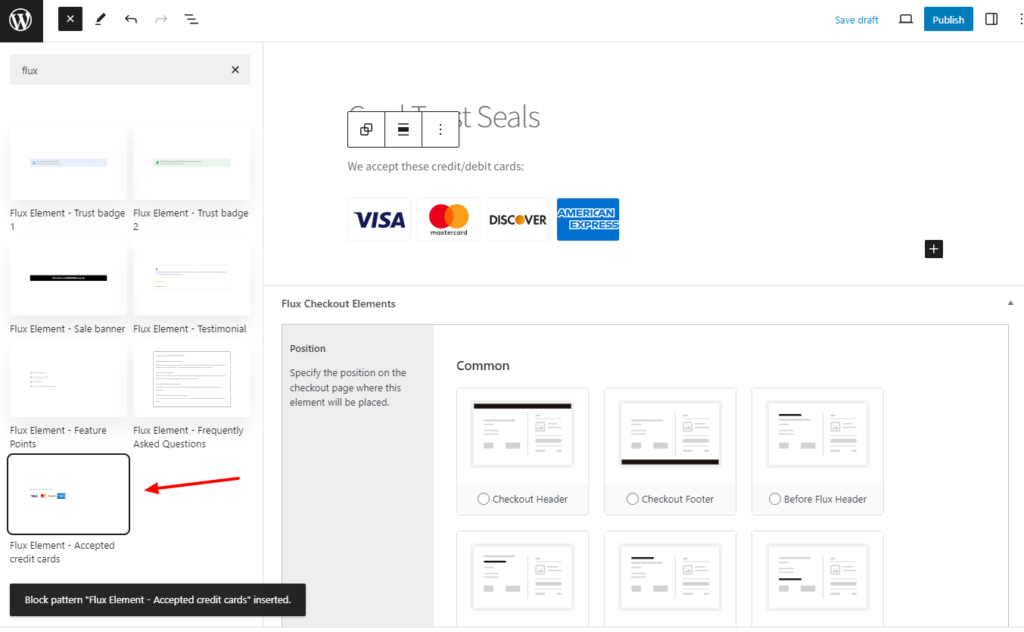
Add trust signals to your WooCommerce checkout with Flux Checkout
Flux Checkout allows you to add trust badges to your checkout to convince first-time customers to buy from you. It has an elements feature you can use to add sections like FAQs, testimonials, and trust badges to your checkout.
You can create these sections and add them anywhere on your checkout. You don’t have to start creating them from scratch. Flux has templates for payment icons, free shipping, and customer reviews.
You can import them, edit them using the WordPress editor, and choose where they’re displayed.
6. A slow-loading checkout page
By definition, checkout friction refers to anything that slows down your checkout process. This includes a slow-loading checkout page. Customers value their time.
📈 One study found that they expect a web page to load in 2 seconds or less, and if it doesn’t load in 3 seconds, 40% of them will leave.
A slow-loading checkout page causes them to wait longer than they should have to, which can be frustrating. Some of them may decide to give up and abandon the whole process altogether. Fortunately, you don’t have to lose your customers because of slow-loading pages.
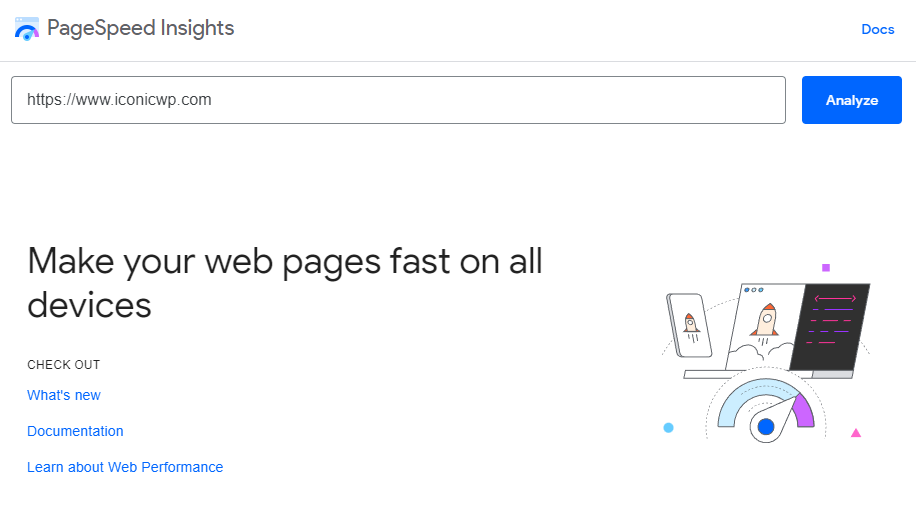
How to optimize page load speeds
There are several things you can do to speed up your web pages, including:
- Installing and using performance plugins
If you’re using WordPress, you can install performance plugins such as WP Rocket, Perfmatters, and WP-Optimize to speed up your site. These plugins will optimize your checkout page design, cache your pages, minify code, etc., to reduce your page loading time.
- Use content delivery networks (CDNs)
Whether you’ve built your online store on WooCommerce or Shopify, moving it to a CDN will boost its speed. CDNs store your website’s files closer to your customers. This means your web pages can quickly be delivered to users when they click to view them.
With a fast checkout page, you’ll encourage more customers to follow through with their purchases.
7. A mobile-unresponsive checkout
📈 You probably know that most people shop online using mobile devices. But how true is this? According to Statista, 77% of retail site traffic comes from mobile devices.
With such strong numbers, mobile optimization is no longer an option for you, an ecommerce store owner. Nearly all ecommerce stores optimize their websites for mobile devices, which makes it a big downside if you don’t.
When your site isn’t mobile-optimized, users on mobile devices will have an unpleasant shopping experience. Its design won’t adapt to their screen sizes, leading to text and links being too small to tap and a cluttered design.
This could cause a good number of potential customers to drop off.
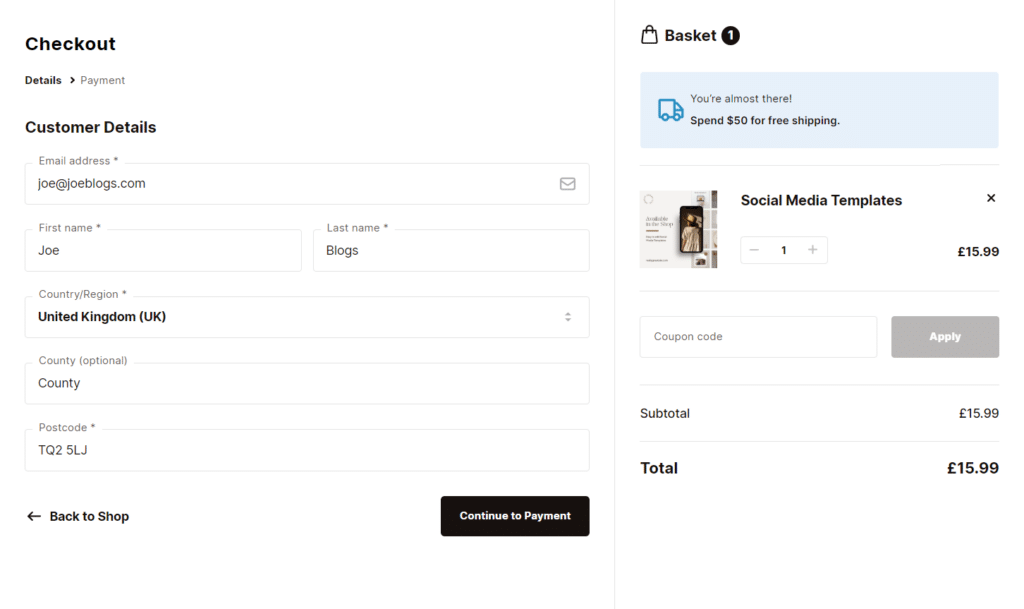
How to create a mobile-optimized checkout
Creating a mobile-optimized checkout on WooCommerce starts with installing a mobile-friendly theme. You can then edit how your checkout looks on mobile devices using the options your theme comes with or page builders like Elementor or Divi.
But if you don’t want to go through this hassle, you can make use of Flux Checkout’s mobile-optimized templates.
Use Flux Checkout’s templates to create a mobile-optimized checkout
Flux has both classic and modern mobile-optimized checkout templates you can import to make your checkout flow mobile-friendly. You can customize each of these templates using Flux’s user-friendly settings to fit the template you select with the rest of your store’s design.
You can also do this with popular page builders like Elementor. This way, you can still work with your favorite tools.
A mobile-optimized checkout will not only improve your customer’s experience but also your SEO ranking. Search engines today favor mobile-optimized websites.
Flux Checkout for WooCommerce
Flux Checkout transforms the default WooCommerce checkout into one that’s lightning-fast, distraction-free, and reduces checkout abandonment.
8. No post-purchase visual order confirmation
Once customers complete a purchase, they expect an order confirmation indicating that they’ve successfully purchased what they wanted. The order confirmation is like the ‘finish line’ showing customers that they’ve completed the purchasing process.
So, if customers don’t see a visual confirmation of their order, you can understand why they would feel uncertain. They won’t be sure whether they’ve completed a purchase or not – and this could lead them to duplicate their order.
This is such a poor experience that you wouldn’t want for your customers. Luckily, the solution is pretty simple.

Provide clear order confirmation
To eliminate confusion and uncertainty, you need to provide a clear order confirmation message, page, or email. Since not everyone checks their email, having an order confirmation page is the best way to do this.
After customers complete a purchase, lead them to the order confirmation page.
On this page, include the order summary, ID (or reference number), the shipping address, and the estimated time for delivery. You can also include an appreciation message thanking them for shopping with you.
Your order confirmation page’s main purpose is to act as a digital receipt. But did you know it can be more than just that? This page is a low-hanging fruit for your ecommerce store that you might be unaware of but has great potential.
You can customize it with Flux Checkout and get more out of it.
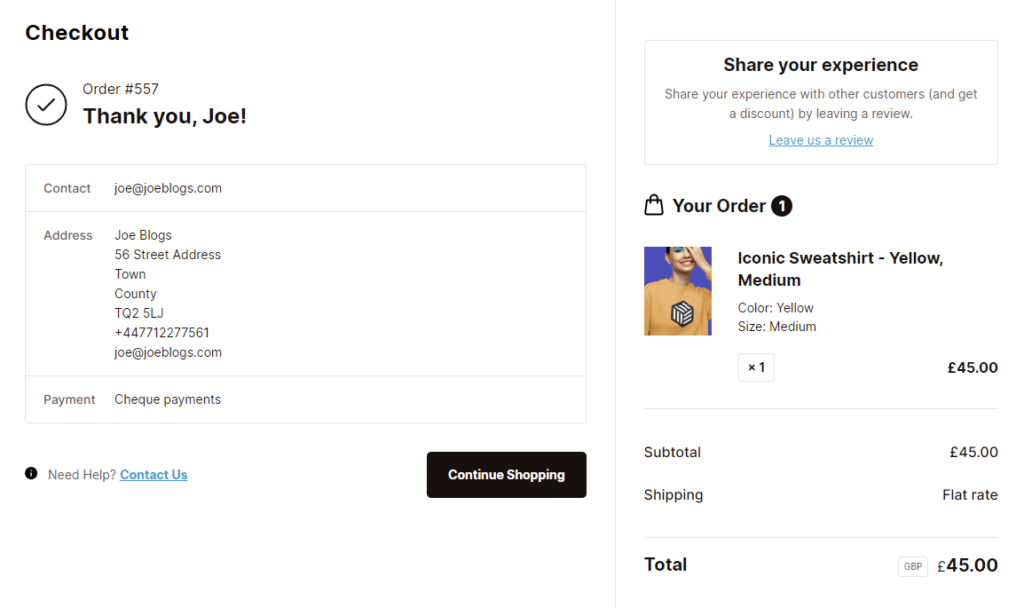
Customize your order confirmation page with Flux Checkout
Flux Checkout allows you to give your order confirmation a complete upgrade and get the most out of it. First, it upgrades its design with clean text and neatly arranges the different sections in separate boxes, making it visually appealing.
It also allows you to add a map that customers can use to confirm their shipping address at a glance. In addition, it has a custom content section that you can use to encourage customers to keep engaging with your business.
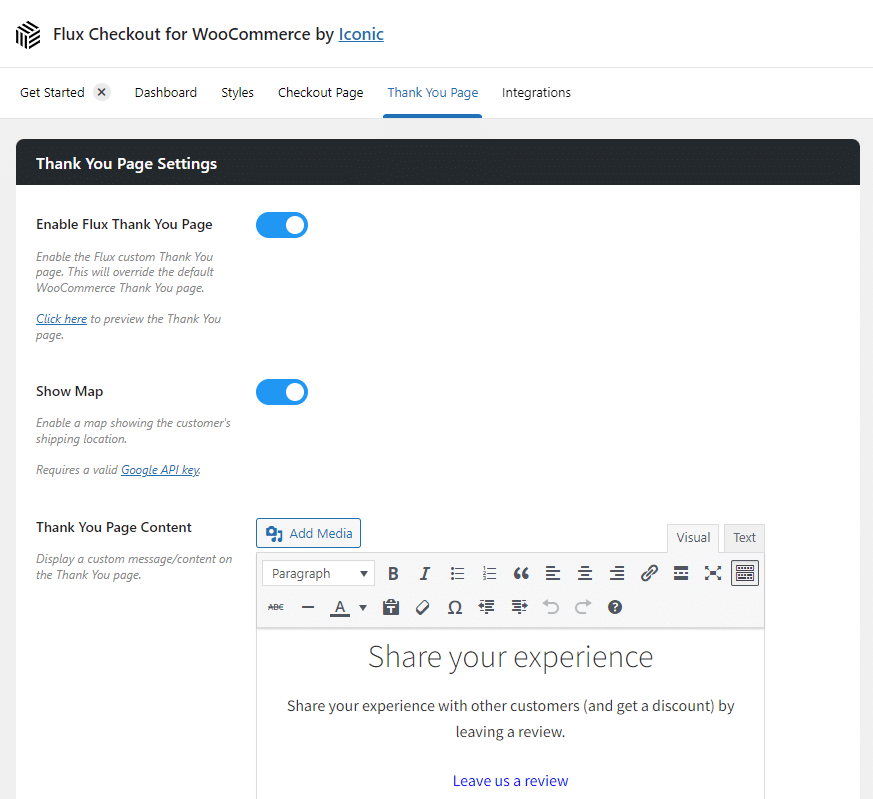
You can add things like:
- Promo codes. For a discount on their next purchase to encourage repeat business.
- Links to your social media pages, community forums, etc.
- Upsells and cross-sells. You can take inspiration from Sephora’s Thank You page and promote related products here to boost your average order value (AOV).
💡 Looking for more inspiration on how to customize your order confirmation page? Check out our 5 Order Confirmation Page Designs article and see examples of the best-designed order confirmation pages you can draw inspiration from.
9. A lack of incentives to complete the purchase
The main goal of minimizing checkout friction is to capture as many sales as possible, especially from customers not 100% sold on completing the purchase. These customers need a gentle nudge to get over the line.
For what it’s worth, most of the things we’ve discussed up to this point (trust signals, preferred payment options, etc.) could help get them over the line. But here, we’re talking about the customers who search online for promotions and deals before making a purchase.
📈 A study by Emarketer shows that 62% of US customers actively search for and use promo codes, discounts, or coupons when shopping online.
So, offering these incentives is a great way to meet their expectations. If they don’t find them, some of them may abandon their carts, hoping to find discounts elsewhere.
Offer incentives to help seal the deal
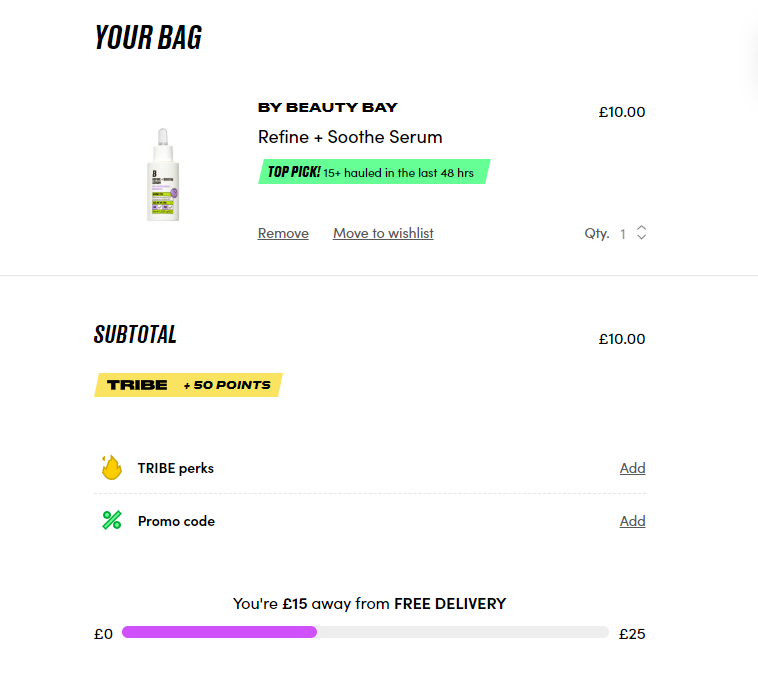
To give these customers a reason to buy from you, you’ll need to offer incentives. This includes discounts, free gifts, or loyalty points promising an incentive once they hit a certain threshold.
This means you can have a discount code field on your checkout page. If customers are near your premises, you can also offer free shipping. Offering these incentives directly at checkout motivates them to complete a purchase.
10. Inability to schedule a delivery date and or time
Today, customers have extremely busy schedules. Forcing them to disrupt their plans and make special arrangements can be a major source of checkout friction.
Some customers prefer or need deliveries on specific days and times when they’re available to receive their orders. If they have no way to select this, some of them could leave and look for a competitor who offers them this level of convenience.
Let customers choose their preferred delivery date or time
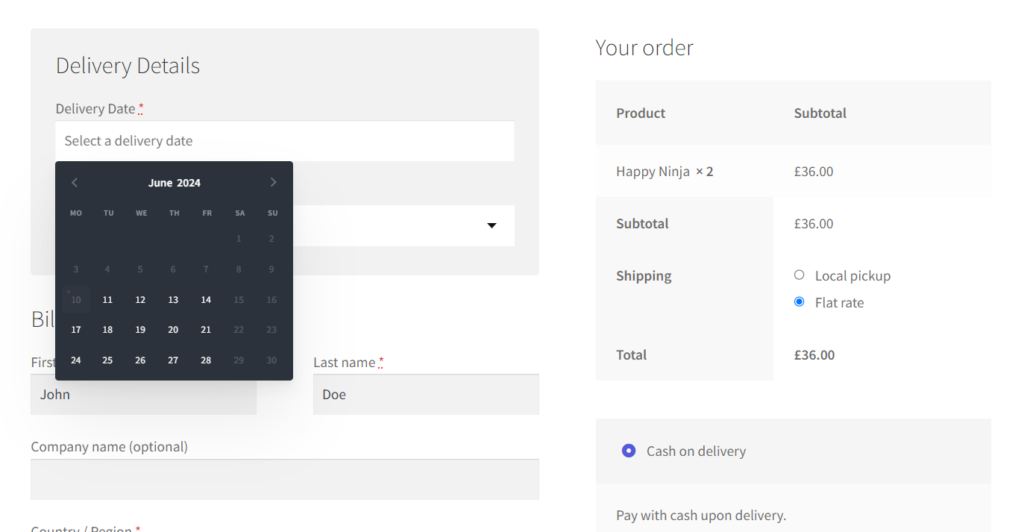
There’s no other way to work around this other than letting customers pick when they’re available to receive their orders. You can do this by setting up a delivery date and time slots in your checkout.
Customers can pick a convenient date and time to receive their order from these slots. To do this, you will need a plugin because the default WooCommerce setup lacks a time slot feature.
Set up delivery date and time slots on WooCommerce with WooCommerce Delivery Slots
The WooCommerce Delivery Slots plugin allows you to set a flexible delivery schedule that suits you and your customers. This plugin is a great customer satisfaction tool.
It allows you to set up delivery dates and time slots for customers to pick when it is most convenient for them to receive their order. They can do this from a user-friendly delivery calendar right from the checkout page.
As the store owner, WooCommerce Delivery Slots allows you to create a custom delivery schedule that works for you.

You can:
- Set maximum order limits per time slot so that you’re able to fulfill them without failure. You can also set the intervals between your timeslots and their time frame.
- Prevent orders on holidays when your store is closed. To prevent confusion, you can set the dates on which your delivery services aren’t available. You can also disable delivery dates based on the selected shipping method.
- Charge extra on same-day deliveries. Same-day deliveries might require more resources to fulfill. To ensure you’re still profitable, WooCommerce Delivery Slots allows you to charge extra delivery fees for this option.
Manage everything from the order management screen, which updates in real-time. You can see upcoming orders, filter by priority, and perform several other settings on this page to ensure everything runs smoothly.
WooCommerce Delivery Slots
Let customers choose their preferred WooCommerce delivery date and time right from your WooCommerce checkout page. With WooCommerce Delivery Slots, you can set a flexible delivery schedule to suit you and your customers.
Improve your ecommerce checkout process today
The 10 common friction points in the ecommerce checkout process. If you’re looking to create a frictionless checkout flow, you can leverage this article to guide you through this process.
For what it’s worth, this seems like a lot of work. Luckily, you can get it done quickly and easily with the plugins mentioned in this guide:
- Flux Checkout for WooCommerce. Upgrade your entire checkout process from start to finish to optimize it for conversions.
- WooCommerce Delivery Slots. Let customers select their preferred delivery date and time.
Leverage the power of these plugins to create a frictionless checkout that boosts your conversions.
WooCommerce Local Delivery Bundle
Add local delivery and local pickup to WooCommerce with ease. Includes Delivery Slots, Flux Checkout, and Sales Booster.

Gina Lucia is our in-house Content Manager at Orderable. She writes articles, user guides, technical documentation, and creates videos on everything WooCommerce and Orderable.
Gina has been working in the WordPress/WooCommerce space since 2012 when she developed WordPress websites for clients large and small.
For the past 8 years, she’s been writing about everything WordPress and WooCommerce, becoming an expert in what makes a WooCommerce store succeed.
When not writing, Gina loves to tend to her vegetable garden, read, or travel to mainland Europe.