
Looking to improve the quality of your product page content with better product descriptions, images, and videos? This guide is here to help.
In this guide, we’ll walk you through simple but effective strategies for creating product page content that boosts sales and conversions. We’ll cover three key areas: persuasive product descriptions, high-quality images, and effective product videos.
But first, let’s explore why optimizing your product page content makes such a difference.
Why your product page content matters
Your product page content matters because it’s the primary way you communicate the value of your product to potential customers. It answers key questions, addresses concerns, and helps them decide whether your product is the right choice for them.
Here’s how effective product page content affects your ecommerce business:
It improves SEO
Good product page content helps customers find you in the first place. Optimizing your product descriptions with targeted keywords, detailed product specs, meta descriptions, and alt text for images can help you achieve two goals.
It increases your pages’ ranking in search results, allowing potential buyers to easily discover your products when they search online. This also draws in more qualified organic traffic.
Speaking to your audience
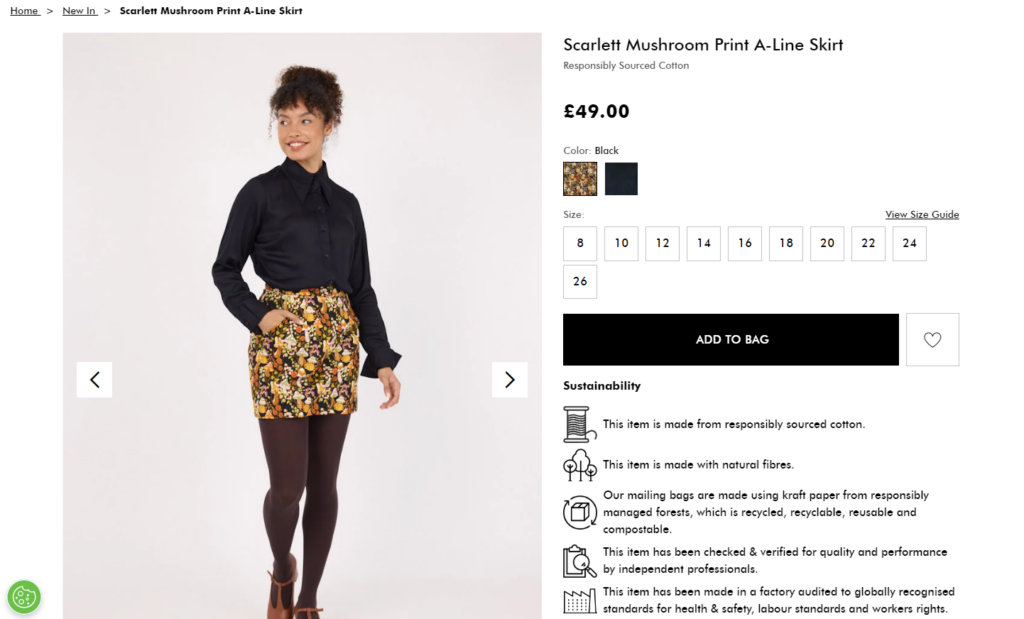
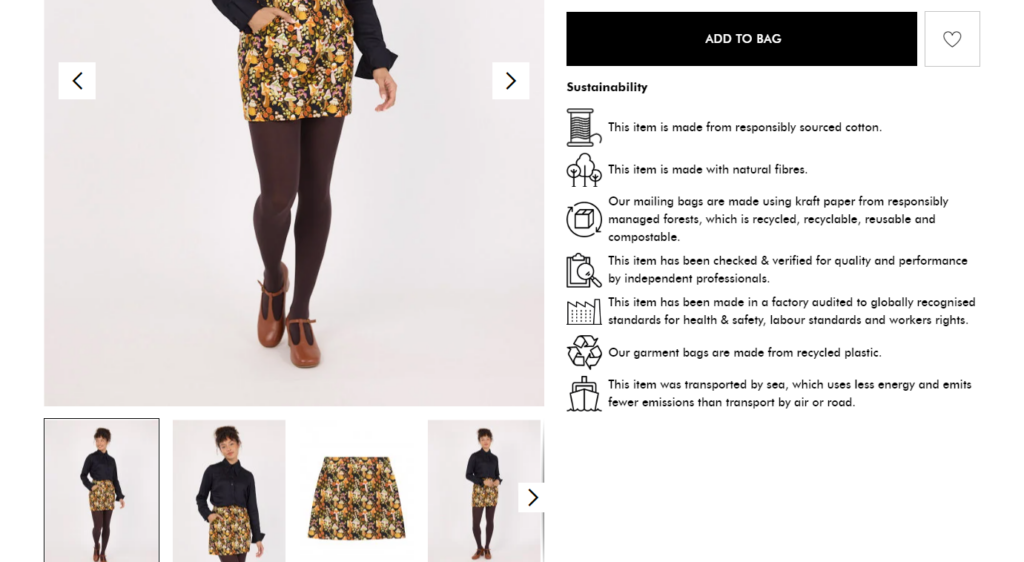
Your product page content is like a conversation with your customers. It helps address their specific needs, preferences, and concerns. For example, if you sell eco-friendly products, this page highlights their environmental benefits.
In this way, you’ll show customers you understand them and win their trust.
Communicating the benefits of your product
Customers don’t just want to know what your product is but why they should buy it. This is where your value proposition is important. A value proposition shows the unique benefits of your product and explains why it’s the best choice.
For example, instead of saying, “This chair is made of solid wood,” explain how “its sturdy construction provides long-lasting comfort and support.”
So, show how your product’s features make their lives easier, more enjoyable, or more efficient to help customers feel confident. It’s the benefits that truly sell the product.

Build trust with reliable information
Again, trust is a major factor in a customer’s buying decision. Providing clear, reliable information about your product, such as size, material, return policies, and customer reviews, helps build credibility.
By giving customers access to all the information they need, you demonstrate to them that you have nothing to hide.
It drives conversions
Ultimately, great product page content turns site visitors into paying customers and boosts conversion rates. By presenting persuasive product descriptions, high-quality visuals, and a clear call-to-action (CTA), you guide visitors toward making a purchase. For example, after showcasing the benefits of your product, a prominent “Add to Cart” or “Buy Now” button ensures site visitors can easily take the next step.
Now that we know why product page content matters, let’s discuss tips for creating high-quality content.

How to create high-quality product page content
In this section, we’ll go through the different types of content you’ll find on a typical ecommerce product page with tips to improve them. Let’s start with product page descriptions.
Product page descriptions
An ecommerce product page descriptions provide customers with all the information and details of a product on an online store but in words.
This description usually includes:
- A product’s name/headline.
- An introductory sentence.
- Bullet points for key product features.
- Detailed paragraphs, social proof, and a call to action.
However, this format varies depending on the type of product you’re selling. When a product is self-explanatory, like a white T-shirt, there’s little need to explain what it is or who it’s for. More complex products, however, require detailed descriptions.
The main goal is to explain the item’s purpose, function, and why customers should buy it.
What’s makes a good product description
When done right, a good description should:
- Provide clear product details – like size, material, and features so customers understand what they’re buying.
- Explain the benefits – How it solves a problem, improves life, or adds value.
- Use persuasive language – to encourage a purchase (e.g., “durable and eco-friendly,” “limited stock available,” etc.). This creates a sense of urgency and desirability.
Here are some additional tips and techniques to consider when writing better product page descriptions for your ecommerce website:
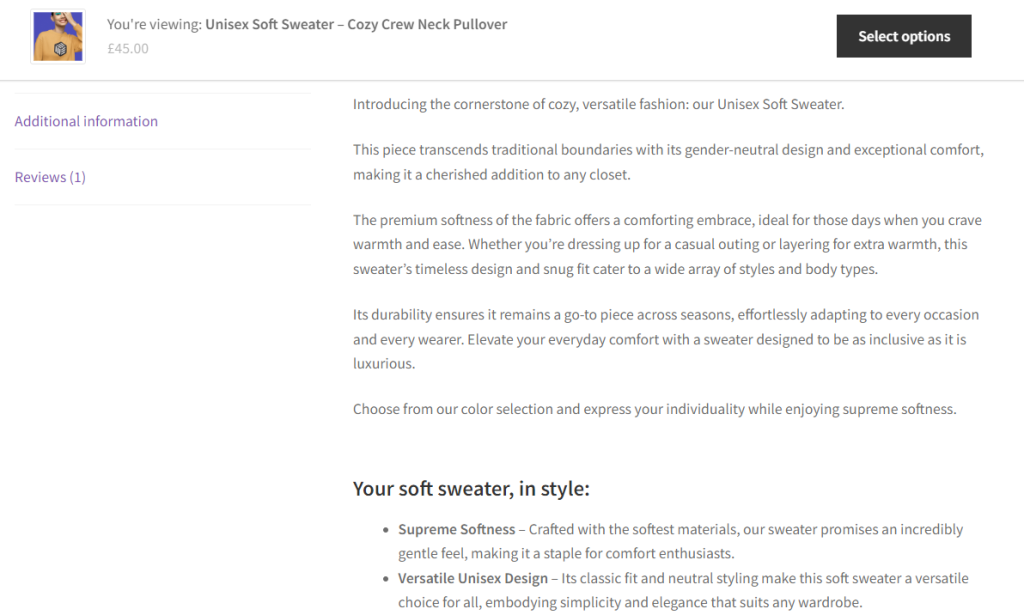
Focus on benefits, not just features
Instead of simply listing facts about a product, you should focus on how its feature solves problems or improves the customer’s life.
Customers are more likely to purchase a product if they understand what they’ll get out of it.
For example, let’s say you’re selling a high-quality cotton T-shirt. Instead of writing, “made from 100% high-quality cotton,” say, “Stay comfortable all day with breathable, soft fabric that feels gentle on your skin and lasts through countless washes.”
Writing it like that shifts the focus from the material itself to how it improves the customer’s comfort and experience. Simply put, always ask yourself how a feature benefits the customer rather than just describing what it does.
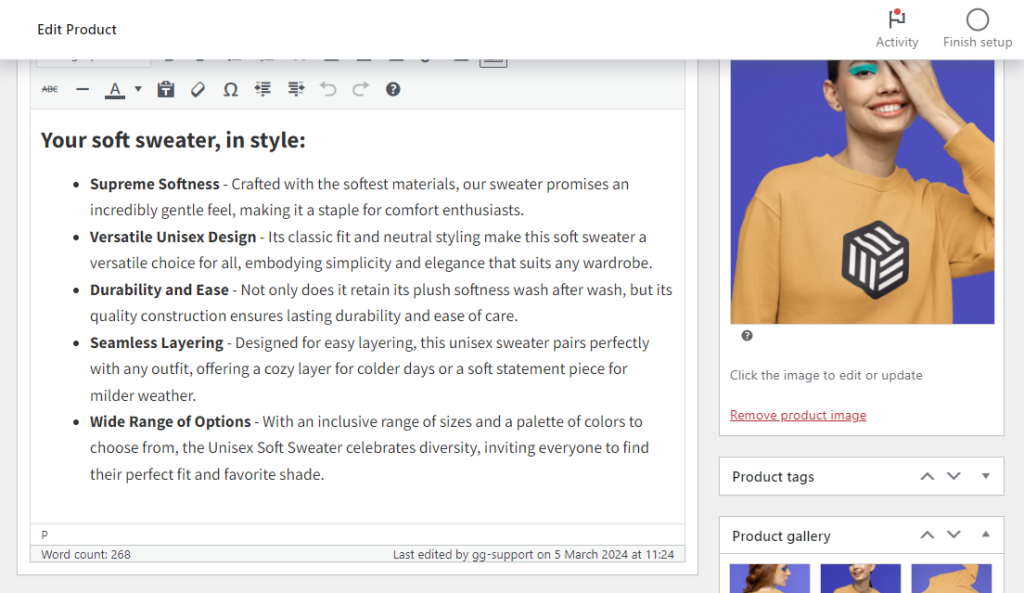
Use simple, scannable language
On average, customers spend about 54 seconds on the product page. This is why the best product page descriptions are easy to read and understand at a glance.
Since customers often skim through text instead of reading every word, you should use simple, scannable language. Therefore, structuring your content well is key.
Here’s how you can do it:
- Break text into short paragraphs – instead of long blocks that feel overwhelming to read. Short paragraphs make the content easier to digest.
- Use bullet points – to highlight key features and benefits in bullet points. This format draws attention to important details and makes scanning faster for readers.
- Add headings to organize content into clear sections, such as “Key features” or “Why we made this.” This will help site visitors quickly find the information they care about.
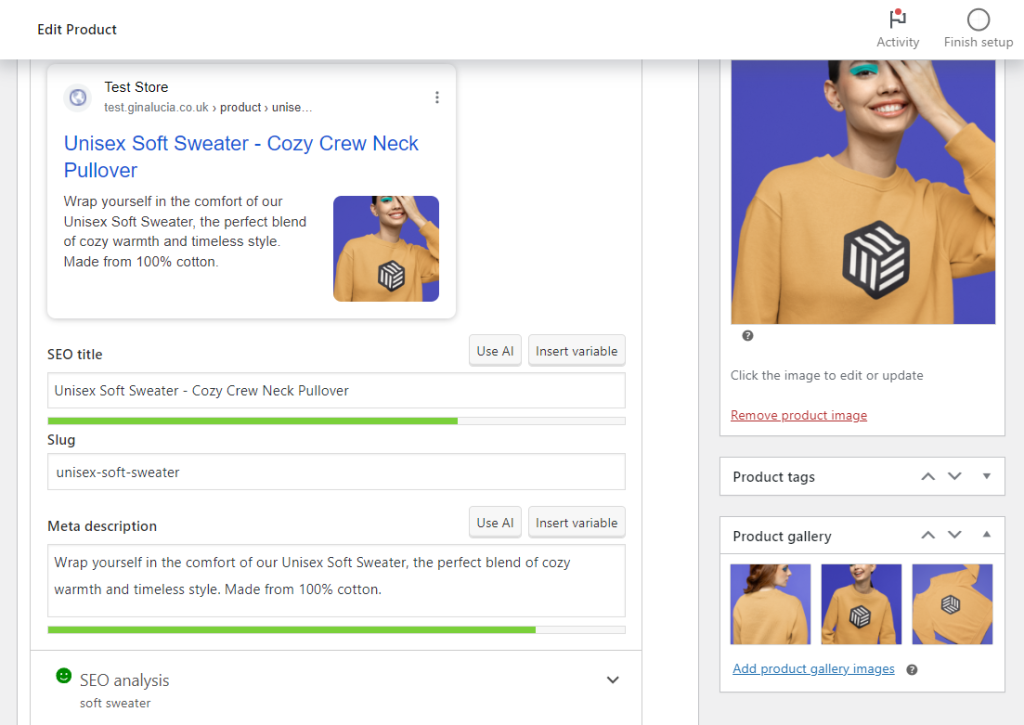
Include targeted keywords
Making your product descriptions SEO-friendly can also boost your search engine rankings. One of the most effective ways to do this is to place keywords and phrases your target audience searches for to find products like yours.
Note: Check out our guide on how to write SEO-friendly product descriptions for comprehensive tips like creating customer profiles, tools, and a template you can use.
Use tools like Google Keyword Planner or SEMrush to find relevant terms and long-tail keywords your customers are most likely to search for. Then, place those keywords to fit organically within the text, and don’t feel awkward or spammy.
Some key areas include the product title, subheadings, or the first 100 words of the description.
Address objections
In particular, customers are bound to have trust issues when browsing a product page for the first time. For example, they may be wary of the quality of your product, its durability, if it will fit them, or get the value for their money. It’s up to you to clearly address these objections and win over a customer’s trust and confidence.
We have a guide that goes over building trust in ecommerce sites with first-time customers. Check it out for detailed tips like adding trust signals, providing transparent return policies, and more.
Consequently, building trust increases the likelihood that customers will follow through with their purchase.
Tell a story
Every person is wired for stories. They help us make sense of the world, remember information, and connect.
That’s exactly what Holstee’s product page attempts to do for its conversational card deck. They tell the story of the product with an in-depth copy to persuade their customers to buy. What’s admirable is how they frame their story using a rather simple, evidence-based language to highlight the benefits of owning their products.
Essentially, you should write product descriptions with your ideal customer in mind, speaking to their perspective, and with words they’re familiar with.
Include technical details
Depending on what you’re selling, you shouldn’t shy away from diving into the technical details. Most shoppers also respond well to product specifications, technical information, spec sheets and sizing charts, and comparisons to similar products from your catalog.
Help customers make informed decisions with technical information
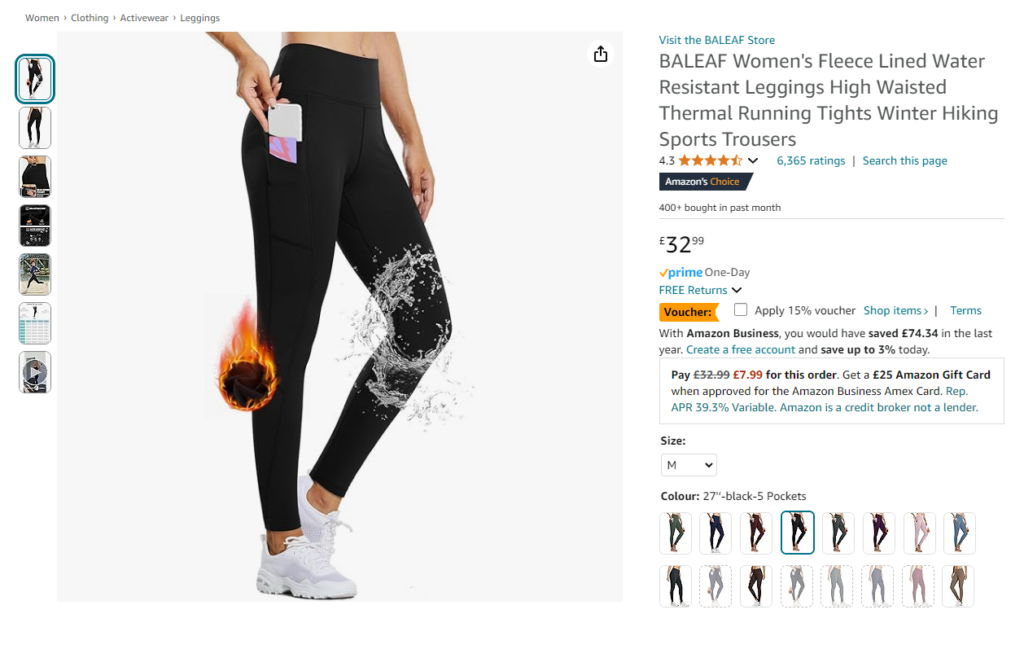
So, list specifications, materials, or dimensions for items that contain such information. Items like electronics often require detailed specifications to address customer questions about compatibility and performance.
Providing this information upfront helps customers make informed decisions and reduces the likelihood of returns.
This is an area where Amazon product pages shine best if you pick a product and scroll down. You can see how they list a summary of key product specs followed by bullet points that break down even finer details and apply them to your page – nothing more, nothing less.
While product descriptions explain the features and benefits in words, images visually confirm those details. So, let’s focus on the product images next.
Product images
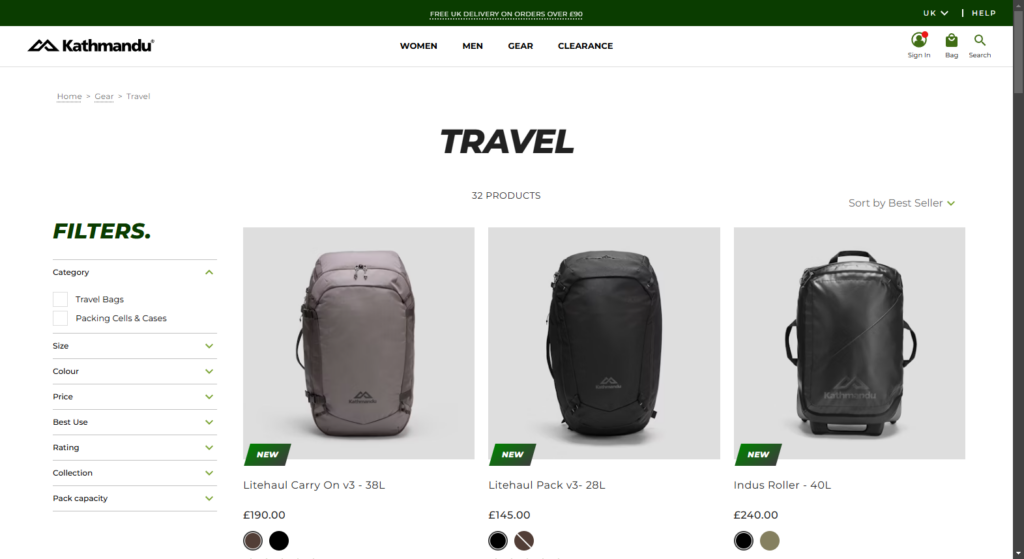
Generally speaking, product images are high-quality photographs of a product. They are meant to provide a complete view of the product from different angles, highlighting its features, design, and quality.
Why are product images so important?
Customers can’t physically touch or try on products in an online store. Research shows that 75% of online shoppers rely on product images to make buying decisions.
With images, they can see what your product physically looks like, inspect it up close, and confirm you’re selling what you offer.
In fact, looking at a product image is the closest thing to an in-store experience for most online shoppers. If they can confirm smaller details like the fabric, texture, or material of a product, they’ll feel more confident about its quality and authenticity and buy.
The following are some techniques that can help you showcase your products in the best light possible.
Use professional photography
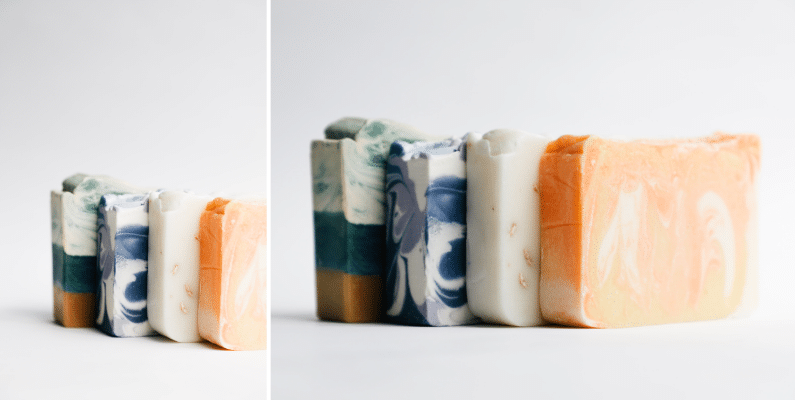
Firstly, invest in professional photography if you want your products to stand out and look their best. Clear, well-lit, high-resolution images should highlight features that might be hard to convey in words, such as a product’s finish, packaging, or unique design.
For your information, 30% of US shoppers will refuse to purchase an item from an online shop that uses poor-quality images.
So, you can either invest in a professional photographer or follow our DIY guide on ecommerce product photography. You’ll find multiple tips, including the rule of thirds, adjusting camera settings, and using as much natural light as possible.
Take the photos from multiple angles
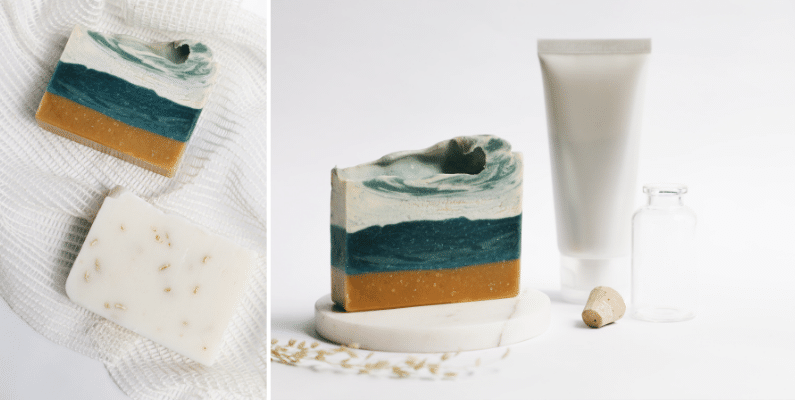
More specifically, when you’re shooting your products, take them from different angles. See how Nike takes shots of their shoes from the front, top, sides, back, bottom, and even close-up or slightly angled perspectives.
This variety of shots provides customers with an all-around view of the product, revealing important product information or details.
Shoot lifestyle images, if possible
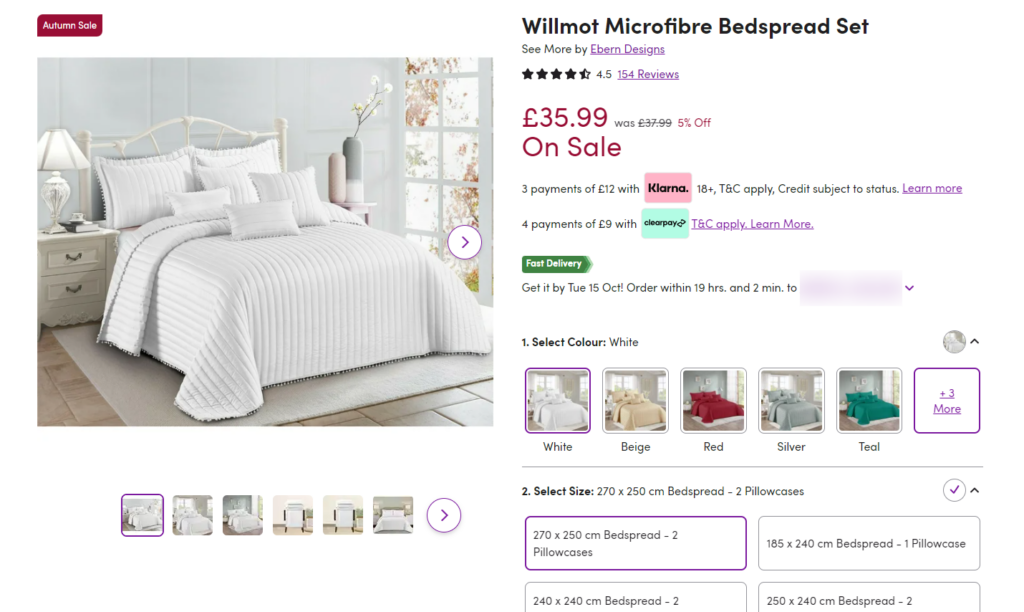
Lifestyle shots communicate how your products are used and how they can fit into a prospective buyer’s lifestyle. They also depict features and use cases for your product. Generally, adding lifestyle or in-situ shots to your listing can add a relatable human element and warmth to your brand.
The following are some ways you can shoot lifestyle images that will sell more products:
- Capture the locational context of where the product is used or stored.
- Showing the formula or what’s inside the packet.
- Demonstrating how a product is used or functions.
- Depict accurate size by showing it with a person or recognizable object.
What to do after capturing high-quality photos
Of course, capturing high-quality product photos is just the first step. They’ll need a home where you can showcase them effectively, ensure they work hard for your ecommerce store, and help customers make quick purchasing decisions.
This is where WooThumbs for WooCommerce comes in handy. A WordPress plugin to help you improve your product gallery on WooCommerce.
It can help you do almost everything in terms of displaying your product photos.
Display your product photos with WooThumbs for WooCommerce
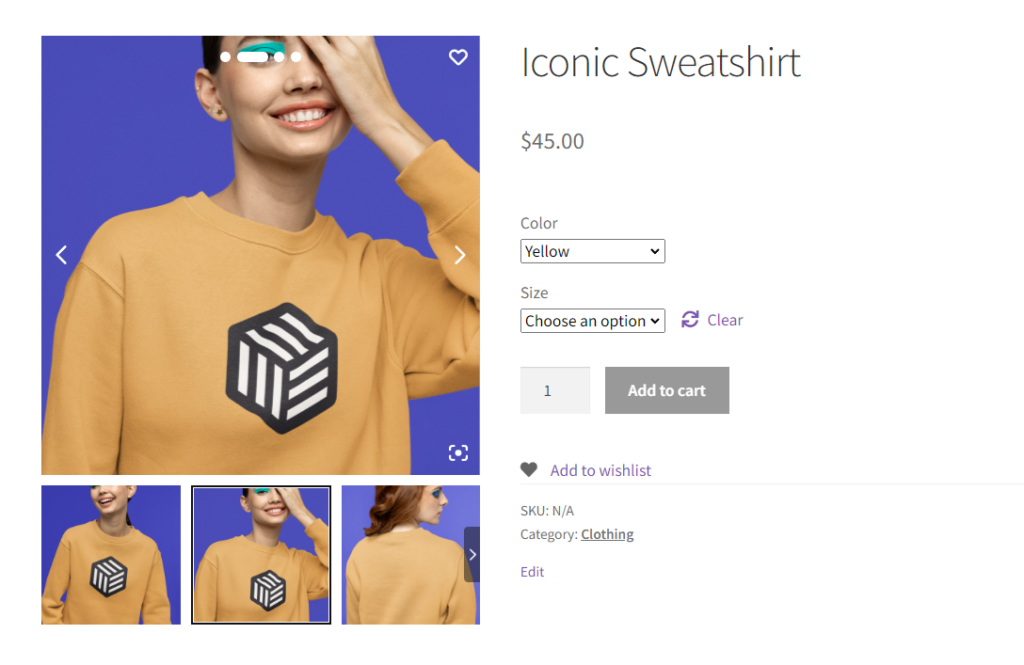
WooThumbs for WooCommerce upgrades your existing WooCommerce product gallery to be more effective.
It achieves this with powerful features, including advanced image zoom, carousel transitions, image lightboxes, gallery icons, full-screen mode, slider arrows, slider autoplay, and a new gallery layout.
When customers visit your new product page design, they can browse your product images in a user-friendly layout. They can take a closer look at your products, see variations, and decide if your product is a good fit for them or not.
For store owners, WooThumbs provides the following benefits to help you make this possible for your customers.
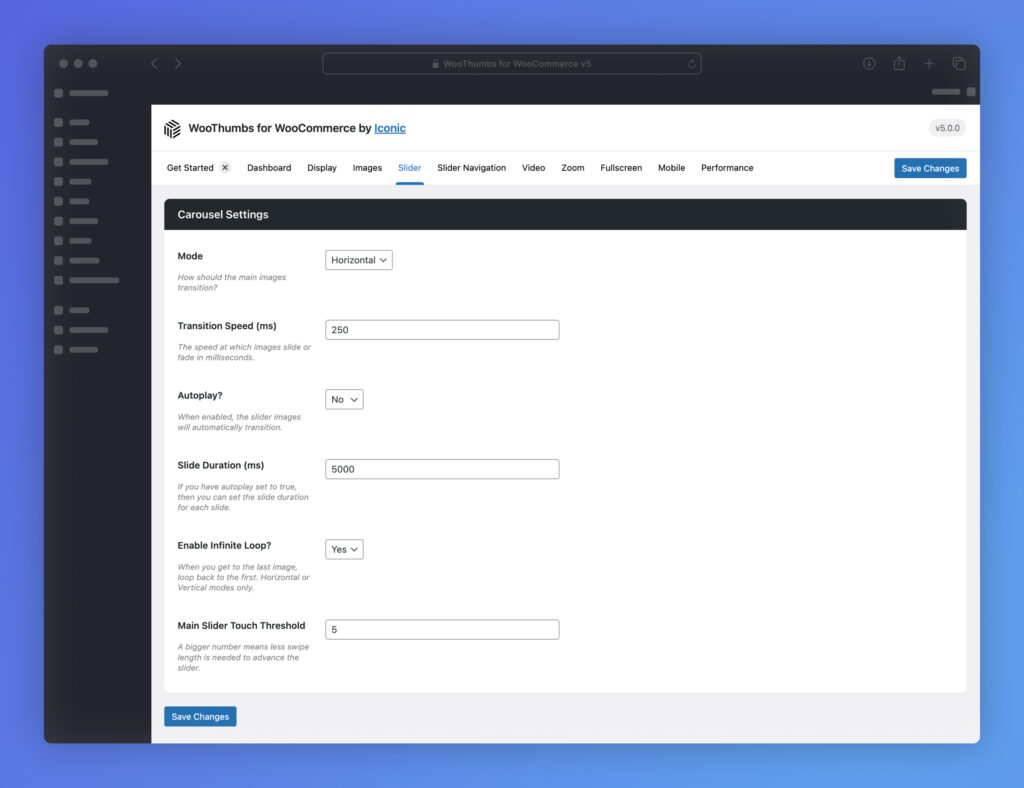
It improves your product image gallery layout
Installing WooThumbs will replace your existing product gallery with a new layout you can completely design to suit your ecommerce store.
Some of the customizations you’ll be able to do include:
- Deciding the order in which your images will appear.
- Switching the layout option from a horizontal carousel (product gallery slider) to a modern stacked product gallery.
- Choose between a horizontal slider, vertical slider, or fade effect for your product gallery.
- Adjust thumbnail spacing, icon colors, transition speeds, and more.
Show multiple images per variation
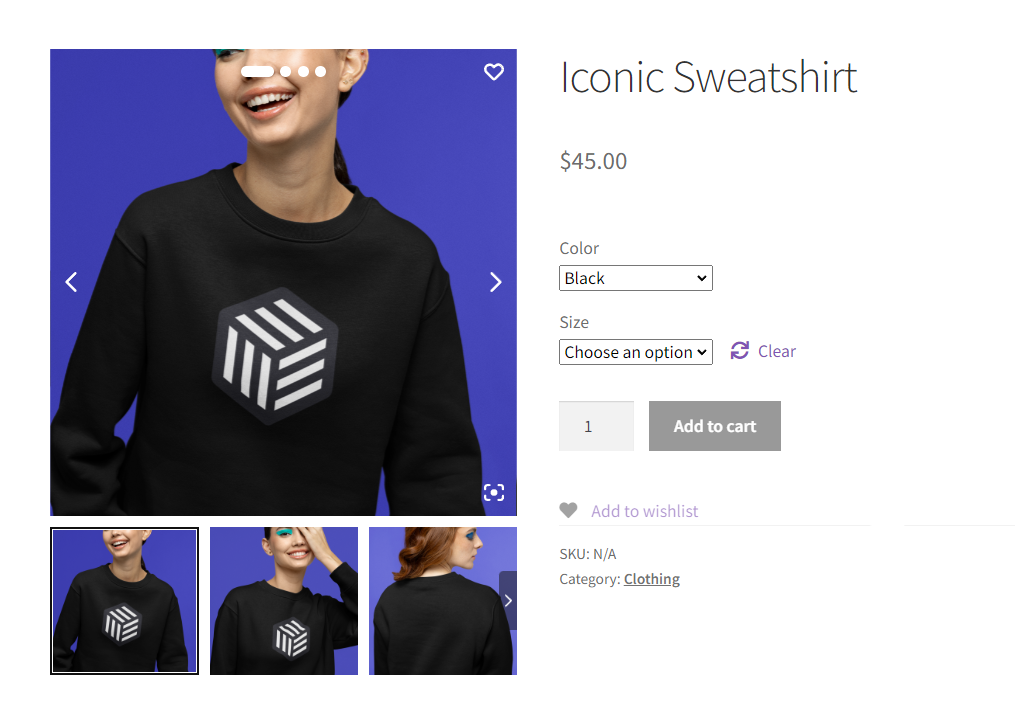
Earlier, we shot a single product from different angles, like the front, side, back, or up close, using as many images as you like. With the WordPress plugin WooThumbs for WooCommerce, you can add these images to each product variation. This will let customers see exactly what they’re getting and improve their online shopping experience.
Display images in full-screen mode for a better browsing experience
Fullscreen mode allows customers to view product images in a larger, expanded format that takes up the entire screen. This feature removes distractions by dimming or hiding the rest of the web page, enabling customers to focus solely on the product’s details.
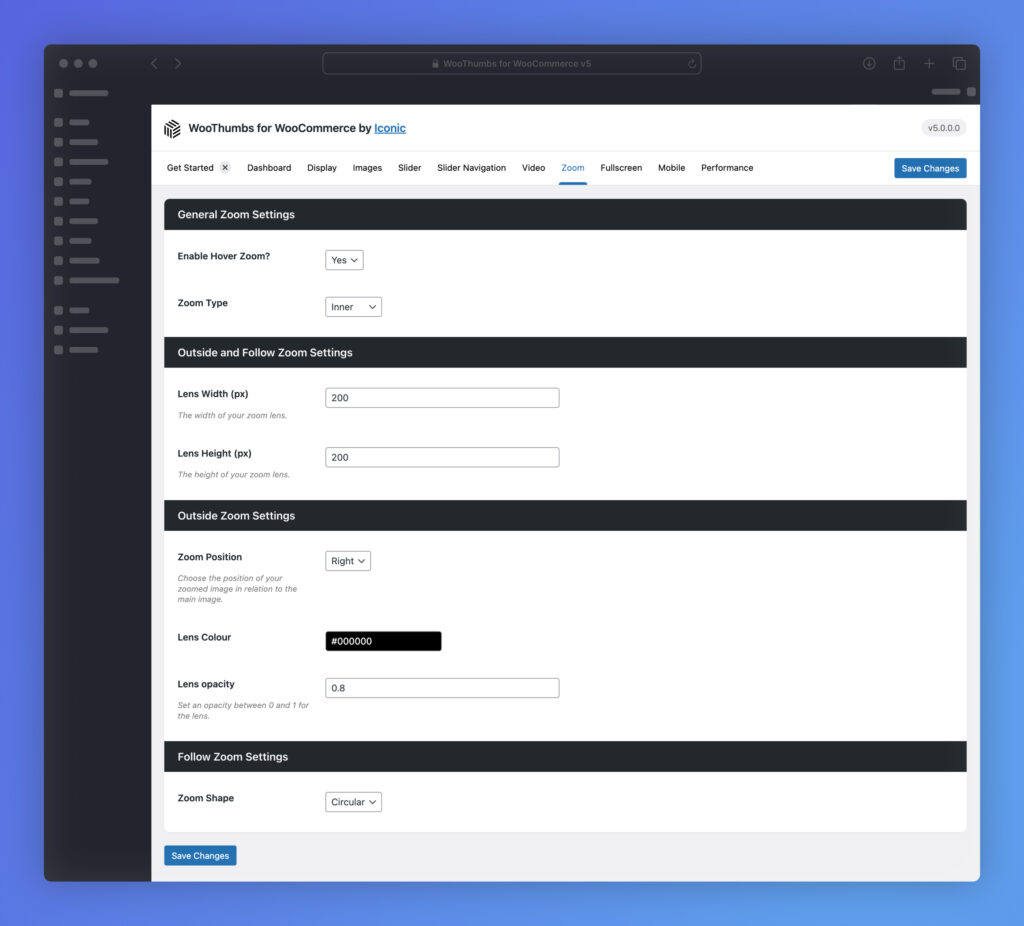
Show finer details with built-in image zoom
Image zoom allows customers to zoom in for a closer look at the product. They can examine finer details like textures, materials, and the quality of the item you’re selling. This added clarity boosts their confidence, helping them make a purchasing decision more quickly.
The following are other considerations that can make product images stand out:
- Highlight key features. If possible, use annotations (e.g., text labels, arrows, callouts), or infographics directly on the image to highlight unique selling points, materials, or functionalities. This will help customers quickly understand the value proposition.
- Maintain a consistent style. Use a uniform background (e.g., solid white, light gray), consistent lighting (e.g., natural light or studio lighting), and consistent camera angles across all product images.
On average, online shoppers expect to see six product images and three videos when they buy a product from an ecommerce website. So, let’s talk product videos – you already know customers want at least three. Ready to make them work for you?
WooThumbs for WooCommerce
Customize your WooCommerce product image gallery in minutes with a new layout, embedded video, multiple images per variation, and more.
Product video
Product videos do much more than images. They bring your product to life in ways that static visuals sometimes can’t.
While images show what your product looks like, videos demonstrate how it works, how it can be used, and how it solves real-life problems. They help customers understand your product quickly and digestibly, making their experience feel almost tangible, even on a screen.
It’s no wonder 89% of online shoppers admit that watching a product video has convinced them to buy a product in the past.
Product videos are known to increase conversions. In fact, ecommerce product pages with videos convert 80% higher than those without.
Different types of videos you can make
There are different ways you can show off the positive attributes of a product in an online store through a video. Each type of product video has its set of benefits and uses. Plus, it is recommended to use a combination of different videos to appeal to your audience.
Demonstration videos
Product demo videos show how the product works or is used in real-life scenarios. Most of the time, these videos show a real person using the product from all angles, close-up and in-situ.
These videos can be simple, like a product rotating on a plain background to give customers a 360° view. Or something more detailed, like the product being used, showcasing all its features and how the product works in detail.
They provide customers with a practical understanding that photos alone can’t convey.
Here’s an example of Nike’s outfit on a turntable and on a black background. It’s simple and showcases an all-round view of the outfit.
Unboxing videos
Unboxing videos showcase what customers can expect when they receive the product. They detail everything from the packaging design and unpacking process to the included accessories and the product itself, giving buyers a clear idea of the experience they will have when they open their order.
These videos are particularly useful for building excitement and trust by showing that what is advertised matches what is delivered.
Peak Design nails it with unboxing videos that double as product demos, showcasing the best ways to use their carry cases and phone mounts.
Explainer videos
Explainer videos provide in-depth explanations of a product’s features and benefits. They help the customer understand the product better and work particularly well for products that literally require a little more explaining.
These videos typically highlight the value proposition in a straightforward, engaging way, often with visuals, animations, or on-screen text to reinforce the message.
TripCase is a great example of this. In under two minutes, they’ve explained how their app helps manage everything from booking to arrival at the destination.
Check out this guide on product video creation for more types of videos you can create and the essential elements you must include in a video.
Customer testimonial videos
Customer testimonial videos share authentic reviews or real user experiences so buyers can hear firsthand how others have benefited from the product.
Chewy’s testimonial video is a great example of this. It shows how their website makes busy people’s lives easier. The video is short and to the point, showcasing real women who rely on Chewy to provide all their pet care needs quickly and at a reasonable price.
Comparison videos
A product comparison video is a video that pits one product against another. These videos provide a direct side-by-side comparison, highlighting key features, benefits, and differences that make your product unique or superior.
The main goal is to show customers how your product stands out from competitors or older models and how they can get the most value for their money.
This type of content can be particularly effective for tech products, gadgets, or any product where multiple options are available to consumers.
Behind-the-scene videos
Behind-the-scenes videos give customers a glimpse into the making or development of a product. They reveal the story behind the brand and highlight how products are made, assembled, or sourced. In addition, they help customers understand the company’s values, mission, and quality standards, which is important for creating trustworthy connections.
Typically, these videos are featured on a company’s “About” page or shared through social media.
A great example of this is Pact Coffee. Along with their other tutorial-style videos, they have a few behind-the-scenes videos that show their coffee roasting and roasting process.
Looking for an easy way to add these product videos to your ecommerce store but don’t know how? WooThumbs for WooCommerce can still help.
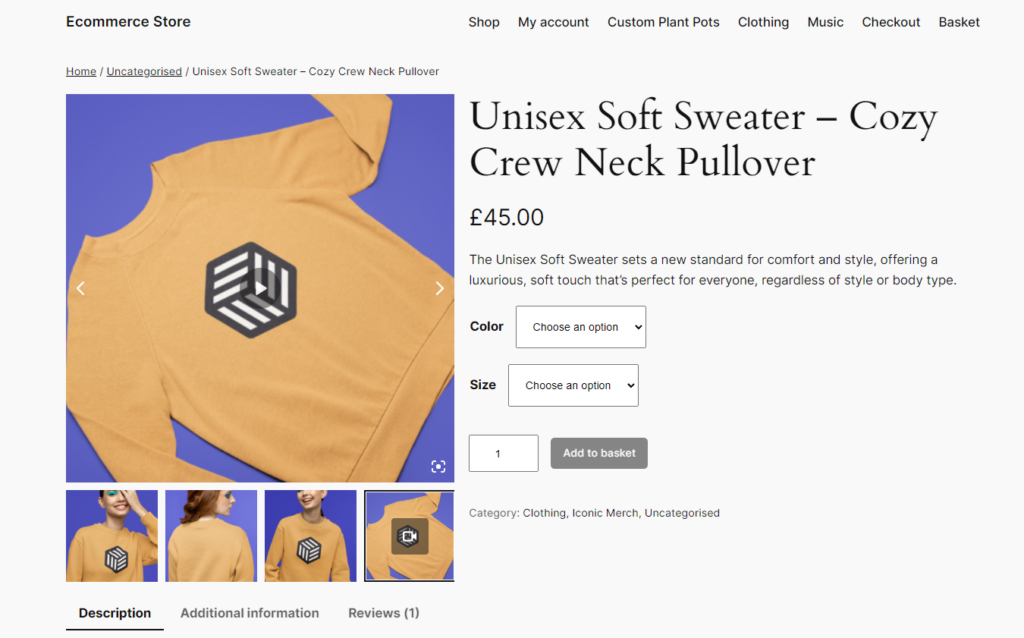
How to add product videos to your WooCommerce product page gallery
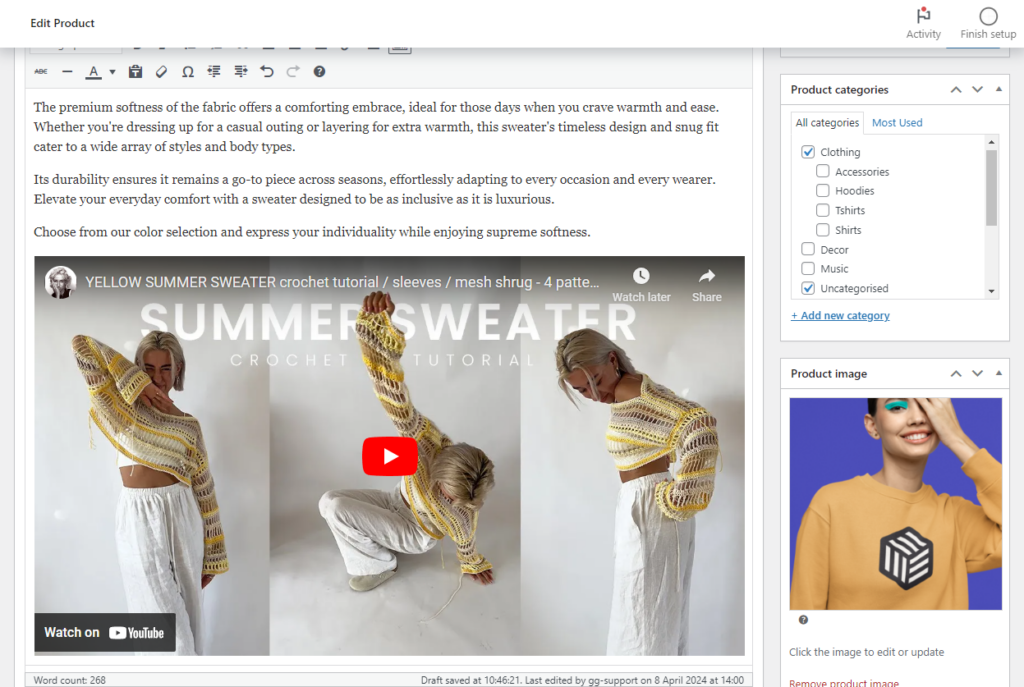
Just like with images, WooThumbs also lets you upload and embed video content into your product gallery. You can embed videos from YouTube, Vimeo, Daily Motion, and other platforms.
You can also manually upload self-hosted video (MP4) files to your image gallery. Your product videos will have the same modern, user-friendly layout as your product images, with sliding thumbnails and other features.
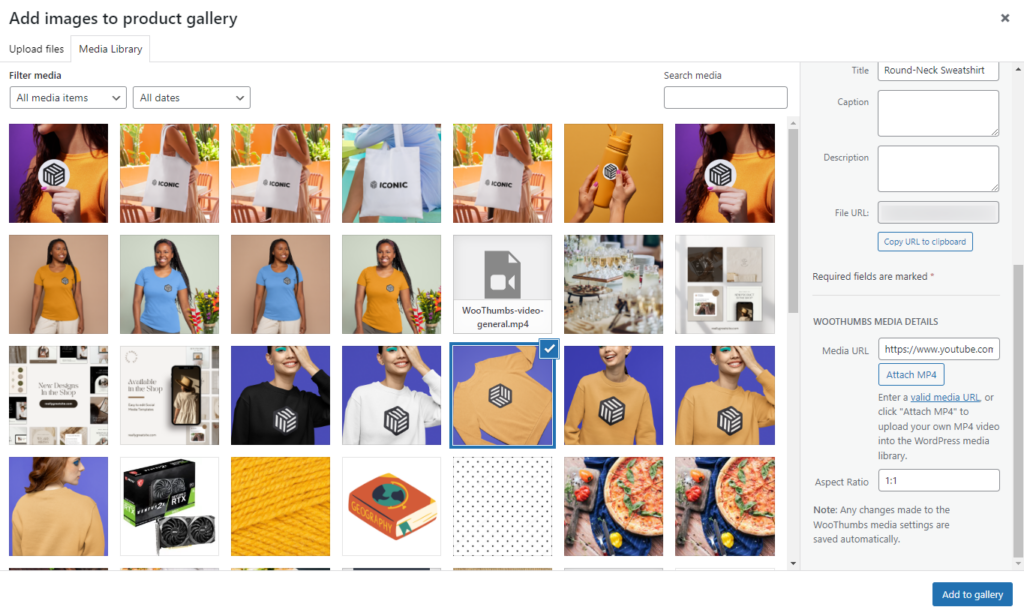
In addition, WooThumbs comes with its own video player. That means customers can browse your upgraded product gallery and watch videos directly.
What’s more, they can switch to full-screen mode for a larger, more immersive viewing experience.
Tips for making better product page videos in an ecommerce store
Knowing the types of product videos to display in your product galleries is one thing, but ensuring they deliver maximum impact is another.
We’ve covered most of these tips at length in our guide on how to make better product videos for ecommerce.
You’ll find the following tips and more to make your videos impactful:
Keep it short and engaging
Attention spans online are short. So, aim for videos that are under two minutes but still clearly deliver all the essential information. Hook your audience within the first few seconds to keep them watching.
Highlight the key benefits only
Product videos are usually short, and you don’t have the time to dive into the details. So, focus on the key benefits only to make a great first impression on your customers.
Include subtitles
Many users watch videos with the sound off. Including captions or on-screen text to convey key points will ensure your message is clear and understood, even without audio.
Optimize for mobile
Ensure your videos play smoothly on smartphones, as mobile users make up a large portion of ecommerce traffic. Consider vertical or square formats to provide the best viewing experience on smaller screens.
WooThumbs for WooCommerce
Customize your WooCommerce product image gallery in minutes with a new layout, embedded video, multiple images per variation, and more.
Bonus product page content
Beyond product descriptions, images, and videos, there are other types of content you might want to consider adding to your product pages. These elements can enhance the shopping experience, build trust, and encourage purchases. Here’s a look at some valuable additions:
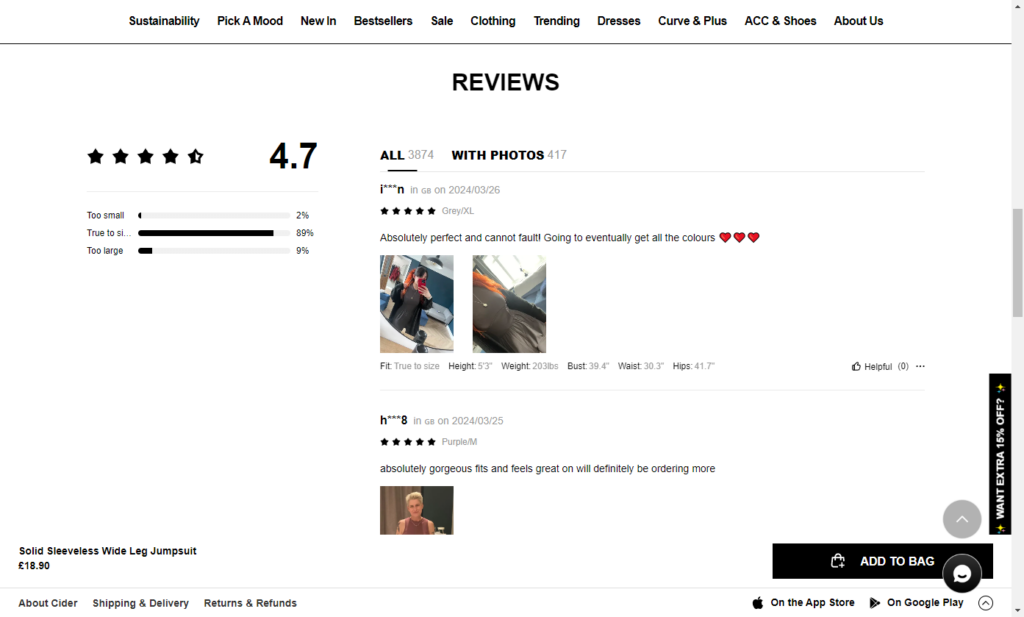
Add user-generated content (UGC)
User-generated content (UGC) is content created by individuals rather than brands. It includes customer photos, reviews, and videos. Showcasing UGC can create powerful social proof.
Just to understand how important UGC is, research shows that it boosts conversions by a whopping 161% when included on the product page.
It lets potential buyers see your product from another person’s perspective, fostering authenticity and trust.
Include size guides or comparison charts
Size guides and comparison charts are essential for categories like clothing, tools, and tech. They provide customers with accurate measurements or a clear comparison of features so they can make well-informed decisions. They also reduce confusion and minimize the chances of returns.
For example, a detailed shoe size chart can ensure the perfect fit, while a smartphone comparison chart can help shoppers easily weigh their options.
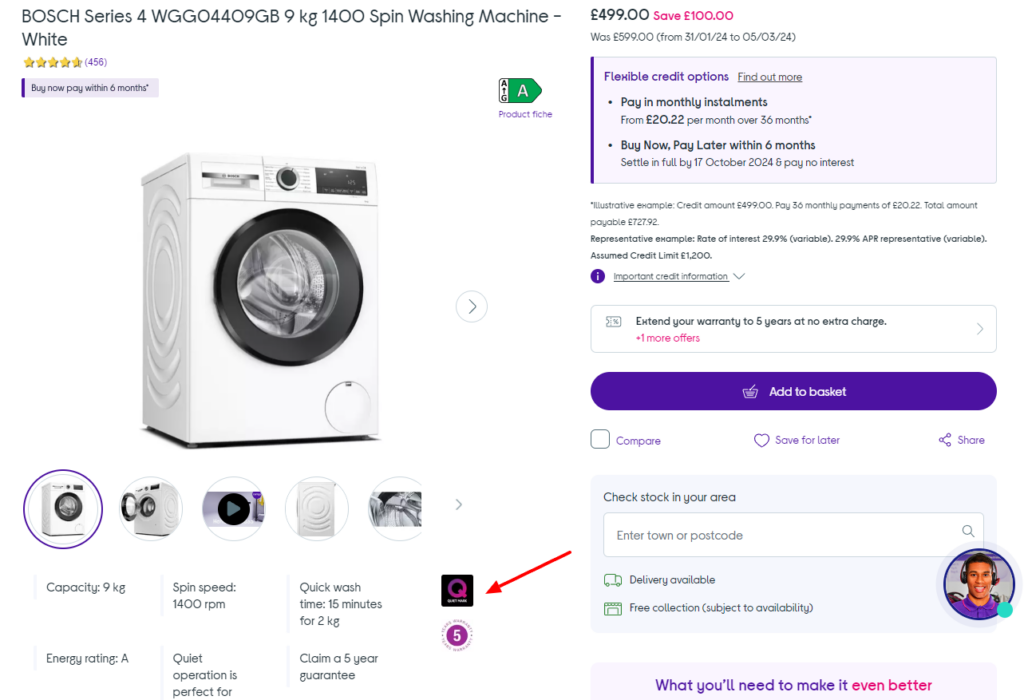
Use trust signals
Just as you would on your homepage, adding trust signals like star ratings, reviews, FAQs, and badges (e.g., “Best Seller” or “Customer Favorite”) can reassure customers about the quality of your product. Adding secure payment logos also reinforces confidence in the checkout process.
Incorporate interactive elements
Incorporating interactive elements like AR allows users to visualize products in their own spaces. For instance, AR can let customers see how a set piece of furniture fits in their living room. In addition, you can enable customers to customize products.
For example, you can personalize the online shopping experience for customers and drive engagement by choosing colors, materials, or engravings.
Improve your product page content today
Working on your product descriptions, images, and videos is the most effective way to boost the performance of your ecommerce product pages.
Each element plays a unique role but works better together. Descriptions provide clarity, images capture attention, and videos engage customers. When done right, this combination serves your customers well and drives conversions.
Bringing in WooThumbs for WooCommerce ensures your images and product videos are neatly displayed in an upgraded gallery layout. It enables customers to inspect your products up close and from different angles.
In addition, embedding product videos enhances a customer’s experience further by showing the details that images miss.
So, start improving your product page content today with these tips and the plugin WooThumbs for WooCommerce.
WooThumbs for WooCommerce
Customize your WooCommerce product image gallery in minutes with a new layout, embedded video, multiple images per variation, and more.

Gina Lucia is our in-house Content Manager at Orderable. She writes articles, user guides, technical documentation, and creates videos on everything WooCommerce and Orderable.
Gina has been working in the WordPress/WooCommerce space since 2012 when she developed WordPress websites for clients large and small.
For the past 8 years, she’s been writing about everything WordPress and WooCommerce, becoming an expert in what makes a WooCommerce store succeed.
When not writing, Gina loves to tend to her vegetable garden, read, or travel to mainland Europe.