
If you are looking to learn how to launch a product in 2026, this guide is here to help you do it with a clear plan.
Maybe you have launched before, and it fell flat. Maybe you have a great product ready to go, but you’re not sure where to start, which channels to use, or how to turn interest into actual sales. It’s easy to feel overwhelmed when every article, creator, and tool claims to be “essential” for a successful launch.
This guide will simplify that. We’ll walk through a practical product launch process designed for online stores in 2026, so you can stop guessing and start following a structure that makes sense.
In this article, we will cover this product launch strategy:
- How to define who your product is for and what you are really selling.
- How to validate demand before launch so you are not shouting into the void.
- How to set up your product page and checkout so they are ready to convert.
- How to plan your pre-launch, launch week, and post-launch follow-up.
- How tools like WooCommerce and specialist plugins can support each stage.
By the end, you’ll have a step-by-step framework you can reuse for your go-to-market strategy, that will set you up for launch success.
Let’s start by looking at the seven key steps that make up a successful product launch.
What does it mean to launch a product online in 2026?
In an ecommerce context, a product launch can be:
- A new physical product you’re adding to your store.
- A new digital product or add-on, like a course, template, or license upgrade.
- A new collection, bundle, or variation of something you already sell.
All of these count as launches, because they need focused attention to get in front of the right people and turn interest into orders.
A launch is a short, planned campaign. You warm people up, you make the announcement, you follow up, and you keep improving based on what happens.
That includes:
- How your website presents the product.
- How clear and persuasive your product page is.
- How smooth your checkout feels on mobile and desktop.
- How you follow up with people who showed interest but didn’t buy.
If you’re running WooCommerce, you already have a solid base for this. Your store is the hub of the launch: it’s where people discover, understand, and buy the product.

What are the 7 steps of product launch?
In this guide, we’ll walk through seven clear steps you can follow every time you launch a product online.
At a high level, the steps look like this:
- Who is your product for, and what are you selling?
- How do you validate demand before launch?
- How do you set up your product page to convert?
- How do you design a launch-ready checkout experience?
- How do you plan your pre-launch marketing?
- What should launch week look like on your store?
- What should you do after launch?
We’ll go through each one in turn so you can see exactly what to focus on and in what order.
Step 1: Who is your new product for, and what are you selling?
Before you think about emails, ads, or discounts, you need to be crystal clear on who you’re launching to and what you’re putting in front of them.
Start by working out who your audience is and what you’ll offer them:
- Ideal potential customer profile/target audience: Who is this product really for? What’s their demographic? Existing customers, a new segment, or a niche within your current audience?
- Problem solved/value proposition: What’s the concrete problem or pain point this product tackles? Try to phrase it in your customer’s own words.
- Place in your catalog: Is this a flagship product, an entry-level option, an upgrade, or something that makes other products more valuable?
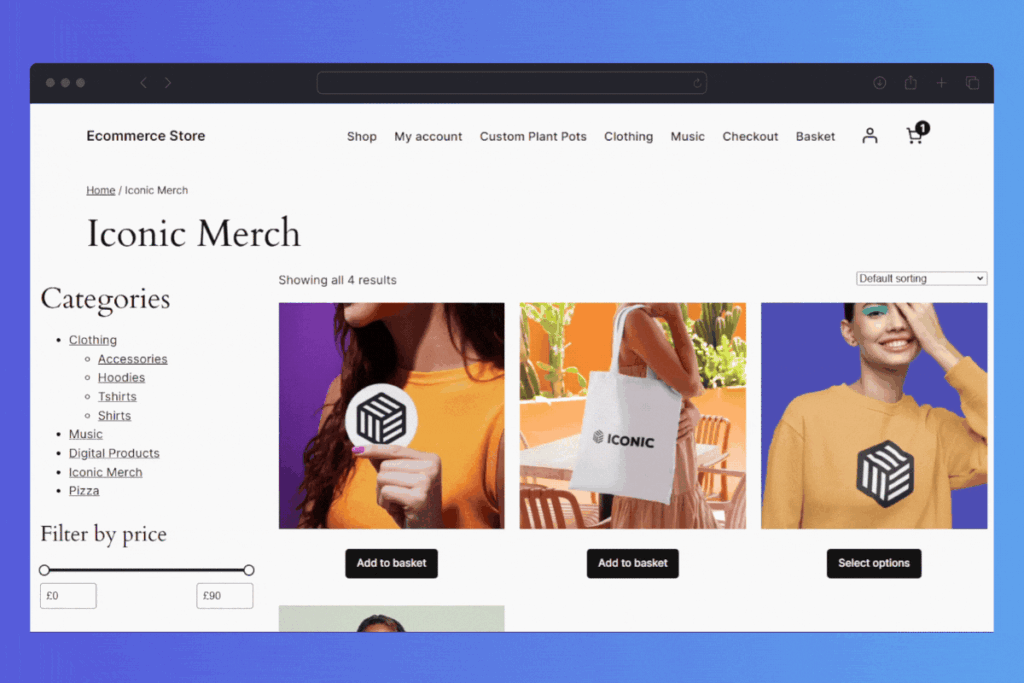
If you’re running a WooCommerce store, you also need to decide how this product should exist in your catalog:
- Is it a standalone product with its own page?
- Is it a variation of something you already sell (like a new size, colour, or flavour)?
- Is it best as a bundle with other products?
- Is it an add-on that’s usually bought alongside something else?
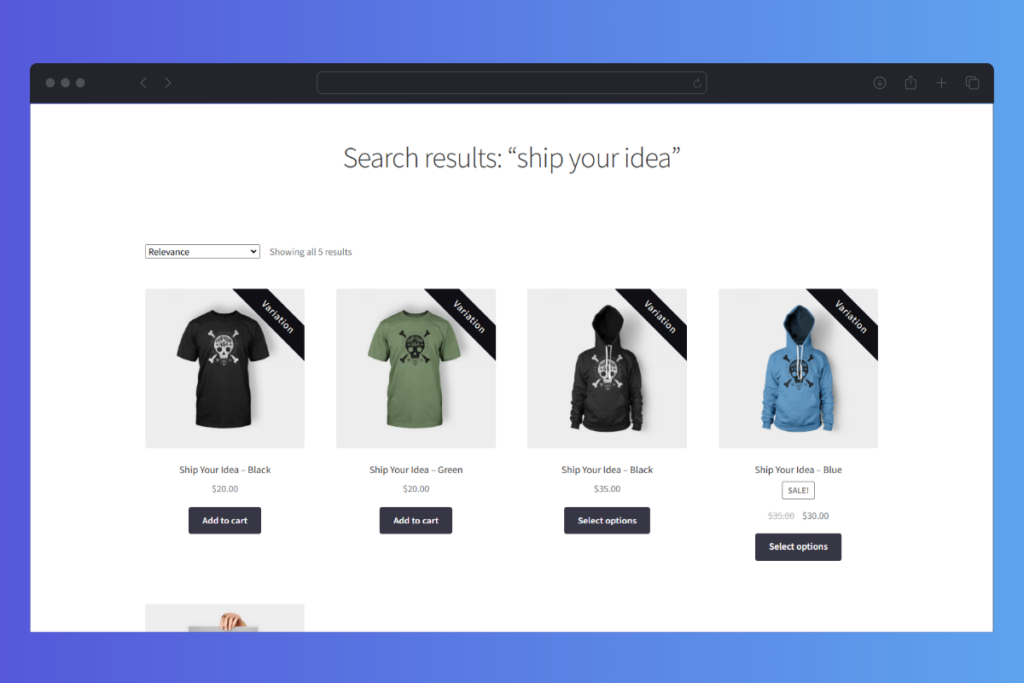
This is where the structure of your store starts to work for the launch instead of against it. For example:
- You can use something like Show Single Variations to surface important variations (like a new limited-edition colour) as separate products in your catalog, so the launch version doesn’t get buried in a dropdown.
- You can use a Bundled Products style approach to launch a curated bundle that pairs your new product with proven bestsellers, giving people an obvious “launch pack” to buy.
Once you know who it’s for and how it fits into your store, every other decision in the launch becomes easier: pricing, messaging, visuals, and where to send traffic.
Next, let’s look at how to validate demand before you go all-in on the launch.
Step 2: How do you validate demand before launch?
Before you pour time and budget into a launch, you want some proof that people actually want what you’re selling. Validation doesn’t have to be complicated or expensive; it just needs to give you real signals from real customers.
Here are a few simple online validation approaches to guage a product’s success:
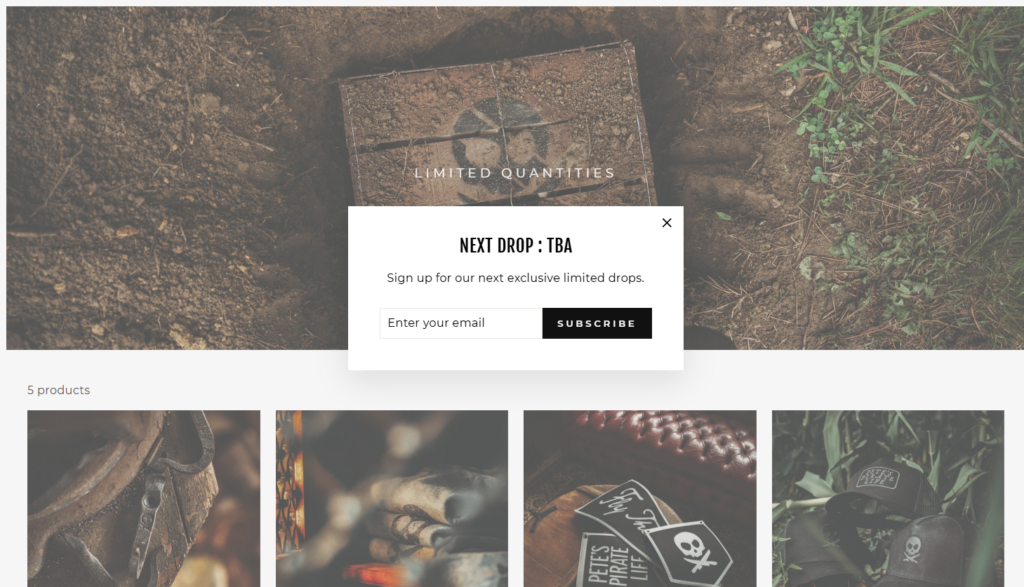
- Collect emails for a waitlist or early access.
Create a short, clear sign-up form for people who want to be the first to hear when the product goes live. If no one joins, that tells you something. If the list grows quickly, that’s a strong signal. - Share prototypes or samples with existing customers.
If you already have buyers, they’re your best test group. Send a small, targeted email asking if they’d like to test a sample, beta version, or early access. Their reactions will help you refine both the product and the pitch. - Run small, targeted offers to your list or social audience.
You can test messaging and price with a “founding customer” or “early supporter” offer. Keep it simple: one or two emails or posts, a clear call to action, and no pressure on yourself if it’s not perfect. This would work well for pre-orders.

On your WooCommerce site, you can also validate directly on the product page:
- Use a simple “coming soon” or “notify me” product page with a short description and an email field. The goal isn’t to make sales yet, it’s to see if people care enough to sign up.
- Consider using Wishlists so visitors can save the upcoming product and show interest even before launch. If lots of people add it to their wishlist, that’s a clear sign it’s worth pushing ahead.
The goal here is straightforward: prove there’s interest before you invest in a full launch. Once you’ve seen real signals from your audience, you can move into building a product page that’s ready to convert.
Step 3: How do you set up your product page to convert?
Once you know there’s interest, your product page becomes the heart of the launch. If this page isn’t clear, persuasive, and gives a good user experience, even the best campaign will struggle to turn clicks into orders.
Focus on the three basics first: images, message, and trust.
1. Strong images and video
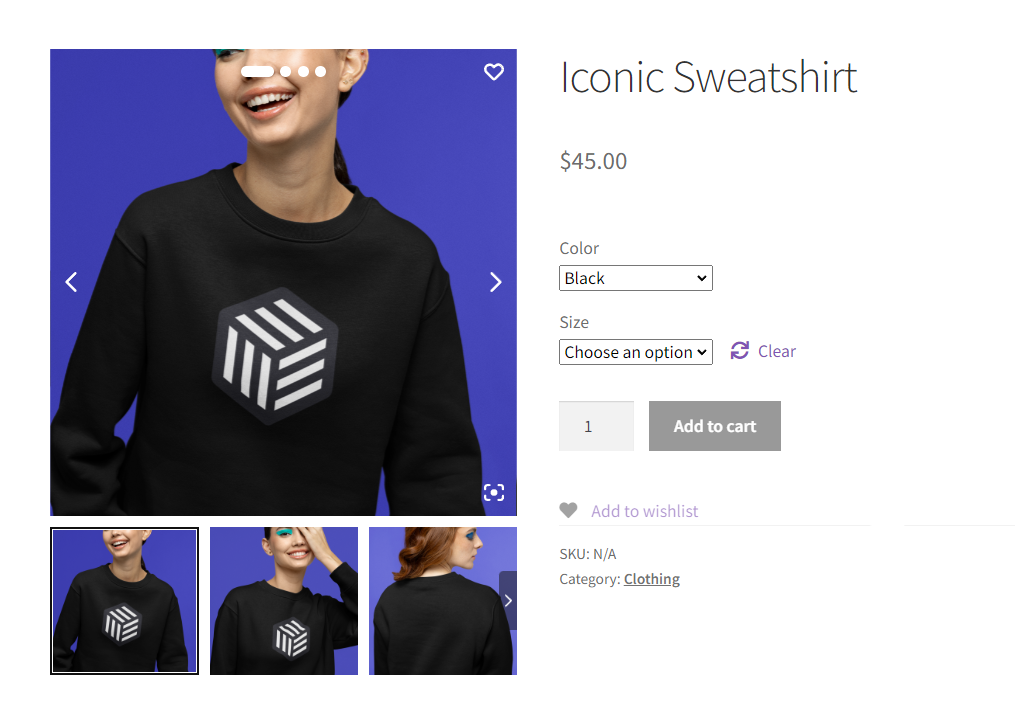
People can’t pick up or turn your product in their hands, so your media has to do that job.
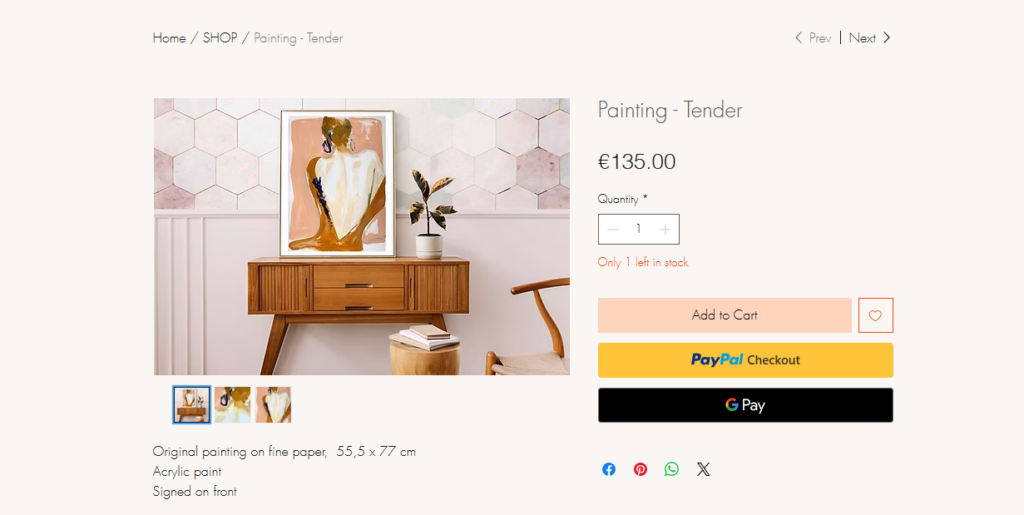
- Use multiple high-quality images that show the product from different angles and in context.
- Include close-ups of important details.
- Add short demo or lifestyle videos where it makes sense.
On WooCommerce, this is where a gallery upgrade helps a lot. A plugin like WooThumbs lets you add better image galleries, zoom, and variation-specific images, so shoppers can actually see the differences between options rather than guess.
WooThumbs for WooCommerce
Customize your WooCommerce product image gallery in minutes with a new layout, embedded video, multiple images per variation, and more.
2. Clear benefits, not just new features
Product features explain what the product is. Benefits explain why someone should care.
- Lead with what changes for the customer after they buy. Remember your target market here and their pain points.
- Use short, scannable copy: key benefits in bullet points, details below.
- Make sure your main headline and first paragraph answer: “What is this, and why is it worth my money?”
If your product has variations, use language that explains which one is right for whom, not just “Small / Medium / Large”.
3. Social proof and FAQs
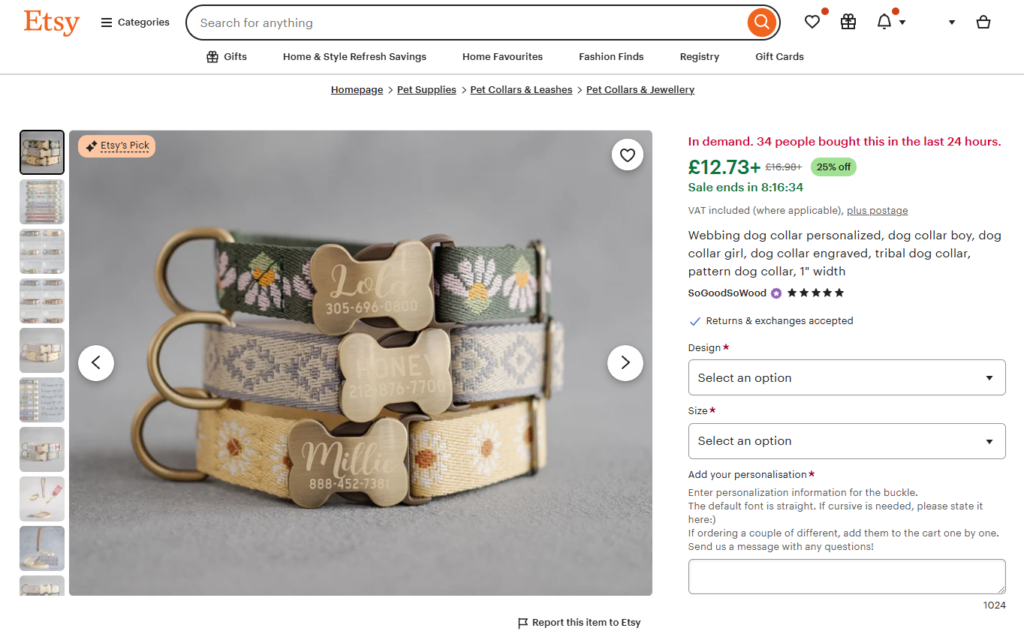
Launches feel less risky when people see proof and answers.
- Add testimonials, early or beta testing reviews, or quotes from testers if you have them.
- Include a short FAQ section on the product page that covers obvious concerns: shipping, returns, sizing, compatibility, and timelines.
This reduces the number of “I’m not sure…” moments that quietly kill conversions.

Make it easy to choose the right option
If you’re launching a product with variations, the default dropdowns in WooCommerce can make the page feel clunky.
- Use Attribute Swatches so customers can choose options with colour blocks, images, or labels instead of fiddly dropdowns. It’s faster, clearer, and much easier to understand at a glance.
- Use Image Swap or Quickview to make browsing new products easier from category pages. Let people see different colours or open a quick preview without leaving the listing page. That’s especially useful during launch when you expect a lot of “just browsing” traffic.
The goal for this step is simple: when someone lands on your product page, they should quickly understand what the product is, why it’s worth buying, and which option to choose, without having to think too hard. Once that’s in place, you’re ready to fix the next potential bottleneck: checkout.
Step 4: How do you design a launch-ready checkout experience?
During a launch, you’ll likely see more traffic than usual, which also means more chances for people to drop out at the last step. A slow, confusing, or cluttered checkout can quietly kill a campaign that’s working everywhere else.
Why checkout matters so much during a launch:
- Higher traffic doesn’t help if a big chunk of people give up on the final form.
- People arriving from emails, social posts, or ads are often on mobile, in a hurry, and easily distracted.
- Any friction here, like surprise costs or a long form, hits harder when customers are new to you and haven’t built trust yet.
This is where your WooCommerce setup and the right plugins make a real difference.
Use Flux Checkout to streamline the experience
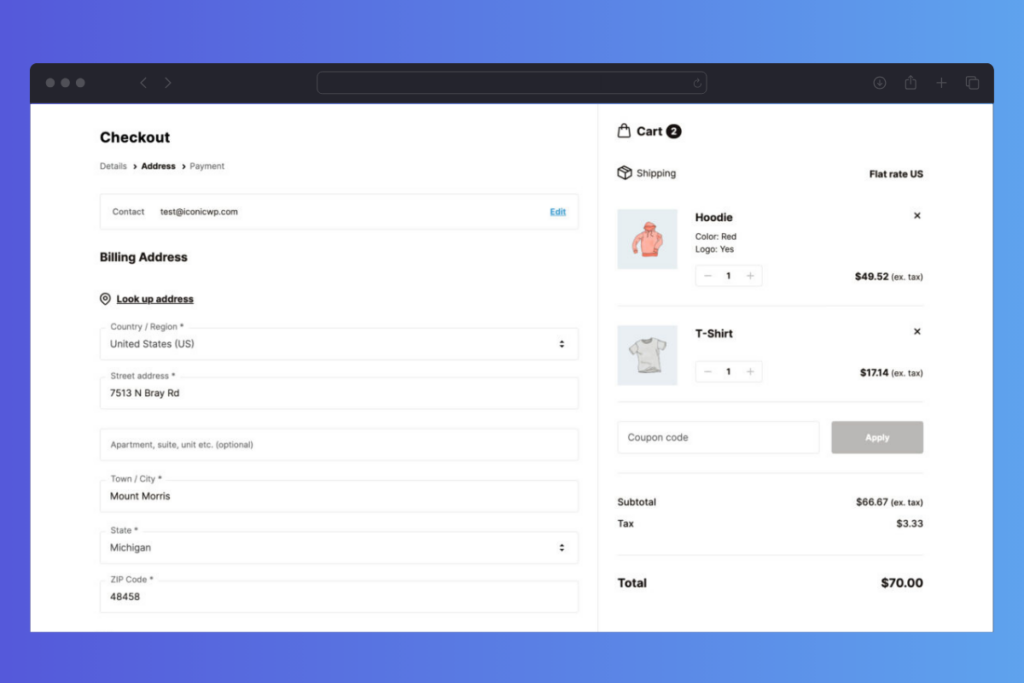
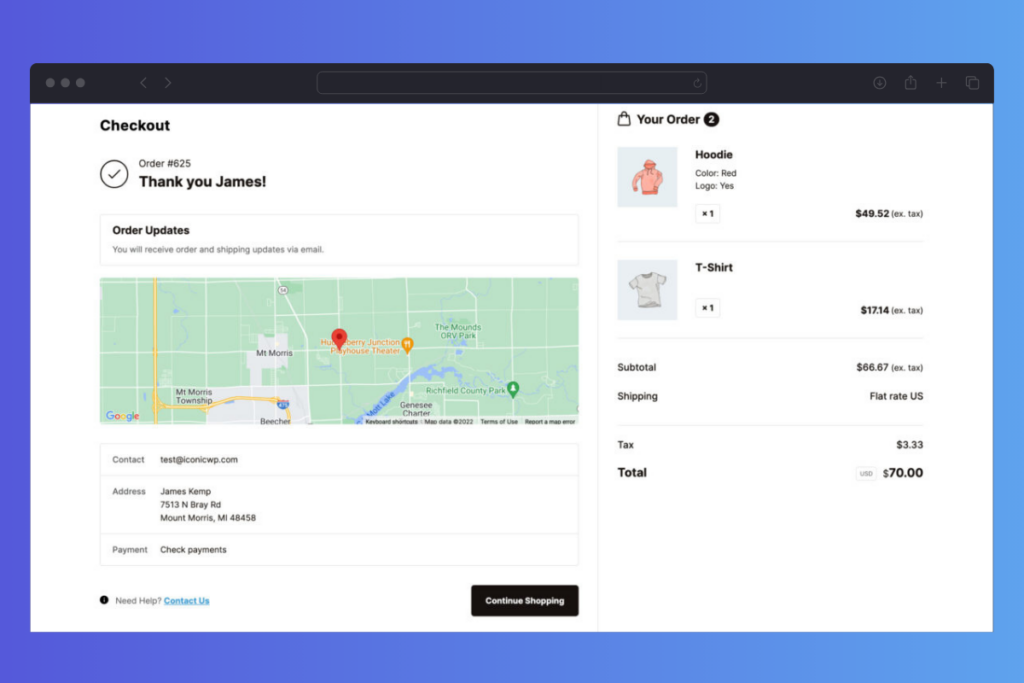
A plugin like Flux Checkout lets you turn the default WooCommerce checkout into a cleaner, guided multi-step flow that works especially well on mobile. Instead of one long, overwhelming page, customers move through clear steps.
That small change can make the process feel shorter and more manageable, which is exactly what you want during a launch when attention is limited.
Flux Checkout for WooCommerce
Flux Checkout transforms the default WooCommerce checkout into one that’s lightning-fast, distraction-free, and reduces checkout abandonment.
Get the fundamentals right
No plugin can fully compensate if the basics are off. Make sure:
- You only ask for the fields you truly need. Fewer required fields usually mean fewer abandoned checkouts.
- Shipping and tax costs are clear and shown as early as possible. No nasty surprises.
- Trust signals are visible: secure payment badges, recognised payment methods, and a link to your returns or guarantee policy.
During a launch, you’re asking a lot of new customers to trust you with their first order. A smooth checkout that feels simple and reliable is one of the most powerful conversion levers you have. Once that’s in place, you’re ready to think about the timing and structure of your pre-launch marketing.
Step 5: How do you plan your pre-launch marketing online?
A strong launch is built before launch day. Pre-launch is your chance to warm people up, explain why the product matters, and get your most interested customers ready to buy as soon as it goes live.
You don’t need a huge campaign here, just a simple 2-4 week runway with a clear focus. This is one for your product marketing team.
Plan a simple pre-launch strategy
Over a few weeks, for your new product launch, aim to:
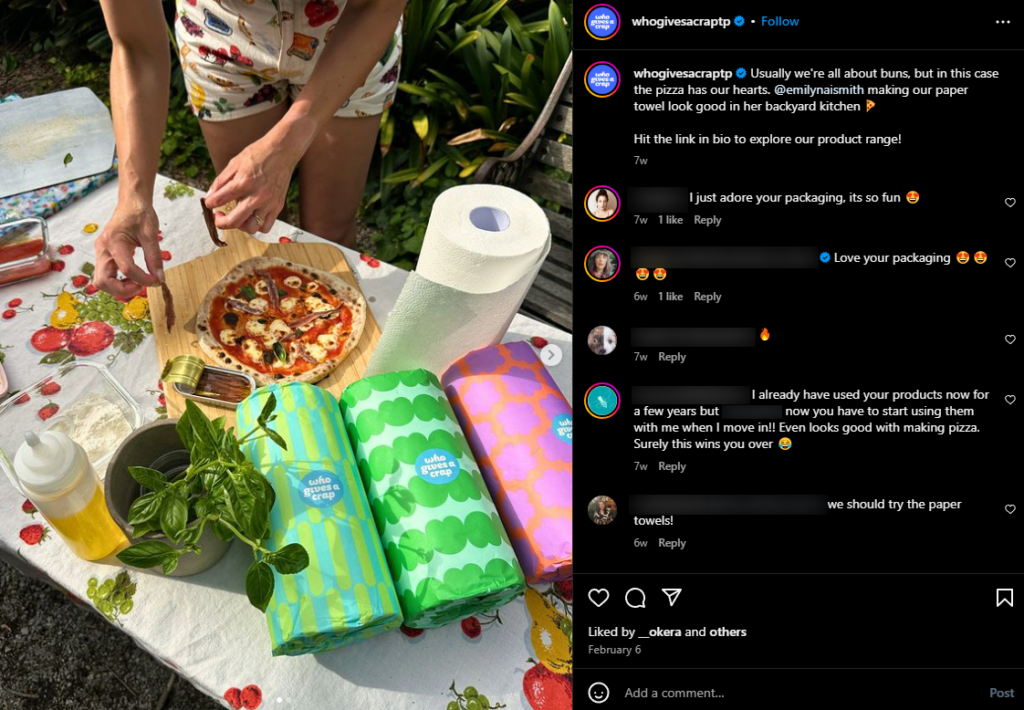
- Share teasers and behind-the-scenes posts.
Show small glimpses of the product, the problem it solves, or the process of making it. You can do this via any medium you currently have set up. This includes social media, email marketing, YouTube, and more. - Send email campaigns that explain the problem you solve.
Start with the pain or desire your customers already feel, then introduce your product as the answer that’s coming soon. Invite replies and questions so you can refine your messaging as you go. - Publish supporting content.
Blog posts, guides, or short videos that talk about the problem, your approach, and the results people can expect. These pieces become assets you can link to during and after the launch.
Think of pre-launch as “setting the stage” so the announcement feels natural, not out of the blue.
Tie everything back to your store
Your pre-launch efforts should give people something to do on your site:
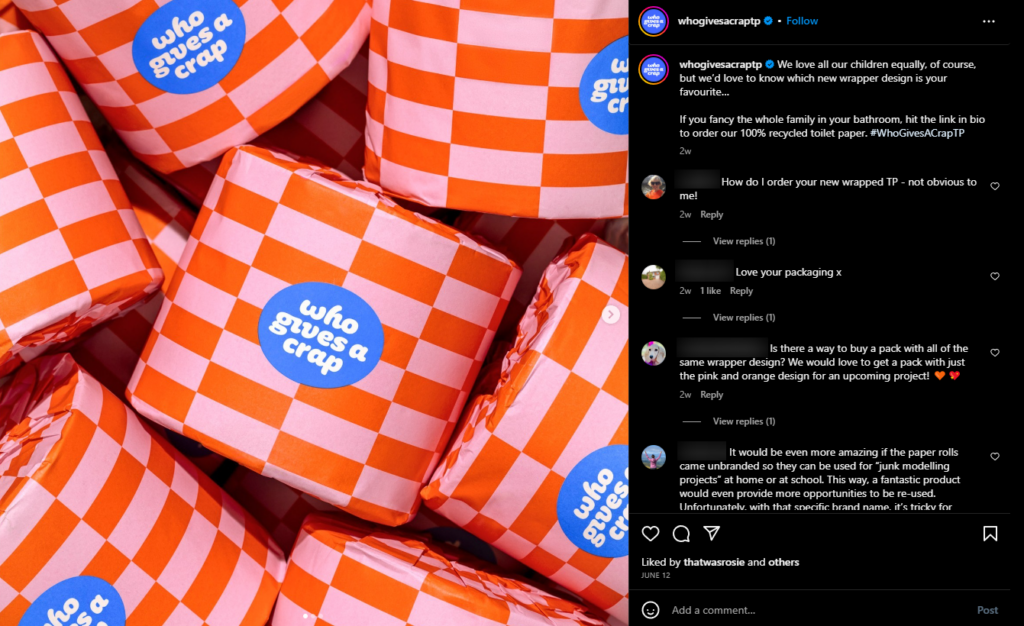
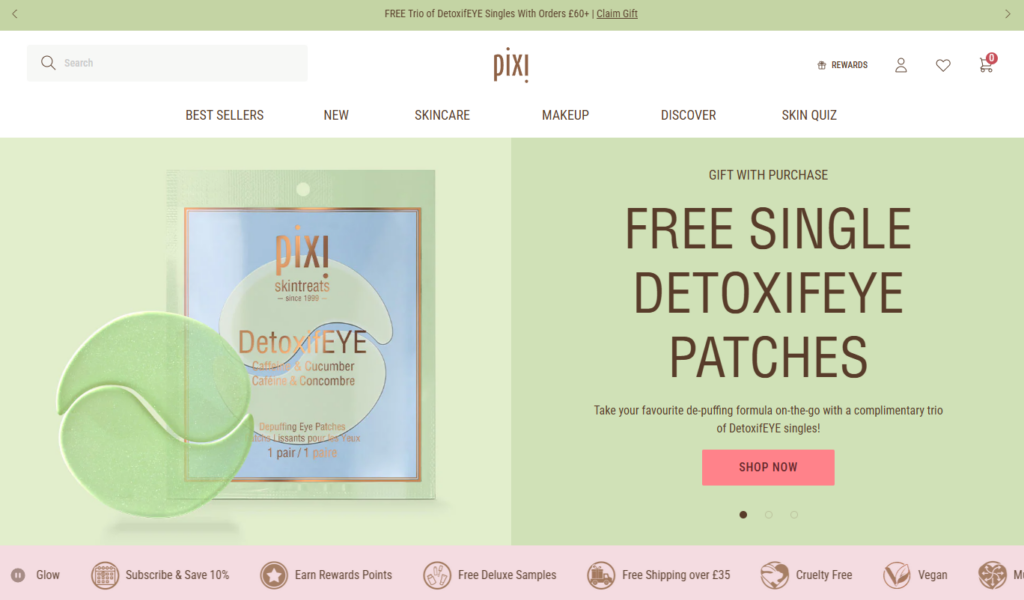
- Offer early access pricing or bonuses for people who buy during launch week. That could be a small discount, a bonus item, or extra support.
- Encourage people to create an account, join your list, or add related items to their wishlists so they’re already engaged when launch day arrives.
A clear pre-launch plan doesn’t have to be complicated. A few weeks of focused, consistent communication can make the difference between “oh, that’s new” and “finally, it’s here”. Once that warm-up is in place, it’s time to decide what your launch week on your store should actually look like.
Step 6: What should launch week look like on your store?
Here’s a simple launch phase structure you can follow for the week you launch your new product.
- Day 1: launch day announcement.
Send your primary launch email, publish the main announcement on your site, and share it with your key channels. Make it clear what the product is, who it’s for, and why it’s worth paying attention to now. This is your launch event. - Mid-week: deep-dive content.
Follow up with something more detailed: a how-it-works walkthrough, behind-the-scenes story, or early reactions from testers or first customers. This is for people who are interested but need a bit more detail before they buy. - End of week: reminder and last-chance angle (if there’s an offer).
If you’re running launch pricing or bonuses, send a final reminder near the end of the launch window. Keep it clear and calm: remind people of the benefit, what they’ll miss if they skip it, and when the offer ends.
This doesn’t have to be perfect or complicated. The key is that people hear from you more than once, with each touch adding something new.
Tidy up your store for launch week
On your WooCommerce store, make sure the launch product is easy to find and clearly highlighted:
- Feature the product on the homepage and relevant category pages so it’s impossible to miss for returning visitors.
- Add “new” or “just launched” labels so shoppers can instantly spot what’s fresh.
- If it fits, add a short banner or notice that links straight to the product page or launch collection.
You want your store to feel like it’s in launch mode, not like you quietly added another SKU in the background.
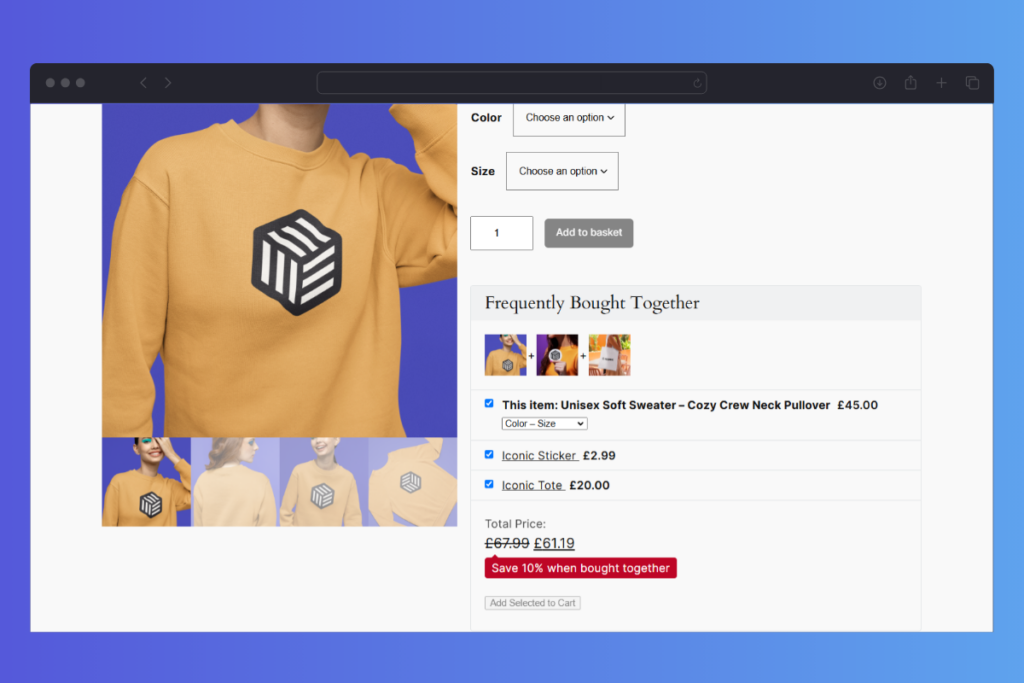
Use Iconic Sales Booster to increase launch revenue
Launch week is also the perfect time to nudge up average order value without being pushy. A tool like Iconic Sales Booster can help you:
- Add launch-specific cross-sells, such as “Complete the set” or “Pair this with…”, on the product page, in the cart, or at checkout.
- Create launch bundles that combine your new product with proven bestsellers, giving customers an obvious upgrade path.
- Introduce gentle urgency around launch-only deals or bonuses, where it makes sense for your brand.
Done well, this helps customers get more value from their order, while your store gets more value from each launch-week purchase.
With launch week mapped out, the last key step is what you do after the initial buzz fades, because that’s where the real long-term value of the product shows up.
Step 7: What should you do after launch?
What you do after the first wave of traffic is a big part of whether the product becomes a steady seller or quietly fades away. Here’s how to measure success and make important changes.
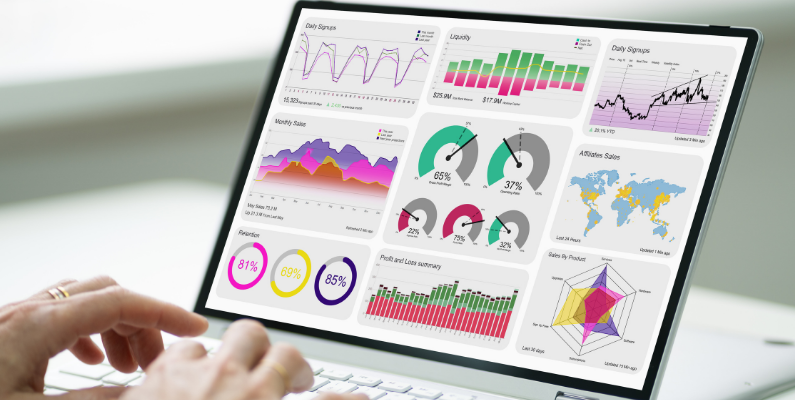
Post-launch review
Start by looking at what actually happened, especially with early adopters of your new product.
Check key KPIs/metrics like:
- Product views: Are people finding the page?
- Add-to-cart rate: Of those who visit, how many add it to their cart?
- Checkout completion rate: How many of those carts become orders?
- Revenue: How much did the launch generate overall?
Alongside the numbers, review:
- Customer questions and support tickets.
Gather feedback from your launch activities and ask customer support: What confused people? What did they expect that wasn’t clear? Which objections kept coming up?
This gives you a grounded view of where the real friction is. Then your product team or sales team can put improvements in place based on this customer feedback.
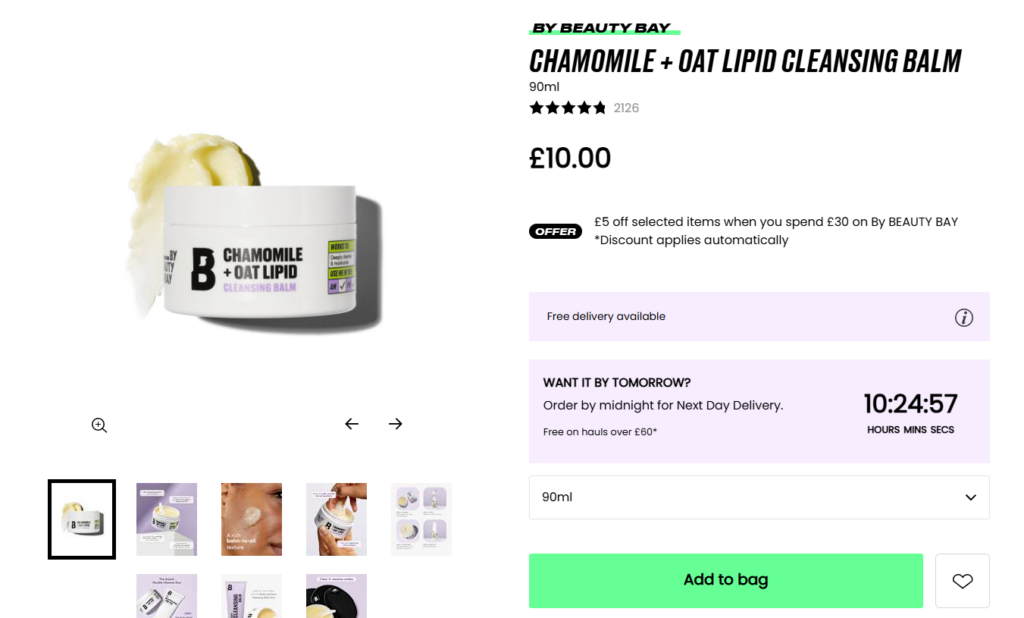
Optimisation ideas
Use what you’ve learned to make targeted improvements:
- Adjust product copy or images based on common questions.
If everyone asks the same thing about sizing, compatibility, or what’s included, add that to the product page and FAQs. - Refine cross-sells and bundles using data from tools like Iconic Sales Booster.
If certain cross-sells performed well, lean into them. If others didn’t get clicks, try different pairings or a clearer value message. - Create dedicated content around the new product.
That might be tutorials, side-by-side comparisons, “who this is for” landing pages, or an in-depth FAQ article. These pieces help future buyers and give you more to link to in emails and on social.
You don’t need to overhaul everything, just keep making small, meaningful improvements.
Keep promoting
A lot of stores treat launch content as disposable. Instead, reuse it:
- Turn your best launch emails and posts into evergreen assets: blog posts, onboarding sequences, or product education campaigns.
- Make sure the product is added to relevant collections and navigation, so it’s easy to find long after launch week is over.
Your goal after launch is simple: keep making it easier for the right people to discover, understand, and buy the product. When you combine that with a launch process you can repeat, each new product becomes less of a gamble and more of a system you trust.
FAQs: What do people often ask about launching a product online?
For most stores, planning four to six weeks ahead is a good minimum. That gives you enough time to figure out what you’re selling and who to, set up a strong product page, write and schedule launch emails, and warm up your audience with pre-launch content. Bigger or more complex product launch plans and marketing campaigns might need longer, but it’s better to run a simple plan you can actually execute than a big one you abandon halfway through.
You don’t need a big audience, you need the right one. A small, engaged email list or a group of past customers who already trust you is often more powerful than a large, cold audience. If you focus on talking directly to the people most likely to benefit from your product, you can still have a successful launch and use it as a way to grow your audience for the next one.
You don’t have to discount at launch, and in many cases, a small, thoughtful incentive works better than a deep cut. You can make the launch feel special with limited-time bonuses, early access for existing customers, or extra support and onboarding for people who buy in the first week. If you do decide to discount, keep it clear, time-limited, and aligned with your margins so you’re not training customers to wait for a discount every time you release something new.
If your launch underperforms, treat it as a learning opportunity. Start by checking whether enough of the right people actually saw the product page, then look at where they dropped off, whether that was on the page itself, in the cart, or at checkout. Pay close attention to the questions that came in through email and support, because they’ll show you what wasn’t clear. Use those insights to optimize your positioning, product copy, imagery, cross-sells, or checkout flow, then run a follow-up campaign or “relaunch” with those improvements in place. Most successful products get better through iteration, not because everything was perfect on day one.
Learn how to launch a product today
You’ve seen how to define who your product is for and what you’re really selling, validate demand before you go all in, build a product page that actually convinces people to buy, and create a checkout that doesn’t get in the way. You’ve planned a simple pre-launch runway, mapped out what launch week should look like on your store, and looked at how to review, optimise, and keep promoting once the first wave of traffic dies down.
With WooCommerce as your base and the right Iconic plugins supporting key steps like product presentation, checkout, and cross-sells, you’ve got everything you need to turn a new product from “idea” into a structured online launch. Start small, use this framework, improve it with each release, and every launch will feel a little clearer and a lot more manageable than the last.

Gina Lucia is our in-house Content Manager at Orderable. She writes articles, user guides, technical documentation, and creates videos on everything WooCommerce and Orderable.
Gina has been working in the WordPress/WooCommerce space since 2012 when she developed WordPress websites for clients large and small.
For the past 8 years, she’s been writing about everything WordPress and WooCommerce, becoming an expert in what makes a WooCommerce store succeed.
When not writing, Gina loves to tend to her vegetable garden, read, or travel to mainland Europe.