

If you’re looking for a WooCommerce variation swatches plugin that genuinely improves how customers interact with your products, you’re in the right place.
Adding visual swatches is one of the most effective upgrades you can make to your WooCommerce store. They replace plain text options with clear, clickable selectors. This simple upgrade engages customers, reduces hesitation, and helps shoppers buy with confidence.
But with so many plugin options out there, which tool is truly the best for your store?
This guide will help you find one. We’ll compare 7 of the top WooCommerce variation swatches plugins and what makes each one unique.
We’ll cover:
- What to look for in a variation swatches plugin.
- The top 7 WooCommerce variation swatches plugins.
- Our final verdict.
By the end, you’ll know exactly which plugin offers the cleanest UI, the most useful features, and the smoothest shopping experience for your customers.
Let’s begin with a quick look at our top 3 picks.

The best WooCommerce variation swatches plugins for 2026 are:
- Best overall WooCommerce variation swatches plugin: WooCommerce Attribute Swatches
- Best if you need variation galleries and cart-level editing: YITH Color, Image & Label Variation Swatches for WooCommerce
- Best for conditional logic and custom fields: WooCommerce Product Options
This guide was last updated for 2026 and includes actively maintained, compatible plugins for modern WooCommerce stores.
What to look for in a good WooCommerce variation swatches plugin
Not all WooCommerce variation swatches plugins are built the same. The plugin that seems perfect at first glance may still lack essential features you actually need, especially if you sell products with complex or highly visual variations.
To evaluate your plugin options, it’s important to ask yourself the following key questions:
What type of swatches can you add to your products? (image, color, button, etc).
Before anything else, identify the exact swatch types your products need. This won’t just make picking the right plugin much easier. It also ensures the plugin supports the visual formats that help shoppers understand their options instantly.
The best plugins offer:
- Color swatches: Small circles, squares, or dual color selectors for your color attributes.
- Image swatches: Thumbnails for patterns, textures, or image variations of your variable products.
- Button swatches: Text-based labels for different swatch sizes, materials, or other non-visual attributes.
A capable plugin should fully replace the default dropdown menus with these visual selectors.
Keep in mind that 78% of shoppers prefer stores that offer product variations, as this allows them to personalize their shopping experience. Adding visual swatches not only clearly shows your variations. It also directly improves their experience, satisfaction, and conversion rates.

Can you customize the variation swatch shapes?
A high-quality plugin gives you full control over how your swatches look.
You should be able to adjust:
- Shape: Circle, square, or custom.
- Size: Exact width and height values.
- Styling: Borders, shadows, hover effects, or active states to make selected options stand out.
This kind of flexibility ensures your swatches match your store’s theme and branding, without feeling like a generic add-on.

What display features does it include?
Beyond visuals, the best plugins should offer functional display controls that improve user experience and your conversion potential. Look for:
- Global attribute and per-product swatch settings. You’ll need per-product control for unique or custom attributes.
- Automatic price adjustments for premium variations. Does the plugin let you charge extra for selected variations? This alone can increase your average order value by 30%.
- Instant product image updates when a swatch is selected. Does the main product image update when a single attribute swatch is selected or only when all variations are chosen?
- Support for tooltips or enlarged image previews. Tooltips can help display attribute names. Enlarged image previews (on hover) provide helpful extra detail to customers.
- Swatch grouping for products with multiple attributes.
- Smart out-of-stock handling so customers know which options are unavailable.
Generally, these display features ensure that your product variation swatches aren’t just decorative but functional and flexible.
Can you display swatches on the archive or shop pages?
A strong plugin should also let shoppers interact with variations before they open the product page.
Did you know that showing swatches directly on product listings can increase clicks and your conversion rates by as much as 20%?
So, before you choose a plugin:
- Check whether you can display swatches in your archive, shop, and category pages.
- Test the live demo. Reputable plugins always provide one.
- Review the plugin documentation and skim user reviews to see how it performs in real stores.
- Contact the pre-sales support team if anything is unclear.
By answering these questions, you’ll know exactly what to look for: the right swatch types, solid customization, strong display controls, and full page-level support.
Next, let’s look at 7 of the top WooCommerce variation swatches plugins we recommend for you.
7 WooCommerce variation swatches plugins (in detail)
We’ll cover what each WooCommerce variation swatches plugin excels at, key features, and why they stand out, so you can choose with confidence.

WooCommerce variation swatches plugin 1: WooCommerce Attribute Swatches
Best for: Modern, user-friendly swatches.
Price: $79/year for a single-site license (30-day money-back guarantee).
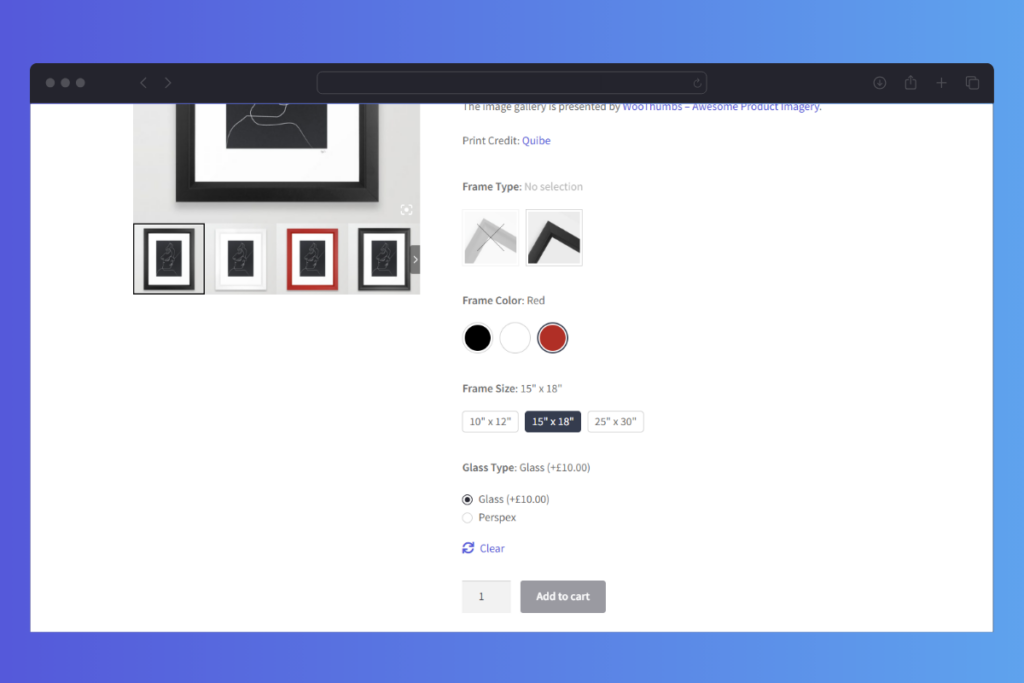
WooCommerce Attribute Swatches is a great plugin for visualizing your product attributes using color, image, and modern text button selectors.
It gives you the freedom to design your swatches exactly how you want. Then, decide whether those style settings apply to all global attributes or just a specific one. You can display these swatches on key pages using shortcodes, including the archive, category, shop, and single product pages. You can even use swatches as product filters for better browsing.
What’s more, it comes with features like tooltips, large image previews, accordion layouts, extra fees for premium options, swatch grouping, and more.
These features make it easier for shoppers to interact with your variations more intuitively than dropdown fields.
Why we love it:
- It has modern variation swatch styles.
You can add color pickers, images, checkboxes, radio buttons, or text buttons to show every product option. - Full customization control.
Let you choose between round or square shapes, adjust sizes, and style selected options with borders, ticks, or hover effects. - Flexible display features.
You get smart tooltips, large image previews, out-of-stock indicators, swatch grouping, and layouts like stacked, single-line, or sliders. These features enhance how your variations are visually presented in your pages. - Boost revenue. You can add extra fees to specific attributes to raise your average order value.
- Compatible with your WordPress theme or page builder.
Works smoothly with well-coded WooCommerce themes, page builders like Elementor and Divi, and quick-view lightboxes. You also get regular updates and dedicated support.
WooCommerce Attribute Swatches
Replace the default WooCommerce variation dropdown menu with variation swatches for WooCommerce. Add color swatches, image swatches, and modern text buttons to your variable product pages.
Take note: This plugin is designed for store owners who want to craft a modern buying experience that’s inviting and engaging for their customers.
Bottom line: For $79/year, WooCommerce Attribute Swatches is the best value plugin to modernize your default dropdown menu. It gives you nearly everything you need to make product options clear, clickable, and easier for customers to buy.

Swatches plugin 2: Variation Swatches for WooCommerce
Best for: Simple, straightforward variation swatches.
Price: Free; Pro starts at $49/year per site or $149 lifetime.
One nice feature about Variation Swatches for WooCommerce is that it automatically converts all dropdown fields into button swatches when you install it. You can choose round or square swatch shapes, set custom sizes, and even tweak swatches on a per-product basis. Plus, some special attributes can be enlarged to make them more visible.
The premium version adds more styling options, variation URLs, and better control over how out-of-stock variations are displayed.
Why we like it:
- This plugin makes it super simple to display variation swatches.
- Supports color, image, button, and label swatches across product, shop, and archive pages.
- Let’s you blur, hide, or cross out-of-stock variation swatches (Up to 30 variations if it’s free, and unlimited in Pro).
- Includes multi-color swatches for attributes that require more than one shade.
- Good compatibility with add-ons like Dokan, AliDropship, and Printful (some themes may need minor CSS).
Take note: This plugin may be suitable if you don’t need advanced features like conditional logic or complex field types.
In short: Use Variation Swatches for WooCommerce to upgrade your variation UX without overwhelming yourself with so many features.
Swatches plugin 3: Variation Swatches for WooCommerce
Best for: Exploring options on the shop and archive pages
Price: From $49/year for one site.
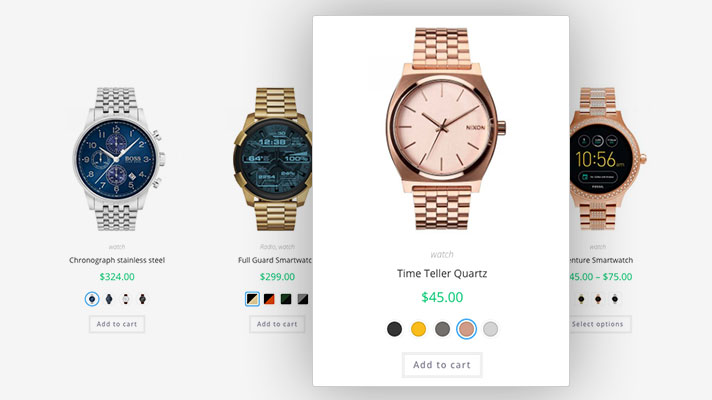
The Variation Swatches plugin by GetWooPlugins focuses a lot more on letting your customers explore and interact with swatches before they open a product page. You can display swatches on shop and archive pages with images, tooltips, popups, and a clean “show more” link when options are numerous.
It also allows you to display dual-color swatches. This is useful for products with stripes, blends, or multi-color designs.
Why we like it:
- The variation images dynamically change based on the featured attribute selection a customer picks.
- You can show the “more” link instead of sliders to keep your archive pages clean.
- It’s very popular, with over 200,000 active installations.
- The variation links let you share or send direct URLs to specific variations.
Take note: This plugin helps shoppers to interact with variations a bit earlier when they’re still browsing your store items.
Bottom line: Use the Variation Swatches plugin by GetWooPlugins if you want to encourage shoppers to explore options and add items to their cart straight from shop and archive pages.
Variation swatches plugin 4: YITH Color, Image & Label Variation Swatches for WooCommerce
Best for: Adding attribute swatches to your cart pages, too.
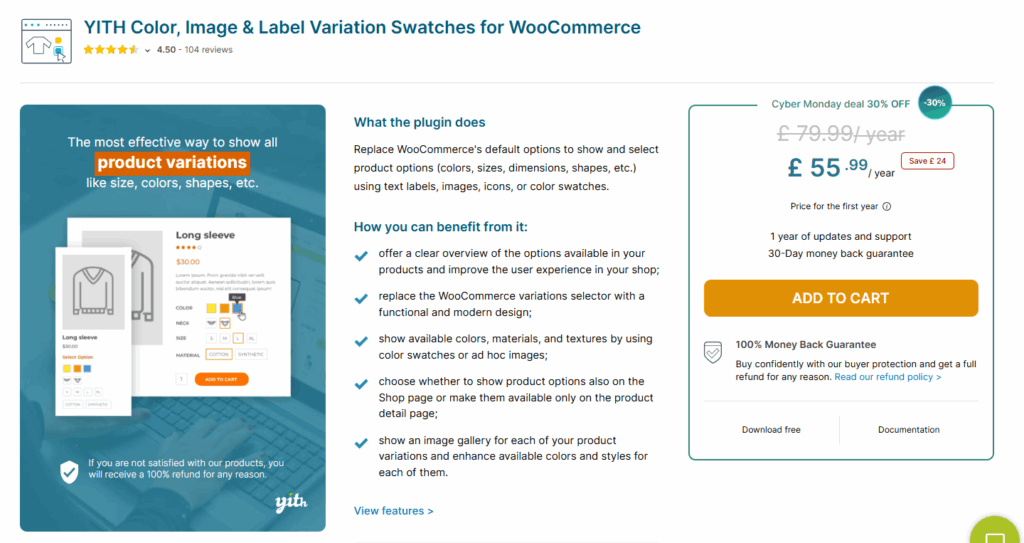
Price: Free version available; Premium version starts from 79.99/year.
Want customers to edit product attributes without leaving the cart? Typically, the YITH swatch plugin displays swatches on your product, shop, and category pages. On top of this, it lets you add a pop-up window right inside your cart page where your customers can revise attribute selections without returning to your product pages.
Moreover, the Premium version unlocks more advanced features like variation galleries, Ajax for variations, and more to help you get the most out of your variation swatches.
Why we like it:
- Supports color swatches, dynamic labels, custom icons, and images.
- Stores can create a different image gallery for each product variation. Then import or export variation galleries using tools like WP All Import.
- Let customers edit variation options directly in the cart without going back to the product page.
- Choose where swatches appear: only on product pages or also on shop and category pages.
- Enable Ajax variation loading on shop pages. This enables you to convert existing attributes into filter items so you don’t have to recreate them.
Here’s the takeaway: You’ll need to buy the YITH WooCommerce Added to Cart Popup plugin if you want to enable shoppers to revise their attribute selection on the cart page. Likewise, you may also need YITH WooCommerce Ajax Product Filter to make the most of premium features like Ajax for variations. Both plugins can introduce additional costs you didn’t plan for.
To summarize: Use YITH Color, Image & Label Variation Swatches for WooCommerce if your store already uses YITH plugins or needs flexible swatches with variation galleries and cart-editing features.
WooCommerce variation swatches plugin 5: Smart Swatches
Best: Budget-friendly swatch solution.
Price: $34 per year or $134 lifetime plan (discounted offers available)
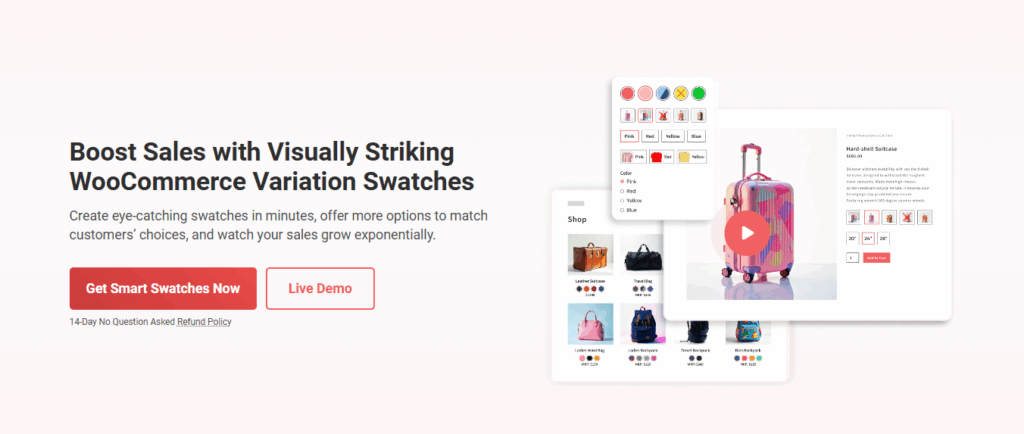
With Smart Swatches, you can create attractive swatches for your products. Then, display them on your shop page, single product pages, archive pages, and more to make shopping easier and boost sales.
Why we like it:
- You can organize individual product variations into clean listings or keep them separate.
- It lets you offer multiple variation attributes with different colors, swatch sizes, and styles to match your customer preferences as much as possible.
- Visually striking swatches and full visibility across archive pages help customers find products faster.
- Add swatch sliders, accordions, or scrollbars to handle large numbers of options.
Take note: This plugin is the least feature-heavy plugin in our list, but still effective enough to display attractive product variation swatches clearly.

Swatches plugin 6: Variation Swatches for WooCommerce
Price: From $39/year for one website
Not far behind Smart Swatches is Variation Swatches for WooCommerce by ThemeHigh. It offers similar swatch types as Smart Swatches, so you can easily build swatches that suit your store.
What makes it slightly different are the small features it adds, like back-order indicators, swatch importing, and lazy loading. These little touches make browsing feel easier and less cluttered, especially if your products have many variations.
Why we like it:
- Simple to set up and easy for beginners.
- Flexible swatch types that work for most catalogs.
- Front-end customization lets you adjust how swatches appear without touching code.
- Little touches like lazy loading and back-order notices improve the overall shopping flow.
In short: This plugin is a solid choice if you want straightforward variation swatches without extra field types or complex rules.
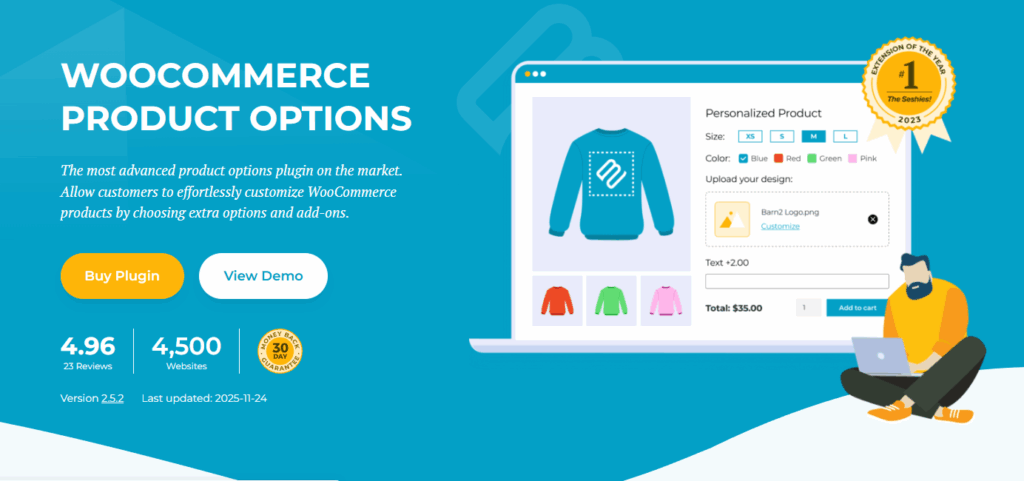
WooCommerce variation swatches plugin 7: WooCommerce Product Options
Best if: You need flexible swatches plus advanced product customization features.
Price: From $149/year for one site. Plans with live image previews start at $199/year.
If you need conditional logic for your swatches, this is the plugin built for you. WooCommerce Product Options lets you show or hide swatches based on what the customer selects. This makes it easy to create dynamic pricing rules, reveal relevant add-ons, and streamline complex product configurations.
Alongside its swatch styles, it includes product add-on fields so you can do more than what standard variations allow. You can add checkboxes, radio buttons, text fields, file uploads, and more. It’s ideal for stores selling customizable products, made-to-order items, or anything that requires customer input before checkout.
Why we like it:
- File upload fields allow customers to send their own designs, logos, or instructions.
- Upsell related products above the Add to Cart button to increase average order value.
- Create flexible pricing: flat fees, percentages, per-character pricing, or custom formulas.
- Set minimum/maximum quantities, required fields, and default selections to guide shoppers.
Take note: Choose this plugin if you need conditional logic or field types that standard WooCommerce product variations can’t support. For example, letting customers select multiple attributes from a single set of swatches. It’s especially useful for stores selling configurable or personalized products.
Quick recap: WooCommerce Product Options adds color, image, and text swatches plus powerful custom fields. This can help you build a highly flexible and interactive way for your customers to engage with variations.
WooCommerce variation swatches plugin FAQs
Still have more questions on what WooCommerce variations swatches can do for you? Here are a few common questions people also ask:
A variation swatches plugin replaces the default WooCommerce dropdown menus for product options with visual swatches that shoppers can select. The benefits of this store upgrade are many, including.
Faster and easier attribute selection. Instead of reading through long dropdowns, customers can instantly see and click on colors, images, or labels. This makes choosing variations quicker and more intuitive.
Reduces mistakes. Visual swatches that update the main product image help prevent errors like picking the wrong color or size. Besides, customers buy exactly what they envisioned.
Improved product presentation. Showing swatches alongside your product images makes your store look cleaner, more modern, and professionally designed.
Higher conversions. Enabling people to choose options and build their product boosts confidence in their choices. This can encourage them to complete their purchases and reduce the number of abandoned carts.
Increases sales and order value. Higher conversions mean more revenue. Charging extra fees for specific attributes or add-ons can increase your AOV, too.
Most variation swatch plugins work well with modern, well-coded WooCommerce themes. But compatibility is not always guaranteed. Older themes, custom templates, or themes that rewrite WooCommerce variation files can cause issues.
Generally, a theme that follows standard WooCommerce structures will almost always give you the best results. Many premium swatch plugins also include fallback modes, theme support, and simple CSS settings to fix small layout problems.
If you’re not sure your theme will work, test the plugin on a staging site first. This lets you check the design and variation behavior without affecting your live store.
Yes. Most quality WooCommerce variation swatches plugins offer ways to handle many options cleanly. You can use features like swatch sliders, pop-ups, “show more” links, accordions, or grouping of attributes. This keeps the product page tidy while still giving customers easy access to all variations.
Variation swatches plugins improve your on-site user experience in the following ways:They replace long dropdowns with clear visuals, so customers understand their options instantly. The main product image updates as shoppers click on different swatches. This quickens their buying decision. This kind of visual feedback reduces mistakes because customers see exactly what they’re selecting in real time. They make browsing variations a lot easier on your shop, archives, category, product, and cart pages. The whole experience feels more modern and interactive, which builds confidence in the purchase.
Overall, swatches help customers shop with less effort and more clarity. This usually creates happier customers and better conversions.
The verdict: WooCommerce variation swatches plugins
You need a plugin to add variation swatches to your WooCommerce store. The right choice depends on what you value most. Is it ease of use, flexibility, customization, upsells, or just a cleaner layout for shoppers to pick their options? Each plugin here solves a different need.
Here’s a quick recap of our top picks:
- Best option overall: WooCommerce Attribute Swatches
- Best if you need variation galleries and cart-level editing: YITH Color, Image & Label Variation Swatches for WooCommerce
- Best for conditional logic and custom fields: WooCommerce Product Options

Gina Lucia is our in-house Content Manager at Orderable. She writes articles, user guides, technical documentation, and creates videos on everything WooCommerce and Orderable.
Gina has been working in the WordPress/WooCommerce space since 2012 when she developed WordPress websites for clients large and small.
For the past 8 years, she’s been writing about everything WordPress and WooCommerce, becoming an expert in what makes a WooCommerce store succeed.
When not writing, Gina loves to tend to her vegetable garden, read, or travel to mainland Europe.