

Looking for the best WooCommerce cross-sell plugin to boost your revenue and average order value in 2026? This guide is here to help.
In this guide, we’ll look at 7 of the best WooCommerce cross-sell plugins and cover:
- What to look for in a cross-sell plugin.
- The top picks for 2026.
- FAQs.
- Our final verdict.
Studies show that cross-selling to customers can increase sales revenue by up to 30%. Yet many store owners still see steady sales but low order values because shoppers simply buy one item and leave. That usually happens when cross-selling isn’t perfectly executed or the plugin you’re using is too limited to make cross-selling effective.
So, let’s start with a quick overview of our top picks.
The best WooCommerce cross-sell plugins for 2026 are:
- Best for complete storewide cross-sell coverage: Iconic Sales Booster for WooCommerce
- Best checkout experience and in-checkout cross-sells: Flux Checkout for WooCommerce
- Best for rule-based recommendations with measurable results: Product Recommendations for WooCommerce
This guide was last updated for 2026 and includes actively maintained, compatible plugins for modern WooCommerce stores.
What to look for in a good WooCommerce cross-sell plugin
A good WooCommerce cross-sell plugin suggests useful items that complement what a customer has already selected. And it should time this perfectly so the whole shopping process feels natural.
However, not all plugins perform well in this regard. Some only show random related products. The best ones know how to use timing, placement, and relevance to make better suggestions.
To find the right plugin for your store, ask yourself the following questions:
Does it add cross-sells to the right parts of your WooCommerce store?
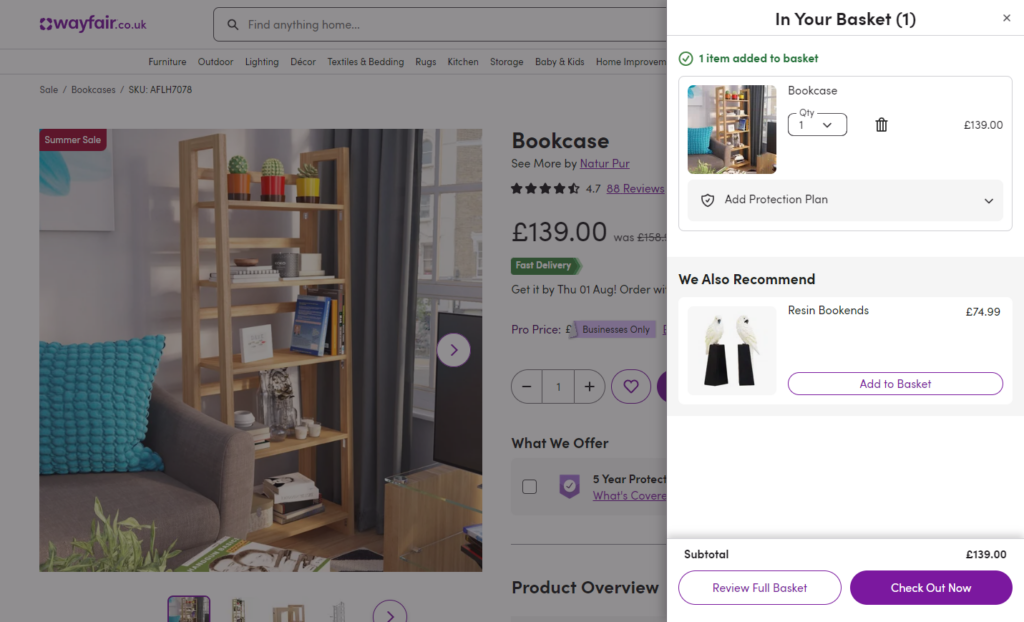
Most shop owners tend to overlook this. But, an effective plugin should provide enough placement options that let you add cross-sells in key places, such as your:
- Product pages. Great for showing related or complementary items while customers are still browsing.
- WooCommerce cart pages. Perfect for quick add-ons or bundles when shoppers already intend to buy.
- Checkout page. To offer impulse buys or last-minute upgrades.
- Post-purchase (after checkout). To show recommendations on the Thank You page or in follow-up emails.
These are usually the parts of your ecommerce site where customers are most likely to act.
Did you know that driving impulse buys in these spots can account for 40 to 80% of sales, according to studies?
Is it compatible with your theme and tools?
Even the best plugin isn’t helpful if it breaks your theme or conflicts with your stack.
Before buying:
- Check compatibility with your WordPress and WooCommerce versions.
- Confirm that it supports the theme, templates, plugins, and the page builder you currently use.
- Look for clear documentation and active support in case you run into issues and need help.
A plugin that works well with your current setup saves time and avoids future problems. This compatibility also keeps your store running smoothly, which is necessary for a seamless shopping experience.
What cross-selling techniques does it support?
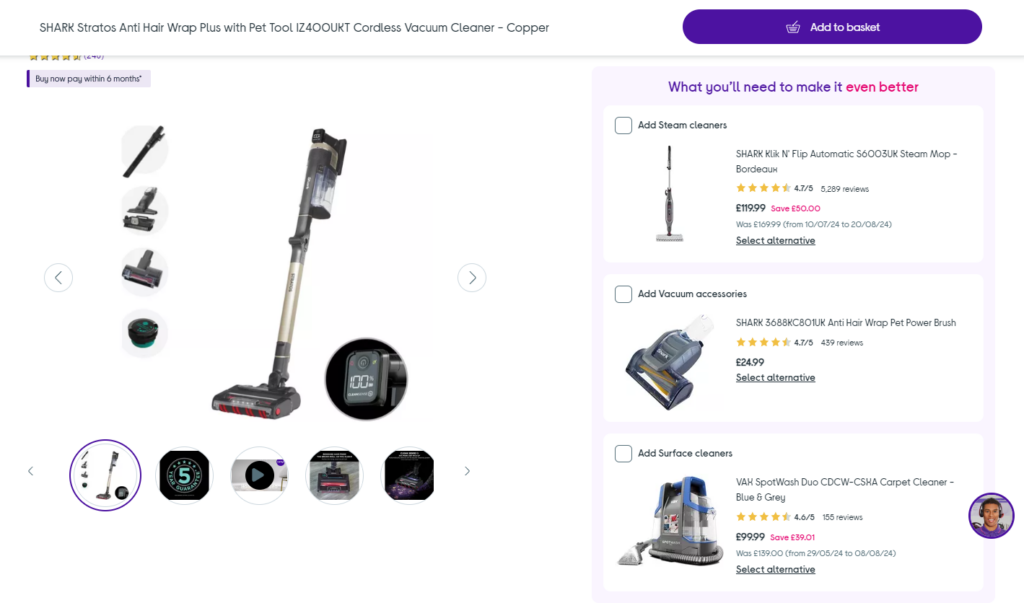
Some plugins only provide basic product suggestions with limited control over what’s recommended. Others offer advanced tools and proven tactics. Cross-sell strategies like Amazon’s “Frequently Bought Together” and “Customers Also Bought” features generate billions in extra sales each year.
So, look for tools that let you create:
- Product bundles and combo deals.
- Add Customers Also Bought sections. This is a social proof style suggestion based on what other buyers have purchased.
- Order bumps. These are small add-ons shown before checkout.
- Cross-sell and upsell products at checkout.
- Personalized recommendations based on browsing behavior or purchase history.
- And more cross-sell strategies.
The more cross-selling techniques a plugin supports, the better your chances of increasing average order value.
Is it easy for the customer to use?
Cross-sells should make shopping easier, not confusing. A good plugin should display recommendations clearly and make it simple to act on them.
Here’s what to look for:
- One-click add-to-cart options so buyers don’t leave the page.
- Clean layouts with product names, images, and prices.
- Mobile-friendly design that makes recommendations look good on any screen.
- Optional discounts or bundle offers to encourage impulse buys.
Keep in mind that 58% of customers only make impulse purchases when items are discounted, according to Capital One. Even a small irresistible offer can make a big difference.
When cross-sells are easy to understand and act on, customers feel like you’re helping them rather than being salesy with them.
Now that you know what to look for, let’s go through 7 of the best WooCommerce cross-sell plugins on the market.
7 WooCommerce cross-sell plugins (in detail)
We’ll look at what each WooCommerce cross-sell plugin is best for, prices, overviews, and standout features. Generally, each plugin offers something unique for WooCommerce store owners.
WooCommerce cross-sell plugin 1: Iconic Sales Booster for WooCommerce
Best for: Adding effective cross-sells and upsells at key points throughout a customer journey.
Price: From $79/year (with 30-day money-back guarantee).
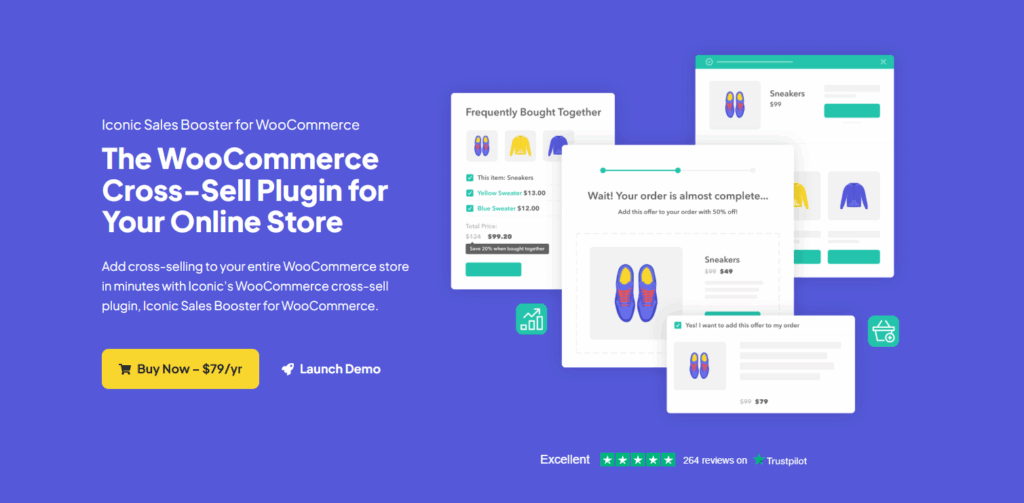
Iconic Sales Booster for WooCommerce is our own WooCommerce plugin. It’s built to help you cross-sell in the most important parts of your store where customers are more likely to act. That includes your product pages, the cart, during checkout, and even after a purchase.
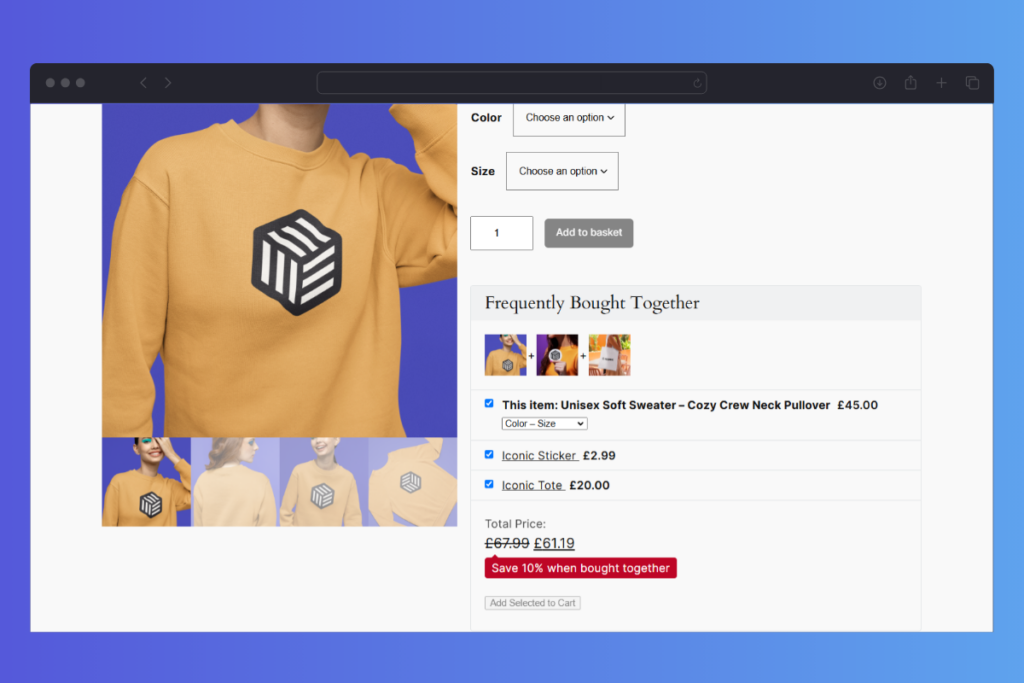
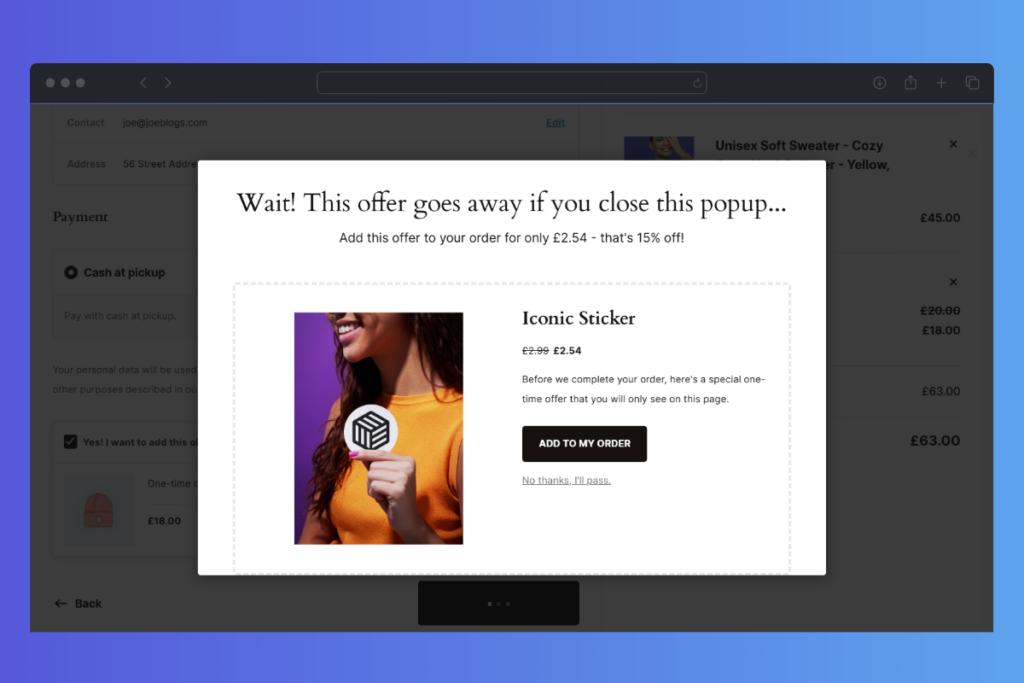
Each stage is a chance to use proven tactics like Frequently Bought Together, Customers Also Bought, and order bumps to drive sales.
The plugin also features a clean, modern design that fits naturally into any WooCommerce store. You can customize everything from product displays and button text to sales messages and discounts so your promotions feel on-brand and persuasive.
Why we love it:
Iconic Sales Booster gives you every tool you need to make cross-selling simple and effective.
- Cross-sell products everywhere
Show relevant suggestions on WooCommerce product, cart, checkout, and post-purchase pages. These pages are the most crucial moments in your sales funnel. - Proven cross-sell tactics
Use familiar tactics like Frequently Bought Together, Customers Also Bought, You May Also Like, order bumps at checkout, and post-purchase one-click offers. Works perfectly with variable products, too. - Flexible placement options
Choose from more than 20 placement locations, shortcodes, and pop-ups to decide where product suggestions appear. - Easy customization
Use high-quality visuals. Edit cross-sell titles and button copy. Add discounts, one-time offers, sales messages, product highlights, and benefits to make offers feel natural, persuasive, and irresistible. - Highly compatible.
Works seamlessly with WPML, payment gateways, and many well-coded and popular themes, templates, plugins, and page builders.
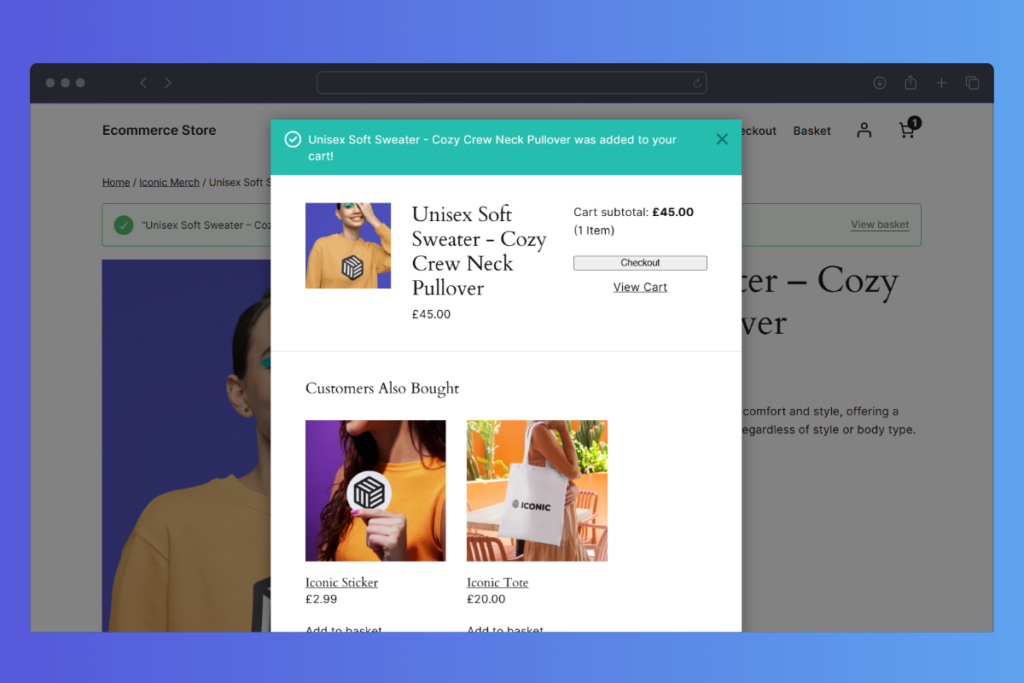
Take note: Ideal for ecommerce stores that want to sell more with cross-sells at every stage of the buying process.
Bottom line: Iconic Sales Booster lets you turn every key stage of the customer journey into an opportunity to increase sales without disrupting the buying flow. These areas include your product, cart, checkout, and post-purchase pages.
Iconic Sales Booster for WooCommerce
Add cross-selling to your entire WooCommerce store in minutes with Iconic’s WooCommerce cross-sell plugin, Iconic Sales Booster for WooCommerce.
WooCommerce cross-sell plugin 2: YITH WooCommerce Frequently Bought Together
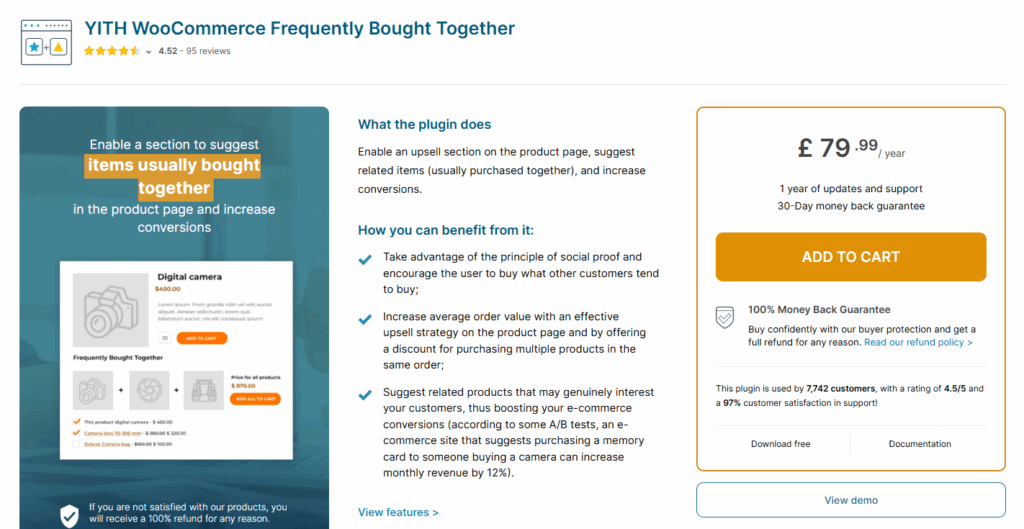
Best for: Enabling a ‘Frequently Bought Together’ section on the product page.
Price: Free (very limited features); Pro starts at $79.99/year
YITH WooCommerce Frequently Bought Together focuses on promoting the sales of specific items that your customers usually buy together with their main product. It does this quite well by letting you show complementary products in various spots within a product page. This way, shoppers can see and know exactly the items that go well together.
You’re also free to choose how many items to display, customize the layout, and adjust the design so it fits perfectly with your shop.
Why we like it:
- Promote frequently bought items using targeted upsell strategies and discount offers.
- Choose where to display the ‘Frequently Bought Together’ box on your product pages. For example, below the product summary, above or below the product tabs, using shortcodes, etc.
- It’s easy to create, edit, and manage a list of linked products you want to recommend and guide customer purchases.
Take note: YITH specifically focuses on cross-selling items that are frequently bought together. For other cross-selling tactics, you’ll need to pair them with other plugins.
Quick recap: YITH allows you to promote the sales of specific products that are frequently bought together with a primary product the customer selects.
WooCommerce cross-sell plugin 3: WooCommerce Boost Sales
Best for: Stimulating customer purchases via discount progress bars.
Price: Free version available (Pro starts at $32 in a one-time purchase).
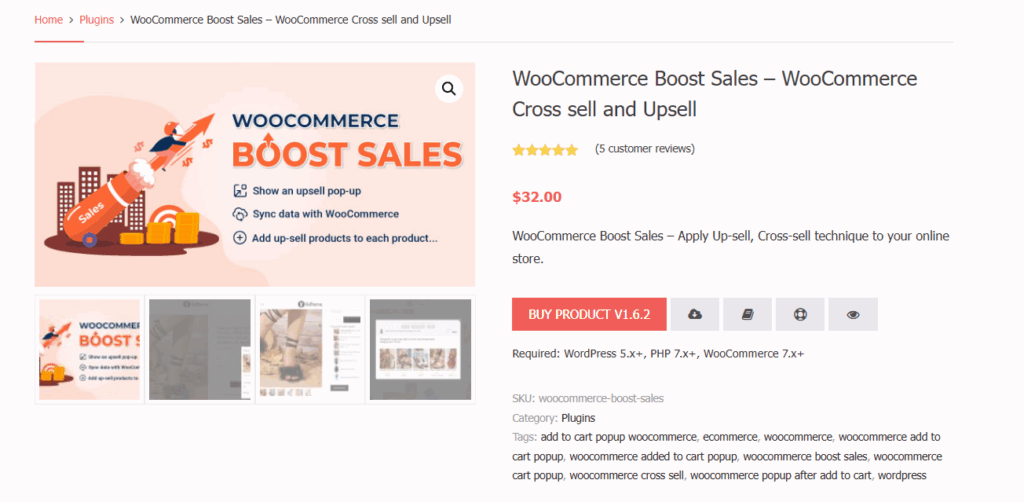
Boost Sales for WooCommerce helps you combine upsells, cross-sells, and product bundles to grow your revenue.
One of its standout features is its discount progress bar. It shows customers how close they are to earning a discount. This can motivate them to spend a little more before they check out.
What we like about it:
- You can style and position the frequently bought feature.
- Ability to design upsell popups, cross-sells, and the discount bar on the front end without coding.
- You can cross-sell and upsell in multiple areas, including your product, cart, and checkout pages.
- Create and display specific product bundles (if there’s more than one), and so on.
Take note: WooCommerce Boost Sales combines visual motivation and smart sales triggers to encourage higher cart values without feeling pushy.
Here’s the key benefit: However, it’s a good option if you want to mix cross-sells, upsells, and gamified discounts to turn small carts into bigger orders. This, in turn, can increase revenue.
WooCommerce cross-sell plugin 4: Flux Checkout for WooCommerce
Best for: Streamlining your checkout process and adding in-checkout cross-sells.
Price: From $99/year
It doesn’t make much sense to upsell and cross-sell at checkout if your checkout process itself is slow and clunky.
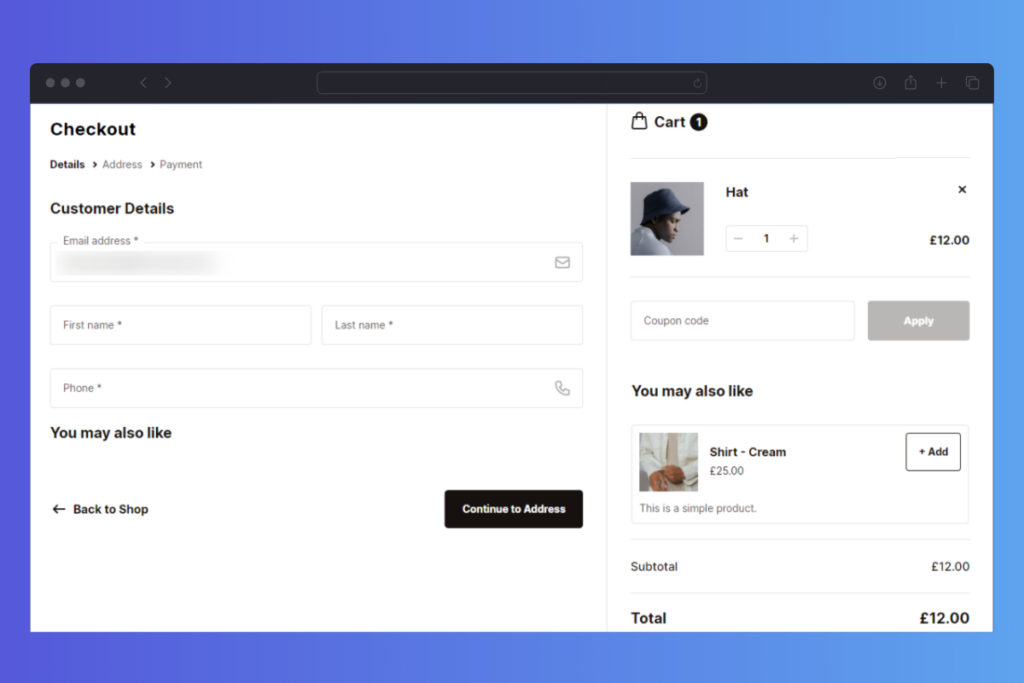
That’s exactly what Flux Checkout for WooCommerce fixes. It is primarily built to reduce checkout abandonment. It achieves this by turning a standard WooCommerce checkout into a sleek, modern design. The new design is fast, distraction-free, and it’s broken down into simple, guided steps that help customers move smoothly toward completing their order.
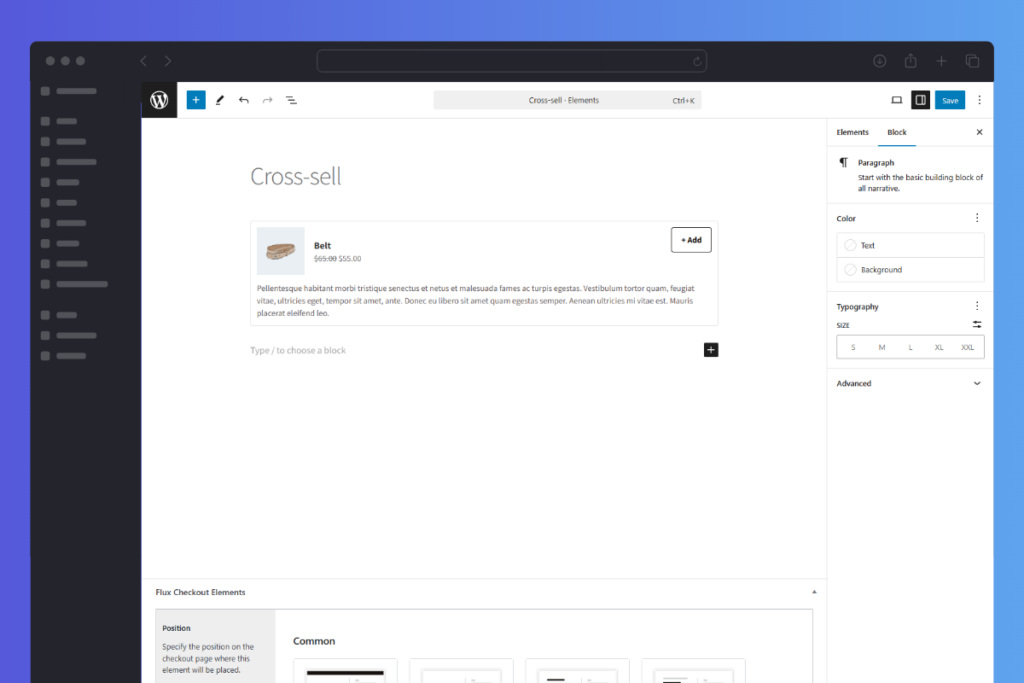
Why does it make our list?
Because in one of those guided checkout steps, you can directly display relevant cross-sell offers to customers without interrupting the flow. The result? Customers are more likely to add extra items before they hit “Place Order.”
Beyond cross-selling, Flux includes smart UX features like address autocomplete, inline validation, customizable content blocks, and more. These tools give you full control over the entire checkout journey; before, during, and after the sale.
Why we love it:
While Flux’s main goal is optimizing checkout, it’s surprisingly good for in-checkout cross-sells. Here’s how it helps:
- Enable cross-sell with Flux’s settings
Then, create and add custom cross-sell offers for individual items inside Flux Checkout. Alternatively, Flux can fall back to showing the default WooCommerce cross-sells you’ve already configured for each product. - Position cross-sells anywhere using Flux Checkout Elements.
Specify the position on the checkout page where you want your cross-sell products to be placed. E.g., checkout header, footer, after header, after footer, etc. - Set your cross-sell to be conditional.
Make cross-sells conditional based on customers’ user roles, cart contents, product category, or the cart total. - Customize a conversion-focused thank-you page to display CTAs, order details, or more offers.
- Add banners, FAQs, and trust badges using Flux Elements.
In short: Use Flux to revamp your checkout into a more effective conversion machine. This way, it’ll be a lot easier to cross-sell to customers inside checkout.
Flux Checkout for WooCommerce
Flux Checkout transforms the default WooCommerce checkout into one that’s lightning-fast, distraction-free, and reduces checkout abandonment.
WooCommerce cross-sell plugin 5: UpsellWP
Best for: Running WooCommerce upsell campaigns.
Price: Free (with Pro upgrade available starting at $60/year).
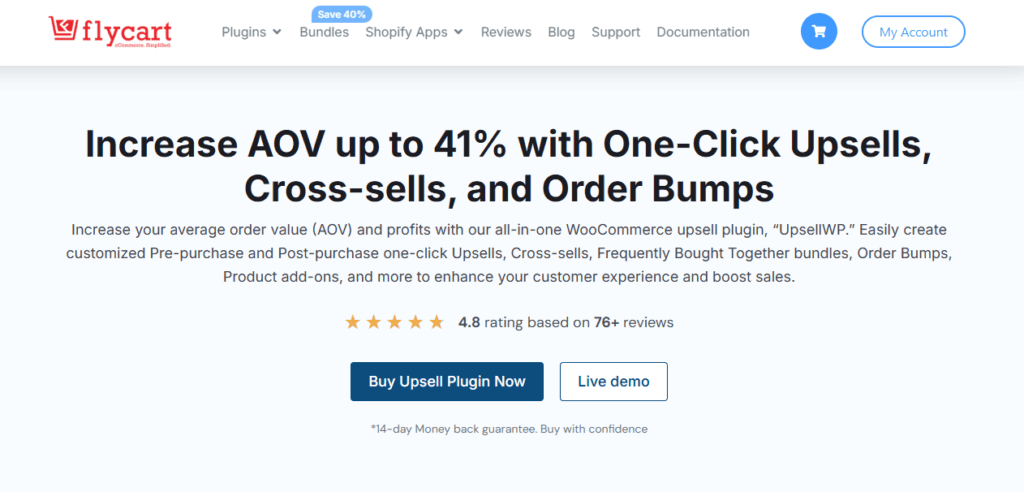
UpsellWP is essentially a WooCommerce upsell plugin. But you can also use it to cross-sell via its frequently bought together feature. It provides several profitable upsell offers, including cart upsells, checkout upsells, post-purchase upsells, etc. You can also run campaigns like double the order, next order coupons, and more to increase revenue and your average order value.
Besides, you’ll also find advanced tools to maximize sales revenue, like smart product recommendations. These recommendations adapt to customer behavior in real time, purchase history, etc.
Why we like it:
- Quick setup, no coding required.
- Product recommendations based on customer activity like browsing history, cart contents, and purchase patterns.
- One-click upsells and order bumps to drive sales and boost conversions.
- Can generate relevant products automatically without manual product selection.
- Includes a good free version with essential upsell and bump features.
Take note: The real growth happens if you upgrade to a Pro plan. It typically delivers 3–5x better results thanks to advanced personalization, automation, and optimization features.
WooCommerce cross-sell plugin 6: Product Recommendations for WooCommerce
Best for: Creating rule-based product recommendations using insights and analytics.
Price: From $99/year
If you want a quick way to add recommendations across your entire product catalog, Product Recommendations for WooCommerce can help. It lets you automatically create cross-sells in bulk using category, tag, price, and attribute filters to narrow down relevant products. You don’t have to enter products one by one.
To create custom recommendation engines, they have filters, amplifiers, and visibility rules ready at your disposal. These rules can help you fine-tune which products appear for which customers. This way, you can make your suggestions more targeted and effective.
Why we like it:
- You can recommend products in strategic locations across your site. For example, on your main shop, product, category, cart, and checkout pages.
- Use amplifiers to boost specific results based on popularity, rating, creation date, conversion rate, or more advanced criteria.
- Measure the impact and optimize your strategies with in-depth analytics that track your conversions and gross revenue.
Take note: Product Recommendations for WooCommerce isn’t yet fully optimized for block themes or the Site Editor.
Bottom line: Nevertheless, it’s one of the plugins that uses both human intelligence and machine learning to help you create smart product recommendations.
WooCommerce cross-sell plugin 7: Upsells and Cross-sells for Variations
Best for: Offering variation-specific upsells and cross-sells (e.g., by color, size, or variant).
Price: From $49/year for 1 year (with discounts for 2-year plans).
Do you need a way to promote different products for a specific product variation that a customer selects? That’s exactly what the Upsells and Cross-sells for Variations plugin helps you do.
Instead of showing the same upsell or cross-sell for every version of a product, you can link unique offers to each variation, like color, size, or material.
For example, when a customer selects a red t-shirt (size M), you could suggest matching red shorts or a red pair of shoes. That’s better than showing generic product recommendations for all t-shirt variations.
This plugin also updates automatically when a variation changes and can show those same recommendations in the cart after the item is added.
Why we like it:
- You can set up upsell or cross-sell offers per variation, and not just at the parent product level.
- You can adjust how upsells or cross-sells are sorted (by title, date, price, etc.).
- Control columns, title, and how many items are shown.
- If a variation has no custom upsell/cross-sell set, it can default to showing the parent product’s offers as your fallback settings.
Take note: This tool is a niche plugin. It doesn’t handle “site-wide cross-sells” or deep personalization beyond variation-level logic. That means you may need additional plugins for other proven cross-sell tactics.
To sum up: If your store sells many products with variants (colors, sizes, materials) and you want to deliver more precise, targeted upsells or cross-sells, the Upsells and Cross-sell for Variations plugin is one of the best options for that job.
WooCommerce cross-sell plugins FAQs
Before you choose a plugin, it helps to understand how cross-sells actually work in WooCommerce and where they fit in your store. Here are a few common questions store owners ask and clear answers to help you make the right choice.
It depends on how and where you want to show your cross-sell offers. If you want a complete solution that lets you cross-sell items on the product, cart, checkout, and post-purchase pages, Iconic Sales Booster is your go-to plugin. It’s easy to use, works with many themes, and uses proven tactics like Frequently Bought Together, Customers Also Bought, You May Also Like, Checkout order bumps, and so on.
For simpler setups, plugins like YITH Frequently Bought Together or WooCommerce Boost Sales also do a good job on specific pages.
Cross-sell plugins increase your average order value by recommending complementary products. And it does so by displaying these offers in the right place when a customer is most likely to act.
For example, if someone adds a phone to their cart, a cross-sell plugin might suggest a matching case or charger. This makes shopping easier for customers. At the same time, it helps your store sell more items without extra traffic or marketing costs.
Upsells encourage shoppers to buy a premium version of the same product. For example, if they buy a standard product, you can upsell a premium one. Or if they choose a small bottle, offer a larger size instead.
Cross-sells, on the other hand, suggest additional products that go well with what’s already in the cart, like accessories, refills, or related items. Both techniques increase revenue, but cross-sells tend to feel more natural and useful to customers.
Yes, you can. Some plugins, like Flux Checkout and Iconic Sales Booster, make it easy to display relevant offers during checkout.
Just be careful not to interrupt the process or overload customers with too many options. The goal is to enhance their experience rather than slow it down.
Absolutely. Post-purchase cross-sells are one of the best times to make an offer. The customer is still engaged, and the buying mindset is fresh.
You can use tools like Iconic Sales Booster for WooCommerce to show one-click offers on the thank-you page or in follow-up emails without making the buyer re-enter payment details.
The verdict: WooCommerce cross-sell plugins
When it comes to adding WooCommerce cross-sells to your store, the best plugin depends on what you need most. Is it more cross-selling opportunities, tactics, maximizing sales revenue and AOV, ease of use, or simply a compatible tool?
Here’s a quick recap of our top picks:
- Best for complete storewide cross-sell coverage: Iconic Sales Booster for WooCommerce
- Best checkout experience and in-checkout cross-sells: Flux Checkout for WooCommerce
- Best for rule-based recommendations with measurable results: Product Recommendations for WooCommerce
We hope this guide helps you narrow your search down to the right WooCommerce cross-sell plugin. One that fits your store, boosts sales, and makes every order more valuable.

Gina Lucia is our in-house Content Manager at Orderable. She writes articles, user guides, technical documentation, and creates videos on everything WooCommerce and Orderable.
Gina has been working in the WordPress/WooCommerce space since 2012 when she developed WordPress websites for clients large and small.
For the past 8 years, she’s been writing about everything WordPress and WooCommerce, becoming an expert in what makes a WooCommerce store succeed.
When not writing, Gina loves to tend to her vegetable garden, read, or travel to mainland Europe.