

If you’re looking for the best ecommerce tools for beginner stores in 2026, this guide will help you get started.
We’ve broken this down into sections, so no matter if you’re just starting, or your store is developed, you can find the ecommerce tools you need.
Here’s what we’ll cover:
- Ecommerce tools for setting up your website.
- Tools for checkout and payment processing.
- Ecommerce tools for performance and optimization.
- Ecommerce tools for email marketing.
- Tools for analytics and reporting.
So let’s get into it. Here are the best ecommerce tools we recommend. Starting with tools for setting up your website.

Ecommerce tools for setting up your ecommerce website
If you’re just starting your online store, chances are, you’re feeling a bit overwhelmed. Understanding where to start and what tools are even available can be a little tricky.
So, in this section, we’ll walk you through the different ecommerce platforms you can use and how they differ from each other.
Ecommerce platforms for your ecommerce business
There are plenty of ecommerce platforms to choose from, and each have their own benefits. Depending on your business needs, you might favor one over the other. So let’s break them down.
WooCommerce
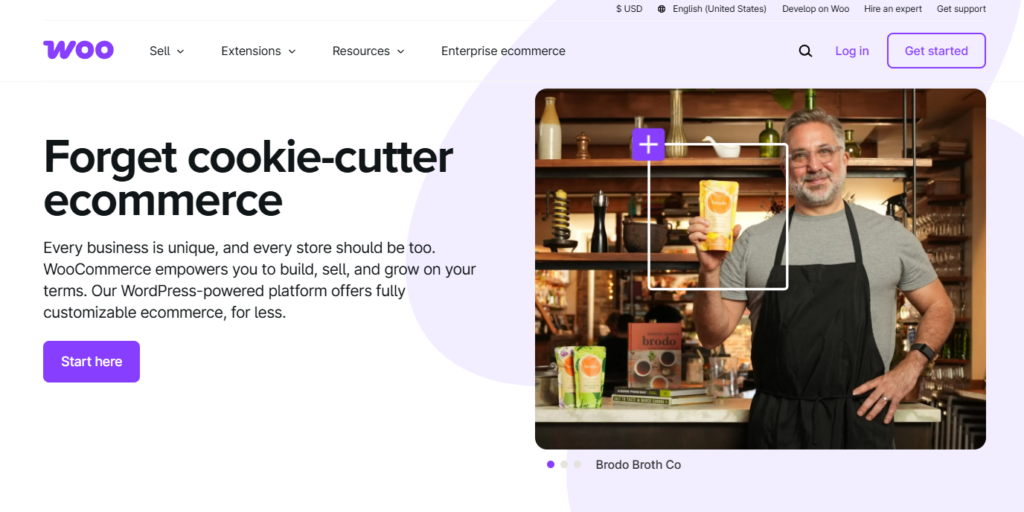
WooCommerce is our commerce platform of choice. As a company that creates plugins for WooCommerce stores (hi, we’re Iconic), it would be weird if we didn’t.
What is WooCommerce?
WooCommerce is a plugin that adds an ecommerce store to your WordPress website. Basically, you’ll create your website with WordPress, and when you install WooCommerce (which is free), you’ll get things like a checkout, inventory management, user accounts, and more.
But here’s why we like it and why you might find it useful as your platform of choice:
- WooCommerce has no monthly or transaction fees. Essentially, you can start an online store for free. So, if your store takes a while to start making money, you’re not lumped with costly overheads.
- Disclaimer: If you start an online store with a free theme/template and free plugins, then it’s free. Paid-for plugins and themes exist that enhance your store further (just like the other platforms on this list).
- You have more flexibility. With WooCommerce, if you need a new feature or something custom added to your store, you have the option to do so. Either via one of the many plugins WooCommerce (or companies like us) offer, or via a developer. Other platforms don’t offer this level of customization.
There is one downside to WooCommerce: it has a learning curve. If you’re new to the idea of setting up your online store, then something like WordPress coupled with WooCommerce might seem intimidating. Especially compared to other platforms.
However, with a little time, you’ll have mastered the platform and will have a solid, long-term, and future-proof online store without any fees. Essentially, your online store will be entirely yours.
Shopify
Shopify is probably one of the first platforms most people think about when they talk about ecommerce. Who wouldn’t when their marketing budget is so great?
So let’s talk about this platform, including the benefits and the downfalls.
What is Shopify?
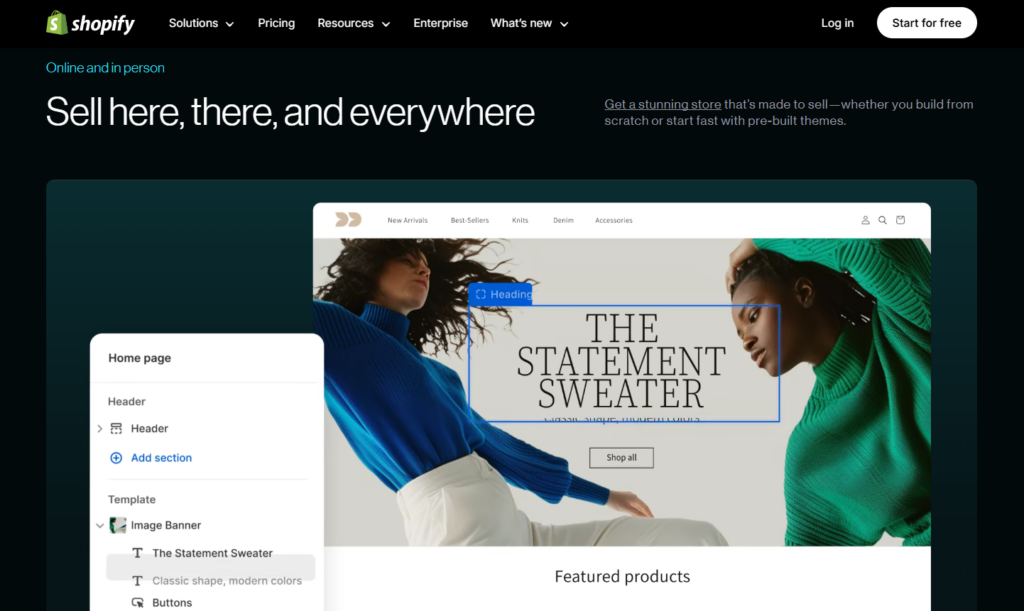
Shopify is an ecommerce platform that helps you create and build an online store. Built into your plan (which you pay for) is your site hosting. You can buy your domain from Shopify also, or elsewhere.
Here’s why you might want to use Shopify as your platform of choice:
- It’s user-friendly and streamlined If you’re a beginner, a platform like Shopify has some appeal. Setting up your online store takes a few steps, and you’re able to customize it quickly with built-in drag-and-drop editors. Essentially, Shopify works as a website builder.
- Shopify takes some of the work out of your hands. It deals with things like SSL certificates, backups, and some of the basics are already set up for you. Essentially, it’s a very good platform for getting your online business setup and running quickly.
- Shopify offers a good selection of apps, which are similar to plugins on WordPress/WooCommerce. These are extra features you can add to your ecommerce store to enhance it. Some are free, some you pay for.
On the other hand, Spotify charges monthly and transaction fees. For their basic plan, you’d pay $29 per month (when paid annually, so $348) with transaction fees which are 2.9% plus 30 cents per transaction.
That kind of cost adds up and eats into the profit of your online store. So, for a platform like Shopify, you have to weigh up how much that initial convenience is worth to you.

BigCommerce
BigCommerce is a platform we wanted to include to give you one more option for setting up your online store.
What is BigCommerce
BigCommerce is a hosted ecommerce platform, like Shopify. It lets you build, manage, and grow your online store without needing to deal with server maintenance or security. It’s known for being flexible and good for scaling.
Here’s why you might want to use BigCommerce as your platform of choice:
- BigCommerce will appeal to mid-sized to large businesses. Or businesses with B2B. This is because it offers some advanced features from the get-go. Things like international selling, complex product catalogs, multiple price lists, and more.
- If this is you, something like Shopify or Squarespace might not give you all the features you need.
- Like Shopify, BigCommerce handles your hosting for you, so setup is nice and easy. You can either buy your domain through BigCommerce or elsewhere.
BigCommerce has some appeal, but it’s more suited to complex stores that need a tailored platform. If you’re setting up a hobby store, or just starting out, BigCommerce might not suit.
So we’ve covered the basic platforms, now let’s go a little deeper. For the rest of this article we’ll be focusing on tools to help you with your WooCommerce store. However, many of these tools will have similar counterparts no matter which platform you’re using.
Tools for checkout and payment processing
Arguably, one of the most important parts of your ecommerce store is the checkout. If this part of your store isn’t performing, or is resulting in abandoned carts, you’re in a bit of trouble.
When it comes to a WooCommerce store, setting up your checkout to increase sales is very important. In this step, the following ecommerce tools will help you improve this aspect of your online store.
Flux Checkout for WooCommerce
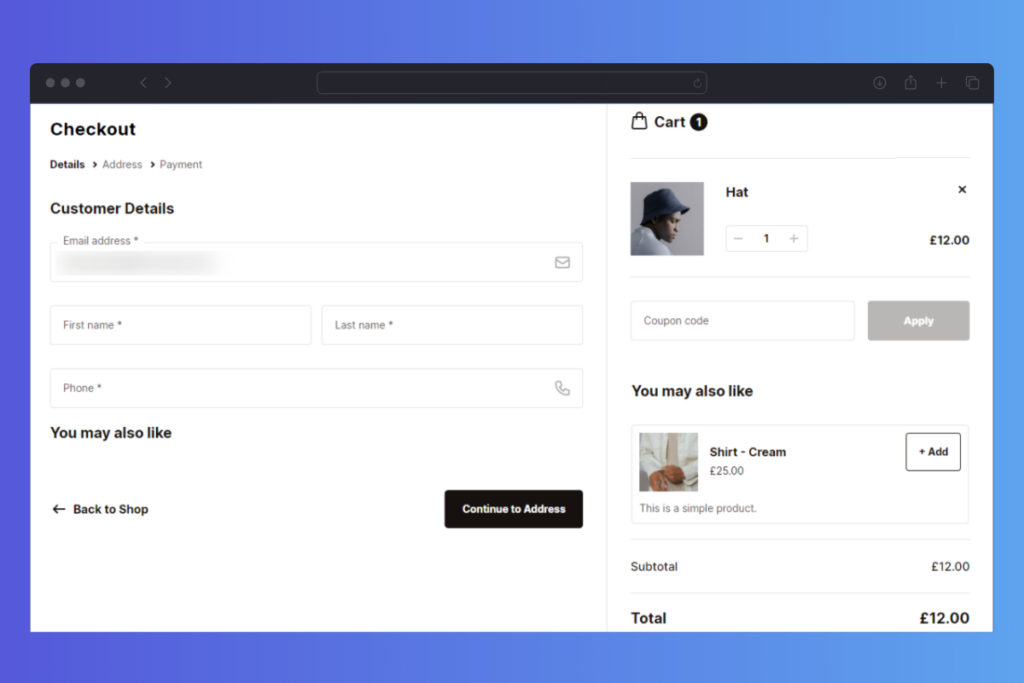
Flux Checkout for WooCommerce is a WooCommerce plugin which upgrades the default checkout you get with WooCommerce, into one that’s designed to reduce checkout abandonment and increase conversions.
It does this by fixing a lot of the reasons for checkout abandonment in the first place.
According to Baymard, these include extra costs, trust, account creation, complicated checkout, order costs, and more.
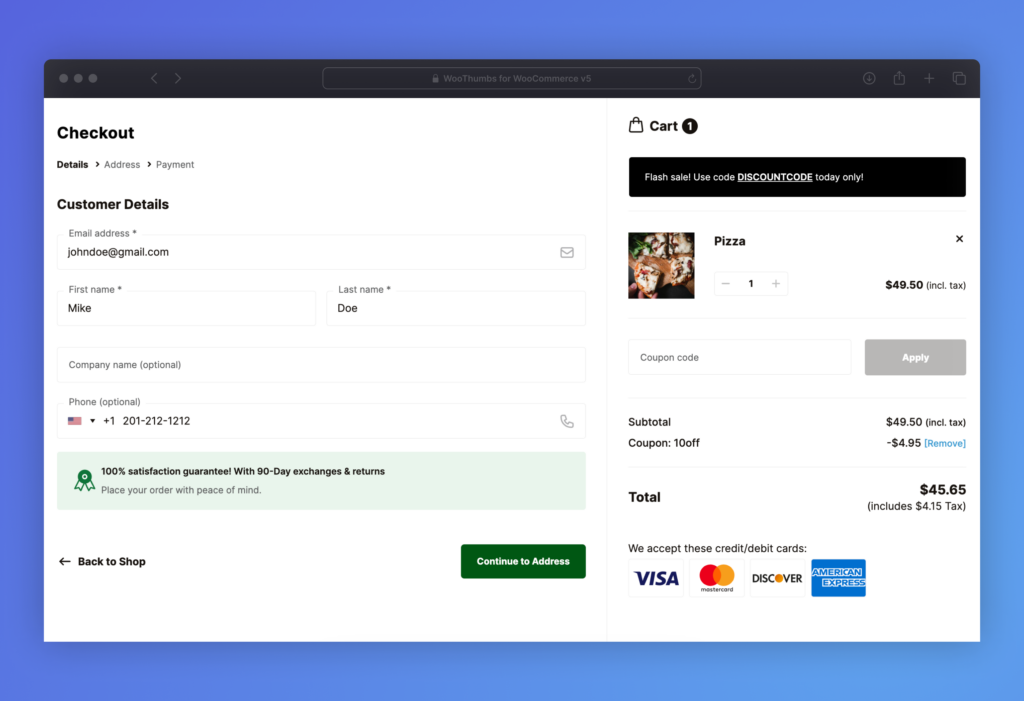
With Flux Checkout, here’s what you’ll get to solve these issues:
- A modern checkout that reduces the number of steps a customer has to take to pay for their order.
- Upgraded account creation/guest checkout. WooCommerce itself allows you the flexibility to offer guest checkout. Flux Checkout makes this even easier with an improved design and user experience.
- The ability to add trust seals to the checkout. Flux Checkout gives you the ability to add things like trust seals, credit card logos, and reviews directly to the checkout (and anywhere you want).
- Your customer will always see how much their order will cost as they’re checking out because it’s always displayed on the right-hand-side of the checkout page.
Flux Checkout for WooCommerce
Flux Checkout transforms the default WooCommerce checkout into one that’s lightning-fast, distraction-free, and reduces checkout abandonment.
Payment gateways
Once you have your checkout set up and running smoothly, there’s one other thing to consider when improving this area of your store. Payment gateways.
Customers want more (and more convenient) options for payment processing. If a customer has a preferred method, they will likely look for that when checking out with you. If, however, you have only the most basic or inconvenient payment processing options at your checkout, they may abandon it.
So, here are a few we recommend.
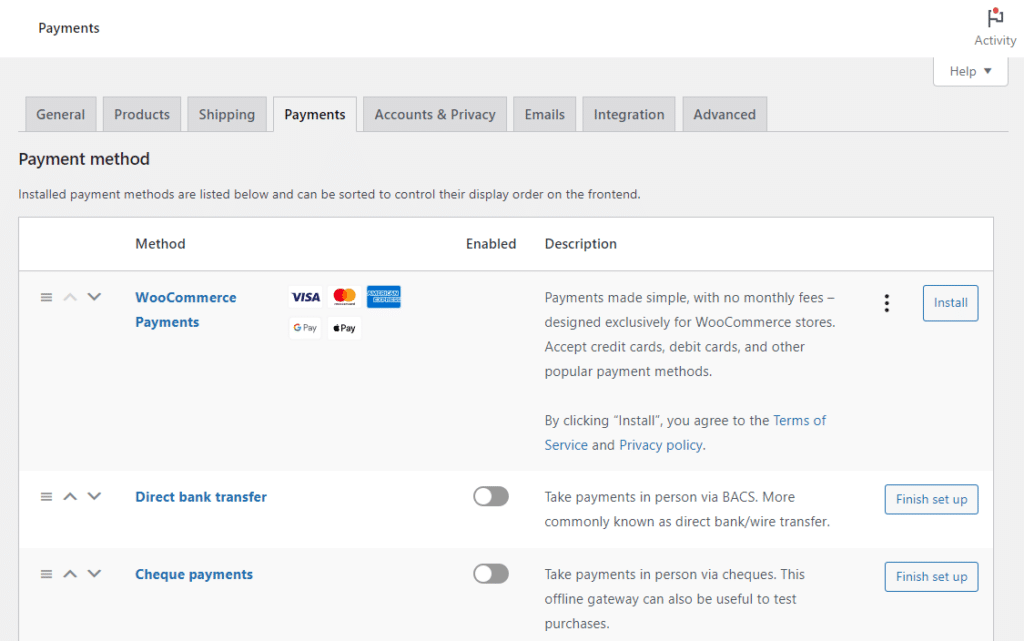
PayPal
PayPal is one of the most widely used payment options for ecommerce stores. From a customer’s perspective, it’s incredibly convenient. You don’t have to remember your CVC or CVV, you don’t need to move away from your computer to get your credit card, you just enter your password and go.
PayPal also has other benefits for customers. They can see their order history, and they’re given buyer’s protection through PayPal, which is useful especially if the customer is using a debit rather than a credit card.
Stripe
Stripe has many similarities with PayPal. From a customer’s point of view however, Stripe works more like a traditional checkout. Customers enter their card details (or use Apple/Google Pay if it’s available), and the payment happens directly on your site.
There’s no need to create an account or be redirected elsewhere, which keeps the experience simple and familiar. For returning customers using autofill or browser-saved cards, checkout can be just as quick as logging into PayPal.
Stripe doesn’t offer the same kind of buyer-facing dashboard or order tracking that PayPal does, but it handles payments quietly in the background and supports things like saved cards, subscriptions, and fraud protection on the store owner’s side.

If you’re running a WooCommerce store and want to use Stripe, StellarPay is a plugin built specifically for that. It’s designed to give you a reliable Stripe connection without adding bloat or unnecessary setup. Just a clean, simple integration that works.
Now we have your checkout working well and saving your sales, let’s take a look at your site’s performance.
Ecommerce tools for performance and optimization
No matter which ecommerce platform you use, performance (as in, how quickly and efficiently your store runs) is very important.
We’ll talk about WooCommerce here. But even stores using Shopify, BigCommerce, Wix, Squarespace, and others all deal with the need to improve the performance of your ecommerce store.
After all, if your store is slow or some of your features aren’t working quite right, that needs to be fixed. So here are a few tools we recommend to help you do just that.
Solid Performance
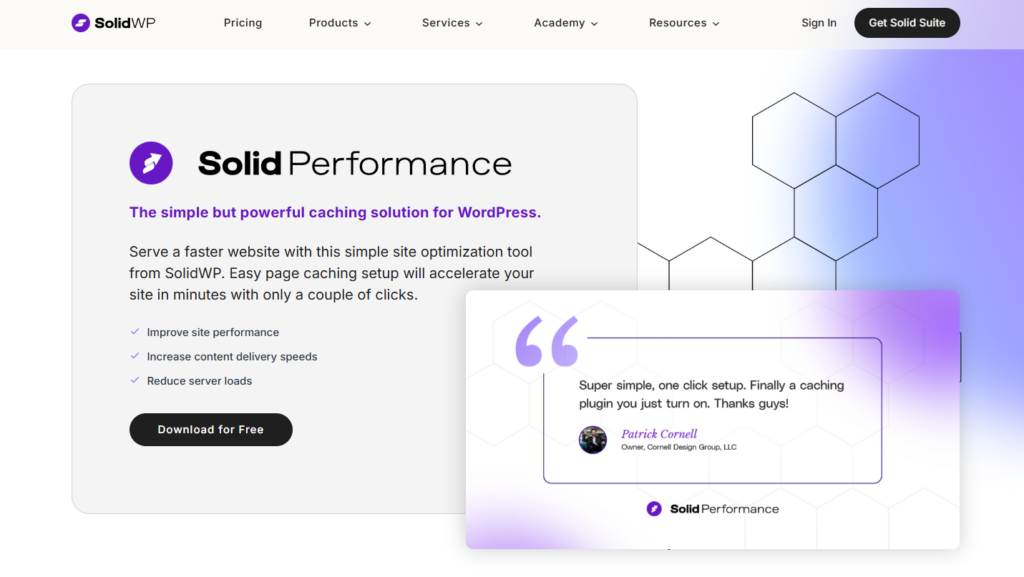
Solid Performance is a free WordPress performance plugin offered by one of our sister brands – SolidWP.
This plugin speeds up your WordPress site, and therefore your ecommerce store by adding site caching. Something that, if you look at your site speed analysis on PageSpeed Insights, will improve your Largest Contentful Paint.
If you’re new to all those terms, you might be a bit confused, but essentially, this plugin helps speed up your site by caching (saving the content of your page on your website’s server so it doesn’t have to load fresh each time) your page content.
It’s a quick, easy, and free way to improve your site’s performance.
Google PageSpeed Insights
We already touched on this as a tool when talking about Solid Performance, but if you’re looking to improve your store’s speed, this is an invaluable tool. After all, you need to understand why your website is slow, before you can speed it up, right?
PageSpeed Insights works by analyzing your site and breaking down every aspect of it that might make it slow or fast. It includes things like how it performs on mobile vs desktop, how long it takes to load, what specific things are slowing it down and some tips on how to improve it.
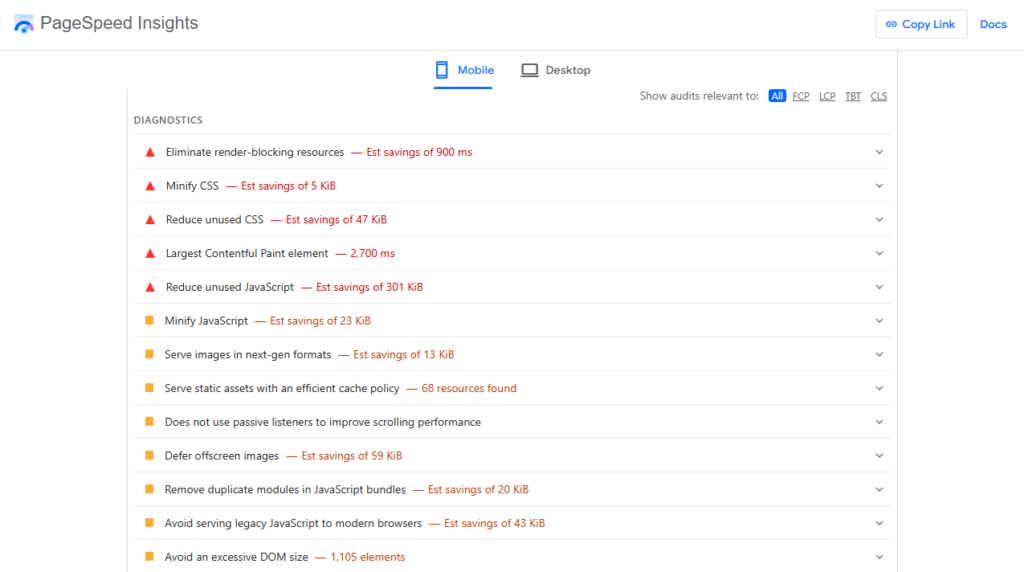
At first, using a tool like this can seem intimidating. Especially when it uses terms like defer offscreen images and eliminate render-blocking resources. But each of these elements comes with some pointers, and a quick Google search can break down the jargon for you.
We recommend tackling each of these one at a time to help you solve them. Some will require a tool to help you do it, while others can be done without one.
Next, let’s take a look at email marketing and automation. Because while you may just be starting out, email marketing will be one of your most effective tools for online sales.
Ecommerce tools for email marketing
Most online store owners will tell you that email marketing is one of their most effective and reliable tools for increasing sales. Compared to social media, it is not only predictable (not beholden to algorithms), but entirely within the store owner’s control.
When you build an email list of potential and existing customers, you have a direct link to them that is hard to gain with any other marketing method. You also have the ability to see why your marketing worked or didn’t work with reporting, and you can make improvements and changes quickly.
So let’s say you want to make email marketing your priority, here are some email marketing tools to help you get it done.

Mailchimp (or other email marketing platforms)
When most people think of an email marketing platform, they think of Mailchimp. And while we like it as a platform, it might not be the best specifically for you. So we recommend looking at a few different types of platforms to compare. Platforms like Klaviyo, ConvertKit, ActiveCampaign, or Omnisend all offer features you may or may not want.
Take a look at each when deciding on your first choice. Because while it isn’t too difficult to switch down the line (most tools offer services to help with that), it can be an unplanned and annoying task.
Here are some things to look out for:
- What are the charges? Most platforms charge different amounts depending on your subscriber numbers, monthly email sends, and additional features. You’ll want to check all of these. There’s nothing worse than signing up for a service and realising you need to pay extra for the feature you actually want.
- Speaking of the features… for an online store in particular, you’ll probably want some specific things. Some of these services offer SMS marketing, others offer multi-channel content marketing campaigns, while others allow you to segment based on some pretty detailed customer information.
- Make sure they work with your ecommerce platform. Most email marketing services will work with the big ecommerce platforms, but it’s worth double-checking that they can work with yours and, perhaps more importantly, how they work with yours. Is the setup easy or complicated? How well supported is it?
We have email marketing covered, now let’s talk about analytics. Because if you have your store set up and running, one of the most important things you can do, is monitor how it’s doing.
Tools for analytics and reporting
Your store may be ticking along, but by using analytics and reporting, you can see where you can make improvements, or tweaks you can make to increase sales, or just improve user experience and retention.
The following tools will help you do just that.

Google Analytics
Google Analytics is the standard when it comes to analytics and metrics for your ecommerce store. As an analytics tool, it’s easy to set up and fairly easy to use.
When you’re first starting out, this is the website traffic and user behavior tool we recommend. It has a slight learning curve because the amount of data you get can be overwhelming, but once you get to grips with it, the insights you get are invaluable.
If you plan on using this as a tool, we would suggest looking up some free courses or tutorials to help you get to grips with it. Look for ones specifically tailored to online stores.
Metorik
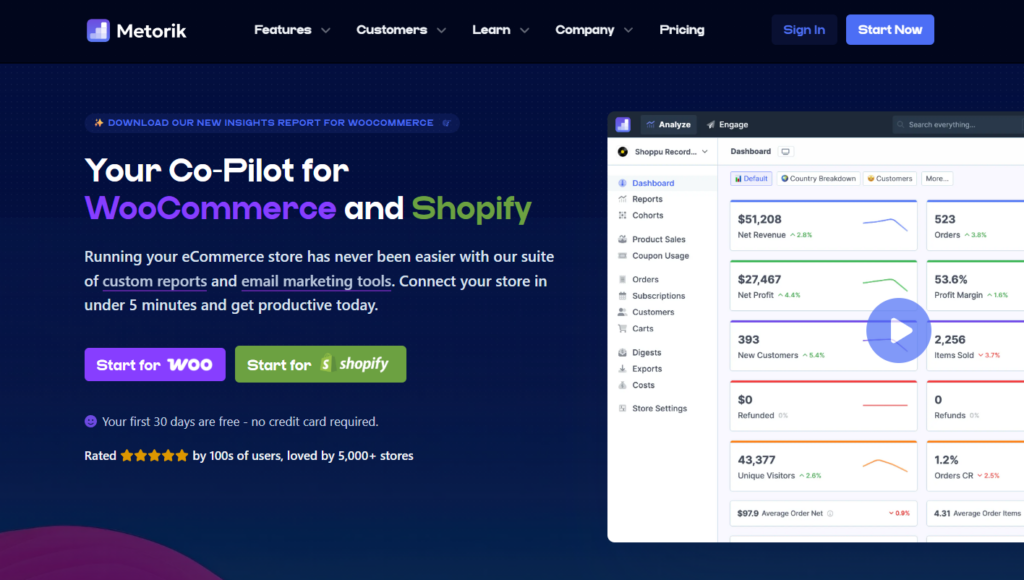
If you want to really understand your ecommerce site in a more user-friendly way, Metorik is a great option for customer data. This works for both WooCommerce and Shopify, so you’re sorted.
Metorik allows you to see everything from which products are the best performers to cart abandonment, customer behavior, conversion rates, subscription statuses, profit reports, and so much more. Here’s a full breakdown if you’re interested.
Metorik also allows you to send automated email campaigns to your customers based on very specific criteria. This is particularly useful for things like customer support, subscription renewal, or something highly targeted. As far as marketing automation goes, it’s a great tool.
Metorik isn’t free, but the value it provides is worth it for stores looking to grow.
Other analytics and reporting tools
We’ve kept things simple here. After all, if you’re just starting out, using advanced tools may be more of a distraction than helpful.
If, however, you’d like to look at other tools to give you more insight into your store and how it’s performing. There are heatmap tools like Crazy Egg which will allow you to see, from a customer’s perspective, what’s going on with your site.
If you’re looking to improve your site’s SEO (search engine optimization), SEO tools like Semrush, Yoast, or Ahrefs are great options for analyzing and improving how you rank in search engines like Google.
Get your ecommerce store up and running with the right tools
When first starting your ecommerce store, it’s important to find the right ecommerce tools to not only help you get up and running, but also to help you grow.
It has been our goal to keep this resource simple and straightforward. We could recommend hundreds of tools to you, but we believe the ones we’ve listed reflect their quality.
No matter if you’re looking to improve your marketing efforts, customer satisfaction, or just want to get things started, these ecommerce tools will help you get there.
Flux Checkout for WooCommerce
Flux Checkout transforms the default WooCommerce checkout into one that’s lightning-fast, distraction-free, and reduces checkout abandonment.

Gina Lucia is our in-house Content Manager at Orderable. She writes articles, user guides, technical documentation, and creates videos on everything WooCommerce and Orderable.
Gina has been working in the WordPress/WooCommerce space since 2012 when she developed WordPress websites for clients large and small.
For the past 8 years, she’s been writing about everything WordPress and WooCommerce, becoming an expert in what makes a WooCommerce store succeed.
When not writing, Gina loves to tend to her vegetable garden, read, or travel to mainland Europe.