

Want to learn what an SKU number is and how to create an effective SKU number for inventory management in your online store? This guide is for you.
Keeping track of your inventory and sales is one of the key things to succeeding, especially when you’re running a product-based business. When you understand what an SKU is and how to create one effectively, you’ll be well prepared to do this.
👋 This is what this guide is for – to walk you through what an SKU is and the recommended practices for creating one.
To break it down, here’s what we’ll cover:
- What is an SKU number? (with examples)
- How SKU numbers are used in ecommerce stores.
- How to find an ecommerce product’s SKU.
- How to create an effective SKU number for inventory management.
Let’s begin by understanding what a SKU number is.
What is a SKU number?
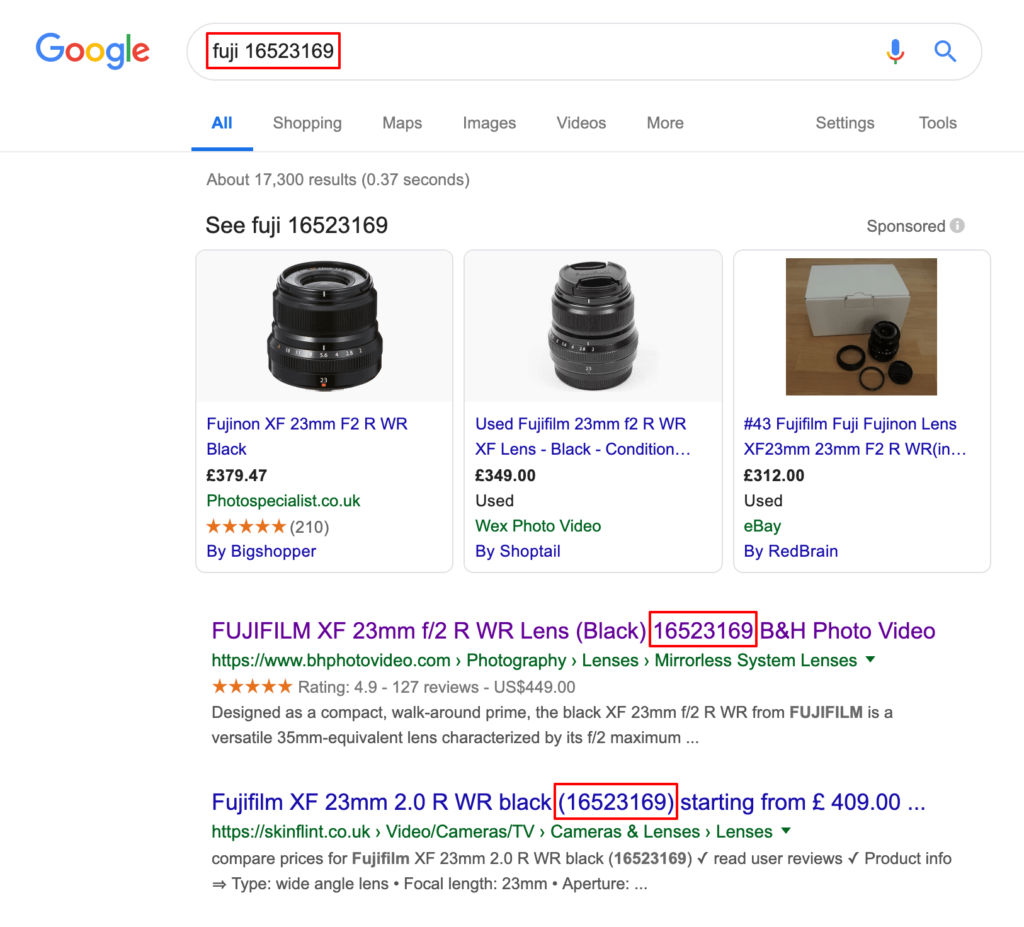
SKU, short for stock-keeping unit, is a combination of numbers and letters that you attach to specific products in your store to help with inventory management.
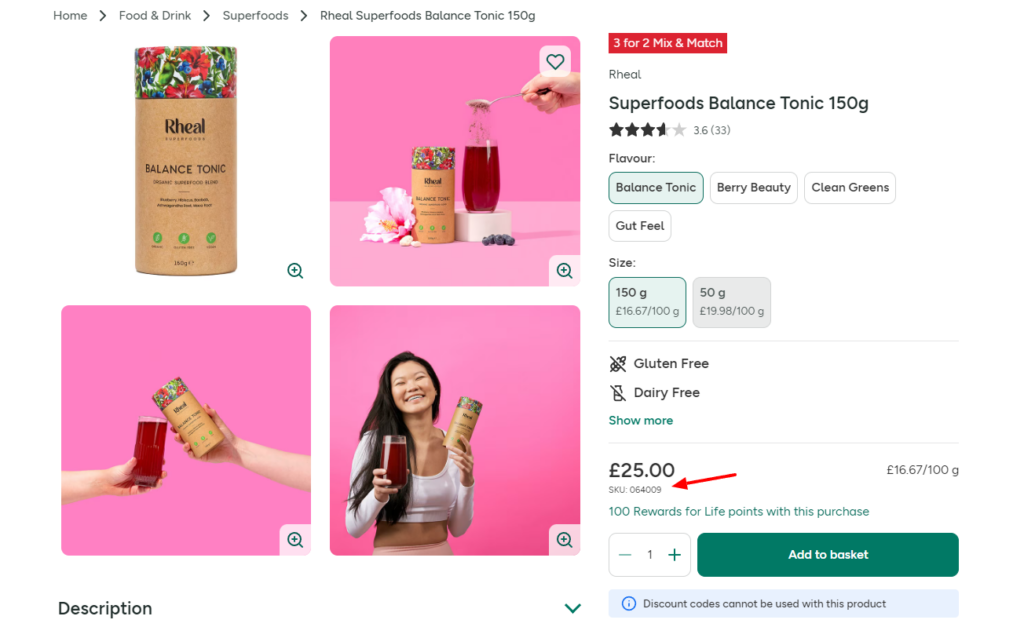
An SKU is a unique identifier for different products in your store, allowing you to account for every piece of your inventory.
By unique identifier, we mean that every product has its own SKU, including variations within a product. For instance, t-shirts of different sizes or bags that come in different colors will have different SKUs.

You’ll hear the term alphanumeric code being thrown around a lot. This means that a SKU is usually made up of numbers and letters only. Although SKUs look like a code, they aren’t the barcodes you’ll see big box stores add to their products.
SKUs are internal, meaning you’re the one who sets them, and they’re specific to your online store. We’ll get into the differences later. Now, let’s look at an example.
Free Download: Ecommerce Website Checklist
Build your online store with confidence using this free ecommerce website checklist.
This checklist is designed to guide you through every stage of building a successful ecommerce site, from foundational setup to understanding conversion rates.

What is an example of a SKU?
Suppose you sell shoes. An example of an SKU can look like this:
SKU number: SHOE-M-WHT-9
SKU number breakdown:
- SHOE – represents the product type (shoes).
- M – stands for who the shoe is for, men’s shoes in this case.
- WHT – represents the color of the shoe (white).
- 9 – represents the size of the shoe (white).
Or you can choose to have your SKUs entirely made up of unique numbers (numeric). For instance, 4225-776-3234, with each set of numbers representing a type of product and product attributes such as color, size, etc. There’s no one-size-fits-all SKU format.
So many things can determine how to set it up, including industry standards, the inventory management software you use, etc. Ultimately, how you set up your SKUs should work for you.

What are SKU vs UPC vs EAN Codes?
SKU, UPC, and EAN codes are unique identifiers used to track products and manage inventory, but they’re slightly different.
UPC (short for Universal Product Code) is a standardized barcode printed on the packaging of products sold at a retail store. This barcode is scannable, and once you scan it, your point of sale system will pull up the product’s information, including the price, tax information, etc.
Unlike SKU, the UPC code’s length is set to 12 digits. An international regulatory body (GS1) issues this code for manufacturers to place on their products.
On the other hand, the EAN codes are the same as those of the UPC, except that they are primarily used in Europe. Its format is similar to the UPC number, but it can be 8, 13, or 14 digits long.
Note: Even Amazon has its own form of SKU code called an ASIN, given to every product on the marketplace.

Now we know what an SKU number is and how it differs from other similar product codes, let’s move on to how SKUs are used in ecommerce stores.
How are SKUs used in ecommerce stores?
SKUs are often used to organize inventory in ecommerce stores. But that’s not all SKUs are good for. So, starting with inventory management, let’s go over some use cases of SKUs in ecommerce stores.
To track inventory
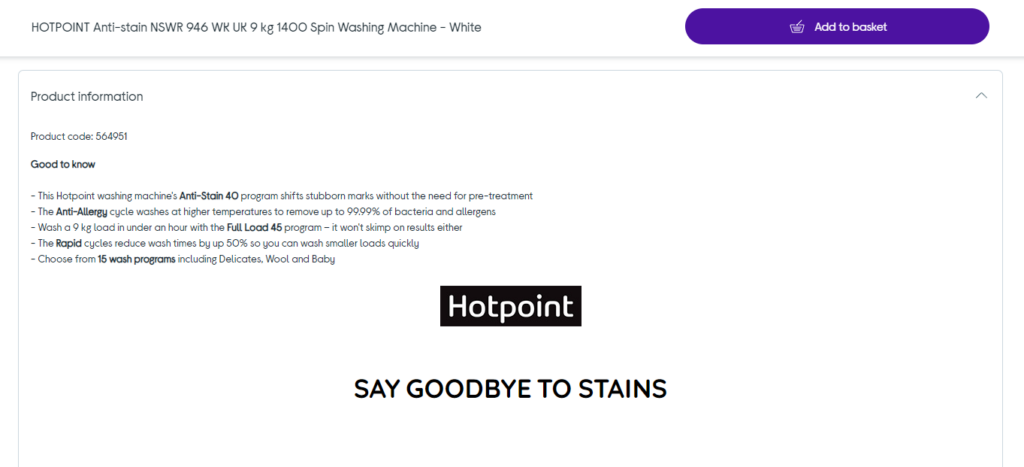
Each product in your store is assigned a unique SKU. This is why it shouldn’t be surprising that you would use SKUs to track inventory. Any product your online store receives will need to be properly tracked.
SKUs make it possible to track each product throughout its journey in your ecommerce store. From when you get it from your supplier to when you sell it to your customers. You’ll use SKUs to know exactly how much product you have, wherever you stock it (in a warehouse or a fulfillment center).
📈 Did you know that up to 43% of small businesses don’t actively monitor their inventory? So, using SKUs to track your inventory might just give you the edge over your competitors.
To conduct stocktakes
You can rely on SKUs to help when your business needs to conduct stocktakes. Stocktaking is the process of physically counting the products in the warehouse to see if stock levels match what you’ve recorded in your inventory management system.
During this process, employees can scan or reference each product’s SKU code to ensure they’re counting accurately.
To identify and track inventory shrinkage
Inventory shrinkage refers to the loss of inventory that you can account for through sales or returns.
It can result from:
- Theft – by employees or shoplifters.
- Damage – for instance, during transportation, making products unsalable.
- Spoilage – when perishable products go bad.
📈 Inventory shrinkage limits your profitability because you’re losing products. One study found that in 2022, the shrink rate for retail businesses in the US was at 1.6% resulting in $112 billion in losses.
Attaching SKUs to products makes it easier for you to pinpoint where or even how stock goes missing. Then, you can take action to prevent this.
To improve customer satisfaction
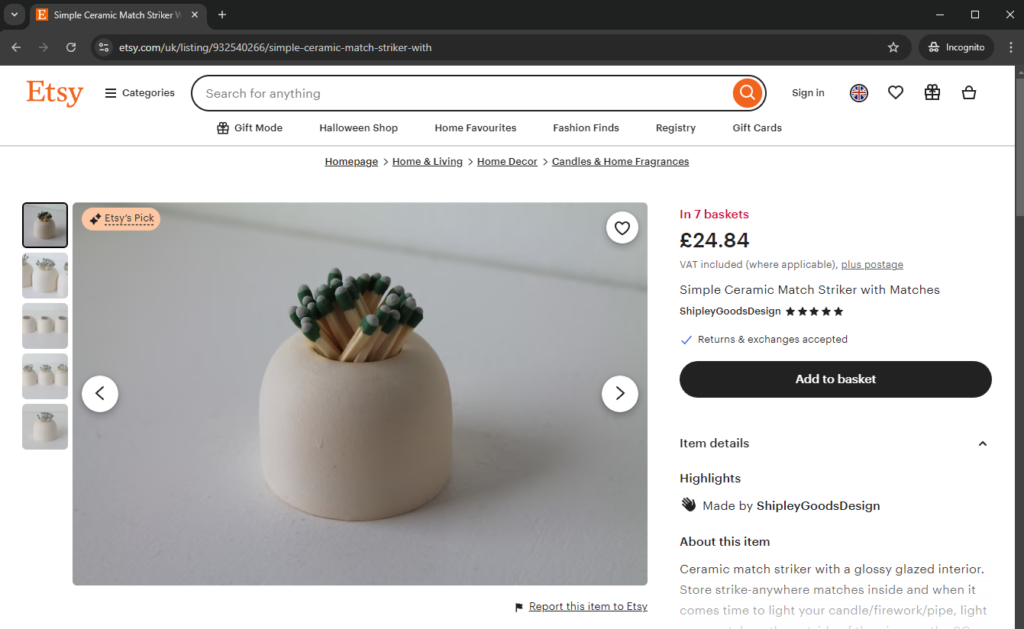
📈 A Retail Funding study revealed that approximately 34% of businesses have unintentionally sold a product not available in their inventory. Doing this results in delayed order fulfillment, which harms customer experience.
SKUs allow accurate inventory tracking. This means you’ll know the individual products approaching reorder points so you can restock them and prevent stockouts. Similarly, you’ll know if you have too much of a given product so that you avoid overstocking it.
Because of this, customers will only order what is available and receive their orders on time.
To identify profits
Using SKUs helps you spot which product variants are your best sellers. After this, you can make decisions on how to promote these products better to increase your profit margins.
In essence, SKUs enable you to stay on top of your inventory levels and streamline your store’s operations. With that in mind, let’s turn our attention to how to find a product’s SKU number in your ecommerce store.
How do I find a product’s SKU number?
There are different ways to find a product’s SKU number in your online store, depending on the ecommerce platform you use. In this section, we’ll go over how to do it on WooCommerce and Shopify.
How to find and set a product’s SKU number in WooCommerce
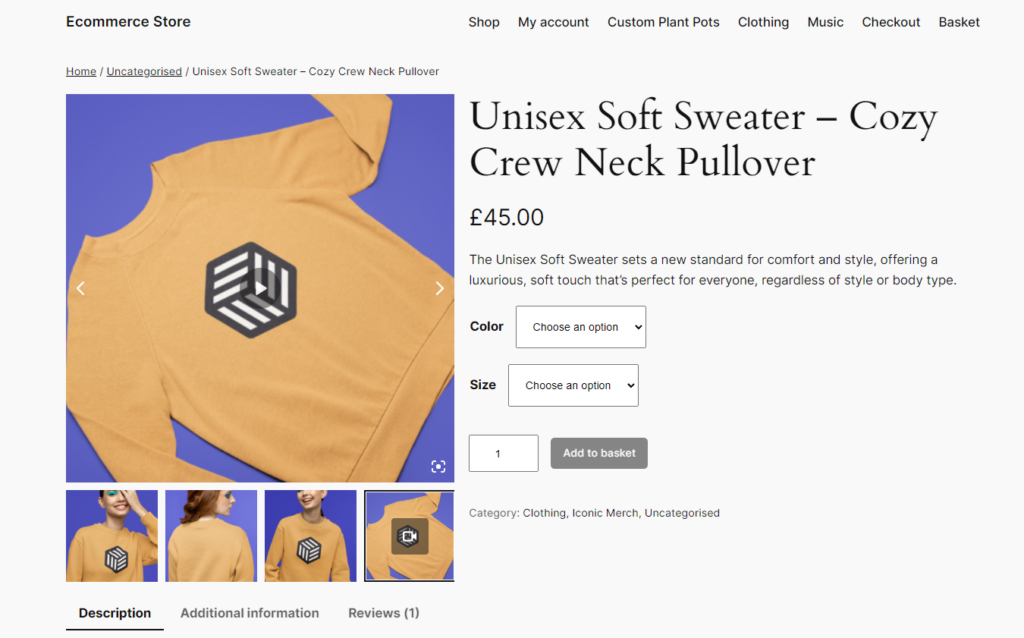
SKUs are important in WooCommerce, especially when you have tons of product variations in your WooCommerce store. Finding and setting SKUs for your WooCommerce products is pretty easy – you can do everything right from the WordPress dashboard.
When you add a product to your WooCommerce store, it doesn’t have a SKU. So you’ll have to set a SKU for it. There are two ways to go about it: manually and using a WooCommerce SKU generator plugin.
Before looking at how to set SKUs for your WooCommerce product, let’s first see how to find it.
How to find a product’s SKU in WooCommerce
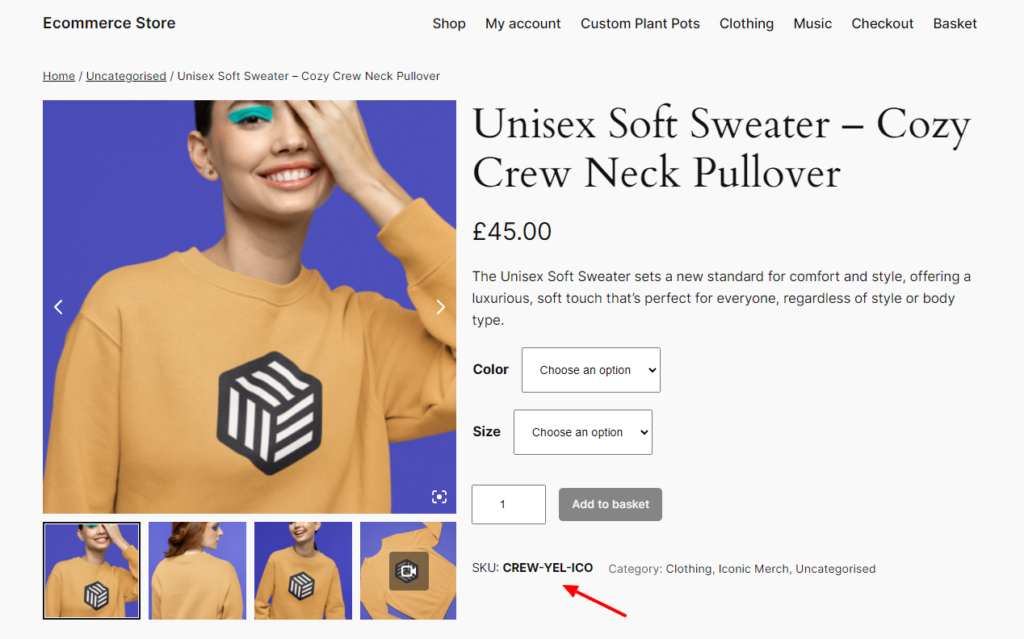
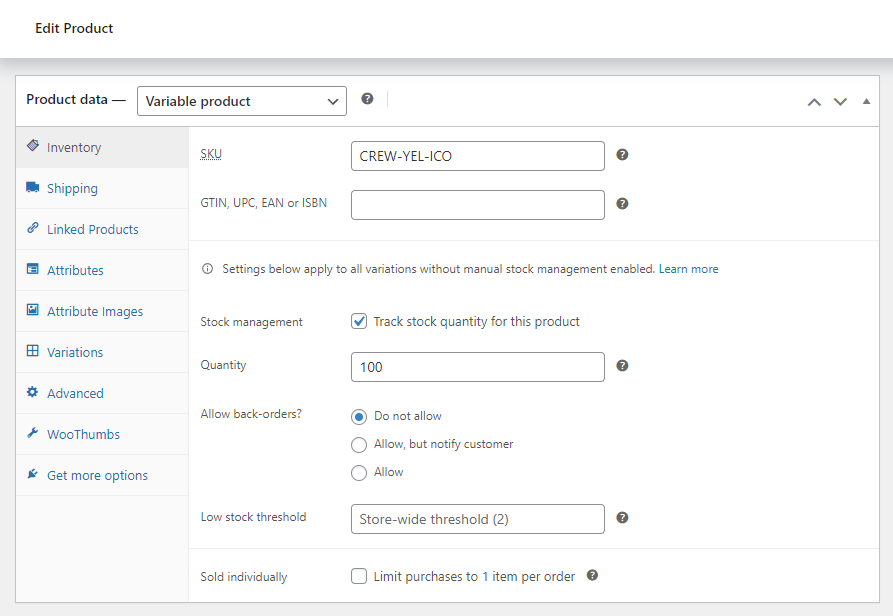
Assuming you’ve already set SKUs for your products, you can find this information from your WordPress dashboard.
To do this:
- Log into your WordPress dashboard and click on Products.
- Hover over the product for which you want to find its SKU and click on Edit.
- Scroll down to the product data section, just below the product description, and click on the Inventory tab.
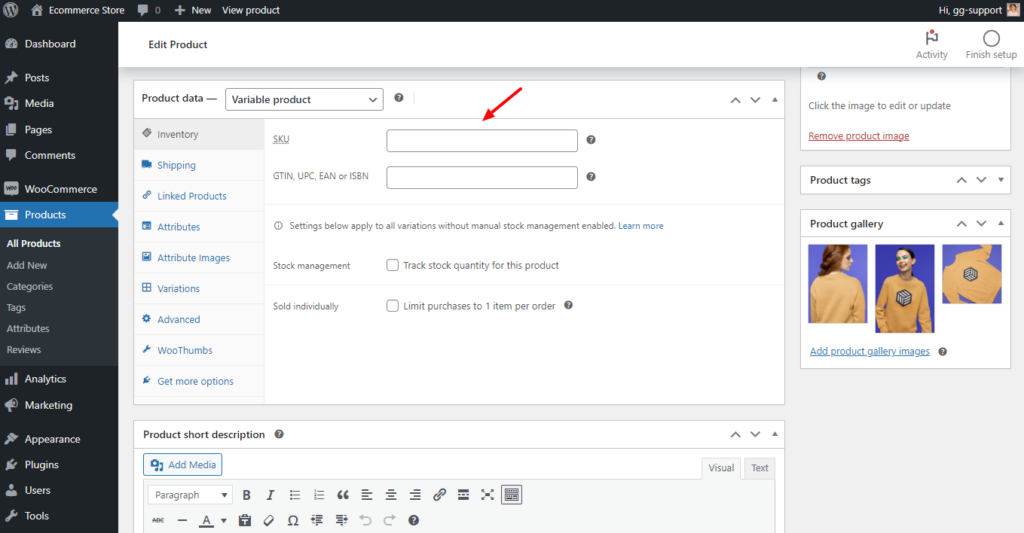
You’ll see the SKU field on the right side. If you haven’t set it up, this will be empty by default.
How to set a product’s SKU in WooCommerce
You can now add the product’s SKU in this field and click the Update button on the right. Since SKU works like a product’s ID number, you should add a unique SKU for all products, including variations of a single product.
If you have tons of variations, you’ll find this process extremely tedious. What’s more, you can easily make an error that will cause inconsistencies in your inventory records.
Thankfully, there are several WooCommerce plugins to help you do this quickly and efficiently.
These include:
All of the above are free plugins that you can download and install right from the WooCommerce plugin directory using the links we’ve provided. They offer several useful features such as creating SKUs automatically for all products, bulk updating SKUs, bulk generating SKUs depending on product category, and so on.
How to find and set a product’s SKU number in Shopify
Finding and setting a product’s SKU number in Shopify is more or less the same as doing it in WooCommerce. You can do it in minutes.
To find a product’s SKU:
- Log into your Shopify store and click on Products on the Shopify main menu.
- On your Products page, click on the product you want to find the SKU.
- Scroll down, and you’ll see the Inventory section just below the Prices section.
- You’ll see the SKU field at the bottom of this section. It will be empty by default, but you can manually add your product’s SKU here and click Save.
Note: Next to this, you’ll see the Barcode section where you can add your UPC.

How to add product SKUs in Shopify
Like in WooCommerce, you don’t have to add SKUs for all products manually. There are tons of apps in the Shopify app store that can help you do this automatically.
You can access the Shopify app store on your dashboard by going to Settings > App sales and channels.
You’ll see the Shopify app store button on the top right. Once you click on it, simply search for ‘SKU generator.’ The app store will return numerous SKU generator apps, including:
Pick one that has the features you want within your budget and preferably one with the ‘Built for Shopify’ badge.
As you can see, setting product SKUs is similar on both platforms. Keep in mind that both platforms don’t enforce unique SKUs for all products. So, your best option would be to use a plugin/app to get it done.
Now that you know how to find and set product SKUs, it’s important to create them properly. In the next section, we will look at some best practices for creating effective SKUs.
How to create an effective SKU number for inventory management
Although each business is responsible for developing an internal system for creating unique SKUs, there is a common method involved. How do I create my SKUs is a regular question among online retailers. Having a standard method to fall back on when you need an SKU is the best way to go about it.
In this section, we’ll go over some tips and best practices for creating your product’s SKUs. Let’s dive right into it.
1. Determine key attributes
When creating a format for your SKUs, the first thing you’ll need to determine is what to include. Fortunately, you don’t have to think long and hard about this. Just focus on your product’s key attributes.
These range from general product attributes to more specific ones. They include:
- Category or product type. The general classification of the item (e.g., shoes, shirts, electronics).
- Brand. If you source your products from a well-known brand, for instance, Nike, Prada, Sony, etc., consider including these brands in your SKU. However, if you get your products from Amazon or Alibaba, this might not apply to you.
- Model or style. A specific model number or style name. For instance, Crew neck, V-neck, or Henley for T-shirts. For phones, you can have an iPhone 15, Samsung S22, etc.
- Color. The color of the product.
- Size. If it comes in different sizes, for example, clothes or shoes, you should consider adding size to the SKU.
- Unique identifier. A serial number, batch number, or any other unique code. This will prevent you from duplicating your SKUs.
Including your product’s key attributes in their SKUs helps make them easier to identify. You’ll know what product you’re working with at a glance. Also, if you have someone else managing your inventory (like a new employee), they will have an easier time doing it.
Your SKU format will look much more organized when you include key product attributes.
2. Create abbreviations or codes for each attribute
We’ve decided which attributes to include in the SKU number and how to present them. However, writing them just as they are is nonsensical, and it defeats the whole purpose of having an SKU.
Imagine having an SKU that looks like this: ‘Shoes-Nike-AirJordan-Black-10’. It stops being an SKU once you write it like this (it’s more of a product breadcrumb).
Use abbreviations to shorten SKUs
The solution? Use abbreviations to represent each attribute. This will shorten your SKU. There are different ways to shorten these attributes while still making them recognizable.
You can choose to use the first 3 letters:
Category: SHO for shoes.
Or remove vowels:
Color: WHT for white.
Brands usually have designated recognizable codes. So, if you get your products from either of these brands, here is what your abbreviations might look like:
Brand: NKE (Nike), SAM (Samsung), and APL (Apple).
For size attributes, one letter is enough:
Size: S (Small), M (Med), and L (Large).
Remember that some attributes are short enough to remain intact without being abbreviated, for example, the color RED and the size in numbers (10).
3. Determine the order of attributes
Next, you’ll decide the order in which you’ll list the attributes in the SKU. A top-down product hierarchy is the best way to go about it, with the broader categories first, followed by more specific attributes.
By broader categories, we mean the parent category, such as Apparel, Electronics, etc., in the first position. This can be followed by a sub-category (t-shirts or smartphones) or a brand (Nike or iPhone). The model/style, color, size, and unique identifier should follow each other.
Here’s an example of a SKU formula to illustrate what this format might look like:
Format: Category-Brand-Model/Style-Color-Size-Unique Identifier.
4. Use separators (Optional)
After determining your attributes, abbreviating them, and deciding their order, it’s time to combine them to form your product’s SKU number.
So, let’s try one out. If the product is a Nike runner shoe: SHONKERUN10001
As you can see, it’s difficult to tell what this is at a glance. It looks like a bunch of letters and numbers randomly scrambled together.
To make your SKUs easily readable, use separators including:
- Hyphens: SHO-NKE-RUN-10-001.
- Underscores: SHO_NKE_RUN_10_001.
This is way easier to read and interpret than our initial example. Although separators are optional, we highly recommend them. They will make inventory management a breeze for you.
That aside, they also help to distinguish the different attributes. You can easily determine where the category, brand, color, etc., attributes start from and where they end.
5. Avoid special characters and spaces
Up to this point, we’ve been looking at what you should do. Now, let’s see what you shouldn’t do, and that is use special characters and spaces in your SKUs.
Special characters (@, #, ! or &) and spaces will present several problems, such as the following:
- They increase the likelihood of data entry errors. You could easily omit space or enter the wrong symbol when creating an SKU for a new product. This leads to inconsistencies in your SKU, making it difficult to retrieve the right product when searching for it.
- Incompatibility with certain inventory management systems. Many inventory management systems work with numbers and letters only. They may not have a built-in way to handle these special characters.
- Special characters make SKUs difficult to read. Systems aside, reading and interpreting special characters is more difficult than working with numbers and letters alone.
When it comes to your SKUs, always choose to keep it simple with letters and numbers alone.
6. Consider future scalability
You’ll likely add new product lines or variants as your business grows. So, you need to make sure your SKU formula is flexible enough to accommodate them. There are many ways to do this, some of which we’ve already discussed here.
Break up SKUs into segments
For instance, breaking down your SKU into segments (category-brand-model/style-color-identifier). This allows you to add new segments or expand existing ones when you add a new product. Let’s say you’ve been selling Nike shoes only, but you want to add Adidas to your catalog.
All you would have to do is change the attribute under ‘brand.’
Avoid overly specific attributes
One thing you should avoid is using overly specific codes. For instance, instead of adding a specific year, use a broader attribute that represents a range of models or versions.
Here’s an example of a SKU with overly specific attributes:
SKU: RED-SHIRT-M-COTTON-2023-01-12345
The date of production here is an unnecessary detail here. You might need to overhaul your SKUs for future products that may not have this detail.
Keep in mind that you shouldn’t have to create a new SKU format every time you introduce a new product line.
7. Test your SKU format
Before implementing the SKU system, test it with a few product variations to ensure it works as expected and is easy to understand and use.
Make sure the SKU format is:
- Unique. No two products should have the same SKU, even if they’re variations of the same product. For example, a red medium t-shirt should have a different SKU from a red large t-shirt.
- Consistent. The format should be consistent across all products. If you’ve expanded your business and are selling across different channels, for example, both WooCommerce and Shopify, your SKUs should be consistent across these channels. Using a different SKU on every channel you’re selling leads to confusion. You would have to manage inventory for the same products differently on each channel.
- Readable. Ensure that your team can easily interpret and use the SKUs. You might consult one of several employees for a second opinion on how readable the SKUs are.
8. Integrate with inventory management systems
Once you have your SKU formula, integrate it into your inventory management system. First, confirm that the system recognizes and utilizes the SKU to track inventory and process orders.
Thankfully, both WooCommerce and Shopify utilize SKUs this way. If you have a few products, you can go to the inventory section of your products and add your SKUs like we did before.
But, if you’re using a plugin or app, you’ll have to customize some settings to integrate your SKU format into WooCommerce or Shopify. Using the plugin Easy Auto SKU Generator for WooCommerce as an example, you can make these changes from the plugin settings page.
It allows you to pick the number of characters, select the SKU format, add product ID, and add a unique number. This way, you’ll implement your SKU formula. For Shopify, the F: SKU Code Generator allows you to set the rules for creating your SKUs.
9. Document your SKU guidelines
As expected, you won’t be handling inventory management alone. You could invite some of your employees to help you. This is why you should document your SKU guidelines to explain the reasoning behind your SKU format.
In your guideline, you can include useful information such as:
- A definition of your SKU components.
- A guide to your abbreviations.
- Outline the process of creating, modifying, retiring, or deactivating existing SKUs when you stop selling a product.
- Special cases – for instance, how to create SKUs for configurable products.
SKU guidelines make it easy to onboard anyone in your business into your inventory management practices. When you have new employees, this guideline will make training them easier. Also, all departments in your business will have a standard guide to fall back on, leading to fewer misunderstandings.
Understand what is a SKU number for your ecommerce store
To manage your inventory efficiently in your online store, you must understand what SKUs are and how to create them effectively. In this guide, we’ve covered everything you need to know to understand SKUs and effectively create them for your products.
Be sure to go through this guide to help you come up with user-friendly and scalable SKUs. Whether you’re using WooCommerce or Shopify, you’ll find this guide useful for efficiently managing your SKU system and inventory.

Dave is an experienced WordPress and WooCommerce developer with over a decade of building solutions in the agency world, who is now focused on commercial plugins and SaaS products.
He joined Iconic in November 2021, leading development on several plugins including our flagship WooThumbs product, before taking over as Product Manager in November 2023.