

A big update has just landed for WooCommerce Delivery Slots, and it’s here to make recurring deliveries simpler for you and smoother for your customers.
This release includes two major improvements:
- You can now offer delivery slots for subscription products, using WooCommerce Subscriptions or StellarPay subscriptions.
- We’ve also improved how subscription customers choose their delivery date and time at checkout, making the process faster and more user-friendly.
Whether you sell weekly meal kits, subscription boxes, or local deliveries on repeat, this update gives your store more flexibility and your customers more control.
Here’s what’s new.
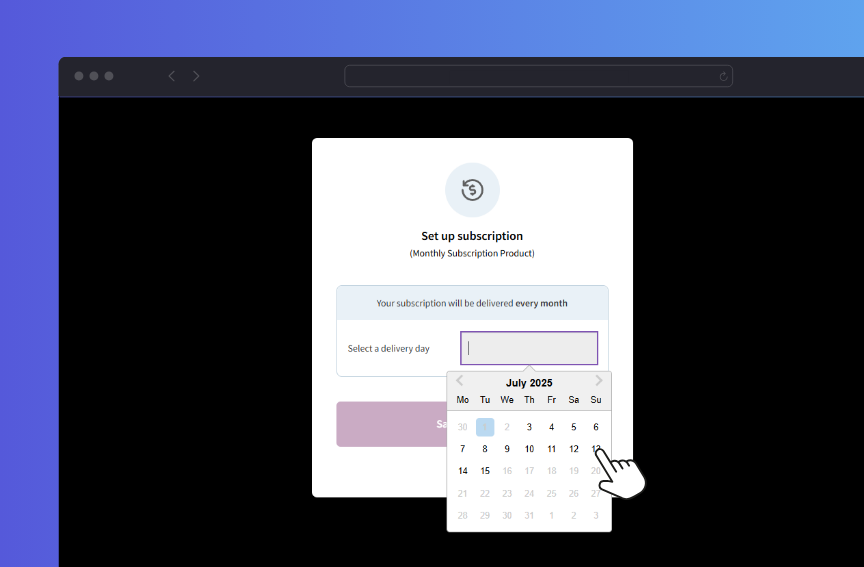
Delivery Slots now works with subscription products
Until now, you could offer delivery slots for one-time purchases. But subscription-based orders? Not so much. That changes with this update.
WooCommerce Delivery Slots now works with both WooCommerce Subscriptions and StellarPay subscriptions.
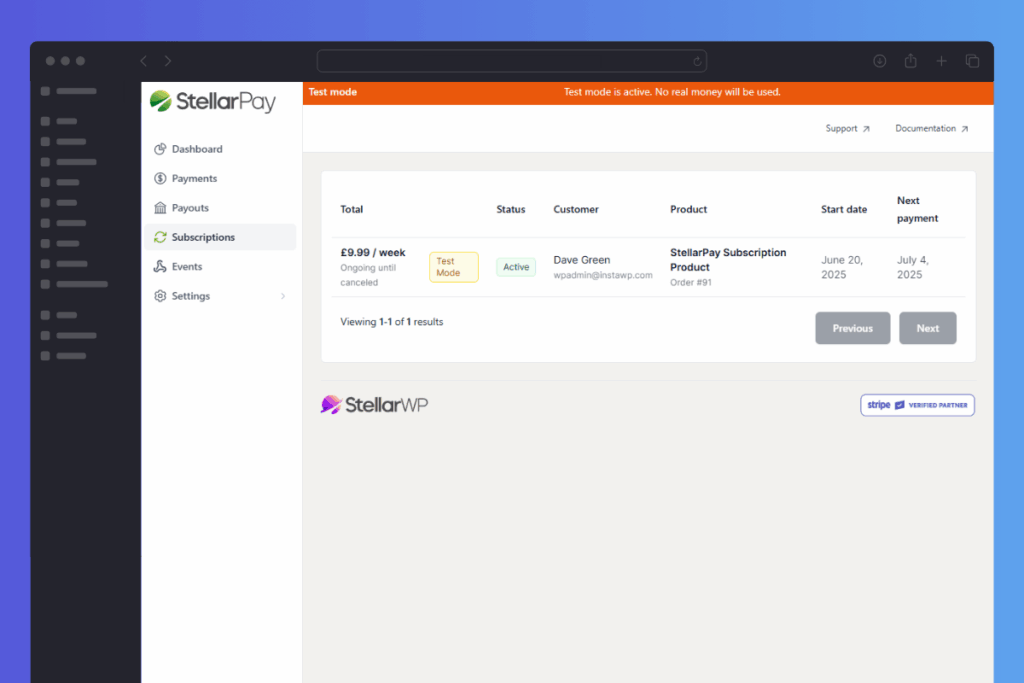
Here’s how it works:
- When a customer adds a subscription product to the cart, they can choose their recurring delivery date/day and time during checkout.
- That choice is then automatically saved and used for all future deliveries in the subscription.
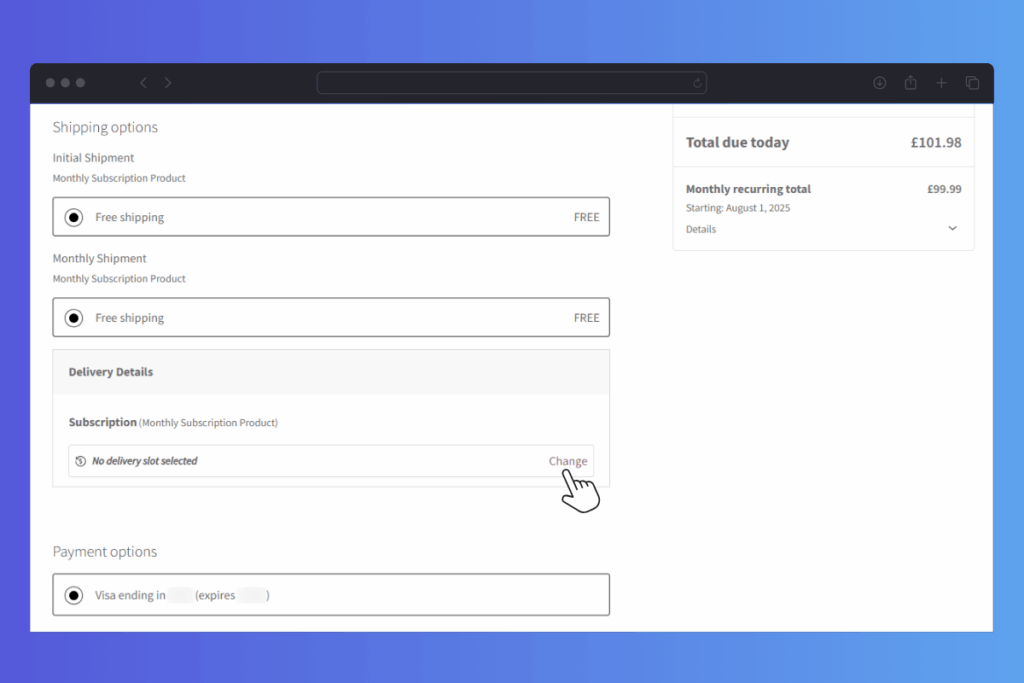
This makes it much easier to run stores with scheduled, recurring deliveries like:
- Weekly or monthly food boxes.
- Prepared meal kits.
- Local grocery or flower deliveries.
- Or anything else your customers receive regularly.
Now, customers can set their preferred delivery time once and trust that every order will arrive when it suits them.
A faster, more flexible way to pick delivery times for subscriptions
To make the subscription checkout process simpler, we’ve also changed how customers choose their delivery date and time when they subscribe.
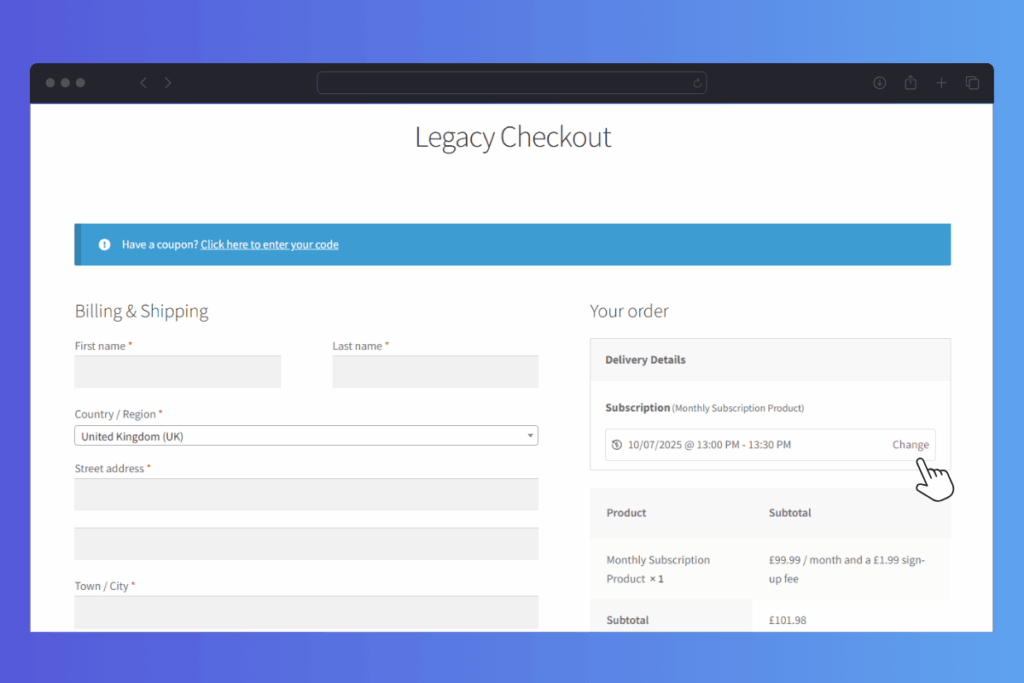
Instead of adding a date/time selector to the main checkout screen (like we do for one-off purchases), we’ve introduced a clean pop-up window that appears when it’s time to pick a slot.
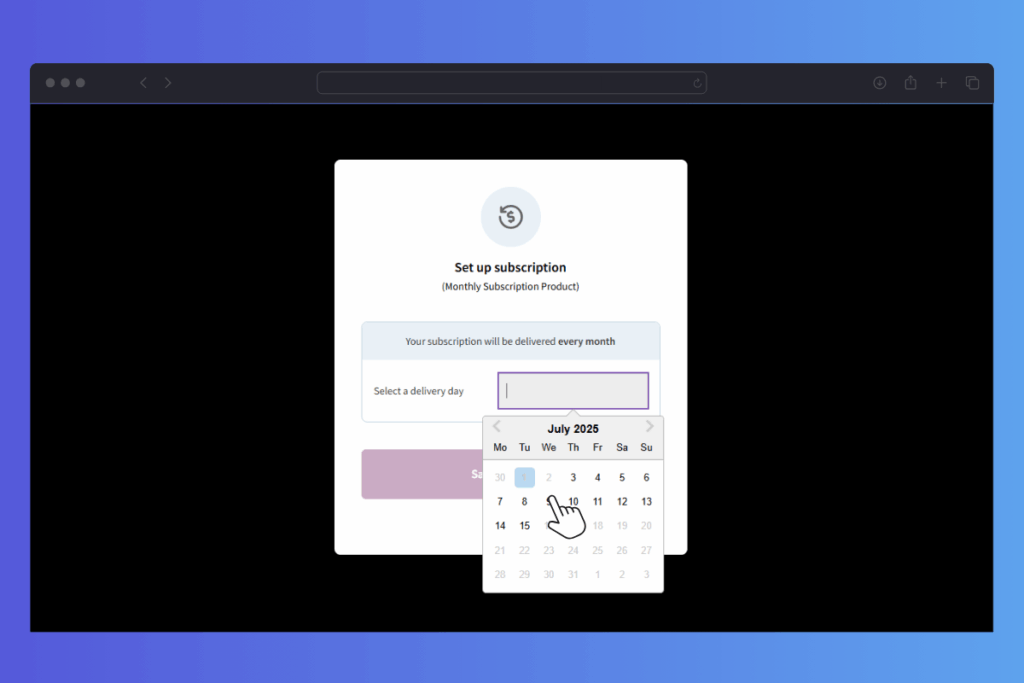
This pop-up window:
- Keeps the checkout tidy and easier to follow.
- Helps customers focus on choosing a delivery time without distractions.
- Works across all checkout types and looks great on both desktop and mobile.
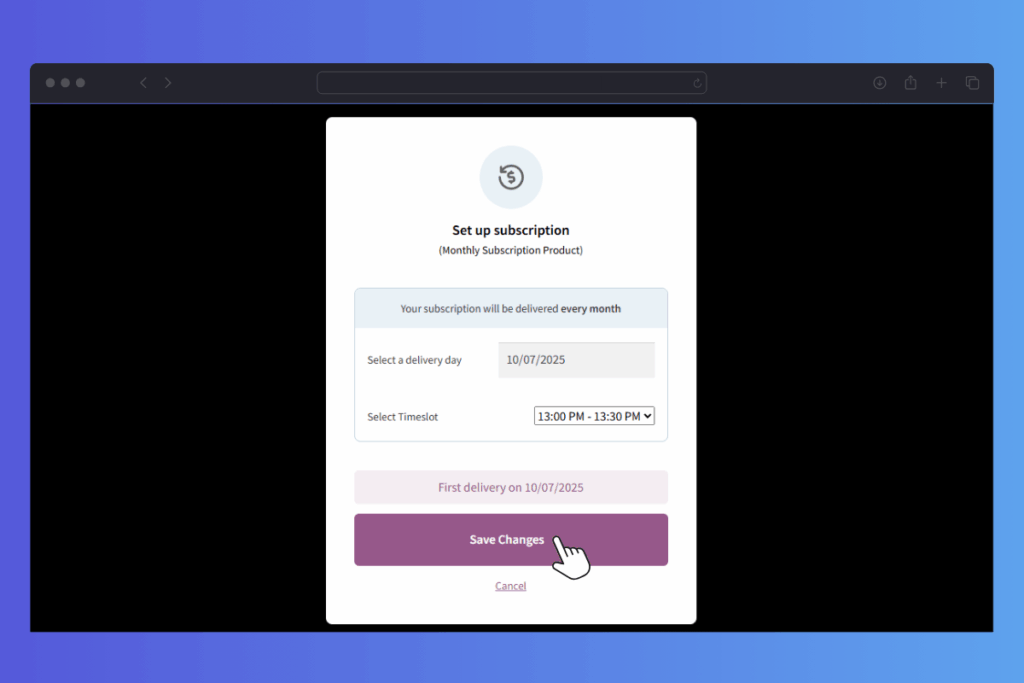
Note: This new slot selection pop-up window only appears for subscription products.
As a bonus, the one-time order delivery slot time/date picker has had a design upgrade to match the look of the new subscription one.
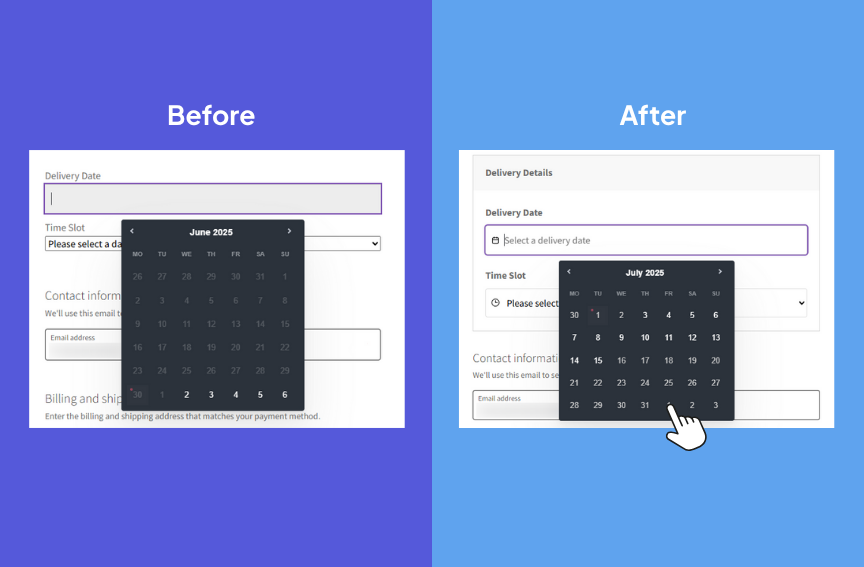
What happens when a subscription delivery falls on a day you’re closed?
There may be times when subscription delivery times/dates are unavailable for customers to pick from. Either because all available slots have been filled, or you’ve set holiday dates around that time.
So, we’ve added a new setting that lets you decide what to do if a subscription order is due on an unavailable date.
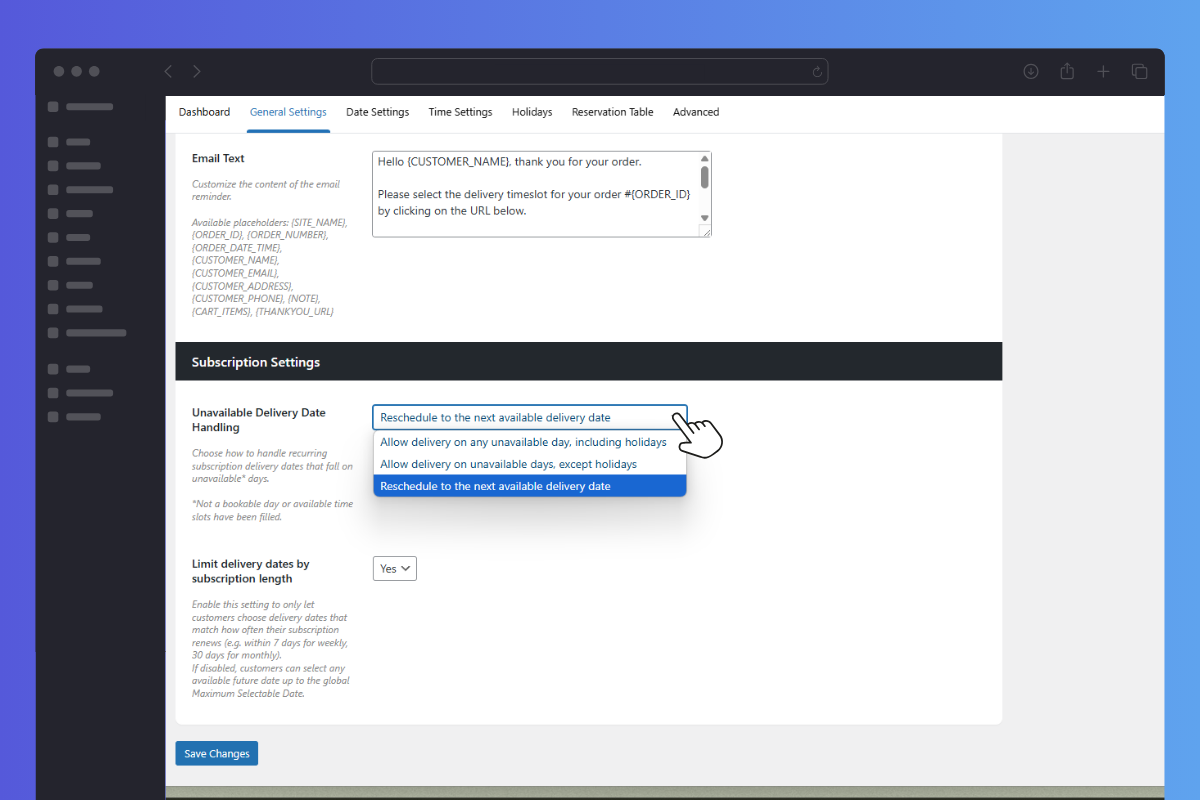
You can choose one of the following:
- Allow delivery on any unavailable day, including holidays.
- Allow delivery on unavailable days, except holidays.
- Reschedule to the next available delivery date.
This helps you avoid delivery issues without needing to manage every subscription manually.
Want more information on this setting? Check out our Unavailable Delivery Date Handling documentation.
Limit delivery dates by subscription length
We’ve also added a setting that helps keep delivery dates in sync with how often your subscriptions renew. When enabled, this setting only lets customers pick a delivery date that matches their subscription’s schedule.
For example:
- Weekly subscriptions can only choose a delivery date within the next 7 days.
- Monthly subscriptions are limited to dates within the next 30 days.
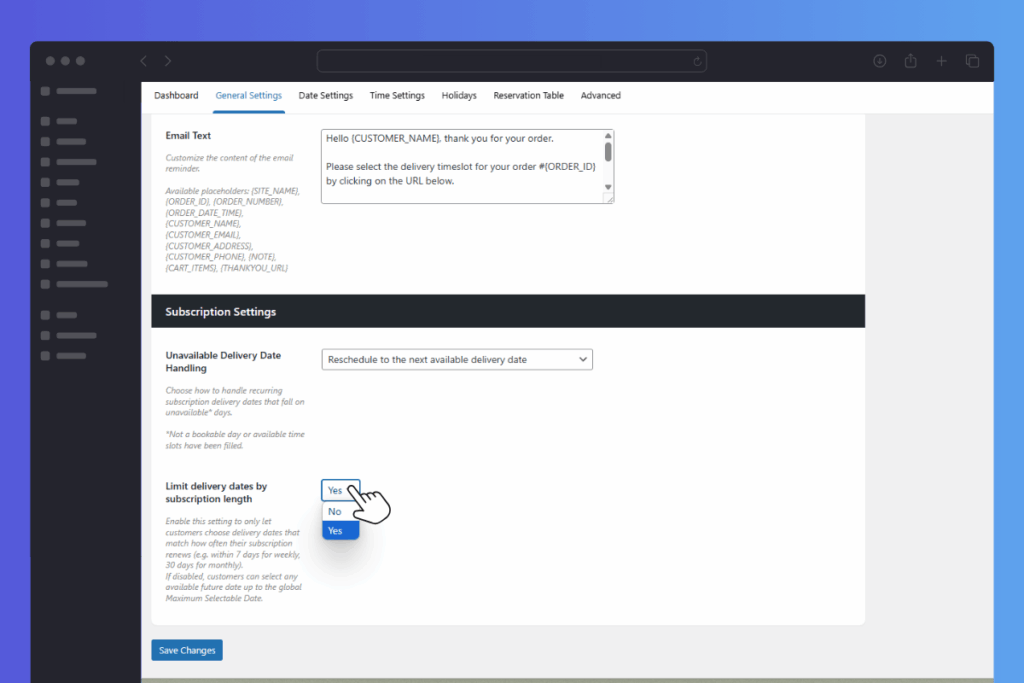
If you leave it disabled, customers can select any available delivery date up to the global ‘Maximum Selectable Date’ you’ve already set in Delivery Slots settings.
It’s a small addition that helps keep subscription delivery expectations clear and avoids customers choosing a delivery date that doesn’t match when their next order is due.
Easier order management behind the scenes
If you manage a mix of one-time and subscription orders, we’ve made it easier to tell them apart when you’re viewing orders in your WordPress dashboard.
You’ll now see clear labels showing whether the delivery time belongs to a one-off purchase or a subscription.

This helps you:
- Avoid mix-ups when preparing orders.
- Speed up fulfilment.
- Stay organised, especially during busy periods.
It’s an update that will save time and reduce errors in the long run.
Get the updated WooCommerce Delivery Slots today
If you’re already using WooCommerce Delivery Slots, you can update from the WordPress Dashboard as usual.
Want to see how to use Delivery Slots with these features? Here is a step-by-step doc that can help:
- How to Use Delivery Slots with Subscription Plugins
- How to Change Unavailable Delivery Date Handling for Subscriptions
If you don’t already have WooCommerce Delivery Slots, get it for yourself here:
WooCommerce Delivery Slots
Let customers choose their preferred WooCommerce delivery date and time right from your WooCommerce checkout page. With WooCommerce Delivery Slots, you can set a flexible delivery schedule to suit you and your customers.

Dave is an experienced WordPress and WooCommerce developer with over a decade of building solutions in the agency world, who is now focused on commercial plugins and SaaS products.
He joined Iconic in November 2021, leading development on several plugins including our flagship WooThumbs product, before taking over as Product Manager in November 2023.