
How to Change Unavailable Delivery Date Handling for Subscriptions
If you’re using one of WooCommerce Delivery Slots’ subscription integrations*, but you don’t want these to clash with unavailable delivery dates/time slots, this guide is for you.
*StellarPay or WooCommerce Subscriptions
While using WooCommerce Delivery Slots, there may be times when delivery/pickup times/dates are unavailable for customers to pick from.
This might be because:
- All available slots have been filled.
- You’ve set holiday dates around that time.
- You’re unavailable on those dates.
If this happens, there’s a setting in WooCommerce Delivery Slots that lets you decide how this is handled.
How to change the Unavailable Delivery Date Handling setting
To get to the Unavailable Delivery Date Handling setting, take the following steps:
Note: This setting only appears if you have StellarPay or WooCommerce Subscriptions active on your WordPress website, as well as WooCommerce Delivery Slots.
- From your WordPress dashboard, go to WooCommerce > Delivery Slots and click the General Settings tab/link at the top of the page.
- Scroll down until you get to the Subscription Settings section.
- Here you’ll see the Unavailable Delivery Date Handling setting and next to that, a dropdown menu.
- In this menu, you’ll have the option to:
- Allow delivery on any unavailable day, including holidays – this means that your subscription products can be delivered on any day, even if you’ve set up a holiday or the time/date slots are taken.
- Allow delivery on unavailable days, except holidays – this means that subscription products can be delivered on any day except the holidays you set up.
- Reschedule to the next available delivery date – this means it takes into consideration both holidays and unavailable days.
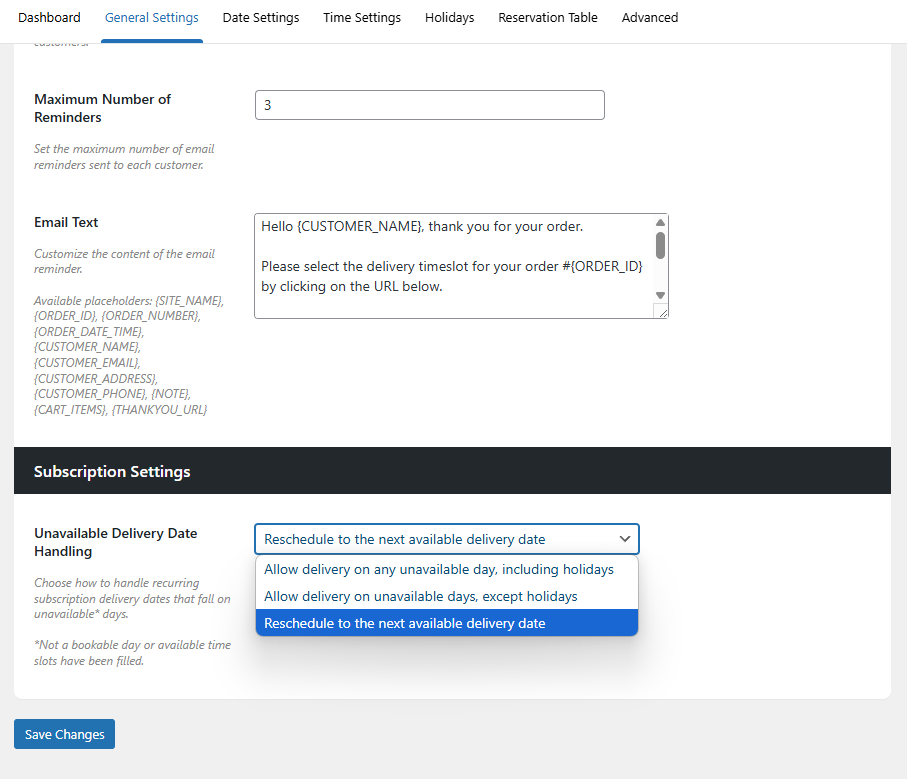
- Once you’re happy with your selection, click the blue Save Changes button at the bottom or top of this page.
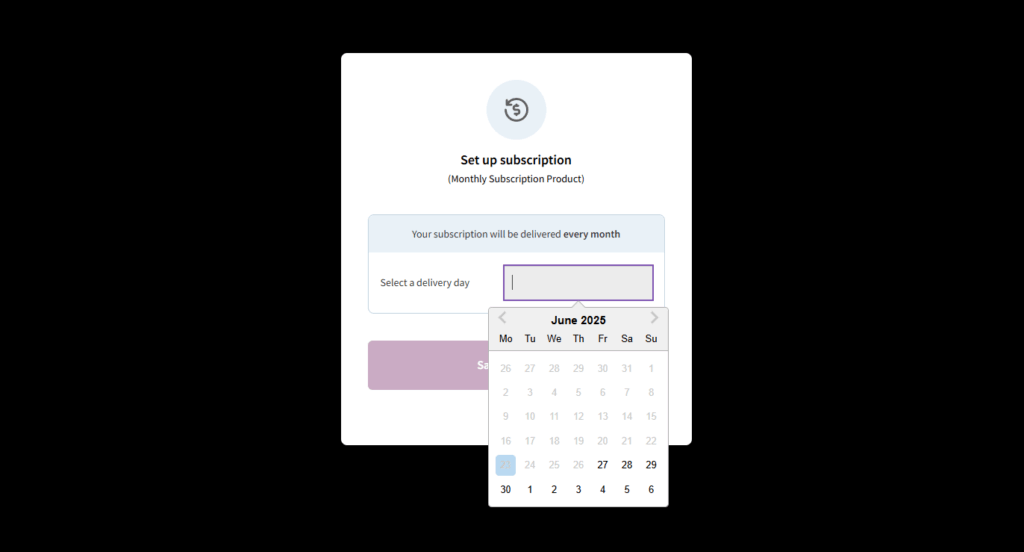
Note: When selecting their subscription delivery date using the date picker, any unavailable dates will be greyed out, and customers won’t be able to select them.
WooCommerce Delivery Slots
Let customers choose their preferred WooCommerce delivery date and time right from your WooCommerce checkout page. With WooCommerce Delivery Slots, you can set a flexible delivery schedule to suit you and your customers.
Was this helpful?
Please let us know if this article was useful. It is the best way to ensure our documentation is as helpful as possible.