
How to Use Delivery Slots with Subscription Plugins
If you’re looking to use WooCommerce Delivery Slots with a subscription plugin, this guide is for you.
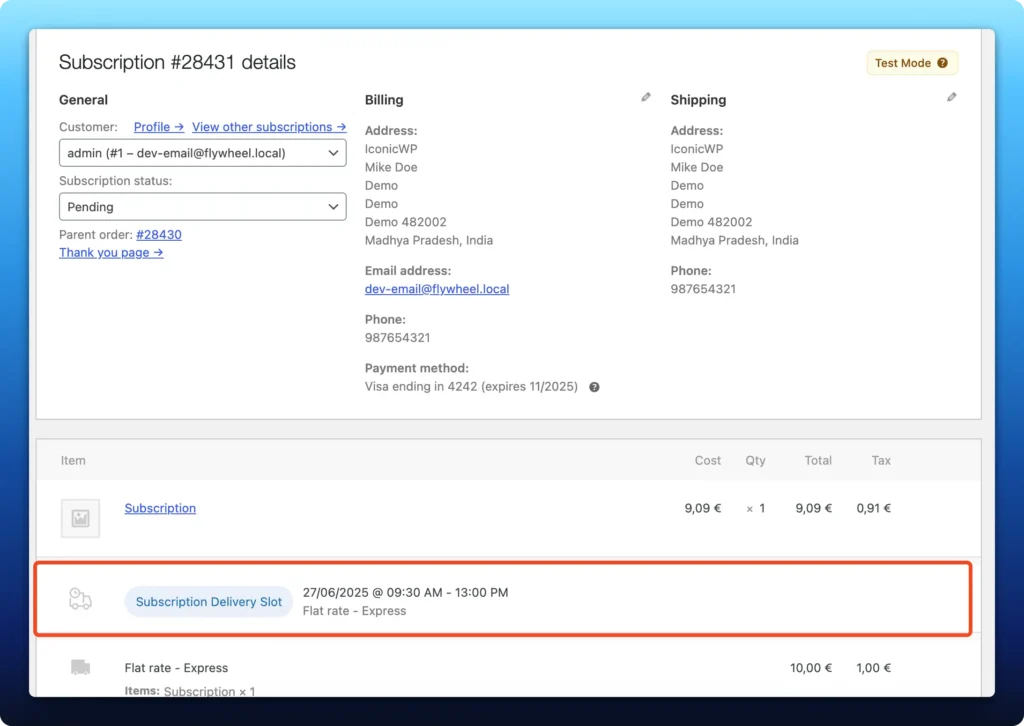
WooCommerce Delivery Slots currently works with WooCommerce Subscriptions and StellarPay subscriptions. This allows store owners to offer delivery date and time slot selection for both initial and recurring subscription orders.
How it works
- When a customer places a subscription order, they select a preferred delivery date and time slot at the checkout in the form of a pop-up.
- Anchor Delivery Offset: We calculate the number of days between the order date and the selected delivery date. This value is saved as the delivery offset.
- Recurring Orders: For each renewal order, we add the offset to the renewal date to calculate the new delivery date.
Handling unavailable delivery dates
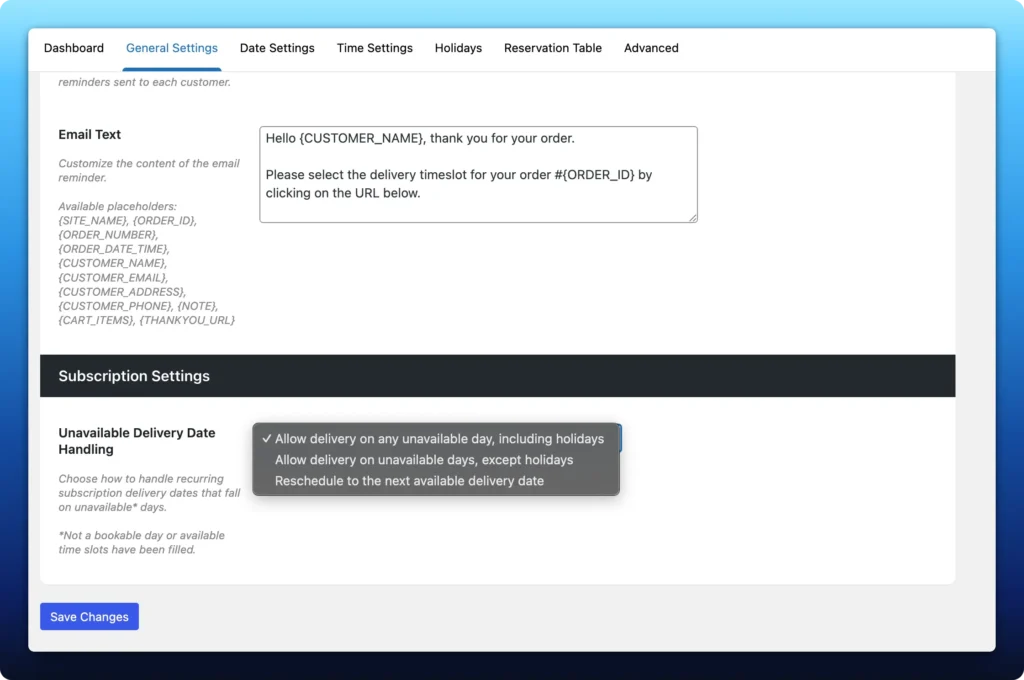
Sometimes, the calculated delivery date may fall on an unavailable day (e.g., a fully booked day, a non-working day, or a holiday). To address this, we’ve added a new setting under WooCommerce > Delivery Slots > General Settings > Subscription Settings.
This setting is only visible when either WooCommerce Subscriptions or StellarPay subscriptions is active.
Options available:
- Allow delivery on any unavailable day, including holidays. The calculated date will be used as-is, even if it falls on a holiday or a fully booked day.
- Allow delivery on unavailable days, except holidays. The date will be accepted unless it falls on a holiday. In that case, the plugin will reschedule it to the next available date.
- Reschedule to the next available delivery date. If the calculated date is unavailable (for any reason), the plugin will automatically find and assign the next available delivery date.
Example scenario
- Initial Order Date: July 1
- Selected Delivery Date: July 5
- Anchor: 4 days
- Next Renewal Date: August 1
- Calculated Delivery Date: August 5
If August 5 is unavailable:
- Option 1: The order will still be delivered on August 5.
- Option 2: If August 5 is a holiday, the order will be moved to the next available date.
- Option 3: The order will always be moved to the next available delivery slot.
WooCommerce Delivery Slots
Let customers choose their preferred WooCommerce delivery date and time right from your WooCommerce checkout page. With WooCommerce Delivery Slots, you can set a flexible delivery schedule to suit you and your customers.
Was this helpful?
Please let us know if this article was useful. It is the best way to ensure our documentation is as helpful as possible.