

Improve conditional Elements and streamline Flux Checkout with our new compatibility and usability improvements.
With Flux Checkout for WooCommerce, you can now create multiple conditions for your checkout Elements and use Flux alongside many more page builders and WordPress themes.
Curious? Here’s what this update is all about.
Multiple conditions for checkout Elements
With Flux Checkout for WooCommerce, you can create conditions for each of your custom checkout blocks, messages, or widgets (we call these Elements). This means you can control who sees these depending on the items or monetary value of the customer’s cart.
Until now, you could create multiple conditions, but you couldn’t specify if you wanted to show or hide Elements based on multiple and/or conditions. We’ve now added this to Flux Checkout. So, should you want to get more specific with your Elements, you can.

For example, let’s say you want to show a message to customers when they’ve got a particular product in their cart, and the cart total is less than $50. Now, you can create one Element with multiple and/or conditions to make this happen.
Better compatibility with page builders
Until now, Flux has worked well with page builders like Elementor and Divi. Using these page builders with Flux Checkout means you can use your custom-built headers and footers should you want to.
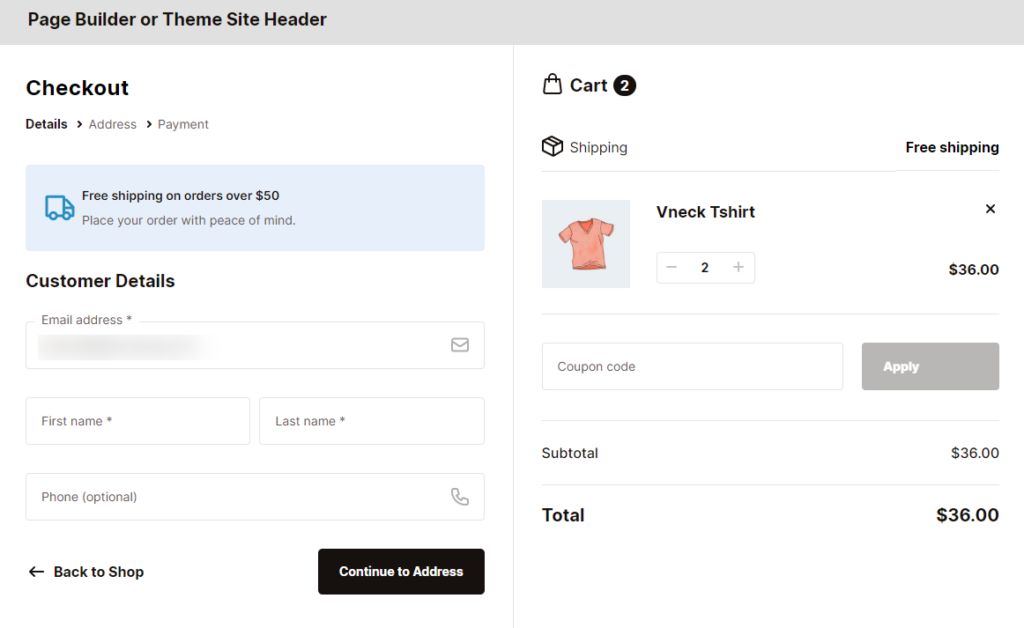
Now, we’ve added more page builders and themes into the mix. With BeaverBuilder, Bricks, Breakdance, and Visual Composer, you can use the headers and footers you’ve created to customize your checkout to suit you.
How to get Flux Checkout for WooCommerce’s new features
If you’re already using Flux Checkout for WooCommerce, you can update from the WordPress Dashboard as usual.
Want to see how to use Flux Checkout with these features? Here are some step-by-step docs that can help:
If you don’t already have Flux Checkout for WooCommerce, get it for yourself here:
Flux Checkout for WooCommerce
Flux Checkout transforms the default WooCommerce checkout into one that’s lightning-fast, distraction-free, and reduces checkout abandonment.
So, what do you think of this exciting new update? Let us know in the comments.

Dave is an experienced WordPress and WooCommerce developer with over a decade of building solutions in the agency world, who is now focused on commercial plugins and SaaS products.
He joined Iconic in November 2021, leading development on several plugins including our flagship WooThumbs product, before taking over as Product Manager in November 2023.