

Improve site speed and make product customization faster and easier with WooCommerce Product Configurator’s new usability improvements.
With WooCommerce Product Configurator, your customers can now customize your products faster, no matter what device they’re on.
Curious? Here’s what this update is all about.
WooCommerce Product Configurator
WooCommerce Product Configurator adds a visual product configurator to your WooCommerce store and allows visitors to customize your products with ease.
WebP or PNG image layers
Loading, editing, and setting up your products shouldn’t slow down your site no matter if it’s you or your customer. To make speed a priority, we’ve added support for the image type WebP.

What is WebP?
WebP is a modern image format that provides the best possible lossless and lossy compression for images on the web. It’s lighter than both JPEG and PNG images. A web page loading WebP images will load faster than one using JPEGs and PNGs.
How this works in Product Configurator
With WooCommerce Product Configurator, you now have the choice of using PNG, WebP or a mixture of both when building your layers.
We’ve also added the ability for you to set the output/final image type as WebP rather than PNG.
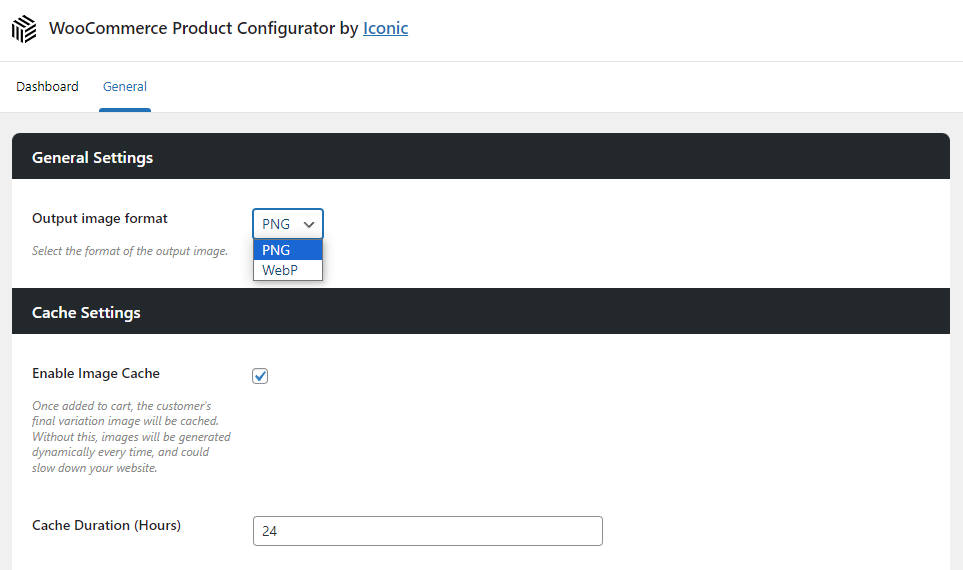
Not only will this speed up your product pages, but it will save customers from long wait/download times. This new feature will make a significant difference, especially when on mobile.
Optional background image
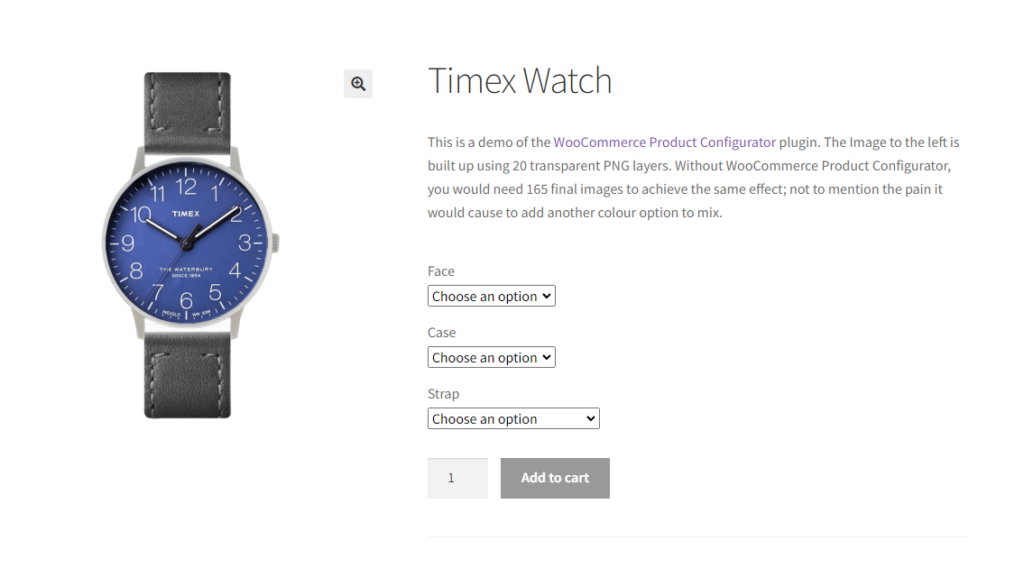
Up until now, when setting up your configurable products, you’ve needed to add a background layer in order for image layering to work. Now, we’ve removed that requirement.

Now, you have the option to add a background layer, but if you don’t, your image will have a transparent background to blend in with your website.
Expand and collapse
When editing your configurable product in the Edit Product screen, you may have found it a little frustrating if your product has a lot of attributes. This is because all sections are automatically left open.

Now though, in addition to having the ability to expand and collapse attribute sections individually, you can expand/collapse all sections at once to save you time and frustration.
How to get WooCommerce Product Configurator’s new usability features
If you’re already using WooCommerce Product Configurator, you can update from the WordPress Dashboard as usual.
Want to see how to use Product Configurator? Here are some step-by-step docs that can help:
If you don’t already have WooCommerce Product Configurator, get it for yourself here:
WooCommerce Product Configurator
WooCommerce Product Configurator adds a visual product configurator to your WooCommerce store and allows visitors to customize your products with ease.
So, what do you think of this exciting new update? Let us know in the comments. If you have questions about our cross-selling update, we’d love to hear from you.

Gina Lucia is our in-house Content Manager at Orderable. She writes articles, user guides, technical documentation, and creates videos on everything WooCommerce and Orderable.
Gina has been working in the WordPress/WooCommerce space since 2012 when she developed WordPress websites for clients large and small.
For the past 8 years, she’s been writing about everything WordPress and WooCommerce, becoming an expert in what makes a WooCommerce store succeed.
When not writing, Gina loves to tend to her vegetable garden, read, or travel to mainland Europe.