

Looking to secure your online store but don’t know much about ecommerce security? We’ve got you covered.
Unfortunately, online stores are appealing targets for hackers and other cybercriminals since they handle large amounts of sensitive data. The threat of your ecommerce store being hacked is always looming.
Ecommerce security is so vast and complex that finding ways to keep cybercriminals at bay can be challenging. We’re here to help you understand and show how to secure your online store.
We’ll walk you through:
- What ecommerce security is and the key security concerns in ecommerce.
- The best practices for ensuring ecommerce security.
- How to know if your ecommerce site is secure.
First, let’s understand what ecommerce security is.
What is ecommerce security?
Ecommerce security refers to the measures taken to protect an online store and everything within it from cyber threats. We can see it as a set of guidelines that ensures your ecommerce site, shoppers, employees, transactions, etc., are safe from these threats.
Threats such as:
- Data breaches – where hackers get unauthorized access to the data stored on your site.
- Phishing attacks.
- Fraud.
- Malware and ransomware.
- And so on.
Anyone with a business has to find ways to secure it. Even traditional brick-and-mortar stores invest in security cameras, high-quality locks, and security personnel to keep shoplifters at bay.
Ecommerce security is significantly different from security in traditional stores
However, as an online store owner, you have different threats. While hackers can’t steal products directly from your ecommerce site, they can get in and steal information. So how you protect your site is distinctly different from how brick-and-mortar stores would do this.
In this guide, we’ll walk you through how to do it. But first, why should you go through all the trouble of keeping your online business as secure as possible?
Why is ecommerce security important?
Ecommerce has undoubtedly grown over the past few years. New stores are popping up daily, and people are shopping online more than ever. Unfortunately, this growth has also attracted the attention of ‘bad players’.
Hackers always seek to gain unauthorized access to ecommerce sites or intercept shoppers’ transactions. According to research, the ecommerce space experiences 32.4% of all cyberattacks.
So, as an ecommerce store owner, you must secure your business because if you don’t:
The cost of recovering from a data breach could put you out of business
Recovering from a successful cyberattack is extremely expensive, especially for small businesses. One study found that 60% of small businesses (including ecommerce stores) that experience it close their doors within 6 months.
These costs come from paying cybersecurity experts to recover the data that has been stolen and set up a new security system. After a breach, you’ll close your online shop until the issue is resolved.
This means you’ll be making financial losses during this period.
Customers will lose trust in your business
For customers to shop from you, they need to trust you. If hackers successfully breach your website, customers will lose the faith they had in you to keep their billing addresses safe. Current customers will likely move to competitors, and potential customers will shy away.
Losing customer trust isn’t an option if you want your ecommerce business to survive.
Your business could face legal action
You could face legal action if cybercriminals leak sensitive customer information (credit card details, home addresses, etc.). This type of information is covered under strict data protection laws, such as the GDPR for businesses in the European Union.
Data protection laws aside, credit card details are also protected under the Payment Card Industry Data Security Standard (PCI DSS).
If a data breach results from this, you could be sued by affected customers or fined by these regulatory bodies.
Ecommerce businesses face multiple security threats that you should be aware of if you want to protect your online shop. Let’s go over the main ones.
What are the five security concerns in ecommerce?
Understanding the key security concerns your ecommerce business might face is the first step toward protecting it. So let’s lay the groundwork by looking at the five ecommerce security concerns you should pay attention to.

1. Payment fraud and credit card theft
This is when hackers target your payment gateways and checkout pages to steal credit card information. It’s not just credit cards. Hackers can still get this information if mobile payment options like PayPal or Amazon Pay are enabled.
Once they do, they attempt to use stolen credit card information to buy products in your store. It is one of the most common types of fraud.
In fact, in the first half of 2024, over 214,000 cases of credit card fraud were reported. As a result, your payment gateways and checkout should be a top priority when securing your site.
2. Data breaches and customer information leaks
Your ecommerce business has a database where you store product information and customer details. What information do you have about your customers, especially the loyal ones?
- Their home address is needed if you ship products to them.
- Credit card data and billing address.
- Birth date, and even their buying history.
With a data breach, cybercriminals target your database to steal this information. Databases are rich in personal data, so they’re prime targets for hackers. This is reason enough to place database security high in your ecommerce security priorities.
3. Phishing attacks and fake websites
Phishing attacks and fake websites bank on tricking individuals into sharing sensitive information. With phishing, a scammer will send a fraudulent email to a customer or employee disguising themselves as your ecommerce site.
In the email, they’ll ask them to share sensitive information. This is one of the most common cyberattacks out there.
Did you know that a whopping 3.4 billion phishing emails are sent daily?
With fake websites, on the other hand, a cybercriminal will create a fake website that resembles yours. Then, it uses it to get customers to share personal data.
4. DDoS attacks and website downtime
A DDoS (short for Distributed Denial of Service) attack involves a hacker overloading your ecommerce site with traffic so that it slows down or crashes. During this attack, hackers will hijack numerous devices on the internet, turning them into ‘zombies’.
They’ll then use these ‘zombies’ to send a large volume of traffic your way. This overwhelms your website. When it slows down, customers will have a poor shopping experience. And when it crashes, customers won’t be able to access it.
According to studies, it is one of the fastest-rising cyberattacks, with DDoS attacks rising by 108% between 2023 and 2024.
5. Malware and site vulnerabilities
Malware, short for ‘malicious software,’ is an umbrella term for software designed to damage your ecommerce site. Different types of malware include viruses, trojan horses, spyware, ransomware, etc.
Each one is designed to cause damage in different ways. For instance, spyware can monitor shoppers’ activity on your site and steal their login credentials. Ransomware will capture your customer’s data and hold it for ransom.
When discussing vulnerabilities, we refer to weaknesses in your security system. Kind of like a hole in a fence that hackers can use to get in.
As you can see, cybercriminals have so many ways to attack you. Because of this, you need different ways to keep your site and shoppers secure. With that in mind, let’s review the best practices for handling ecommerce security threats.
What are the best practices for ensuring ecommerce website security?
As more cyber threats make their way into ecommerce, it is somewhat surprising that nearly 50% of small businesses lack a cybersecurity plan. Fortunately, you don’t have to leave your site’s security to chance.
We’ll discuss the best practices to keep shoppers, user accounts, online transactions, and everything on your site secure.
Full disclosure: The best practices we discover here are centered around WordPress and WooCommerce. You can still use them for an ecommerce site you’ve set up elsewhere.
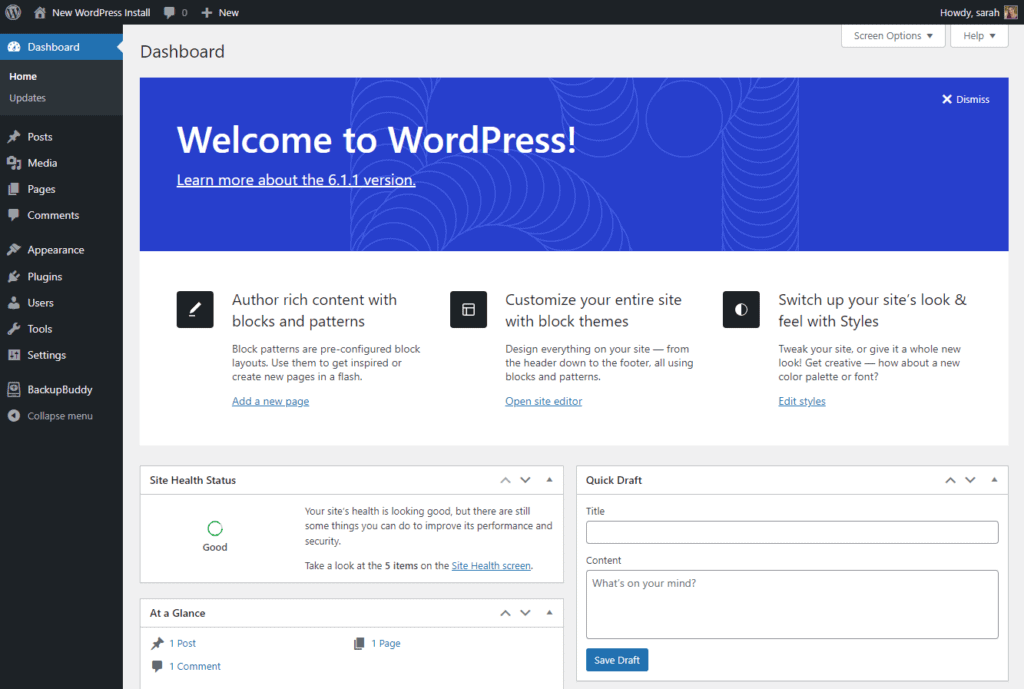
1. Use a secure ecommerce platform and keep software updated
You should start with a strong foundation by picking a secure ecommerce platform. A secure ecommerce platform has fewer vulnerabilities, meaning fewer weaknesses for hackers to exploit.
While there are many out there, we highly recommend WordPress and WooCommerce. Here’s why.

How is WooCommerce a secure ecommerce platform?
In the default setup, WooCommerce relies on WordPress security. WordPress developers are constantly working on and releasing new updates. These updates contain security patches that patch up existing vulnerabilities in previous versions.
WordPress provides a set of user roles (admins, editors, etc.), each with different levels of permissions. As the admin, you can use this feature to restrict access to specific sections of your ecommerce site.
Lastly, WordPress and WooCommerce are extensible. You can extend their security features using plugins (as seen in the next section).
Keep your WordPress stack updated
Always keep WordPress, WooCommerce, themes, and plugins up-to-date. New versions of these components come with new security features that come in handy to prevent hackers from getting in.
Otherwise, outdated or unverified themes and plugins could introduce security risks.
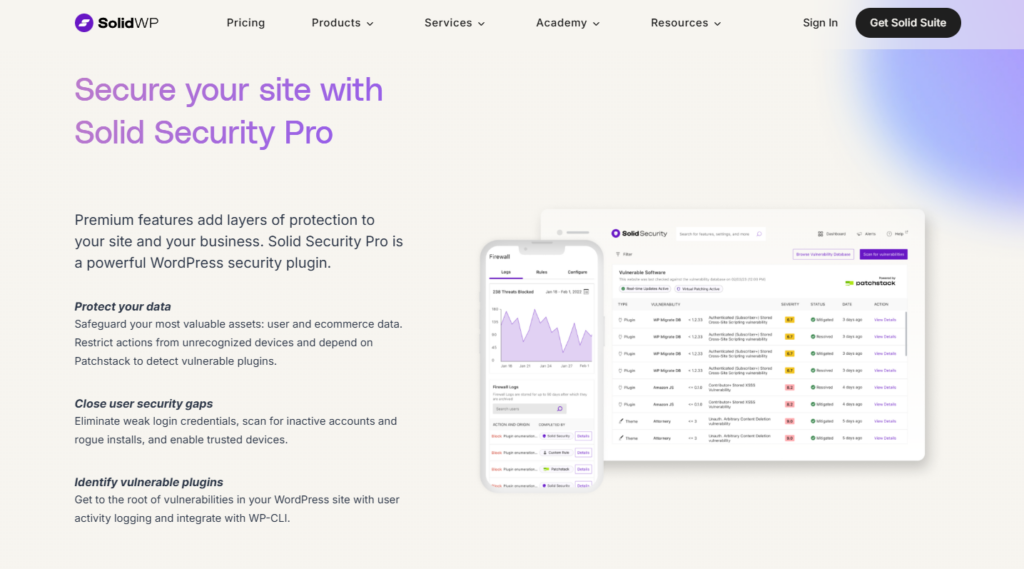
2. Install a WordPress security plugin (Solid Security by SolidWP)
On its own, WordPress has a pretty solid security foundation, but this isn’t enough. According to Patchstack’s latest report, WordPress has 889 vulnerabilities. This means you need to take charge of your WooCommerce store’s security.
You can do this easily with the help of the best WordPress security plugin Solid Security by Solid WP.
What makes Solid Security the best WordPress security plugin?
Solid Security is the best WordPress security plugin because it provides different solutions for preventing your online store from being hacked. Using this plugin, you can secure your online business from various cyber threats, including:
- Database-targeted attacks such as SQL injections.
- Malicious code injected via techniques such as cross-site scripting (XSS).
- Malware, and all other security concerns we’ve covered in this guide.
It enables you to implement security measures in multiple layers. So that when a hacker gets through one layer, another layer can stop them. The best part? You can implement these security protocols by checking a box or clicking a button.
You don’t have to learn about what XSS, malware, or SQL injections are. The plugin will do the heavy lifting.
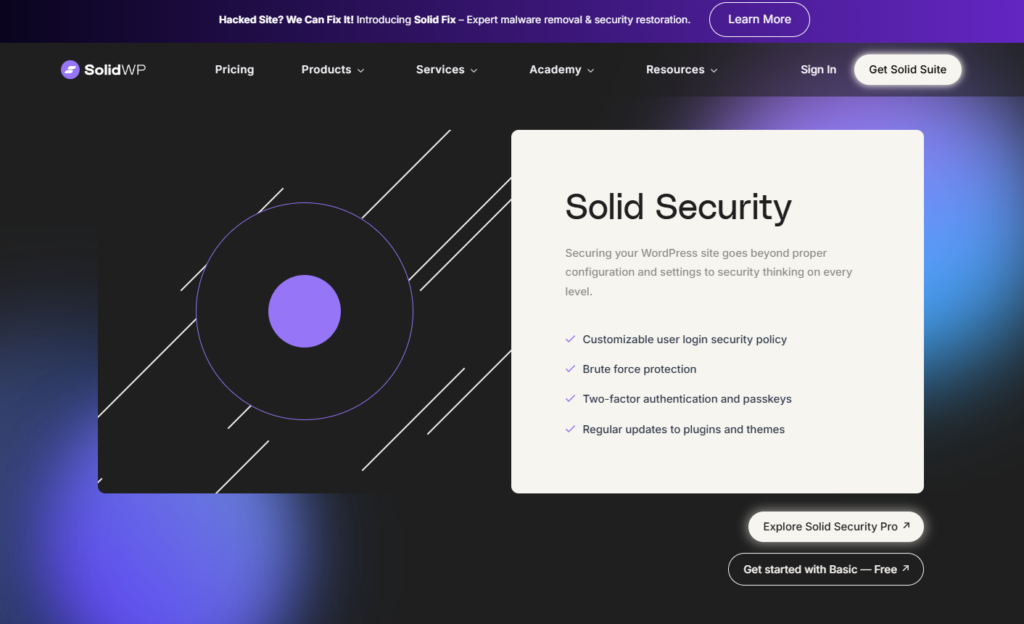
Which security measures can you implement with Solid Security?
Solid security provides you with several security measures to keep your site safe.
This includes:
- Brute-force protection – This prevents hackers from guessing your (or your customer’s) login credentials.
- A customizable firewall – Solid’s Security’s firewall isn’t just a rigid shield. You can customize it to suit how you want to protect your store. For example, you can set up rules for locking out specific users, choose how long you lock them out, etc.
- Hide your WordPress backend – to stop newer, less-skilled hackers.
- Site scanning – You can set it up to scan your site regularly for malware or vulnerabilities.
- Disable the file editor – This is a file hackers often look for as they break into WordPress sites, which allows them to modify your site.
- Database backups, and so much more.
Solid Security Integrates with Patchstack. This is another WordPress security solution that helps you identify security vulnerabilities in themes, plugins, and the WordPress core.
Why use Solid Security?
Solid Security works seamlessly with WordPress and WooCommerce. Apart from allowing you to implement security measures, it also keeps you updated on your WooCommerce site’s security status.
From its dashboard, you’ll have an overview of the threats blocked, banned users, and users who are locked out. You can also get regular email updates containing a security digest with this information.
3. Secure customer payment data
When customers submit their payment information to your ecommerce site, you assume the responsibility of keeping it secure. We’ve already seen that if you fail to do so, you lose their trust and could face legal action.
Luckily, there are different ways to ensure your customers’ credit card numbers don’t fall into the wrong hands.
Use an SSL/TLS encryption
SSL (short for secure sockets layer) creates a secure connection between your ecommerce site and your customer’s browser. This data will be encrypted when customers share their payment information with your site.
This means that even if a hacker gets their hands on it, they won’t be able to make any sense of it.
Although Solid Security allows you to enforce SSL as a requirement, it doesn’t give you an SSL certificate. You can get it from your hosting provider.
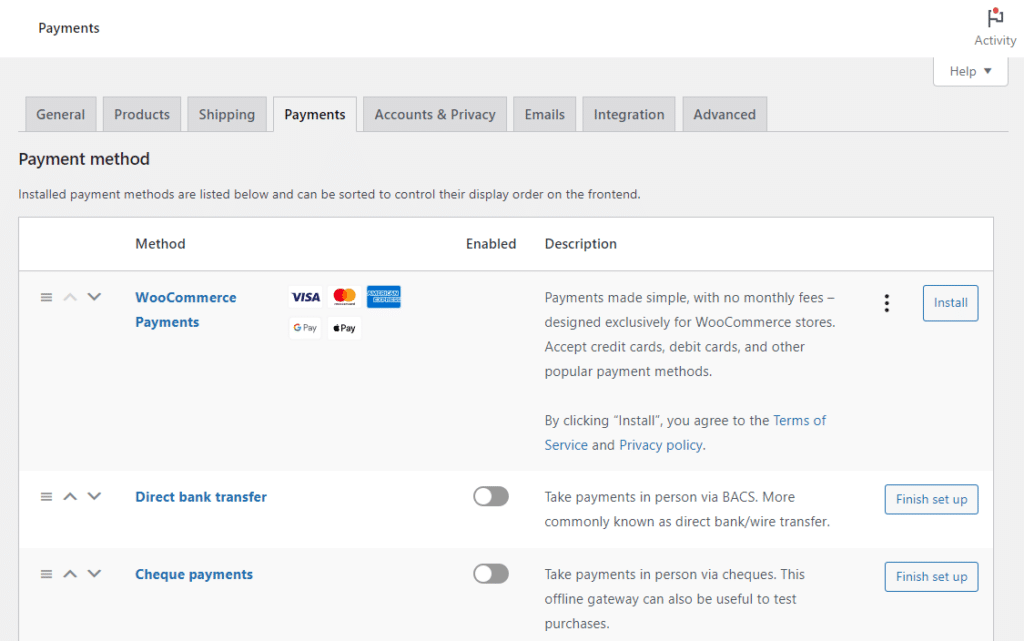
Partner with trusted payment processors
Payment processing in your online store has to be secure. There’s no other way around it. Because of this, you should only enable secure payment gateways on your site. Fortunately, they’re not hard to find.
Popular payment processors such as Stripe, PayPal, and Amazon Pay have a good track record of securing transactions. These are the ones you should go for.
Whatever you do to secure customer payment data, ensure that it complies with PCI DSS standards.
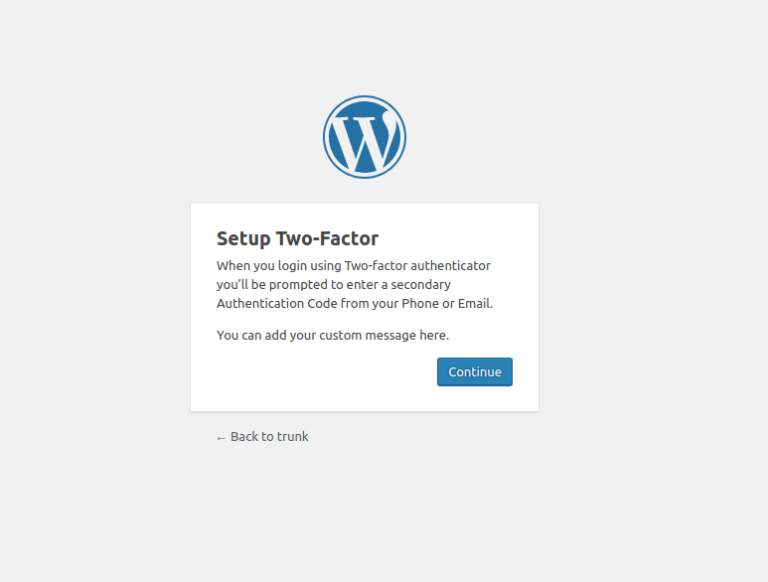
4. Enable two-factor authentication (2FA) for admin and customer logins
Two-factor authentication(2FA) is a form of multi-layer security. It adds an extra layer of protection by requiring an additional verification step before accessing a website.
This is so important because it isn’t uncommon for hackers or any other unauthorized person to stumble upon your passwords.
The 2025 Breached Password report by Specops Software research revealed that 1 billion passwords have been stolen by malware.
So, if hackers get your username and password, the extra verification step will prevent them from accessing your site. You can add this protective measure to your WooCommerce site with Solid Security.
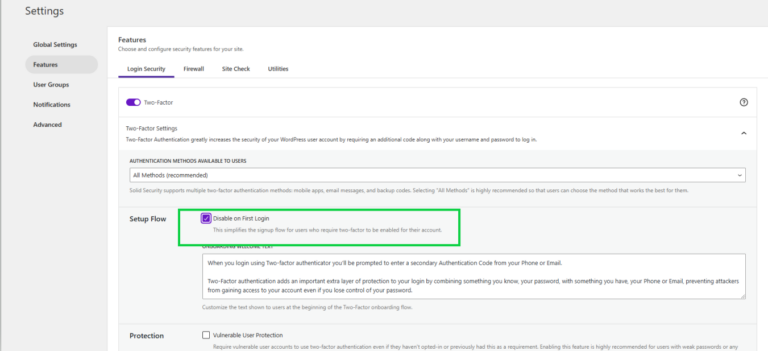
Implement multi-factor authentication with Solid Security
With Solid Security, you can implement 2FA using a mobile app (such as the Google Authenticator), email, and backup codes. You don’t have to select one. You can have the mobile app as the primary 2FA method and email as your backup for when you don’t have your mobile phone around.
If you log out of WordPress and try to log back in, a dialog box requesting an authentication code will pop up. You’ll find this code in the mobile app. You can also click on the backup method to get the code.
Note: Multi-factor authentication (MFA) is a broader term that includes 2FA but can also add a third layer. For instance, answering a security question like ‘What is your favorite sports team?’.
5. Regularly scan for malware and vulnerabilities
One of the best ways to protect your online store is to catch security breaches before they cause significant damage. You can do this by performing regular malware and vulnerability scans.
Ecommerce websites are what we consider ‘high-risk’ websites because they get a lot of traffic and handle so much sensitive data. You should schedule daily scans to snuff out these threats before they become problematic.
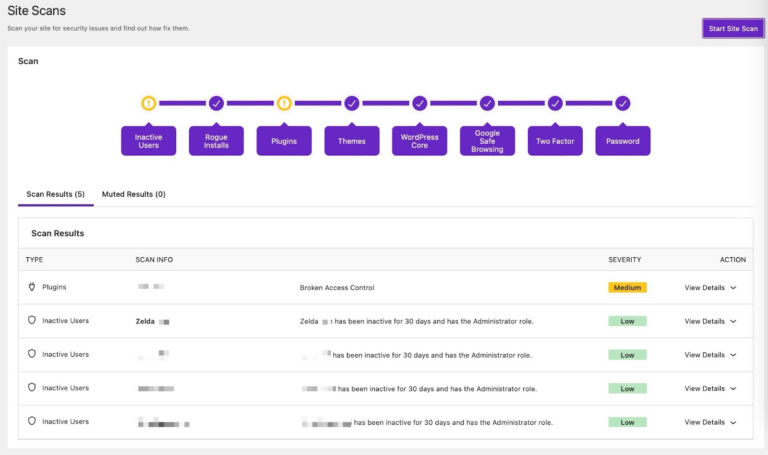
Schedule automated security scans with Solid Security
Solid Security enables you to manually perform real-time malware scans or schedule them daily, weekly, etc.
Malware aside, this plugin automatically scans your entire website (including themes and plugins) for security issues such as:
- Vulnerable themes and plugins.
- Vulnerabilities in the WordPress core.
- Compromised passwords.
- Unexpected file changes.
Once the scan is completed, Solid Security will list the type of threat, the affected plugin, and the severity in a scan results report.
What should you do when the scan finds an issue?
Well, this depends on what it finds. Let’s say it finds vulnerabilities in your themes and plugins. The first thing you should do here is check if the affected theme or plugin has an update. If so, update it.
The same goes if the scan identifies a vulnerability in the WordPress core. But if you can’t find an update, the next best course of action is temporarily disabling the theme or plugin.
6. Set up a Web Application Firewall (WAF)
A firewall creates a shield between your website and the internet. All traffic to your online store must pass through the firewall before it arrives.
A firewall allows you to create rules that will enable genuine traffic to get through while blocking malicious traffic. We can look at a firewall like a tollbooth, where paying customers (genuine traffic) are allowed to cross while those that haven’t paid (malicious traffic) are blocked.
In this case, malicious traffic can be an XSS attack, SQL injection, or DDoS attack.
There are many ways to set up a firewall for your ecommerce site. You can get one from Cloudflare. Or, if you’re already using Solid Security, you can create rules to set up your firewall.
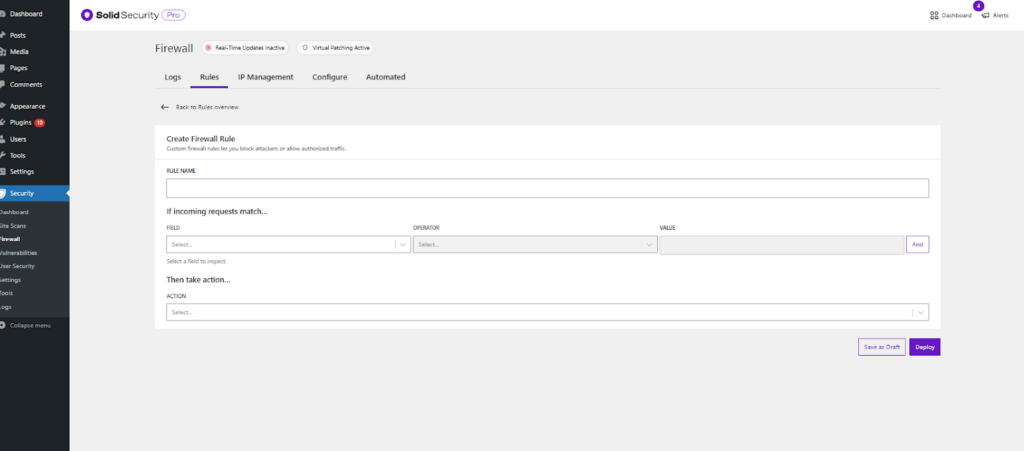
Set up a firewall with Solid Security
Solid Security provides you with a customizable firewall that you can use to block malicious traffic coming to your site. Once you switch it on, you’ll see the number of threats blocked and where they are coming from.
You can get specific and create your own firewall rules to block specific attacks. You’ll write particular conditions to block or redirect it elsewhere if an incoming request matches them.
A firewall isn’t designed to defend your site against all attacks. So you shouldn’t use it alone but as part of your security strategy.
7. Back up your website regularly (Solid Backups – NextGen by SolidWP)
Let’s say, in a worst-case scenario, a hacker successfully injects malware that deletes your inventory, customer wishlists, and payment data. You’ll need something to fall back on to recover from this.
This is what backups are for. You can copy and store your data elsewhere, away from your site, with backups. So that in case of a successful attack, you can quickly restore your website’s data and get back up and running as soon as possible.
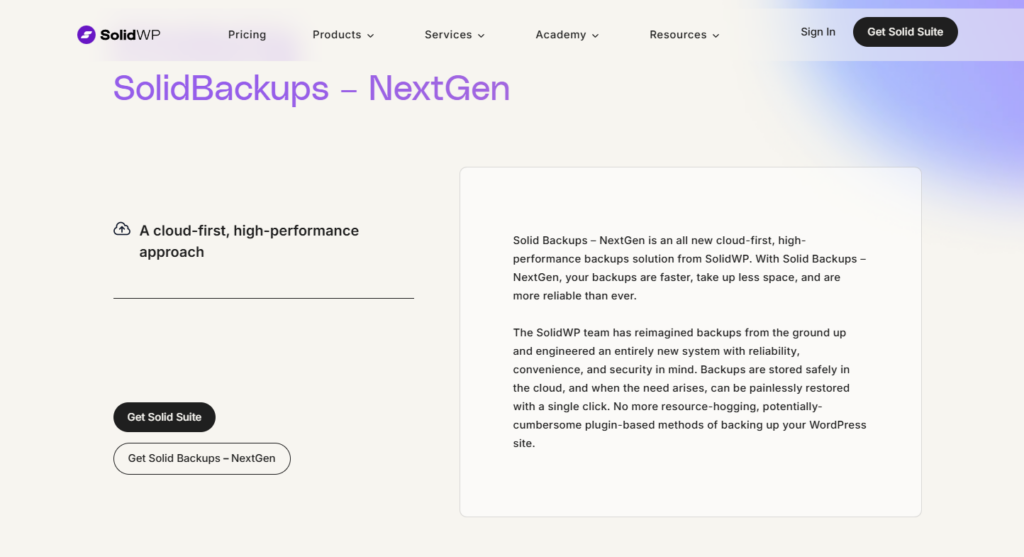
Regularly back up your site with Solid Backups – NextGen by SolidWP
Solid Backups – NextGen is a part of SolidWP’s suite of security tools, just like Solid Security. You can use it to back up your entire WordPress website, including files, plugins, themes, posts, and even settings.
Solid Backups – Ne xtGen doesn’t consume your hosting provider’s resources, unlike most backup solutions. Your backups will be stored and served right from SolidWP’s cloud.
You can back up your site daily, and only the files that change will be backed up. You’ll do it in one click when you need to restore your website. Also, Solid Backups provides you with an activity timeline where you’ll get detailed information about your backups.
8. Monitor login activity and limit failed login attempts
Brute-force attacks are among the oldest and most straightforward hackers use to get through security systems. They involve hackers trying different combinations to guess the password to your site.
Today, they don’t do this manually. Instead, they use bots to try various combinations until they find the correct password. How do you combat this? Monitor login activity and
How do you combat it? Monitor login activity and limit failed login attempts. Let’s do this using Solid Security’s brute-force protection feature.
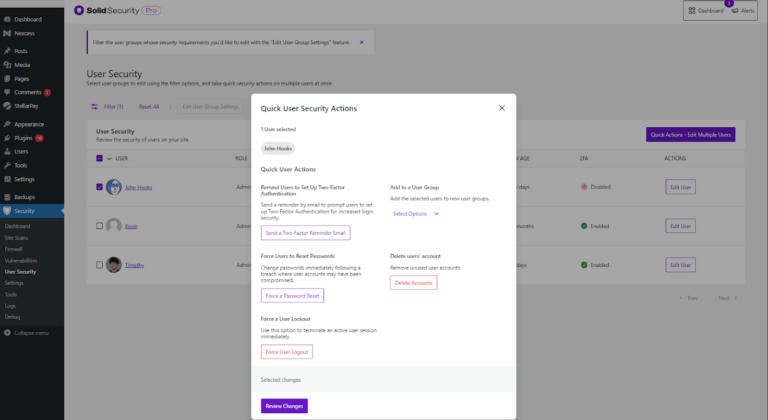
How to prevent brute-force attacks with Solid Security
Solid Security has a local brute-force protection feature that helps you protect your ecommerce site against attackers trying to guess login details. Once you enable this feature, you can set the maximum number of login attempts per user.
Users who exceed this number will be locked out of your ecommerce site. This is great because you limit a hacker’s chances of guessing the correct password.
After you set this up, Solid Security will monitor each user’s login attempts. Once they go past the number you’ve set, they won’t be able to continue guessing login credentials.
9. Educate staff and customers about security best practices
This guide has focused on the best practices to protect your business against external threats. However, we shouldn’t forget that threats can come from within. Your customers or staff could be responsible for exposing your business to security threats.
Knowing this, you should try to educate your staff and customers about best practices for security.
Train staff on security best practices
One study found that staff mistakes cause 88% of all organizational data breaches.
Start by training your staff on the best practices you’re implementing. They should know how to use 2FA, strong passwords, etc. You can go as far as training them to identify phishing scams and other security issues.
Most importantly, they should know how to handle customer data carefully and how to interact with your ecommerce site securely.
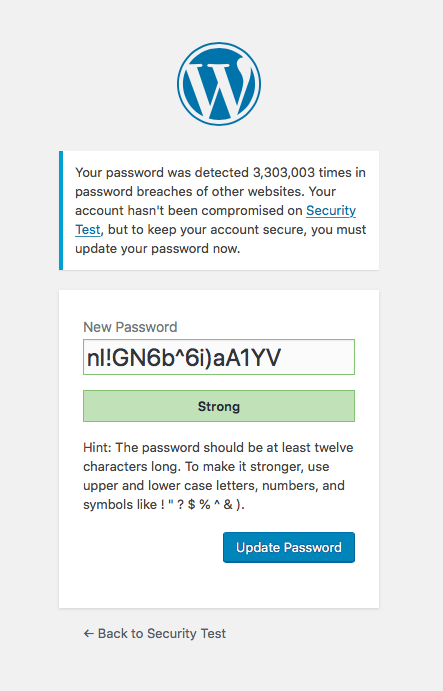
Encourage customers to use strong passwords
Your customers shouldn’t be left out of your security plan. Encourage them to create stronger passwords in the following ways:
- Display a message similar to this one as they create their accounts. ‘For better security, we recommend creating strong passwords’.
- Enforce strong passwords. For instance, reject passwords until they have at least 8 – 12 characters, have a mix of uppercase and lowercase letters, and have special characters.
Whether you’ve implemented measures or not, you’ll want to know where your site’s security status stands. Let’s see how to tell if your site is secure.
How to know if an ecommerce site is secure?
To know if your ecommerce site is secure, you’ll have to test and monitor it regularly. Although we have already touched on this, we can’t emphasize enough how important this is.
Here’s what you can do to determine if your site is secure.
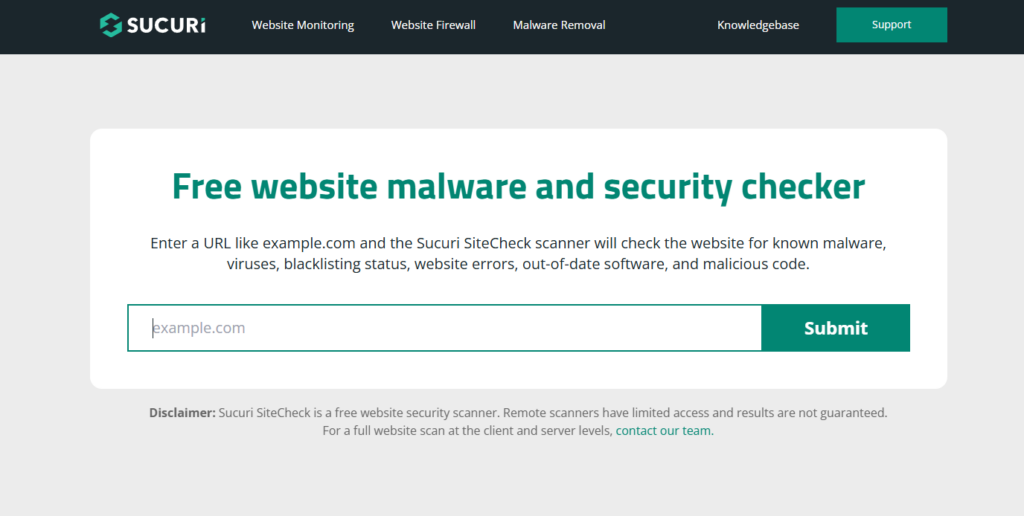
1. Use security scanning tools
Several tools can help you scan your website for security issues. We’ve seen how you can use Solid Security’s site check to look for vulnerabilities and security risks in your WordPress themes, plugins, and core.
You can opt for an external solution such as Sucuri SiteCheck or Google Safe Browsing. With Succuri SiteCheck, you paste your ecommerce website’s URL, and it will scan it for malware, malicious code, out-of-date software, etc.
Google Safe Browsing works differently. You can use it as a frontrunner to check if the website you’re about to visit is secure or fake.
2. Monitor site traffic and activity logs
You can use Solid Security’s activity logs to see what is happening on your site. If you see unusual traffic spikes, this could indicate that you’re under a DDoS attack. You can adjust your firewall rules from here to keep unwanted traffic out.
3. Check SSL certificates and HTTPS encryption
As mentioned earlier, SSL certificates are essential in securing customers’ payment information. You can check if you’re using SSL from the left side of your search bar (if you’re using Chrome).
Once you click on this, you should see the ‘Connection is secure’ message. Then, when you click on this, you should also see the ‘Certificate is valid’ message.
With these simple strategies, you should be able to know if your ecommerce site is secure.
Get to grips with ecommerce security today
Ecommerce security is essential in protecting your site, shoppers, and staff from cyber threats. While WordPress and WooCommerce give you a solid foundation to build on, you need to take charge of your WooCommerce site’s security.
In this guide, we’ve covered the best practices we hope can help you secure your online store from hackers and other cybercriminals. If you don’t have much experience with ecommerce security, don’t fret!
The tools we’ve covered in this guide, such as Solid Security, will take the work out of securing your site. Use these best practices and tools to secure your ecommerce site today.

Gina Lucia is our in-house Content Manager at Orderable. She writes articles, user guides, technical documentation, and creates videos on everything WooCommerce and Orderable.
Gina has been working in the WordPress/WooCommerce space since 2012 when she developed WordPress websites for clients large and small.
For the past 8 years, she’s been writing about everything WordPress and WooCommerce, becoming an expert in what makes a WooCommerce store succeed.
When not writing, Gina loves to tend to her vegetable garden, read, or travel to mainland Europe.