
WooCommerce Product Configurator
The WooCommerce Product Configurator Plugin for Your Online Store
WooCommerce Product Configurator adds a visual product configurator to your WooCommerce store and allows visitors to customize your products with ease.

Iconic plugins are trusted by over 20,000 WooCommerce Businesses and Online Shops
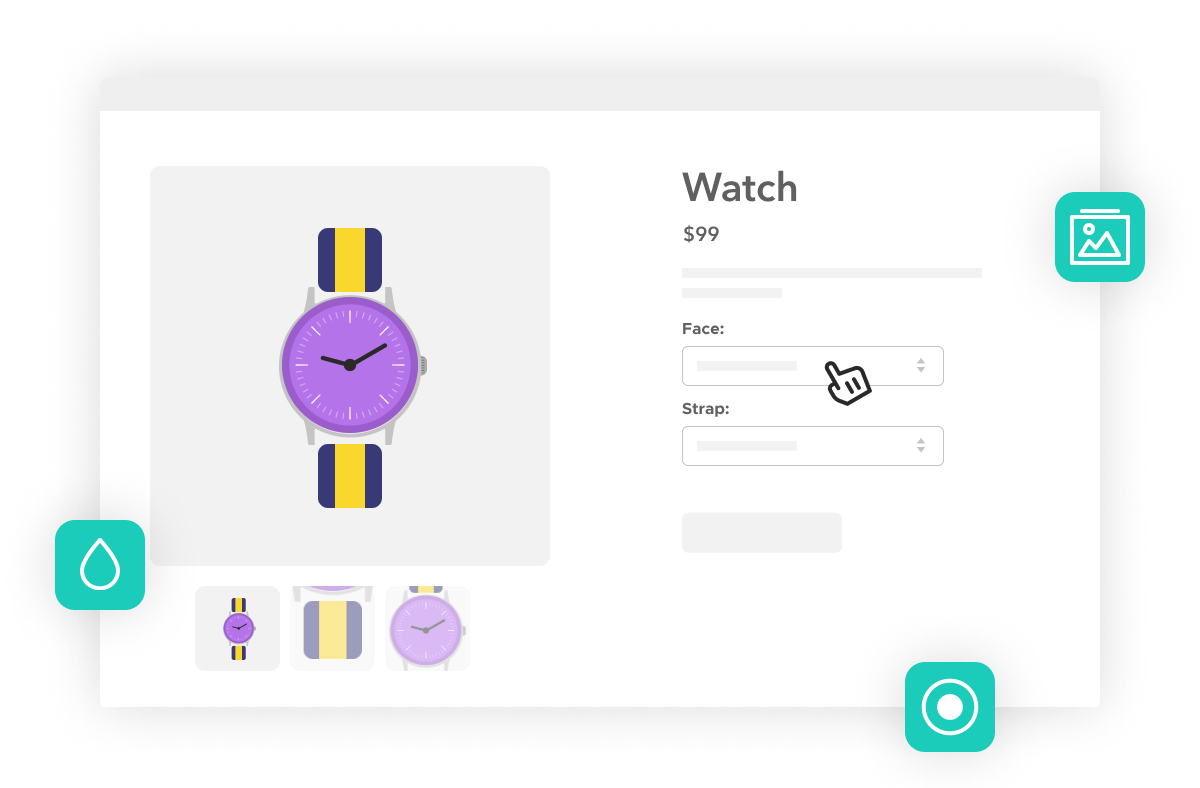
A Product Configurator for WooCommerce
User-Friendly Product Customization on the Product Page
- Add a product configurator/product customizer to your WooCommerce store with WooCommerce Product Configurator.
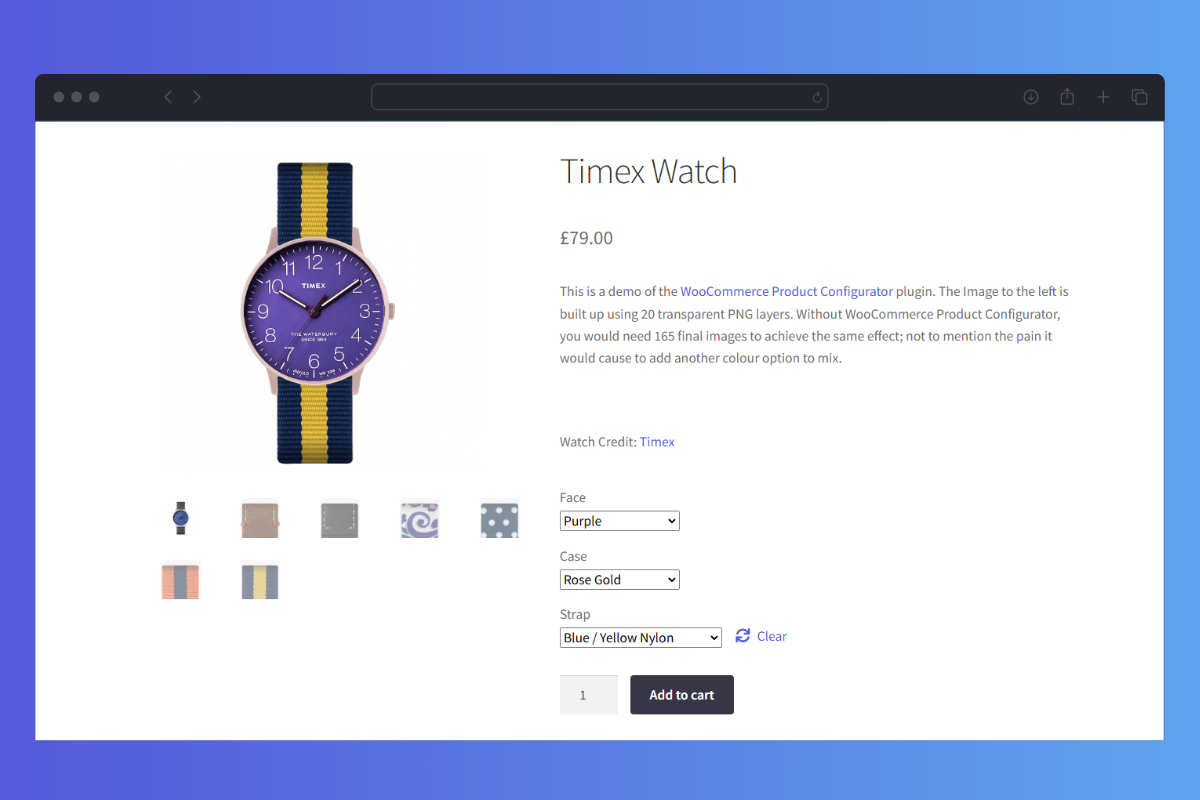
- Allow customers to select product attributes and have them visibly update the product image (like a real-time live preview).
- When customers select each product option, the product image will update with a new layer – giving them a much more satisfying experience.
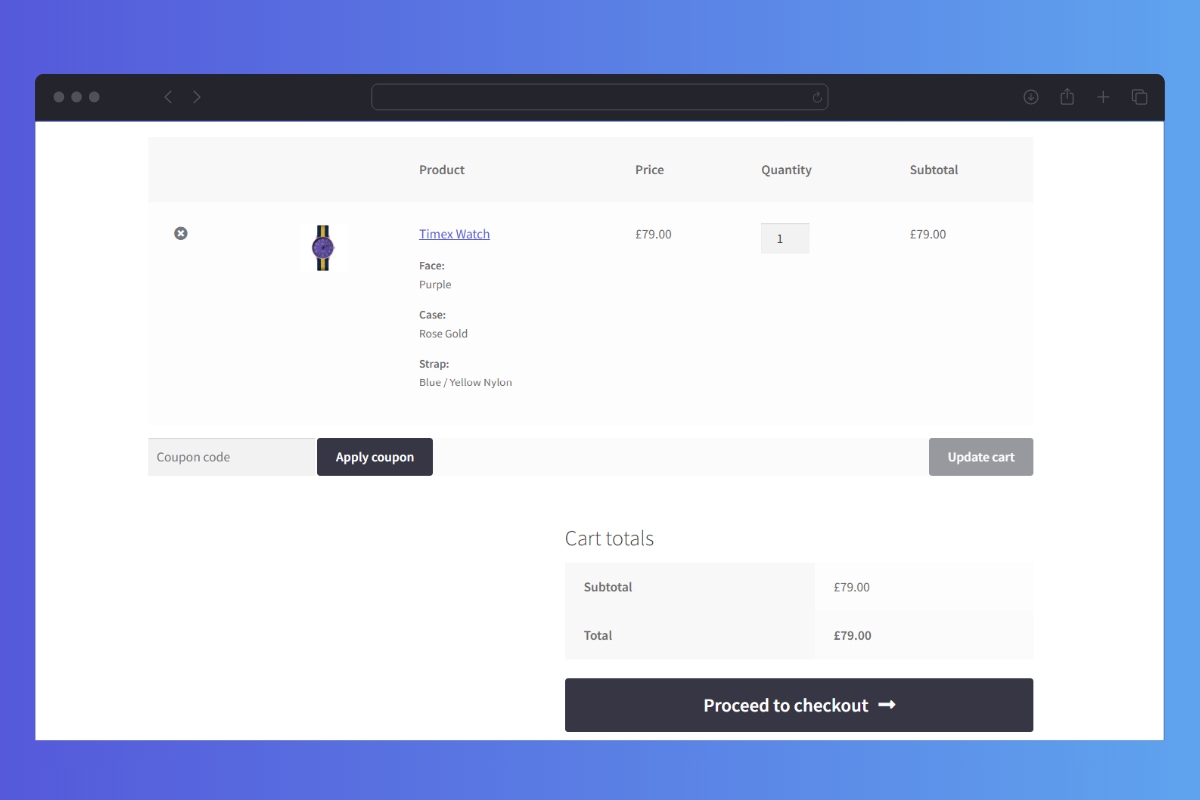
- Once added to the cart, customers see a mini-preview of their final product with the options they selected – saving confusion and reducing cart abandonment.
- This mini-preview also appears as the product image on the edit order screen in WooCommerce, saving you time processing orders.
This plugin is a user experience dream! It works as it should and allows my web visitors to easily create their own custom products.
 Michael Bainbridge
AHA Factory
Michael Bainbridge
AHA Factory
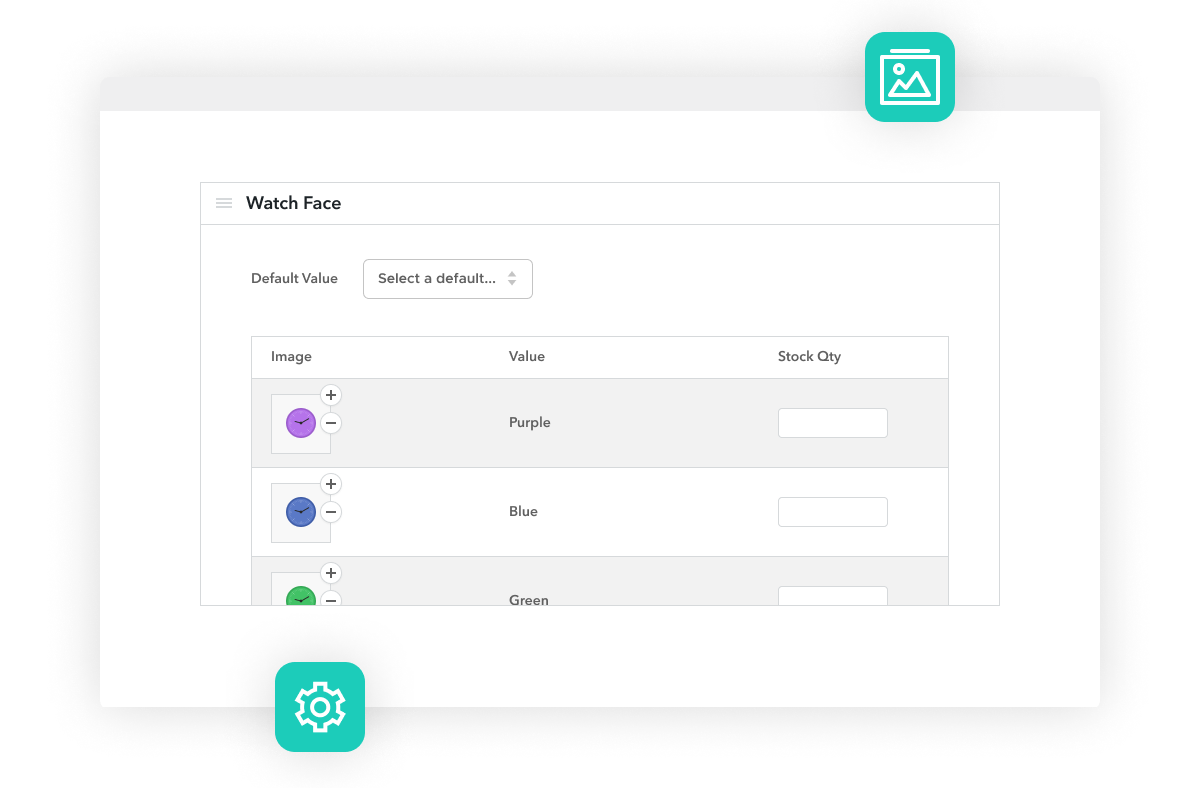
PNG and WebP Image Layers
Create Your Customizable Product With Ease
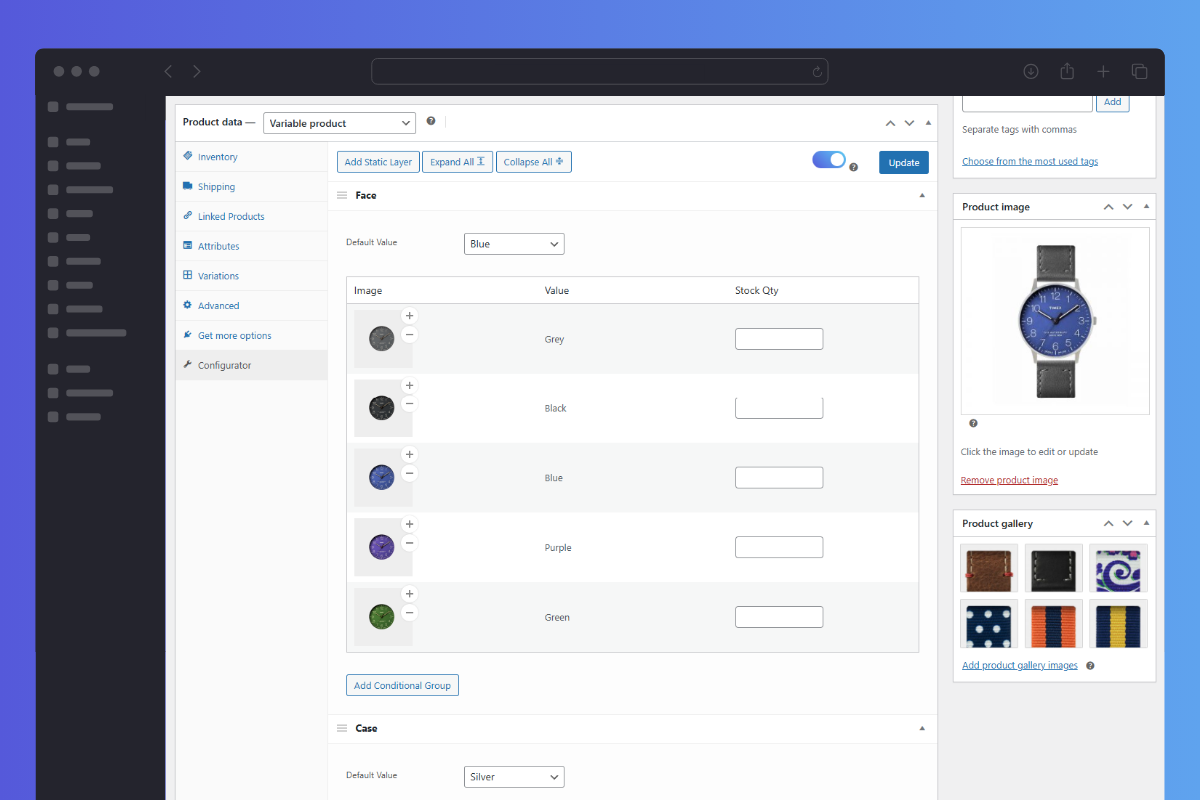
- When creating your product/configuration options, all you need to do is create one image layer for each option. These will then layer on top of one another as the customer selects them.
- Upload each image layer and attach it to the attribute of your variable product (we support the file upload types PNG or WebP).
- Add an optional background image to tailor the customer experience to your store.
We have used this plugin to create thousands of configurations for products and the plugin is very solid.
 Julie Goodman
Pop Up Flip Flop
Julie Goodman
Pop Up Flip Flop
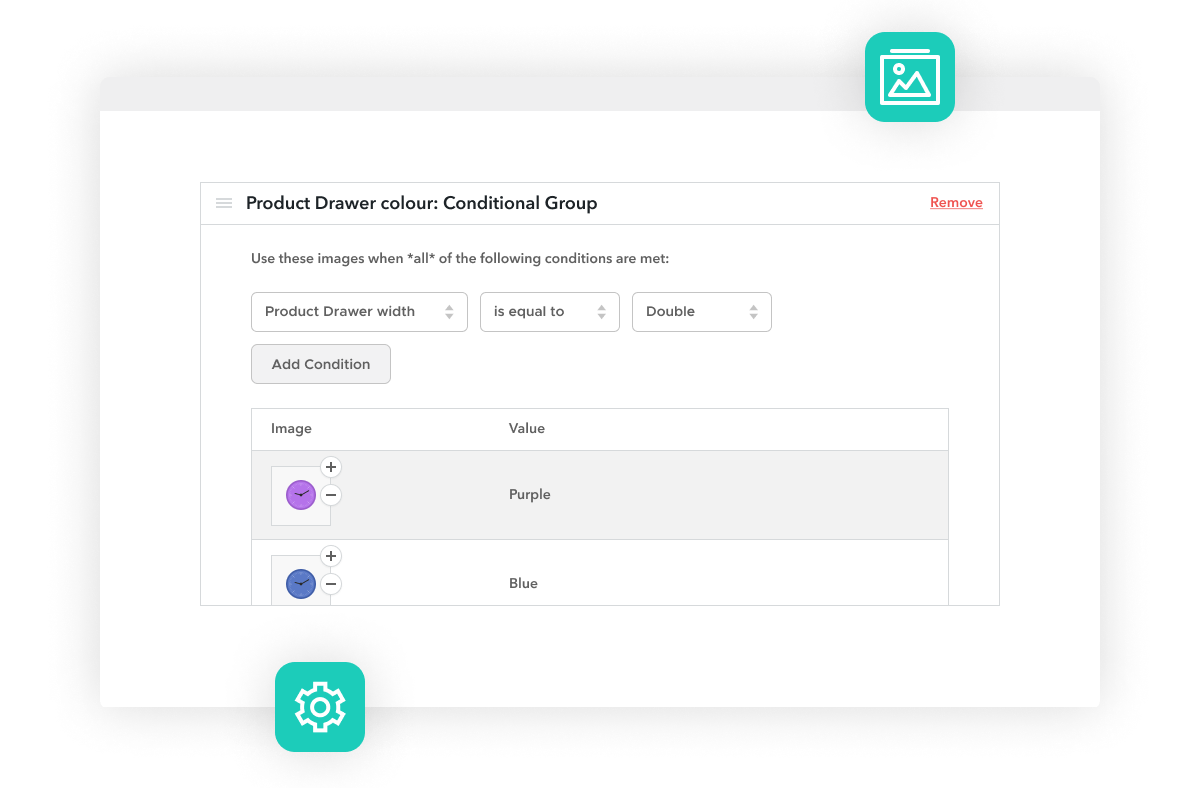
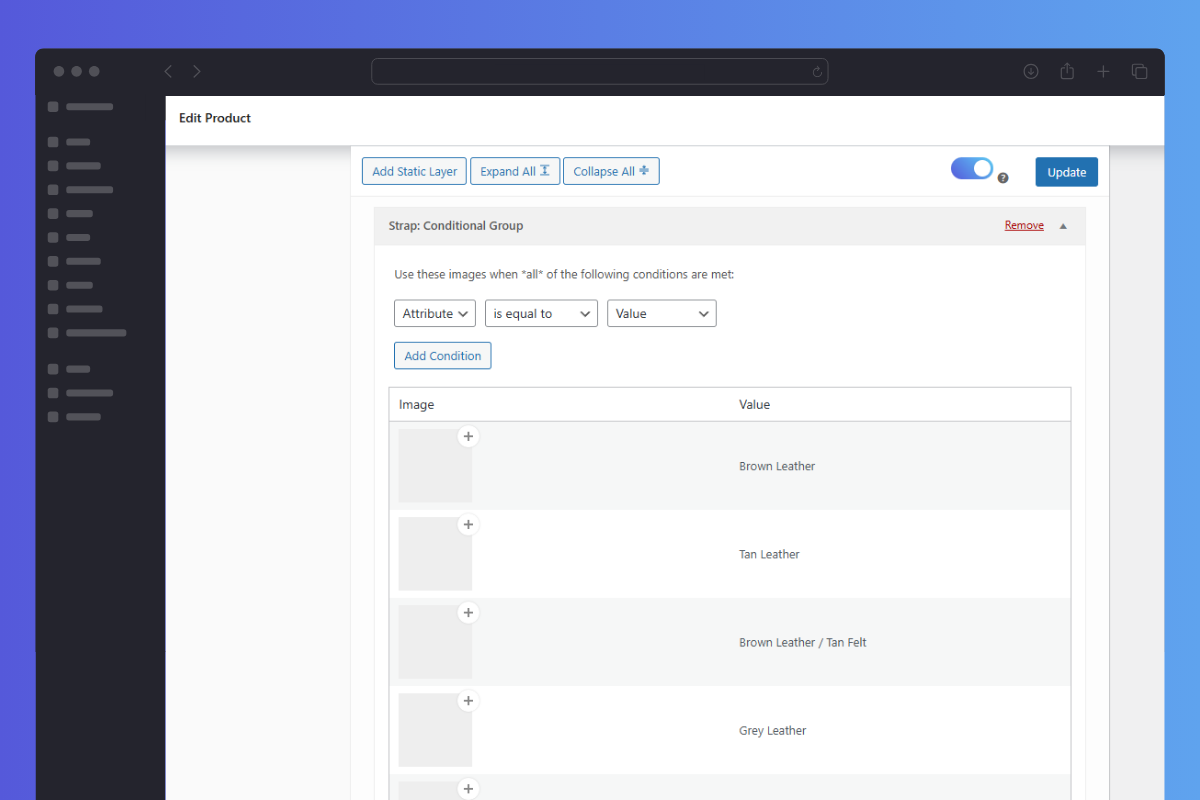
Add Conditional Logic
Add Conditional Logic to Customizable Products
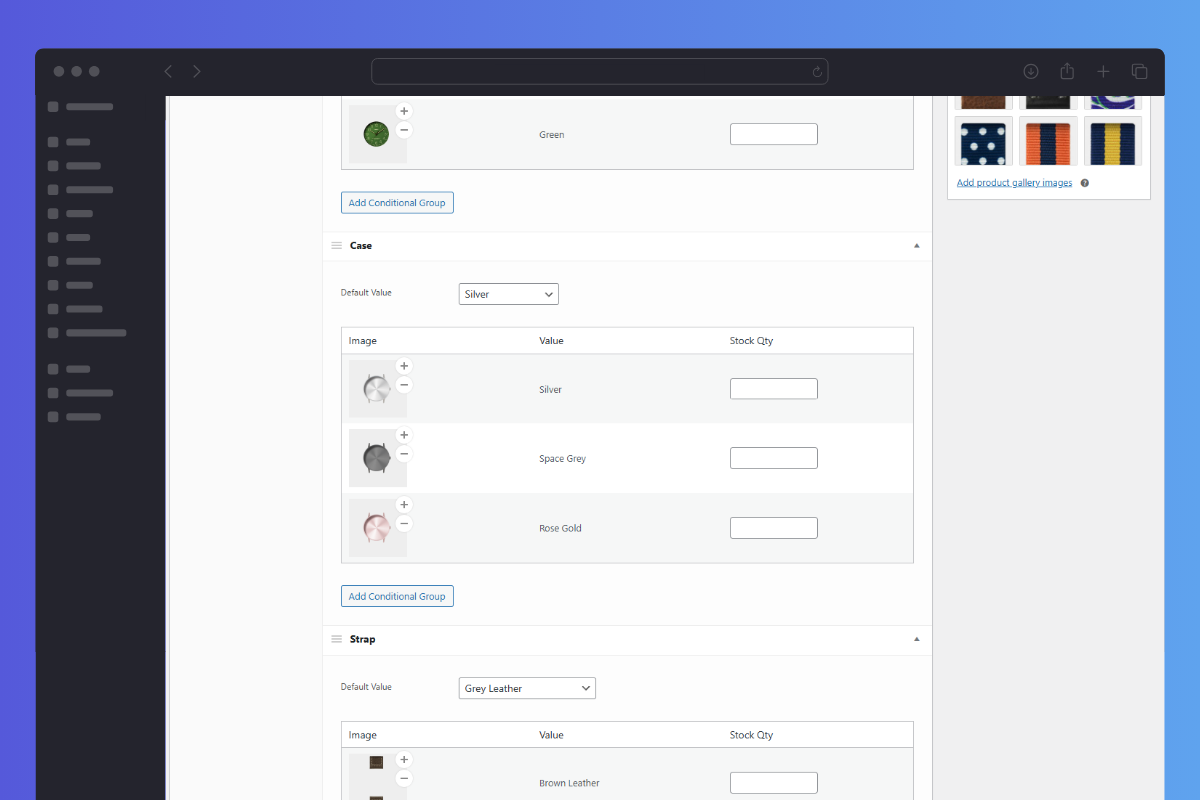
- Create conditional groups of images to display specific images when certain conditions are met.
- For example, if a customer selects a size attribute (drawer width) with a material attribute (drawer material), you might want to show a different image layer depending on the combination.
- Add all of this from the product edit screen of your WordPress site. No need to learn any new systems or processes.
- Create a complex product with a wide variety of customizable options without the headache of worrying about the final product image.
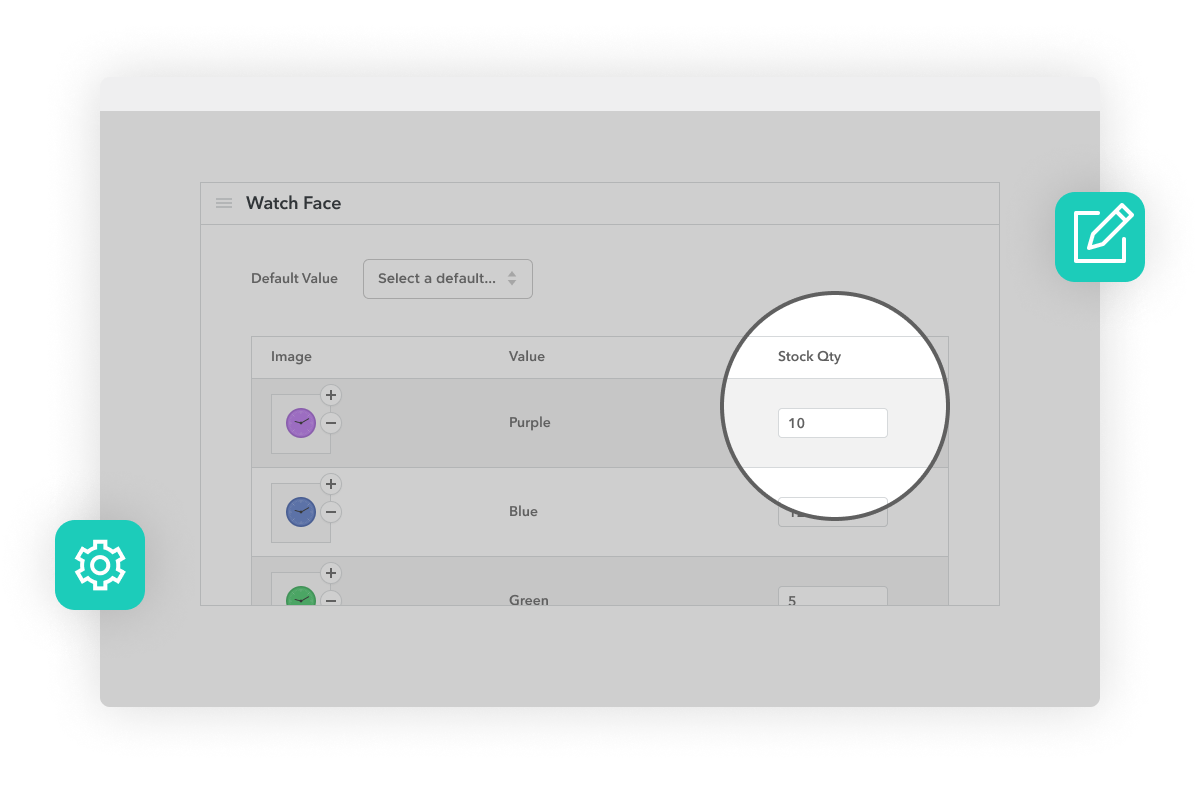
Manage Attribute Inventory
Manage Stock Levels for Each Product Option
- Manage the stock levels of each product option right from the product edit page – making inventory management a breeze.
- View stock levels quickly so you have enough of each component in stock – saving customers frustration.
- Once a configured product has been purchased, stock levels update automatically.
I’m using four of Iconic’s plugins. Their support is kind of like having pizza in Naples – I never thought it could be THIS good.
 David Agosta
Art Products
David Agosta
Art Products

Mobile Friendly
Customize WooCommerce Products On Any Device
- WooCommerce Product Configurator is mobile-ready. So customers can use dropdowns to create a customizable product on their mobile device.
- Provide the best product designer customer experience possible, no matter which device your customer is using.
- Reduce mobile page load time by turning on image caching within WooCommerce Product Configurator.
I tried several and bought 2 other product configurator type plugins before this the one from Iconic, but the others either downright didn’t work or weren’t responsive on mobile. I am happy to recommend this plugin.
 Mark Riley
Riley and Thomas
Mark Riley
Riley and Thomas
30-day money-back guarantee
Theme compatibility focused
World-class support
More Incredible Features
WooCommerce Product Configurator also includes all of the following features — Optimize your WooCommerce store today and increase sales and conversions.
Layered Images
PNGs or WebP images assigned to each variation combine to create a layered final product image.
Default Layer Options
Set which of your layer images you’d like to be the default option for customers landing on your product page. Change this easily via a dropdown option.
Conditional Logic Options
Add conditional logic for attributes to give you and your product add-ons as much flexibility as possible.
Customer Focused Design
Optimized for a simple and intuitive user experience. With accessible design and useability in mind.
Page Builder and Theme Compatible
Compatible with many well-coded WordPress themes and 3rd-party WordPress plugins and page builders. Including Elementor, Divi, Variation Swatches for WooCommerce, and more.
Caching Options for Speed
Enable image caching and layer pre-loading to speed up your site and improve the product builder experience for your customers.
Mobile Friendly
WooCommerce Product Configurator works great across devices.
Stock Management
Easily manage the stock levels for each of your product’s attribute options in handy form fields for each product option.
Fits Seamlessly into WooCommerce
Looks and acts as though it is native WooCommerce functionality in the product edit screen.
Easy to Setup
There are no complicated settings, just simple options for each product variation in the backend of your WooCommerce store.
Screenshots
See how WooCommerce Product Configurator looks for both customers and admin users.

Choose Your License
Which plan is right for you? Whichever one you choose, you’ll get access to this incredible plugin and our 5-star support.
Product License
14+ Sales-Boosting Plugins From Only $299
Get this plugin and more when you join the All Access club. Instantly increase your store’s selling power and usability.
Bundle up.
Get Product Configurator, Attribute Swatches, and WooThumbs for only $237 $149 with our WooCommerce Configurable Product Bundle.
Product Configurator
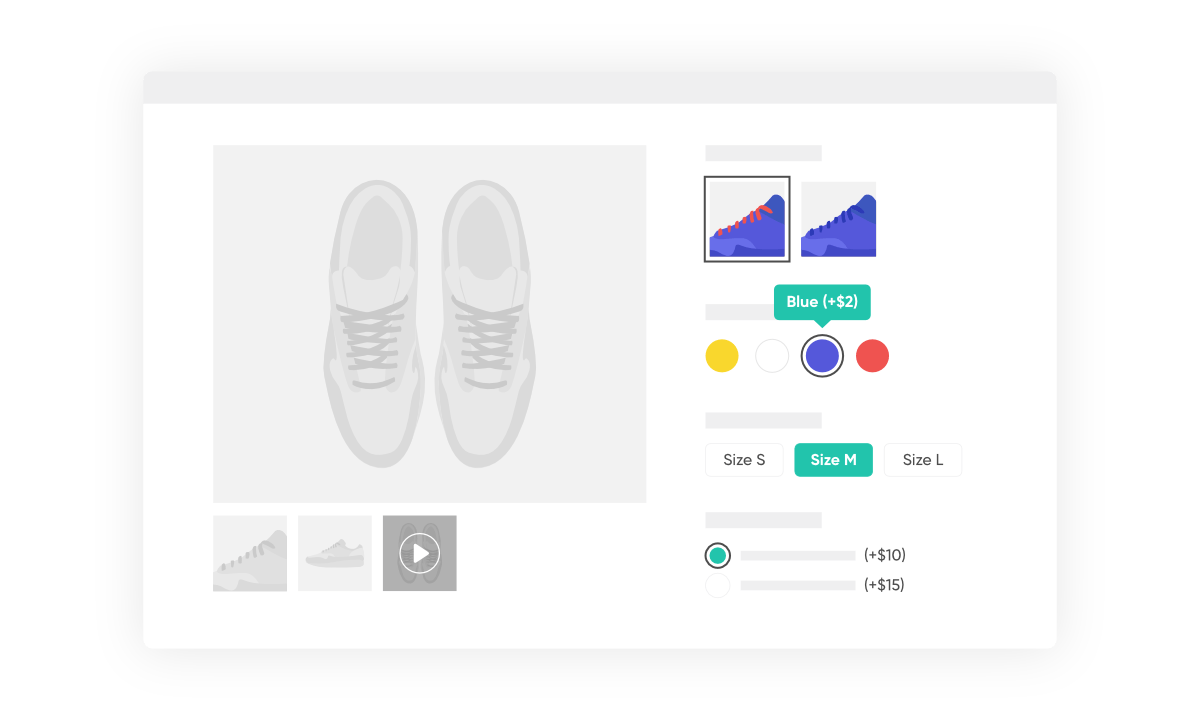 Attribute Swatches
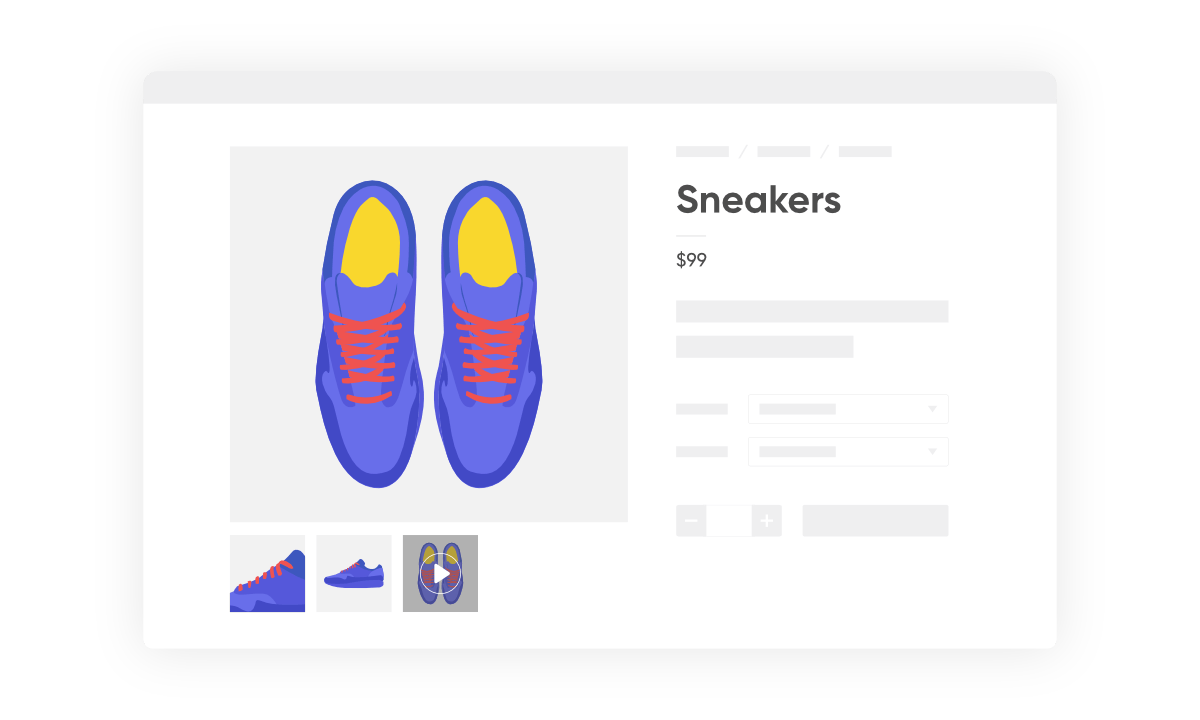 WooThumbs

100% No-Risk Money Back Guarantee
You are fully protected by our 100% Money Back Guarantee. If you aren’t completely satisfied within 30 days of purchase, you’re more than welcome to a full refund!
- Version: 1.27.1
- Updated: 29 Apr 2025
- Released: 19 May 2014
- WordPress: 6.8
- WooCommerce: 9.8.2
- View Changelog
Frequently Asked Questions
Have you got a question about WooCommerce Product Configurator? Check out some of the most popular questions and answers below.
-
How will WooCommerce Product Configurator save me time creating images?
Imagine you’re selling a customisable watch. You have the following attributes: Face Colour, Strap Colour, Strap Material, and Hands Colour. If each of those attributes had 5 options, then you’d need to create final images of the watch for every possible variation. This would be 625 images ( 5x5x5x5 ).
Using the WooCommerce Product Configurator plugin, the final image is built up in layers; you’d only need to create an image for each attribute option. This would be 20 images ( 5+5+5+5 ).
Creating 20 images will be far quicker than creating 625 images!
-
Does Product Configurator allow for custom text or image placement?
Right now, WooCommerce Product Configurator doesn’t have the functionality for you to allow customers to create their own layouts or add custom text or custom images to your products. This is a feature we’re looking to add in the future.
-
Can I use Product Configurator with simple products?
WooCommerce Product Configurator is designed to be used with variable products with product variations. This is because the product customization works with the attributes you have created. When a customer selects an attribute, the main product image is updated with their selection on the front end of your site with a live preview.
Simple products don’t have these kinds of product fields (dropdown options) for customers to select from.
-
Will Product Configurator work with my theme?
Yes. WooCommerce Product Configurator has been built to work with any well-coded WooCommerce theme. If in doubt, check our compatibility doc, or get it touch via our contact form.
-
Can I change the domain associated to the license?
Yes. Our system checks against the number of active installs, rather than the specific domain names. You can deactivate the plugin on one domain and then activate it on another domain with no issues.
-
Can I still use the plugin when my licence expires?
Yes, you can still use the plugin at its full capacity even after your license expires. However, you will no longer be able to receive updates or support for the plugin.
-
Can I use my licence in a development environment?
Yes. Most development environments will not count towards your site limit.
-
Do you offer lifetime licenses?
No. We do not offer any lifetime licenses for our plugins.
-
Do you offer refunds?
Yes, if you decide within 30 days of purchase our plugin is not for you, we’ll happily refund you in full.
-
Do you offer a free trial?
No, however, we do have a 30-day money-back guarantee. If you decide within 30 days of purchase our plugin is not for you, we’ll happily refund you in full.
-
Do you offer multi-site licenses?
Yes, we do (and they’re heavily discounted)! When the checkout modal opens, you can choose between 1 Site, 3 Sites, and 30 Sites under Plan Selected at the top. If you have any other requirements, please get in touch via our support page.
-
Is this a lifetime licence, or will it stop working after 1 year?
The license is an annual subscription. It can be canceled at any time. If you cancel the subscription, the plugin will continue to work as normal until the end of the paid-for period.
Once the license expires or is canceled, you will no longer receive updates or support for the plugin.
After expiration or cancellation, the WooCommerce plugin will continue to work on your site.
-
Why do I need a subscription?
WooCommerce is constantly evolving. A subscription model allows us to continue supporting the latest releases and offer the best support we can.
-
Will it work with my theme?
All Iconic plugins are tested with multiple WooCommerce themes and page builders. As long as your theme is well-coded and WooCommerce compatible, it should work. Want to double-check? In our documentation, you’ll find a list of compatible plugins, themes, and page builders for every one of our plugins.
If you experience any compatibility issues at all, our support team is here to help you work through them as quickly as possible.
-
Will my subscription renew automatically?
Yes, your subscription will renew automatically every year unless you cancel it. If you do decide to cancel it, your license will still be valid for the paid-for period; this means you will still receive updates and support during that time.
-
Do you offer monthly plans?
We only offer annual plans for all our WooCommerce plugins and bundles.
Customer Reviews
Fantastic
There were many knockoffs, that didn’t work as easy and logically as this module. This is a steal compared to competitors that ask a monthly fee of 80 euros and up for something similar.
So happy the developer thought of this Plugin!
This Plugin is exactly what we were looking for to add functionality to our eCommerce website!
Perfect for my site
This is exactly the plugin which I am looking for. Thanks very much to IconicWP for releasing this fantastic product.
Great support, plugin
Very happy with the support
The Iconic team is amazing!
The Iconic team is amazing! They are super kind and helpful and have worked tirelessly to help fix any issues that I’ve had with their Configurator plugin. The plugin itself is so beautiful that my client couldn’t believe it when she finally saw it set up! Thank guys!